Listen to this Post
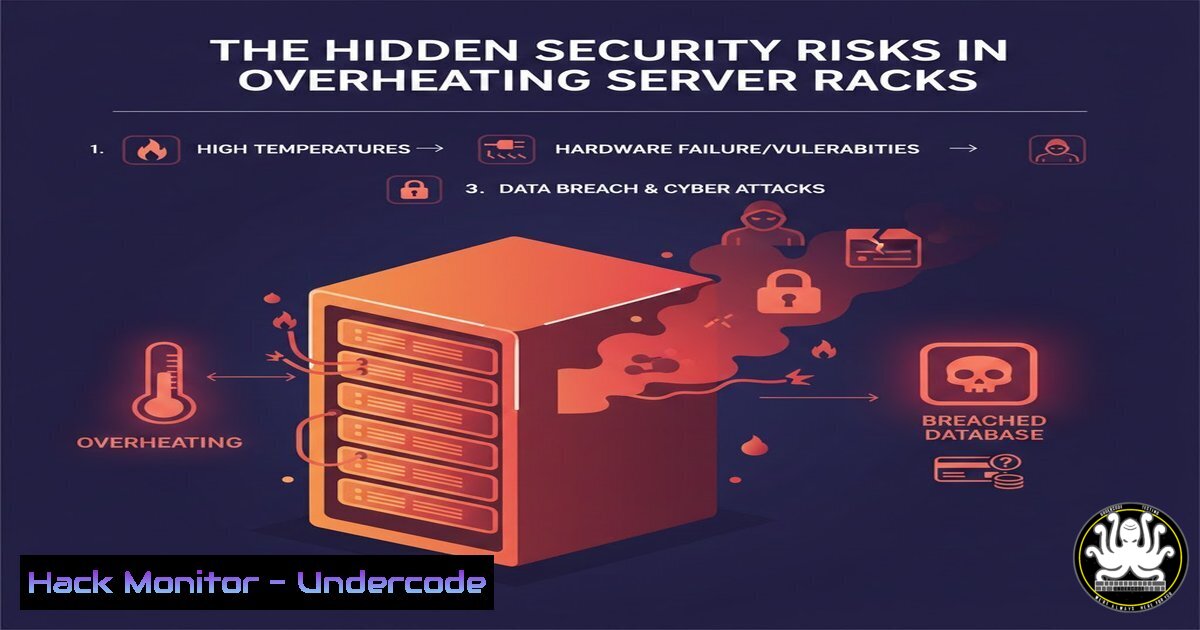
Introduction:
While often overlooked in cybersecurity strategies, hardware thermal management is a critical frontline defense for system integrity. Inadequate cooling in densely packed servers running AI workloads or security appliances can trigger catastrophic hardware failures, data corruption, and service disruptions that create security vulnerabilities. Proper airflow management isn’t just about performance—it’s about maintaining the operational security of your critical infrastructure.
Learning Objectives:
- Understand the relationship between thermal management and system security
- Implement monitoring and alerting for thermal anomalies
- Configure hardware and software for optimal thermal performance
You Should Know:
1. Thermal Monitoring and Alert Configuration
Extended version: Continuous thermal monitoring provides early warning of cooling system failures that could lead to hardware degradation or service interruption. For cybersecurity operations, this is equivalent to monitoring for physical layer attacks.
Step-by-step guide:
- Linux systems: Install and configure lm-sensors
sudo apt install lm-sensors hddtemp
sudo sensors-detect
sensors
watch -n 2 'sensors | grep -E "(Core|temp)"'
- Create alert thresholds in /etc/sensors3.conf
- Windows systems: Use PowerShell for thermal monitoring
Get-WmiObject -Namespace "root\wmi" -Class MSAcpi_ThermalZoneTemperature | ForEach-Object {($_.CurrentTemperature - 2732) / 10} - Configure SNMP monitoring for temperature sensors in data center equipment
- Set up alerting in your monitoring system (Nagios, Zabbix, PRTG) for temperature thresholds
2. Airflow Optimization for Security Hardware
Extended version: Proper airflow configuration prevents thermal throttling in security appliances like firewalls, IDS/IPS systems, and encryption devices, ensuring they operate at peak performance during attacks.
Step-by-step guide:
- Identify hot and cold aisles in your server room
- Use smoke tests or thermal cameras to visualize airflow patterns
- Implement hot aisle/cold aisle containment where possible
- For rack-mounted security appliances:
- Maintain minimum 1U space between high-heat devices
- Ensure front-to-back airflow alignment
- Clean filters monthly with compressed air
- Monitor airflow with environmental sensors:
Raspberry Pi with temperature sensors
cd /sys/bus/w1/devices/
cat 28-/w1_slave | grep t= | awk -F "t=" '{print $2/1000}'
3. BIOS/UEFI Thermal Configuration for Security
Extended version: Modern server BIOS/UEFI settings include thermal protection features that can automatically throttle or shutdown systems, potentially disrupting security services during critical operations.
Step-by-step guide:
- Access BIOS/UEFI during boot (F2, DEL, or manufacturer-specific keys)
- Navigate to Power/Thermal Management section
- Configure critical temperature shutdown thresholds:
- CPU: 85-90°C for critical shutdown
- System: 70-75°C for warning
- PCIe devices: 80-85°C maximum
- Enable intelligent cooling or dynamic fan control
- For Dell PowerEdge servers:
Using IPMITOOL for remote management
ipmitool -I lanplus -H <host> -U <user> -P <pass> sensor thresh "CPU1 Temp" upper 80 85 90
- Document all thermal policies in security runbooks
4. Container and Virtualization Thermal Management
Extended version: Virtualized security tools and containerized applications can create thermal hotspots when improperly configured, leading to performance degradation during security incidents.
Step-by-step guide:
- Docker thermal constraints:
docker-compose.yml for security containers
version: '3.8'
services:
suricata:
deploy:
resources:
limits:
cpus: '2.0'
memory: 4G
cgroup_parent: /security.slice/
- Kubernetes pod thermal management:
apiVersion: v1
kind: Pod
metadata:
name: security-scanner
spec:
containers:</li>
<li>name: scanner
image: security-tool:latest
resources:
limits:
cpu: "1"
memory: "2Gi"
requests:
cpu: "0.5"
memory: "1Gi"
nodeSelector:
kubernetes.io/hostname: security-node
- Monitor with `kubectl top pods` and `docker stats`
5. Environmental Hardening for Physical Security
Extended version: The physical environment housing security infrastructure requires hardening against thermal attacks, including intentional overheating through HVAC compromise.
Step-by-step guide:
- Secure HVAC control systems with network segmentation
- Implement redundant cooling systems with automatic failover
- Environmental monitoring integration with SIEM:
SNMP trap receiver for environmental alerts
snmptrapd -f -Lo -C -c /etc/snmp/snmptrapd.conf
- Physical access controls for server room HVAC controls
- Regular testing of cooling failover procedures
- Document response procedures for thermal emergencies in incident response plans
6. AI Workload Thermal Considerations
Extended version: AI security tools performing real-time threat analysis generate significant heat, requiring specialized cooling strategies to maintain continuous protection.
Step-by-step guide:
- GPU-intensive security tools thermal management:
NVIDIA GPU temperature monitoring
nvidia-smi --query-gpu=temperature.gpu --format=csv,noheader
Set fan curves for security workstations
nvidia-settings -a "[gpu:0]/GPUFanControlState=1" -a "[fan:0]/GPUTargetFanSpeed=80"
- Implement workload scheduling to distribute thermal load
- For AI inference appliances:
- Monitor inlet/outlet temperature differentials
- Maintain 18-21°C ambient temperature
- Ensure adequate clearance for airflow (minimum 6 inches front/rear)
7. Emergency Thermal Incident Response
Extended version: Thermal emergencies require immediate response to prevent hardware damage and security service interruption, with predefined escalation procedures.
Step-by-step guide:
- Create thermal incident response playbook:
- Immediate actions: Load reduction, service migration
- Secondary actions: Emergency cooling activation
- Notification procedures: Security team, facilities management
- Automated response scripts for thermal emergencies:
!/bin/bash emergency-cooling-response.sh TEMP=$(sensors | grep "Package id" | awk '{print $4}' | cut -c2-3) if [ $TEMP -gt 85 ]; then systemctl stop non-essential-services echo "performance" | tee /sys/devices/system/cpu/cpu/cpufreq/scaling_governor ipmitool raw 0x30 0x30 0x01 0x01 logger "CRITICAL: Thermal emergency procedures activated" fi - Regular thermal incident tabletop exercises
- Integration with disaster recovery plans
What Undercode Say:
- Thermal management is not optional for security infrastructure—overheating systems become unreliable during attacks
- Proactive thermal monitoring provides early warning of both accidental failures and intentional physical attacks
- Hardware reliability directly impacts security service availability and data integrity
Analysis: The intersection of physical infrastructure and cybersecurity is often neglected until catastrophic failure occurs. As computing density increases with AI workloads and security processing demands, thermal management becomes a foundational security control. Organizations must treat cooling system compromise with the same seriousness as network attacks, as both can achieve the same result: denial of critical security services. The comments about server architecture differences highlight that security teams often lack physical infrastructure expertise, creating dangerous knowledge gaps.
Prediction:
Within 3-5 years, we’ll see AI-driven predictive thermal management becoming standard in security operations centers, with machine learning algorithms anticipating cooling requirements based on threat intelligence feeds and workload predictions. Thermal attacks will emerge as a physical attack vector against critical infrastructure, requiring new defensive measures. Hardware manufacturers will integrate more sophisticated thermal protection directly into security appliances, making proper cooling configuration a prerequisite for security compliance certifications.
🎯Let’s Practice For Free:
IT/Security Reporter URL:
Reported By: Activity 7400511547531350016 – Hackers Feeds
Extra Hub: Undercode MoN
Basic Verification: Pass ✅


