Listen to this Post
Introduction:
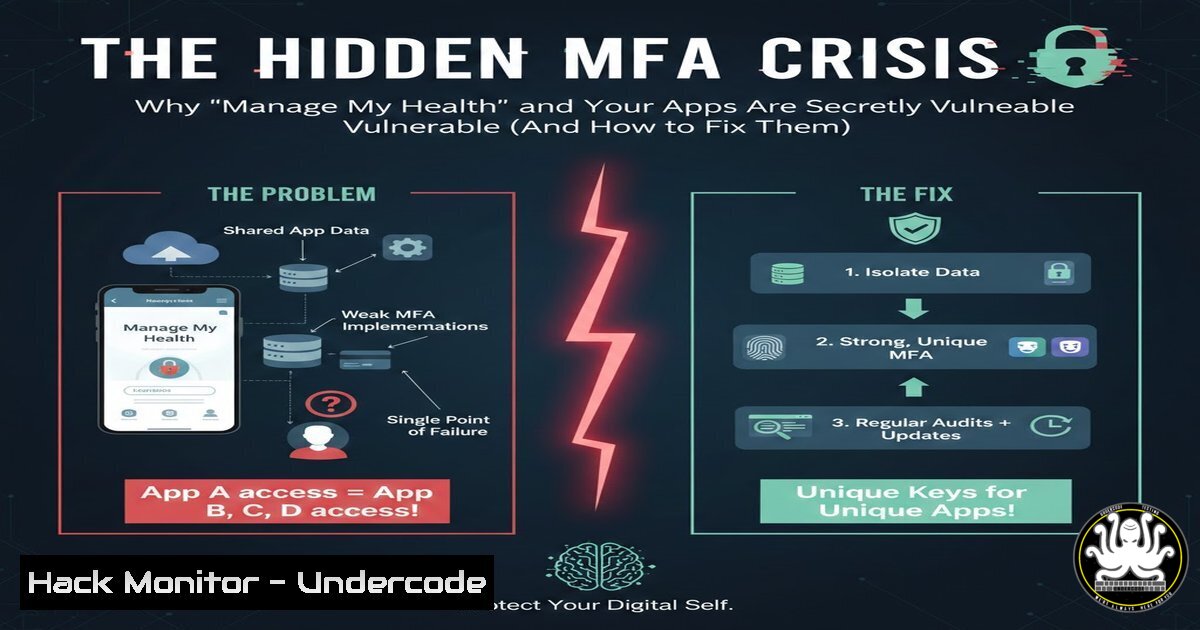
A recent discovery that the New Zealand health portal ‘Manage My Health’ (MMH) has a hidden, email-based Two-Factor Authentication (2FA) option highlights a critical, widespread flaw in application security: security through obscurity. This incident isn’t isolated; it represents a common failure where vital security features are buried in user interfaces, leaving even technically savvy users and their sensitive data exposed. This article deconstructs the technical missteps revealed by security researchers, explores the broader implications of poor security UX, and provides actionable hardening steps for both users and administrators.
Learning Objectives:
- Understand the risks of “hidden” or poorly communicated security features like MFA.
- Learn to audit web applications for data leakage and third-party trackers.
- Implement robust, phishing-resistant MFA using standard protocols (TOTP) on both personal and enterprise levels.
You Should Know:
- The Dangers of Security-Through-Obscurity and How to Audit for It
The core failure in the MMH case is not the absence of security but its concealment. Features like MFA must be proactive, promoted, and easily accessible. This pattern is a hallmark of negligent security design.
Step‑by‑step guide explaining what this does and how to use it: - Manual Navigation Audit: As a user, systematically check every menu in an application’s settings. Look for terms like “Security,” “Login Security,” “Two-Factor,” “2FA,” “Authentication,” or “Privacy.” Don’t rely on promotional banners.
- Source Code Analysis (Basic): For technically inclined users, you can sometimes find clues about hidden features. Right-click on the webpage and select “View Page Source” (Ctrl+U). Search (Ctrl+F) for terms like “2fa”, “totp”, “mfa”, “authenticator”. This may reveal API endpoints or disabled UI elements.
- The Principle: Security is ineffective if users don’t know it exists. Administrators must A/B test the visibility of security settings and use in-app prompts to guide users to enable them.
2. Third-Party Tracker Exposure and Privacy Leakage
A commenter’s link to `webbkoll.5july.net` and `urlscan.io` scans reveals a severe secondary issue: the MMH portal potentially shares data with major tech corporations (Google, Facebook, Amazon, Microsoft), compromising patient confidentiality.
Step‑by‑step guide explaining what this does and how to use it:
1. Use Privacy Scanning Tools: Navigate to urlscan.io. Enter the URL of any web application (e.g., http://portal.managemyhealth.co.nz`). The scan will reveal all connected domains, requests, and cookies.google-analytics.com
2. Analyze the Results: Look for requests to domains like,connect.facebook.net,amazonaws.com, ormicrosoft.com`. Each represents a potential data leakage point.
3. Browser Developer Tools: Open DevTools (F12), go to the “Network” tab, and reload the page. Filter by “Third-party” to see all external requests. This is a critical step for security professionals assessing application compliance with data protection laws like HIPAA or GDPR.
3. Implementing Robust, Phishing-Resistant MFA (TOTP)
The discussion mentions using 1Password or other authenticators despite the app mentioning only “GA or MA” (Google Authenticator or Microsoft Authenticator). This refers to the Time-based One-Time Password (TOTP) standard (RFC 6238), which is app-agnostic.
Step‑by‑step guide explaining what this does and how to use it:
1. For Users: When enabling 2FA, if presented with a QR code, you can use any TOTP-compliant app (e.g., 1Password, Bitwarden, Authy, Raivo OTP, or the open-source `oathtool` command-line utility). The QR code contains a secret key.
2. Linux/Mac CLI Example with oathtool: If you extract the base32 secret key (JBSWY3DPEHPK3PXP), you can generate codes offline:
 Install oath-toolkit (apt-get install oathtool or brew install oath-toolkit)
oathtool --totp -b JBSWY3DPEHPK3PXP
 This will output a 6-digit code valid for 30 seconds.
3. For Administrators: When implementing MFA, use established libraries (e.g., `pyotp` for Python, `speakeasy` for Node.js) and clearly communicate that any TOTP app works. Never restrict to specific brands unless using advanced protocols like FIDO2/WebAuthn.
4. Hardening Cloud Configurations and API Endpoints
The reference to `modernizr.js` (a feature detection library) hints at the need to audit all external JavaScript dependencies and API configurations, as these are common attack vectors for data exfiltration.
Step‑by‑step guide explaining what this does and how to use it:
1. Content Security Policy (CSP): Implement a strict CSP header to block unauthorized scripts. This can mitigate tracker leakage. Example header:
Content-Security-Policy: default-src 'self'; script-src 'self' https://trusted-cdn.com; connect-src 'self';
2. Subresource Integrity (SRI): For any allowed third-party scripts (like modernizr.js), use SRI hashes to ensure they haven’t been tampered with.
<script src="https://cdn.example.com/modernizr.js" integrity="sha384-..." crossorigin="anonymous"></script>
3. API Security: Ensure health API endpoints (e.g., /api/patient) are protected with strong authentication (OAuth 2.0 with MFA) and rate-limiting to prevent brute-force attacks.
5. Proactive Security Communication and User Onboarding
The post’s success in informing users underscores that security is a communication challenge as much as a technical one.
Step‑by‑step guide explaining what this does and how to use it:
1. In-App Security Wizards: Upon first login, trigger a mandatory “Security Setup” wizard that guides users to enable MFA, review connected devices, and check privacy settings.
2. Clear, Actionable Logs: In the “Security” section, maintain a clear, jargon-free log of all logins (time, IP, device) with a “Report Suspicious Activity” button.
3. Administrator Command (Example – Forcing MFA): In an enterprise setting, use identity management tools to enforce policies. For example, in Azure AD via PowerShell:
 Require MFA for all users in a group
$group = Get-AzureADGroup -SearchString "MMH-Users"
$policy = New-Object -TypeName Microsoft.Open.AzureAD.Model.RequiredResourceAccess
 Apply Conditional Access policy (conceptual)
 This is typically configured in the Azure Portal > Conditional Access
What Undercode Say:
- Security Features Must Scream, Not Whisper: A hidden MFA setting is architecturally negligent. Security usability is a non-negotiable component of secure design, directly impacting adoption rates and real-world efficacy.
- Data Sovereignty is Fragile: The presence of major tech trackers in a health portal is a catastrophic privacy failure. It demonstrates a lack of data lifecycle governance and exposes organizations to severe regulatory penalties and irreparable trust damage.
Analysis: The MMH incident is a microcosm of systemic issues in software development, where security and privacy are treated as checkboxes rather than foundational principles. The technical community’s rapid response—using `urlscan.io` and privacy scanners—showcases the proactive measures necessary in today’s environment. The fix is twofold: technically, by implementing and prominently featuring phishing-resistant MFA (like TOTP or WebAuthn) and locking down data flows; culturally, by shifting security left in development and right into user communication pipelines. The cost of not doing so is not just a breach, but a total erosion of user trust, especially in sensitive sectors like healthcare.
Prediction:
In the next 12-24 months, regulatory bodies for healthcare and finance will move beyond mandating “MFA availability” to auditing and penalizing poor security feature usability and communication. Fines will be levied not just for the lack of a feature, but for its ineffective implementation and low user adoption rates. Furthermore, class-action lawsuits will increasingly cite negligent security UX—like buried MFA settings—as a primary factor in data breaches, establishing a new legal precedent for “digital duty of care.” Applications that fail to make security both robust and user-intuitive will face existential commercial and legal threats.
🎯Let’s Practice For Free:
IT/Security Reporter URL:
Reported By: Katjafeldtmann If – Hackers Feeds
Extra Hub: Undercode MoN
Basic Verification: Pass ✅


