
Listen to this Post
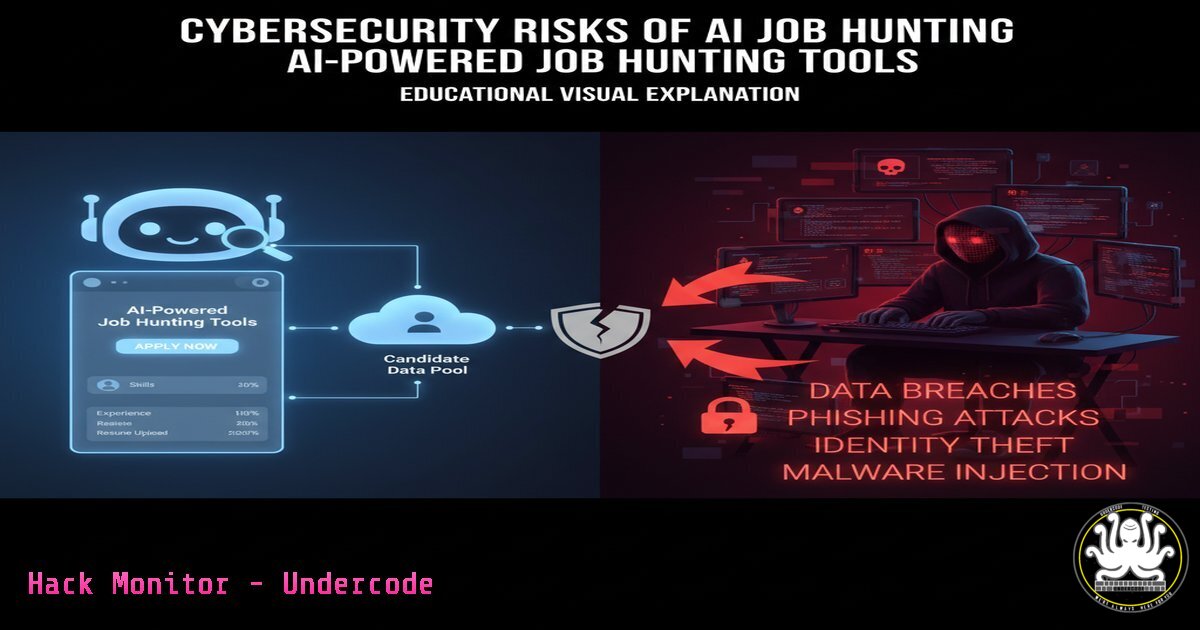
Introduction:
The proliferation of AI tools designed to streamline the job search process introduces a new frontier of digital risk. While these platforms promise efficiency, they often require extensive personal and professional data, creating a lucrative target for threat actors. This article deconstructs the security implications of entrusting your career to third-party AI applications.
Learning Objectives:
- Identify common data exposure vectors in AI recruitment platforms.
- Implement security hardening for personal data shared during a job search.
- Understand the offensive and defensive tactics relevant to the data these tools aggregate.
You Should Know:
1. Securing Sensitive Documents with Encryption
Before uploading your resume, cover letter, or personal headshots to any online AI tool, it is critical to encrypt them. This provides a layer of protection in case of a data breach at the service provider.
Command/Tool: GnuPG (GPG) for File Encryption
 Encrypt a file (e.g., resume.pdf)
gpg --symmetric --cipher-algo AES256 resume.pdf

You will be prompted to enter a passphrase. The output will be resume.pdf.gpg

Decrypt the file when needed
gpg --decrypt resume.pdf.gpg > resume_decrypted.pdf
Step-by-Step Guide:
GPG is a robust encryption standard. The `–symmetric` flag means the same passphrase is used to encrypt and decrypt. `AES256` is a strong, modern cipher. Always use a long, complex, and unique passphrase. The original file remains, so securely delete it with `shred -u resume.pdf` after encryption if desired.
2. Analyzing Network Traffic for Data Exfiltration
When using a web-based AI tool, you can monitor what data is being sent to external servers. This helps identify if sensitive information is being transmitted insecurely.
Command/Tool: tcpdump for Network Analysis
 Capture HTTP traffic on a specific interface (e.g., eth0) to/from a specific host
sudo tcpdump -i eth0 -A 'host example.com and port 80'

Capture all HTTPS traffic (encrypted, but you can see destination IPs)
sudo tcpdump -i eth0 'port 443'
Step-by-Step Guide:
`tcpdump` is a powerful command-line packet analyzer. Identify the website of the AI tool (e.g., kickresume.com) and run the first command. The `-A` flag prints the payload in ASCII, allowing you to see plaintext data like form submissions. This can reveal if your data is being sent over unencrypted HTTP.
3. Hardening Your LinkedIn Profile Data Exposure
Many AI job tools, like FinalScout, scrape data from LinkedIn. Limiting publicly available data reduces your attack surface for social engineering and phishing.
Actionable Steps (LinkedIn Settings):
Navigate to Settings & Privacy > Visibility > Edit your public profile. Restrict the visibility of your connections, email, and current position.
In Settings & Privacy > Data privacy > Job seeking preferences, toggle “Let recruiters know you’re open to work” to Only recruiters on the Recruiter and Recruiter Lite subscriptions. This prevents a public “Open to Work” banner.
4. Vulnerability Scanning a Job Portal Website
Before entering your data, you can perform a basic reconnaissance of a website’s security posture using automated tools.
Command/Tool: Nikto Web Scanner
 Basic vulnerability scan of a target website
nikto -h https://thejobforme.com
Step-by-Step Guide:
Nikto is an Open Source web server scanner. It performs comprehensive tests against web servers for multiple items, including dangerous files/CGIs, outdated server software, and specific version problems. While not a substitute for a professional penetration test, it can reveal obvious security misconfigurations like exposed directories or outdated software versions.
5. Detecting Credential Stuffing Attacks
AI tools often become central repositories of user credentials. If breached, these credentials can be used in “credential stuffing” attacks against your other accounts.
Command/Tool: Fail2ban for Linux Server Defense
 Check fail2ban status and see banned IPs for the 'sshd' jail
sudo fail2ban-client status sshd

View the log for authentication attempts
sudo tail -f /var/log/auth.log | grep 'Failed password'
Step-by-Step Guide:
Fail2ban scans log files for repeated failed login attempts and bans the offending IP addresses. If you run a personal server, this is crucial. The commands above show how to monitor its status and view live failed SSH authentication attempts, which is a common indicator of a credential stuffing or brute-force attack.
6. Securing API Keys for AI Tool Integrations
Tools like Engage AI and FinalScout may require API keys to integrate with services like LinkedIn or OpenAI. Leaked API keys can lead to unauthorized access and financial loss.
Command/Tool: Environment Variables for Key Management
 In your ~/.bashrc or ~/.zshrc file, add:
export FINALSCOUT_API_KEY='your_super_secret_key_here'
export OPENAI_API_KEY='your_openai_key_here'

Source the file to apply changes
source ~/.bashrc

In your Python script, access the key securely
import os
api_key = os.environ.get('FINALSCOUT_API_KEY')
Step-by-Step Guide:
Hardcoding API keys in scripts is a severe security risk. Using environment variables keeps them out of your source code. This method prevents accidental exposure if you upload your code to a public repository like GitHub. Always set strict permissions on your shell configuration files (chmod 600 ~/.bashrc).
7. Phishing Domain Detection with Hosts File Blocking
Phishing campaigns often target job seekers. You can proactively block known malicious domains at the operating system level.
Command/Tool: Windows Hosts File Modification
 Navigate to the hosts file as Administrator
notepad C:\Windows\System32\drivers\etc\hosts

Add lines to block malicious domains (example)
127.0.0.1 malicious-phishing-site.com
127.0.0.1 fake-jobscan.co
Step-by-Step Guide:
The hosts file maps hostnames to IP addresses before a DNS query is made. Redirecting known malicious domains to `127.0.0.1` (your local machine) will prevent your browser from connecting to them. Maintain a curated list of blocked domains. The equivalent on Linux is /etc/hosts.
What Undercode Say:
- The attack surface for individuals is expanding beyond social media to include specialized AI productivity platforms.
- Data aggregation is the primary business model for many “free” AI tools, creating honeypots of PII that are inherently attractive to cybercriminals.
The convergence of AI and the job market has created a new data supply chain for attackers. Tools that generate resumes, analyze profiles, and coach interviews are amassing vast datasets of highly sensitive Personally Identifiable Information (PII), professional histories, and behavioral data. The security posture of these startups is often an afterthought compared to their growth and user acquisition metrics. A single breach in one of these platforms could lead to highly targeted spear-phishing, identity theft, and corporate espionage on an unprecedented scale. The onus is now on the individual professional to practice digital operational security (OpSec) as rigorously as a system administrator would for a corporate network.
Prediction:
The next major wave of targeted social engineering attacks will be fueled by data exfiltrated from AI job platforms. Threat actors will leverage the detailed profiles, resumes, and communication styles scraped from these services to build near-perfect impersonations of job seekers. This will enable them to launch devastating Business Email Compromise (BEC) attacks against the hiring companies, with a high degree of credibility. Furthermore, we will see the emergence of AI-powered “vishing” (voice phishing) bots trained on the speech patterns of specific individuals, using data from tools like Yoodli AI, to create incredibly convincing fraudulent calls.
🎯Let’s Practice For Free:
IT/Security Reporter URL:
Reported By: Itsachetan 7 – Hackers Feeds
Extra Hub: Undercode MoN
Basic Verification: Pass ✅


