
Listen to this Post
Introduction:
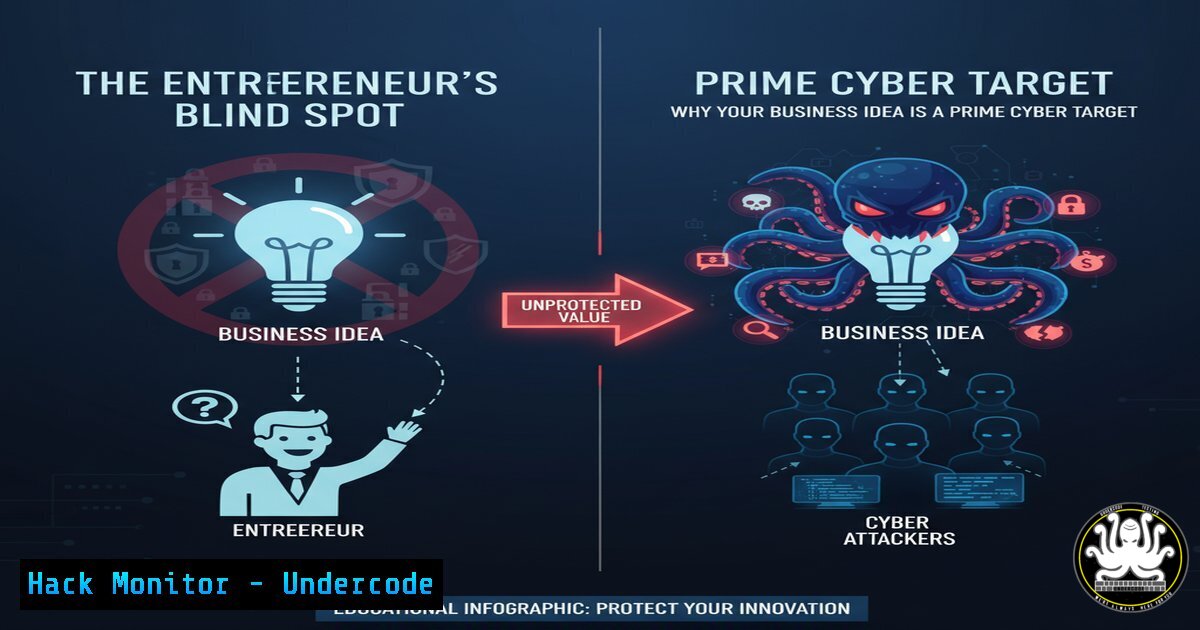
The journey from academic specialist to successful entrepreneur is fraught with unforeseen challenges, not least of which is the monumental shift in cybersecurity responsibility. While a biologist learns to handle sensitive genetic data or a doctor manages patient records within a protected institutional network, the entrepreneur must single-handedly architect and defend their entire digital frontier from day one.
Learning Objectives:
- Understand the critical cybersecurity gaps that emerge when launching a new business or startup.
- Learn fundamental commands and configurations to secure your digital infrastructure, from cloud services to customer data.
- Develop a proactive security mindset to protect your intellectual property and client trust from the outset.
You Should Know:
1. Securing Your Foundational Web Presence
For many new businesses, a WordPress site is the first digital storefront. A vulnerable website is one of the fastest ways to lose client trust and data.
` Find file permissions and ownership in your web directory`
`ls -la /var/www/html/your_site/`
` Search for suspicious PHP files recently modified (common backdoor location)`
`find /var/www/html/ -name “.php” -mtime -1`
Step-by-step guide:
The `ls -la` command lists all files with detailed permissions. You should ensure that configuration files (like wp-config.php) are not readable by everyone (-rw-r--r-- is bad; `-rw-` is better). The `find` command helps you hunt for recently added or modified files, a common tactic used by attackers to install backdoors. Run this regularly to establish a baseline and spot anomalies.
2. Hardening Your Cloud Database
Your customer list, project data, and financial records are gold. A default cloud database configuration is an open invitation.
` Connect to your PostgreSQL instance`
`psql -h your-db-host -U your-username -d your-database`
` List all users and their privileges`
`\du`
` Check for databases listening on all interfaces (0.0.0.0) – A CRITICAL RISK`
`SELECT datname, host, port FROM pg_stat_activity WHERE host = ‘0.0.0.0’;`
Step-by-step guide:
After connecting with psql, use `\du` to display all users. Remove any unused default users and ensure no user has the `SUPERUSER` role unless absolutely necessary. The SQL query checks if your database is accepting connections from any IP address; this should almost never be the case. Restrict access to your application server’s IP only through your cloud provider’s firewall.
- The API Key Vault: Keeping Your Digital Keys Safe
Your business will rely on APIs for payment processing, email, and other services. Leaked API keys are a primary cause of data breaches and massive financial loss.` On Linux/Mac, use the command line to check for accidentally committed keys in git history`
`git log -p –all -S ‘sk_live’ –oneline`
` Use environment variables to store keys securely in your application code`
`export STRIPE_SECRET_KEY=”sk_live_…”`
` Then in your code, reference the variable: key = os.environ.get(‘STRIPE_SECRET_KEY’)`
Step-by-step guide:
The `git log` command searches your entire project’s history for a string pattern, like a Stripe live secret key (sk_live). If you find one, you must revoke that key immediately. Storing keys in environment variables, as shown, prevents them from being hard-coded and accidentally uploaded to public code repositories like GitHub.
4. Windows Workstation Lockdown for the Solo Founder
Your laptop is your command center. A compromised machine means compromised business accounts.
` In Windows PowerShell (Run as Administrator), check for active network connections`
`Get-NetTCPConnection | Where-Object {$_.State -eq “Established”}`
` Enable Windows Defender Application Guard for isolation while browsing (Requires Hyper-V)`
`Enable-WindowsOptionalFeature -Online -FeatureName “Windows-Defender-ApplicationGuard”`
` Audit user account creation and changes`
`Get-WinEvent -FilterHashtable @{LogName=’Security’; ID=4720,4732} | Format-List`
Step-by-step guide:
The `Get-NetTCPConnection` PowerShell cmdlet shows all live connections from your machine, helping you identify unknown or suspicious outbound calls. Enabling Application Guard creates a virtualized, disposable container for Microsoft Edge, isolating your browsing session from your main OS. The audit command checks the security log for events related to user account creation and changes, a critical audit trail.
- Vulnerability Assessment: Finding Holes Before the Hackers Do
You don’t need a massive IT budget to perform basic vulnerability scanning. Proactive scanning is non-negotiable.` Use Nmap to scan your own web server for open ports (replace with your IP)`
`nmap -sV -sC –script vuln your-server-ip`
` Use Nikto to scan your website for known vulnerabilities and misconfigurations`
`nikto -h https://your-website.com`
Step-by-step guide:
`Nmap` is a powerful network discovery tool. The `-sV` detects service versions, `-sC` runs default scripts, and `–script vuln` activates the vulnerability detection scripts. Run this against your own cloud server’s IP to see what a potential attacker sees. `Nikto` is a specialized web server scanner that checks for outdated server software, dangerous files, and other common web issues. Run these tools regularly, especially after making changes to your infrastructure.
6. The Human Firewall: Social Engineering Mitigation
Your business acumen makes you a target for sophisticated phishing. Technical controls can mitigate human error.
` Check DMARC, DKIM, and SPF records for your domain to prevent email spoofing`
`nslookup -type=TXT yourdomain.com`
`nslookup -type=TXT _dmarc.yourdomain.com`
` PowerShell to block macros in Office documents from the internet (a common phishing payload)`
`Set-MpPreference -EnableNetworkProtection Enabled`
Step-by-step guide:
The `nslookup` commands query your domain’s DNS records. You should see SPF (v=spf1...) and DMARC (v=DMARC1...) records. These protocols help prevent others from spoofing your email address, protecting your brand and your clients. The PowerShell command strengthens Microsoft Defender’s network protection, helping to block connections to malicious sites, a key defense against phishing links and malware callbacks.
7. Incident Response: The “Break Glass” Plan
Assume you will be breached. Having a plan to contain and recover is what separates a setback from a catastrophe.
` On a Linux server, immediately isolate a compromised user session by killing their processes`
`ps -u compromised_username`
`sudo kill -9 [bash]`
` Quickly block an attacker’s IP address at the firewall`
`sudo iptables -A INPUT -s 192.0.2.100 -j DROP`
` Create a forensic snapshot of a critical file before touching it`
`sudo cp /var/log/auth.log /var/log/auth.log.forensic_copy`
`sudo chattr +i /var/log/auth.log.forensic_copy`
Step-by-step guide:
The `ps` and `kill` commands are for active containment. If you detect a compromised user, this terminates their activity. The `iptables` command instantly blocks a specific malicious IP address from accessing your server. Finally, creating a `forensic_copy` and using `chattr +i` to make it immutable preserves evidence for later analysis without altering the original log, which is crucial for understanding the attack.
What Undercode Say:
- Your Expertise is Your Liability: The very specialization that makes your business unique often blinds you to foundational security risks that are obvious to a dedicated attacker. You are building a castle of knowledge while leaving the drawbridge down.
- Scalability is a Security Feature: The security practices you implement at a one-person startup are the DNA for your future company. Building securely from the first client is infinitely easier than retrofitting security for your 10,000th.
The transition from employee to entrepreneur is a transition from being a tenant in a secured building to being the architect, builder, and security guard of your own. The participant’s panic at becoming an entrepreneur is mirrored by the technical panic of a first security incident. The core message of the source text—that foundational business skills are missing from specialized education—is directly analogous to the cybersecurity landscape. The “how” of business is now inextricably linked with the “how” of digital defense. Ignoring this parallel dooms the new venture to learn through catastrophic failure rather than structured, proactive planning.
Prediction:
The next wave of disruptive business innovation will not come from the idea alone, but from the founder’s ability to build a trusted, resilient digital platform from day one. As AI-powered phishing and automated vulnerability scanning become commoditized, the “soft” target of the unprepared entrepreneur will be the primary attack vector. We will see a surge in micro-ransomware attacks specifically targeting solo entrepreneurs and small startups, who are perceived as having both valuable data and a low capacity for defense. The startups that survive and earn market trust will be those that treated cybersecurity not as an IT afterthought, but as a core tenet of their business model and value proposition.
🎯Let’s Practice For Free:
IT/Security Reporter URL:
Reported By: Alessiaanniballo Quando – Hackers Feeds
Extra Hub: Undercode MoN
Basic Verification: Pass ✅


