Listen to this Post
Introduction:
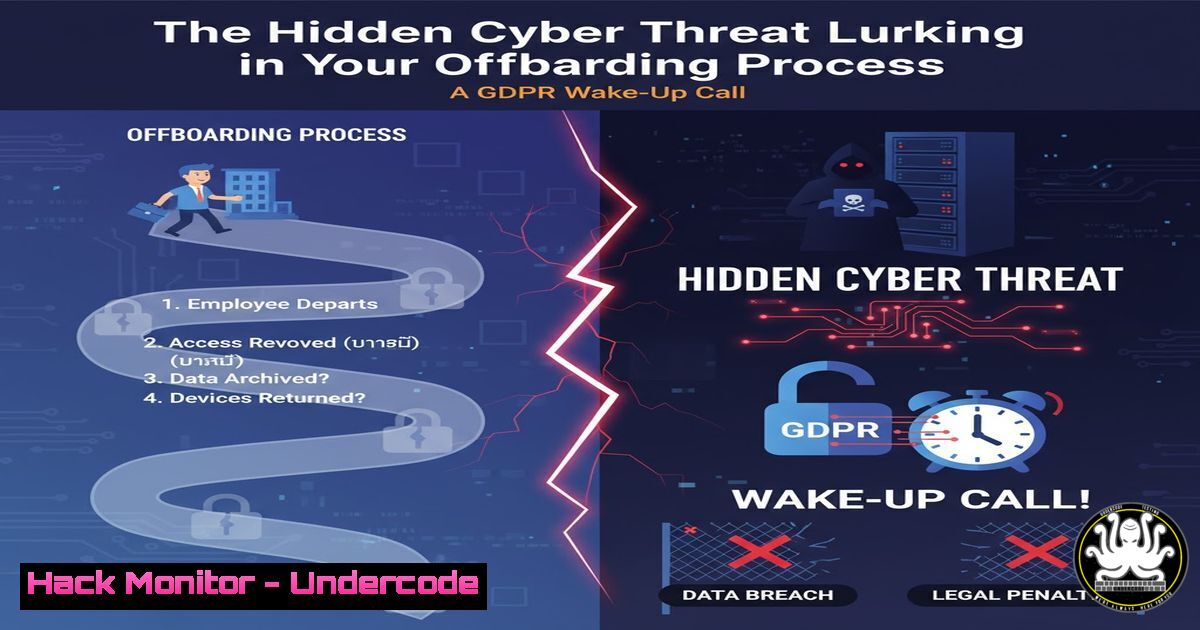
The recent Belgian Data Protection Authority (APD) decision 158/2025 serves as a stark reminder that employee offboarding is not merely an HR process but a critical cybersecurity and data privacy event. Failure to properly deactivate accounts and purge data can lead to severe regulatory violations and create significant security vulnerabilities. This article will dissect the technical steps necessary to secure the offboarding process, transforming a common administrative task into a robust security control.
Learning Objectives:
- Understand the specific technical actions required to securely deprovision user access across common corporate systems.
- Learn to implement automated checks and command-line scripts to verify the completeness of the offboarding process.
- Develop a procedural framework to ensure compliance with data retention and deletion mandates under regulations like GDPR.
You Should Know:
1. Immediate Account Deactivation & Mailbox Auditing
The first line of defense is the immediate revocation of access. This prevents former employees from accessing corporate communications and sensitive data.
Verified Commands & Procedures:
Active Directory (Windows):
 Disable the user account
Disable-ADAccount -Identity "username"
 Immediately expire the password
Set-ADAccountPassword -Identity "username" -Reset -NewPassword (ConvertTo-SecureString -AsPlainText "RandomNewPassword123!" -Force)
 Verify account status
Get-ADUser -Identity "username" -Properties Enabled, PasswordLastSet | Select-Object Name, Enabled, PasswordLastSet
Microsoft 365 (Exchange Online):
 Connect to Exchange Online
Connect-ExchangeOnline
 Convert mailbox to a shared mailbox to preserve data without a license
Set-Mailbox -Identity "[email protected]" -Type Shared
 Block sign-in for Microsoft 365
Set-MsolUser -UserPrincipalName "[email protected]" -BlockCredential $true
Linux/Unix Systems:
 Immediately lock the user account
sudo usermod -L username
 Expire the user account to ensure it cannot be used
sudo usermod -e 1970-01-01 username
 Verify the account is locked and expired
sudo chage -l username
Step-by-step guide: Begin by running the account disablement commands in your identity provider (e.g., Active Directory). This should be the first step in your offboarding checklist. Follow up by converting the mailbox to a shared type, which allows authorized personnel to access necessary historical emails while removing the license cost and direct user access. Finally, use the verification commands to confirm the actions were successful, ensuring no residual access remains.
2. Systematic Data Deletion and Retention Compliance
GDPR 5(1)(e) mandates data minimization and storage limitation. Post-offboarding, you must identify and delete the former employee’s personal data that is no longer necessary.
Verified Commands & Procedures:
Searching for User Files on a Windows File Server (PowerShell):
 Find all files owned by the user on a specific drive
Get-ChildItem -Path D:\Shared -Recurse | Get-Acl | Where-Object { $<em>.Owner -like "username" } | Select-Object Path
 Find files by username in the filename or path (broader search)
Get-ChildItem -Path D:\Shared -Recurse -Force -ErrorAction SilentlyContinue | Where-Object { $</em>.FullName -like "username" }
Searching for User Files on a Linux Server:
 Find all files owned by the user
find / -user username -type f 2>/dev/null
 Find all files in /home that contain the user's name
grep -r "username" /home/ --exclude-dir=.log 2>/dev/null
Google Workspace (GAM):
 Use GAM command-line tool to delete user data from Drive
gam user [email protected] delete drivefile query " 'root' in parents"  Deletes files in root
gam user [email protected] empty trash  Empties trash
Step-by-step guide: After account deactivation, initiate a systematic search for data associated with the former employee. Use the `find` and `Get-ChildItem` commands to scan file servers and shared drives. It is critical to review the results before deletion to avoid removing business-critical information. For cloud platforms like Google Workspace, utilize administrative CLI tools like GAM to programmatically locate and remove user data, ensuring compliance with data deletion requests.
3. Revoking Cloud and SaaS Application Access
Modern organizations use dozens of SaaS applications. Centralized identity management is key, but direct application checks are often necessary.
Verified Commands & Procedures:
AWS IAM:
 List all access keys for the user
aws iam list-access-keys --user-name username
 Deactivate the access keys
aws iam update-access-key --user-name username --access-key-id AKIAEXAMPLE --status Inactive
 Delete the access keys
aws iam delete-access-key --user-name username --access-key-id AKIAEXAMPLE
 Finally, delete the user
aws iam delete-user --user-name username
Azure CLI:
 Remove user assignment from a resource
az role assignment delete --assignee "[email protected]" --role "Contributor"
 Block the user from signing in
az ad user update --id "[email protected]" --account-enabled false
VPN Server (OpenVPN/Radius):
 On the OpenVPN server, revoke the certificate
cd /etc/openvpn/easy-rsa/
./easyrsa revoke username
./easyrsa gen-crl
 Then copy the updated CRL file to your OpenVPN directory
sudo cp pki/crl.pem /etc/openvpn/server/
sudo systemctl restart openvpn-server@server
Step-by-step guide: Start by reviewing the user’s access in your Identity Provider (IdP) like Okta or Azure AD, which may have provisioning links to many SaaS apps. Then, use cloud-specific CLIs to audit and revoke any standing access keys or direct IAM assignments. For infrastructure components like VPNs, the certificate revocation process is critical to prevent persistent network access.
4. Implementing Automated Offboarding Checks
Automation is crucial for ensuring consistency and completeness in the offboarding process.
Verified Commands & Procedures:
PowerShell Script to Check Multiple Systems:
 Example: Check AD, Local Server Login, and Office 365 status
$User = "targetuser"
 Check AD
$ADUser = Get-ADUser -Identity $User -Properties Enabled, LastLogonDate
Write-Host "AD Account Enabled: " $ADUser.Enabled
 Check if user is logged into a specific server (requires admin rights)
$LoggedIn = quser | Where-Object { $_ -match $User }
if ($LoggedIn) { Write-Host "WARNING: User is currently logged in!" }
 Check Office 365 sign-in status (requires MSOnline module)
$MsolUser = Get-MsolUser -UserPrincipalName "[email protected]"
Write-Host "O365 Block Credentials: " $MsolUser.BlockCredential
Bash Script for Linux/Cloud Inventory:
!/bin/bash
USER="username"
echo "Checking for user: $USER"
 Check if account is locked
passwd -S $USER
 Check for running processes
ps -u $USER
 Check for cloud IAM access keys (AWS example)
aws iam list-access-keys --user-name $USER --output text
Step-by-step guide: Develop scripts that aggregate status checks from various systems (AD, cloud, VPN). These scripts should be run as the final step in the offboarding workflow. They do not take action but provide a verification report. Any “Enabled” or “Active” status for the offboarded user should be treated as a critical finding that requires immediate remediation.
5. Securing Email Forwarding and Auto-Responders
As recommended in the source post, a temporary auto-responder is a best practice for business continuity, but it must be configured securely to avoid information leakage.
Verified Commands & Procedures:
Exchange Online PowerShell:
 Set an automatic reply (out of office) for the shared mailbox
Set-MailboxAutoReplyConfiguration -Identity "[email protected]" -AutoReplyState Enabled -InternalMessage "The employee, [bash], is no longer with [Company Name]. Please contact [New Contact Person] at [[email protected]] for assistance." -ExternalMessage "Thank you for your message. The recipient is no longer with [Company Name]. Your inquiry has been received and will be handled by the appropriate team."
 Configure email forwarding to a manager or team for a limited time (e.g., 30 days)
Set-Mailbox -Identity "[email protected]" -ForwardingAddress "[email protected]" -DeliverToMailboxAndForward $false
Step-by-step guide: After converting the mailbox to a shared type, configure the auto-reply message. The message should be professional and avoid disclosing sensitive information about the nature of the employee’s departure. Forwarding should be implemented cautiously and only for a pre-defined, short period to ensure new communications are routed correctly without creating a permanent data conduit.
What Undercode Say:
- Key Takeaway 1: Technical offboarding is a non-negotiable security control, not an administrative afterthought. Every inactive account is a potential backdoor.
- Key Takeaway 2: Compliance and security are two sides of the same coin; a process designed to meet GDPR’s data deletion requirements will simultaneously close critical security gaps.
The Belgian APD’s decision, even without a fine, is a powerful signal. It moves data protection enforcement from abstract principles to concrete operational failures. From a technical standpoint, the “accidental insider” threat posed by a former employee’s dormant access is immense. It can be exploited for credential stuffing, data exfiltration, or as a pivot point for deeper network penetration. Organizations that treat the provided command-line procedures as a baseline for a formal, automated offboarding workflow will not only achieve compliance but will significantly harden their security posture against a pervasive and often overlooked risk.
Prediction:
The regulatory focus on procedural technical controls, as seen in the APD ruling, will intensify. We predict a rise in automated compliance auditing tools that directly query Active Directory, cloud IAM, and SaaS platforms to verify offboarding completeness. Furthermore, expect “Offboarding Security” to become a standard category in security frameworks, with future regulations mandating specific, verifiable technical actions and proof of execution, moving beyond policy documents to provable, automated technical enforcement.
🎯Let’s Practice For Free:
IT/Security Reporter URL:
Reported By: Quentinrandaxhe Quand – Hackers Feeds
Extra Hub: Undercode MoN
Basic Verification: Pass ✅


