Listen to this Post
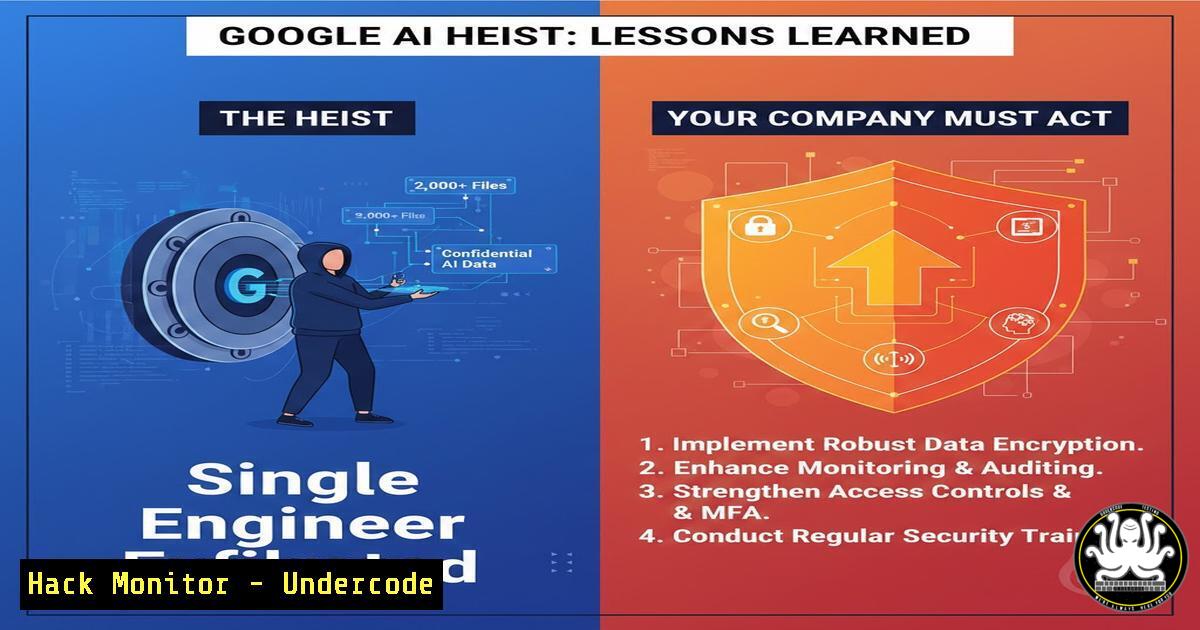
Introduction:
The conviction of former Google engineer Linwei Ding for stealing AI trade secrets is a watershed moment in cybersecurity, highlighting the acute vulnerability of even the most sophisticated tech firms to insider threats. This case transcends simple data theft; it represents a coordinated act of economic espionage where advanced AI intellectual property was siphoned to a geopolitical competitor. It underscores a critical reality: technical barriers are meaningless without robust human-centric security controls and continuous monitoring.
Learning Objectives:
- Understand the technical methods used for data exfiltration by a privileged insider and how to detect them.
- Implement layered security controls focusing on Zero Trust and Data Loss Prevention (DLP) strategies.
- Develop an incident response playbook specifically tailored for insider threat scenarios involving critical IP.
You Should Know:
- The Exfiltration Toolkit: How Insiders Bypass Enterprise Defenses
Insiders like Ding leverage their legitimate access to bypass perimeter security. The reported theft of “over 2,000 pages” suggests automated, systematic collection and exfiltration, not a one-off download.
Step‑by‑step guide explaining what this does and how to use it.
Reconnaissance: The insider identifies repositories, network shares, and collaboration tools (Confluence, internal wikis, code repositories like Git) containing sensitive IP. Simple commands can map accessible data.
Linux/Mac: `find /mount/company_network -name “.ipynb” -o -name “.model” -o -name “.weights” 2>/dev/null` (Searches for common AI file types).
Windows (PowerShell): `Get-ChildItem -Path Z:\ -Recurse -Include .pt, .h5, .pb | Select-Object FullName`
Aggregation & Compression: Files are gathered into a single location and compressed to evade basic DLP scans on file size or type.
`tar -czf research_backup.tar.gz /home/user/sensitive_ai_project/`
Exfiltration: Data is moved to personal cloud storage (Google Drive, Dropbox), emailed to personal accounts, or copied to encrypted USB drives. HTTPS traffic to personal cloud storage blends with legitimate web traffic.
2. Implementing Application Allow-Listing & Execution Control
Restricting which applications can run on endpoints, especially those handling sensitive data, prevents unauthorized tools used for exfiltration.
Step‑by‑step guide explaining what this does and how to use it.
Windows (Using AppLocker):
1. Open `gpedit.msc` (Local Group Policy Editor).
- Navigate to Computer Configuration > Windows Settings > Security Settings > Application Control Policies > AppLocker.
- Create rules for Executable Rules, Windows Installer Rules, Script Rules, and Packaged App Rules. A default “Deny All” rule with exceptions for approved, signed applications is best.
- Example rule to allow only signed Google Chrome: Create a new rule, use “Publisher” condition, select Chrome’s signed certificate.
Linux (Using sudoers or mandatory access control like SELinux/AppArmor):
Restrict user’s ability to install software viasudo. Edit `/etc/sudoers` withvisudo: `user ALL=(ALL) !/usr/bin/apt, !/usr/bin/yum, !/usr/bin/pip`
Use AppArmor to profile allowed application behaviors: `sudo aa-genprof /usr/bin/curl` to generate a profile restricting network access for specific users. -
Configuring Data Loss Prevention (DLP) for Source Code & Model Files
DLP must be tuned to recognize proprietary AI assets, not just PII. This involves content inspection and context-aware policies.
Step‑by‑step guide explaining what this does and how to use it.
Cloud DLP (e.g., Google Cloud DLP API): Create custom detectors for proprietary code patterns or model architectures.
Example: Create a custom dictionary detector for secret project codenames (“Project Maven”, “Gemini-Next”).
Use InfoType detector for structured source code with high entropy (unique algorithms).
Endpoint DLP: Tools like Microsoft Purview Information Protection can tag and track sensitive files. Configure policies to:
1. Detect: Scan for files containing specific keywords, regex patterns for internal API keys, or custom file extensions.
2. Protect: Automatically encrypt files with Microsoft Information Protection (MIP) labels.
3. Block/Alert: Block uploads to unauthorized web destinations or personal email clients, generating an immediate SOC alert.
- Building User and Entity Behavior Analytics (UEBA) Baselines
UEBA uses machine learning to establish a normal behavioral baseline for each user (login times, data access volume, network activity) and flags anomalies.
Step‑by‑step guide explaining what this does and how to use it.
Implement with Open-Source Tools (ELK Stack + Elastic UEBA):
1. Ingest logs from endpoints, VPN, cloud access, and internal databases into Elasticsearch.
2. Use Machine Learning jobs in Elastic to model user behavior. Create a job to detect “Rare Processes” for a user (e.g., a software engineer suddenly running `rar` or `gpg` commands).
3. Set alerts for anomalies like:
“User accessed 10x their daily average volume of data.”
“User downloading from source code repositories at 3 AM local time.”
“User connecting to corporate VPN from an international location simultaneously with their badge swipe at HQ.”
- Strengthening SaaS Security Posture (SSP) for Google Workspace
The exfiltration likely occurred via Google’s own SaaS applications. Hardening these is critical.
Step‑by‑step guide explaining what this does and how to use it.
Disable Uncontrolled Third-Party OAuth Apps: In Google Admin Console, navigate to Security > API controls > Manage Third-Party App Access. Set to “Limit access to configured apps” and whitelist only approved apps.
Configure Data Export Restrictions: In Admin Console, go to Apps > Google Workspace > Drive and Docs. Under “Sharing Settings,” restrict download, print, and copy of files outside the domain for sensitive Organizational Units (OUs).
Audit Logs Proactively: Use the Investigation Tool to search for `GOOGLE_DRIVE` events with `event_name=”COPY”` or `”DOWNLOAD”` from users in sensitive R&D groups. Export queries via BigQuery for long-term trend analysis.
6. Forensic Triage: Hunting for Evidence of Exfiltration
After an alert, rapid forensic analysis is key. These commands help identify compromise artifacts.
Step‑by‑step guide explaining what this does and how to use it.
Linux/Mac Artifact Hunting:
Check for large, recent files: `find /home/$USER -type f -size +50M -mtime -7 -exec ls -lh {} \;`
Analyze bash history for suspicious commands: `cat ~/.bash_history | grep -E “(curl|wget|scp|tar|zip|gpg|rsync|base64)”`
Check cron jobs for persistence: `crontab -l` and `ls -la /etc/cron./`
Windows (PowerShell) Artifact Hunting:
Check recent downloads and Prefetch files: `Get-ChildItem “C:\Users\$env:USERNAME\Downloads\” -Recurse | Sort-Object LastWriteTime -Descending | Select-Object -First 20`
Parse PowerShell command history: `cat (Get-PSReadlineOption).HistorySavePath`
Check for unusual scheduled tasks: `Get-ScheduledTask | Where-Object {$_.TaskPath -notlike “\Microsoft\”} | Select-Object TaskName, TaskPath, Actions`
What Undercode Say:
- Insider Threats Are Asymmetric: A single credentialed user can cause damage rivaling an advanced persistent threat (APT) group. Security investments must shift from just fortifying the perimeter to monitoring and controlling internal user activity with equal rigor.
- Context is King in Detection: Downloading 2,000 files is a flag, but understanding what (AI model weights), from where (restricted repos), and when (post-resignation) creates the high-fidelity alert. Behavioral analytics combined with data classification is non-negotiable.
The Ding case is not an IT failure but a strategic risk management failure. It reveals the gap between possessing advanced cybersecurity tools and having them configured to protect the crown jewels effectively. The technical controls exist—application control, encrypted DLP, UEBA—but they require diligent, context-aware configuration and a culture that prioritizes security over unfettered developer convenience. The conviction is a deterrent, but prevention hinges on making the exfiltration technically noisy and impossible to complete silently.
Prediction:
This case will catalyze a regulatory and operational shift toward “IP-aware” security frameworks within the next 2-3 years. We will see industry-specific mandates (especially for AI and quantum computing companies) requiring strict data access governance, real-time exfiltration attempt logging, and mandatory breach exercises simulating insider threats. Furthermore, the talent war will intensify background checks and continuous behavioral monitoring for roles with access to “foundational” IP, creating new ethical and privacy challenges. The fusion of geopolitical tension and AI advancement means intellectual property is now a primary national security concern, moving cybersecurity from the server room directly to the boardroom and the geopolitical stage.
▶️ Related Video (72% Match):
🎯Let’s Practice For Free:
IT/Security Reporter URL:
Reported By: Michael Tchuindjang – Hackers Feeds
Extra Hub: Undercode MoN
Basic Verification: Pass ✅


