Listen to this Post
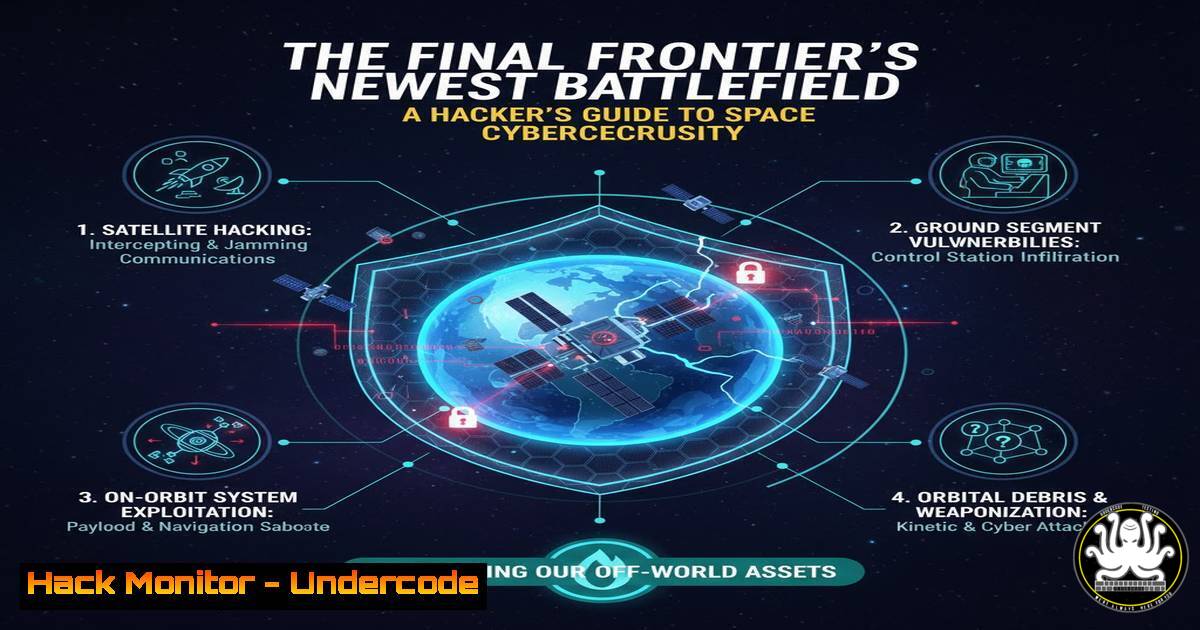
Introduction:
The convergence of space, satellites, and cyber has created a new domain for digital conflict and innovation. As our reliance on space-based assets for communication, navigation, and intelligence grows, so does their attractiveness as targets for state-sponsored and criminal threat actors. This article delves into the critical tools and techniques needed to understand and defend the orbital attack surface.
Learning Objectives:
- Understand the core architecture and vulnerabilities of space-ground segments.
- Learn practical command-line techniques for analyzing satellite communication and ground station security.
- Develop a mitigation strategy for hardening systems against space-borne cyber threats.
You Should Know:
1. Mapping the Orbital Attack Surface with `nmap`
The first step in space cybersecurity is enumerating the ground segment infrastructure. Ground stations, which communicate with satellites, are internet-connected targets. Using nmap, security teams can discover and profile these systems.
 Scan for common satellite control and telemetry ports on a target network range.
nmap -sS -p 80,443,21,22,123,1024-1030,5000-5010 --open -oA ground_station_scan 192.168.100.0/24

Perform service and OS version detection on discovered hosts.
nmap -sV -sC -O -p <discovered_ports> -oA service_scan <target_IP>
Step-by-step guide:
- Discovery Scan (
nmap -sS ...): This command initiates a TCP SYN scan on a specified range of IP addresses (192.168.100.0/24). It probes a list of ports commonly associated with satellite data links (e.g., FTP, SSH, NTP, and custom TCP ports) and only reports hosts with those ports open (--open). The results are output in all major formats (-oA) for later analysis. - Service Interrogation (
nmap -sV -sC ...): Once active hosts are identified, this follow-up command is run against a specific target. The `-sV` flag probes open ports to determine service and version information. The `-sC` flag runs a script scan using Nmap’s default script set, which can reveal vulnerabilities, and `-O` enables OS detection.
2. Intercepting Satellite Communication with `tcpdump`
Satellite signals are often broadcast, making interception a primary threat. Security analysts use packet capture to monitor network traffic for anomalies or unauthorized data exfiltration mimicking satellite downlinks.
 Capture packets on a specific interface, filtering for non-HTTP traffic on common data ports.
sudo tcpdump -i eth0 -w satellite_capture.pcap not port 80 and not port 443 and portrange 1024-5000

Analyze the captured file for protocols and conversations.
tcpdump -nn -r satellite_capture.pcap -A
Step-by-step guide:
- Capture Traffic (
sudo tcpdump -i eth0 ...): This command starts a packet capture on the `eth0` interface. It uses a Berkeley Packet Filter (BPF) to ignore standard web traffic (not port 80 and not port 443) and focus on a range often used for custom data protocols (portrange 1024-5000). The packets are saved to a file (-w satellite_capture.pcap) for offline analysis. - Analyze the Capture (
tcpdump -nn -r ...): This command reads the saved capture file (-r satellite_capture.pcap). The `-nn` option prevents DNS resolution, speeding up output. The `-A` flag prints the packet payload in ASCII, which can help identify plaintext commands or data within the captured streams.
3. Hardening Ground Station Windows Configurations
Ground station operators often use Windows-based systems for control. Hardening these systems is critical. Key PowerShell commands can audit and enforce security settings.
 Audit enabled Windows services for known vulnerabilities.
Get-Service | Where-Object {$_.Status -eq 'Running'} | Format-Table Name, Status, DisplayName

Disable a potentially vulnerable service (e.g., Telnet).
Stop-Service -Name "TlntSvr" -Force
Set-Service -Name "TlntSvr" -StartupType Disabled

Enable Windows Defender Antivirus and set it to high alert level.
Set-MpPreference -DisableRealtimeMonitoring $false -HighThreatDefaultAction Quarantine
Step-by-step guide:
- Service Audit (
Get-Service | Where-Object ...): This PowerShell pipeline lists all services, filters for only those currently running ($_.Status -eq 'Running'), and formats the output into a table. This provides a clear view of the active attack surface. - Service Hardening (
Stop-Service ...): This two-command sequence first forcibly stops the Telnet service (TlntSvr), which is inherently insecure, and then configures it so it cannot start automatically upon system boot (-StartupType Disabled). - AV Configuration (
Set-MpPreference ...): This command ensures real-time monitoring for Windows Defender is active (-DisableRealtimeMonitoring $false) and sets the default action for high-threat detections to automatically quarantine the malicious file.
4. Securing the Space-Ground Data Link with IPTables
Linux-based ground systems must be configured to only allow authorized traffic to and from the satellite. `iptables` provides a powerful firewall to enforce this.
 Basic ground station firewall rules. Assume ground station IP is 192.168.100.10 and satellite modem is on port 5001.
iptables -A INPUT -p tcp --dport 5001 -s 192.168.100.10 -j ACCEPT
iptables -A INPUT -p tcp --dport 5001 -j DROP
iptables -A OUTPUT -p tcp --sport 5001 -d 192.168.100.10 -j ACCEPT
iptables -A OUTPUT -p tcp --sport 5001 -j DROP

Block all other unnecessary inbound traffic.
iptables -P INPUT DROP
iptables -P FORWARD DROP
Step-by-step guide:
- Create Whitelist Rules (
iptables -A INPUT ...): The first rule appends (-A) a rule to the INPUT chain, allowing (-j ACCEPT) TCP traffic to port 5001 only from the specific ground station IP. The very next rule drops all other TCP traffic destined for that port. This creates a strict whitelist. - Control Outbound Traffic (
iptables -A OUTPUT ...): Similarly, these rules control outbound traffic, allowing connections from port 5001 back only to the ground station IP and dropping all others, preventing data exfiltration to unauthorized systems. - Set Default Policies (
iptables -P ... DROP): This sets the default policy for the INPUT and FORWARD chains to DROP. This “deny-by-default” stance is a fundamental principle of secure system configuration.
5. Analyzing Firmware for Backdoors with `binwalk`
Satellites and their components run on firmware, which can be compromised. Extracting and analyzing this firmware is a key reverse-engineering skill.
 Install binwalk (Kali Linux example)
sudo apt update && sudo apt install binwalk

Perform a signature scan and automatic extraction on a firmware file.
binwalk -eM satellite_firmware.bin

List the contents of the extracted filesystem.
ls -la _satellite_firmware.bin.extracted/
Step-by-step guide:
- Installation (
sudo apt install binwalk): This command updates the package list and installs the `binwalk` tool, which is designed for analyzing, reverse engineering, and extracting firmware images. - Scan and Extract (
binwalk -eM ...): The `-e` flag automatically extracts known file types found within the firmware. The `-M` flag performs a recursive scan, extracting files from any nested archives discovered. This unpacks the firmware’s contents for further inspection. - Inspection (
ls -la ...): This lists the files and directories within the extracted folder, revealing the firmware’s internal structure, which may contain web interfaces, configuration files, or binaries that can be analyzed for vulnerabilities.
6. Leveraging AI for Anomaly Detection in Telemetry
Artificial Intelligence can process vast amounts of satellite telemetry data to identify subtle anomalies indicative of a cyber attack. Python with Scikit-learn is a common starting point.
import pandas as pd
from sklearn.ensemble import IsolationForest
import numpy as np

Load historical telemetry data (e.g., power levels, temperature)
telemetry_data = pd.read_csv('historical_telemetry.csv')

Train an Isolation Forest model for anomaly detection
model = IsolationForest(contamination=0.01, random_state=42)
model.fit(telemetry_data[['power_level', 'temp_core1']])

Predict anomalies on new data
new_observations = pd.read_csv('live_telemetry.csv')
anomalies = model.predict(new_observations[['power_level', 'temp_core1']])

Flag any anomalies (output of -1)
print("Anomalies detected at indices:", np.where(anomalies == -1)[bash])
Step-by-step guide:
- Data Loading (
pd.read_csv): The script loads a CSV file containing historical, normal telemetry data into a Pandas DataFrame. This serves as the baseline for the model. - Model Training (
model.fit): An Isolation Forest model is initialized. This algorithm is effective for anomaly detection as it isolates observations. The `contamination` parameter is an estimate of the proportion of outliers in the data set. The model is then trained on the historical data. - Anomaly Prediction (
model.predict): New, live telemetry data is fed into the trained model. The `predict` method returns a value of 1 for normal data and -1 for anomalies. The final line prints the indices of any data points flagged as anomalous.
7. Cloud Hardening for Space Data Repositories
Space data is increasingly stored in cloud environments like AWS. Misconfigurations are a leading cause of breaches. AWS CLI commands can audit and enforce security.
 Check for S3 buckets with public read access.
aws s3api list-buckets --query "Buckets[].Name" --output text | xargs -I {} aws s3api get-bucket-acl --bucket {} --output text | grep -A2 "GRANTS"

Enable default encryption on an S3 bucket.
aws s3api put-bucket-encryption --bucket my-satellite-data-bucket --server-side-encryption-configuration '{"Rules": [{"ApplyServerSideEncryptionByDefault": {"SSEAlgorithm": "AES256"}}]}'

Ensure MFA is enabled for the root user (this is a manual check in the console, but critical).
echo "CRITICAL: Manually verify MFA is enabled for the root AWS account in the management console."
Step-by-step guide:
- Public Bucket Audit (
aws s3api list-buckets ...): This command chain first lists all S3 buckets, then for each bucket name, it retrieves the access control list (ACL) and searches for lines containing “GRANTS”. This helps identify buckets with permissions granted to “AllUsers” or other public groups. - Enforce Encryption (
aws s3api put-bucket-encryption): This command configures server-side encryption for a specified S3 bucket, ensuring that all new objects uploaded to the bucket are automatically encrypted using AES-256, protecting data at rest. - MFA Verification: The final step is a reminder that Multi-Factor Authentication for the root AWS account is a non-negotiable security baseline and must be manually confirmed via the web console, as it cannot be managed via CLI alone.
What Undercode Say:
- The space attack surface is vast and extends far beyond the satellite itself, encompassing the entire ground segment, data links, and cloud backends. A single vulnerable internet-connected ground station can be the pivot point for a full chain compromise.
- Off-the-shelf tools and standard operating systems (Windows/Linux) used in ground operations introduce well-known vulnerabilities into a highly critical environment. Security hardening is not optional; it is a mission-critical requirement.
- The future of space cybersecurity is proactive and intelligent. The sheer volume of data and the physics of orbital dynamics make manual monitoring insufficient. The integration of AI for real-time anomaly detection in telemetry and automated threat response will be the defining factor between a compromised mission and a resilient one.
Prediction:
The “democratization of space” through cheaper launch costs and smaller satellites will be mirrored by the democratization of space hacking. Within the next 3-5 years, we will witness the first major, publicly attributed cyber attack that successfully incapacitates or takes full control of a commercial or government satellite. This will not be a theoretical exercise but a tangible event that disrupts global communications, GPS services, or Earth observation, forcing a rapid and massive investment in space cyber resilience and potentially leading to the first international treaties governing cyber warfare in space.
🎯Let’s Practice For Free:
IT/Security Reporter URL:
Reported By: Peter Lake – Hackers Feeds
Extra Hub: Undercode MoN
Basic Verification: Pass ✅


