Listen to this Post
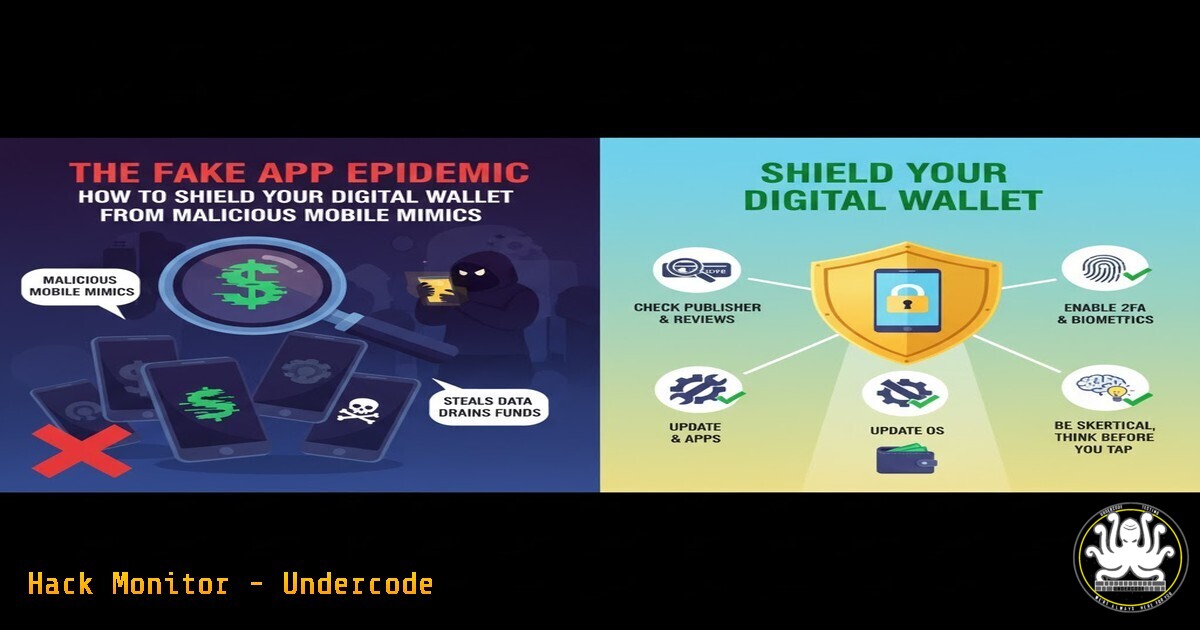
Introduction:
The convenience of mobile app stores has been ruthlessly exploited by cybercriminals, who deploy sophisticated fake applications designed to impersonate legitimate services. These malicious mimics are not merely clones; they are digital traps engineered to harvest login credentials, drain bank accounts, and compromise personal data, posing a direct threat to both individual and organizational security.
Learning Objectives:
- Identify the critical red flags that distinguish a malicious fake application from a legitimate one.
- Implement proactive system-level and network-level defenses to detect and prevent fake app installation.
- Master forensic techniques to analyze installed applications for signs of malicious behavior.
You Should Know:
1. Verifying Developer Authenticity and App Permissions
Before any download, due diligence is paramount. Scammers often use developer names that are slight misspellings of the legitimate company.
Command (Android ADB/Command Line): `adb shell dumpsys package [package.name] | grep -E “(userId|versionName|installerPackageName|signatures)”`
Command (macOS/Linux): `apktool d malicious_app.apk && cat malicious_app/AndroidManifest.xml | grep -E “(package=|android:versionName)”`
Step-by-Step Guide:
The `adb` command queries an installed Android package for critical metadata. `userId` shows the system-assigned ID, which can be cross-referenced. The `signatures` field is crucial; legitimate apps are signed with a consistent certificate. If the signature doesn’t match the official developer’s known certificate, the app is fake. Using `apktool` to decompile an APK file allows you to inspect the `AndroidManifest.xml` directly, revealing the true package name and version, which attackers often disguise.
2. Network Traffic Analysis for Data Exfiltration
Fake apps often communicate with malicious command-and-control (C2) servers. Monitoring network traffic can reveal this exfiltration.
Command (tcpdump): `sudo tcpdump -i any -n host
 -w traffic.pcap`
 Command (Wireshark Filter): `http.request.uri contains "login" || http.request.uri contains "password" || ssl.handshake.type == 1`


<h2 style="color: yellow;">Step-by-Step Guide:</h2>

Use `tcpdump` to capture all network packets to and from a suspected IP address, saving them to a `traffic.pcap` file. This file can then be loaded into Wireshark for deep analysis. The provided Wireshark filter is a starting point: it will highlight HTTP requests containing "login" or "password" in the URI (a sign of unencrypted credential transmission) and attempts to initiate SSL/TLS connections, which you can then investigate to see if they are connecting to suspicious, non-official domains.

<h2 style="color: yellow;">3. Static Analysis with VirusTotal</h2>

Leverage crowd-sourced intelligence before installation by analyzing the application file.

Tool: VirusTotal (https://www.virustotal.com)
 Command (curl for VT API): `curl --request GET --url 'https://www.virustotal.com/api/v3/files/[bash]' --header 'x-apikey: [bash]'`


<h2 style="color: yellow;">Step-by-Step Guide:</h2>

Obtain the APK or IPA file. Generate its SHA256 or MD5 hash using tools like `sha256sum` (Linux) or `CertUtil -hashfile` (Windows). Submit this hash to VirusTotal's web interface or via their API. The report will show detection rates from dozens of antivirus engines, network contact details, and behavioral analysis, providing a powerful first line of defense.

<h2 style="color: yellow;">4. Windows Defender Application Control (WDAC) Hardening</h2>

For enterprise Windows environments, prevent the execution of unauthorized software, including fake desktop clients.

PowerShell (Create Base Policy): `New-CIPolicy -FilePath C:\BasePolicy.xml -Level Publisher`
 PowerShell (Deploy Policy): `ConvertFrom-CIPolicy -XmlFilePath C:\BasePolicy.xml -BinaryFilePath C:\BasePolicy.bin` then deploy via Group Policy.

<h2 style="color: yellow;">Step-by-Step Guide:</h2>

This creates a code integrity policy that allows only applications signed by trusted publishers to run. The `-Level Publisher` option ensures that only code from specific, verified certificates is permitted. This is a drastic but highly effective measure to stop unknown and potentially malicious applications from ever executing on a hardened system.

<h2 style="color: yellow;">5. Linux Mandatory Access Control with AppArmor</h2>

Confine applications on Linux systems to a strict set of permitted actions, limiting the damage a fake app could cause.

<h2 style="color: yellow;"> Command (AppArmor Status): `sudo apparmor_status`</h2>

<h2 style="color: yellow;"> Command (Enforce Profile): `sudo apparmor_parser -r /etc/apparmor.d/usr.bin.[bash]`</h2>

<h2 style="color: yellow;">Step-by-Step Guide:</h2>

After installing a legitimate application, generate a custom AppArmor profile in complain mode (<code>aa-genprof</code> or <code>aa-logprof</code>) to learn its normal behavior. Then, switch the profile to enforce mode. This policy will block the application from accessing files, network ports, or system calls outside its defined profile, effectively sandboxing it. A fake app would be severely restricted in its ability to steal data or pivot.

<h2 style="color: yellow;">6. API Security: Analyzing Intercepted Mobile Traffic</h2>

Many fake apps interact with backend APIs. Intercepting this traffic can reveal stolen data.

<h2 style="color: yellow;"> Tool: Burp Suite / OWASP ZAP</h2>

Command (adb for Proxy Setup): `adb shell settings put global http_proxy [YOUR_PROXY_IP:PORT]`


<h2 style="color: yellow;">Step-by-Step Guide:</h2>

Configure Burp Suite's proxy listener. Use the `adb` command to set a system-wide HTTP proxy on a connected Android device or emulator. Install the Burp CA certificate on the device to decrypt HTTPS traffic. Now, all network requests from the mobile device, including those from a fake app, will be visible in Burp, allowing you to inspect for API calls sending sensitive information to unknown endpoints.

<ol>
<li>Cloud Hardening: AWS IAM Policy to Restrict Unauthorized Actions
If a fake app steals cloud credentials, a tightly scoped IAM policy can prevent catastrophic resource deletion or cryptocurrency mining.</li>
</ol>

<h2 style="color: yellow;"> AWS IAM Policy Snippet:</h2>

[bash]
{
"Version": "2012-10-17",
"Statement": [
{
"Effect": "Deny",
"Action": [
"ec2:RunInstances",
"iam:",
"s3:DeleteBucket",
"lambda:CreateFunction"
],
"Resource": ""
}
]
}
Step-by-Step Guide:
Attach this policy to IAM users or roles used by applications. It explicitly denies high-risk actions, acting as a critical safety net. The `Deny` effect overrides any overly permissive `Allow` statements that might exist elsewhere. This principle of least privilege is essential; an application should only have the permissions it absolutely needs to function, nothing more.
What Undercode Say:
- The threat has shifted from broad malware distribution to highly targeted, convincing impersonations that exploit user trust in official platforms.
- Technical defense-in-depth, combining code signing verification, network monitoring, and application sandboxing, is no longer optional for critical systems.
The emergence of fake apps in official stores represents a maturity in the cybercriminal ecosystem. They are no longer relying solely on third-party sites but are weaponizing the trust we place in curated app repositories. Our analysis indicates that automated security checks by platform vendors are being consistently defeated by obfuscation and delayed malicious payloads. The focus must therefore be on user education to recognize subtle red flags and on defenders implementing layered technical controls that assume a breach is possible. The integration of AI to dynamically analyze app behavior pre- and post-installation will be the next frontier in this arms race.
Prediction:
The next evolution of this threat will leverage AI to create hyper-personalized fake applications. Imagine an app that, based on data scraped from your social media, mimics your bank’s interface with your name and recent transaction history pre-loaded to enhance credibility. Furthermore, we predict a rise in “polyglot” apps that remain benign during automated store reviews but download their malicious payload only after a specific geo-location, time, or trigger event is detected, making static analysis increasingly obsolete. The battle will move from the app store’s front door to the continuous behavioral monitoring on the device itself.
🎯Let’s Practice For Free:
IT/Security Reporter URL:
Reported By: Ashok Kumar – Hackers Feeds
Extra Hub: Undercode MoN
Basic Verification: Pass ✅


