Listen to this Post
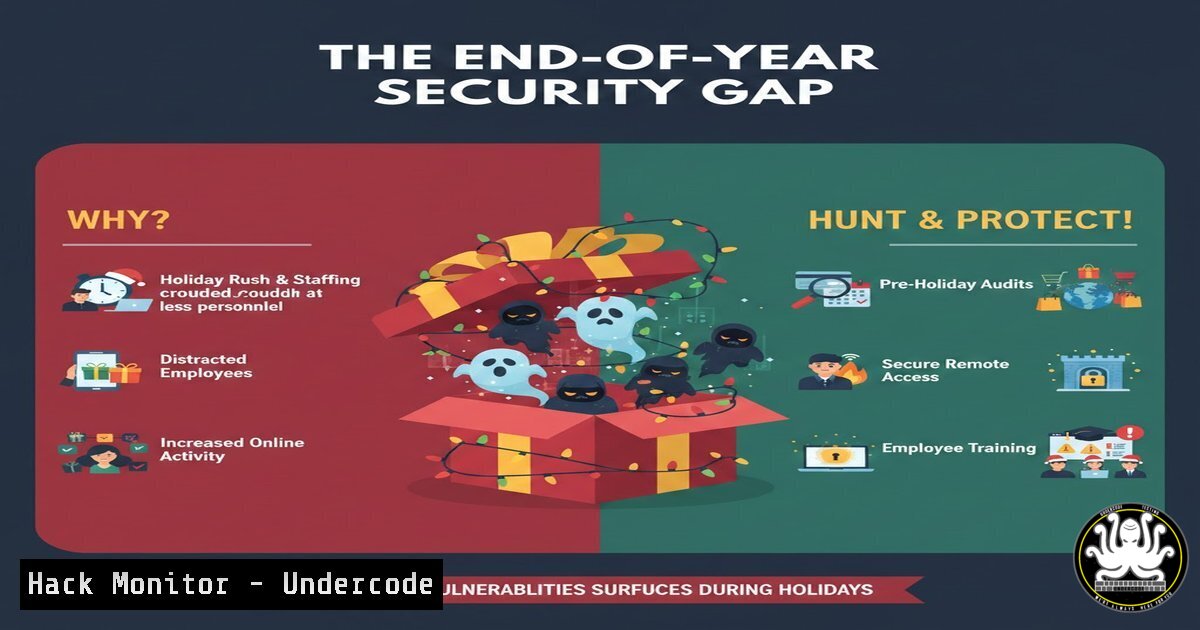
Introduction:
While holiday slowdowns prompt personal reflection, they also create a critical cybersecurity vulnerability known as the “end-of-year security gap.” As team activity diminishes and oversight relaxes, sophisticated threat actors accelerate operations, exploiting reduced staffing and human distraction. This period is not a time for digital defenses to power down but a crucial window to shift from prevention to active threat hunting and awareness.
Learning Objectives:
- Understand the technical and human factors that create the “end-of-year security gap” and how attackers exploit them.
- Learn actionable commands and methodologies for proactive threat hunting during low-activity periods.
- Develop a strategy to transform seasonal awareness of security posture into a hardened, actionable defense plan for the new year.
You Should Know:
1. The Anatomy of a Holiday Attack Surface
During the holidays, the digital environment undergoes a significant change. The “noise” of normal user activity drops, but this doesn’t mean your systems are safe. Instead, it creates a new attack surface characterized by reduced security team staffing, delayed patch deployments due to change freezes, and employees accessing corporate resources from less-secure personal networks. Adversaries count on this lapse in operational tempo.
From a threat hunter’s perspective, a quiet network is an advantage. The lack of legitimate traffic makes malicious activity easier to spot. Your goal is to proactively search for the anomalies that indicate an attacker is already inside, testing credentials, moving laterally, or exfiltrating data while you’re distracted.
Step‑by‑step guide for initial reconnaissance:
On a Linux SIEM/Log Server, first, establish a baseline of normal “low activity” by analyzing authentication logs from the same period last year:
 Query auth logs for failed logins, focusing on origin IPs
grep "Failed password" /var/log/auth.log | awk '{print $11}' | sort | uniq -c | sort -nr | head -20
On a Windows Domain Controller, use PowerShell to identify authentication attempts from unusual geographic locations or for dormant accounts that showed activity:
 Get security logs for logon events (Event ID 4624) from the last 48 hours, excluding local console logons
Get-WinEvent -FilterHashtable @{LogName='Security'; ID=4624; StartTime=(Get-Date).AddHours(-48)} |
Where-Object {$<em>.Properties[bash].Value -ne 2} |
Select-Object TimeCreated, @{n='User';e={$</em>.Properties[bash].Value}}, @{n='SourceIP';e={$_.Properties[bash].Value}} |
Export-Csv -Path "C:\Hunt\HolidayLogons.csv" -NoTypeInformation
- Proactive Threat Hunting with Live Memory & Process Analysis
When forced cheer is expected externally, your internal systems must be scrutinized with honest, uncompromising awareness. Threat hunting moves beyond automated alerts to manual, hypothesis-driven investigation. The core principle is to look for what “no longer fits” the baseline—processes without parent processes, network connections to suspicious foreign IPs, or scheduled tasks created at odd hours.
This step involves using built-in OS tools to perform live analysis, looking for evidence of common post-exploitation techniques like credential dumping, persistence mechanisms, and covert network channels.
Step‑by‑step guide for live system interrogation:
On a Linux server, check for hidden processes and unauthorized network connections:
 List all processes with full command line arguments, looking for obfuscated or suspicious commands
ps auxfww
 List all network connections, mapping them to processes (install net-tools if needed)
netstat -tunap | grep -v "127.0.0.1"
 Check for unauthorized SSH authorized_keys entries or cron jobs
cat ~/.ssh/authorized_keys
sudo crontab -l -u $(whoami)
On a Windows endpoint, use PowerShell and Sysinternals tools (like Autoruns64.exe) to uncover persistence:
 Get a detailed list of all running processes
Get-Process | Select-Object Name, Id, CPU, Path | Format-Table -AutoSize
 List all established network connections
Get-NetTCPConnection -State Established | Select-Object LocalAddress, LocalPort, RemoteAddress, RemotePort, OwningProcess
 Check for recently modified or executed files in key directories (last 7 days)
Get-ChildItem -Path "C:\Users\", "C:\Windows\Temp" -Recurse -ErrorAction SilentlyContinue |
Where-Object {$_.LastWriteTime -gt (Get-Date).AddDays(-7)} |
Select-Object FullName, LastWriteTime
3. Hardening Cloud Configurations During Low Traffic
The “discomfort you can’t unsee” in cybersecurity often relates to misconfigured cloud storage, over-permissive identity policies, or exposed management consoles. The holiday period is the perfect time to audit these configurations because making necessary changes is less likely to disrupt business operations. Focus on cloud storage buckets, IAM roles, and security groups.
Step‑by‑step guide for cloud security auditing:
For AWS environments, use the AWS CLI to identify public resources and over-privileged roles:
 List all S3 buckets and their public access block status
aws s3api list-buckets --query "Buckets[].Name"
aws s3api get-public-access-block --bucket-name <bucket-name>
 Identify IAM roles with overly permissive policies (e.g., containing "" actions)
aws iam list-roles --query "Roles[].RoleName"
aws iam list-attached-role-policies --role-name <role-name>
For Azure environments, use Azure PowerShell to check for critical misconfigurations:
 Get all storage accounts and check for anonymous public read access
Get-AzStorageAccount | ForEach-Object {
$ctx = $<em>.Context
Get-AzStorageContainer -Context $ctx | Where-Object {$</em>.PublicAccess -ne 'Off'}
}
 Audit virtual network security groups for overly permissive rules (e.g., ANY source)
Get-AzNetworkSecurityGroup | ForEach-Object {
$nsg = $_
$nsg.SecurityRules | Where-Object { $<em>.SourceAddressPrefix -eq '' -and $</em>.Access -eq 'Allow' }
}
4. API Security: The Silent Vulnerability Accelerator
APIs are the conversations your applications are drawn to, and they often run uninterrupted during holidays. However, they can be a major vulnerability if not properly secured. Attackers target APIs to steal data, execute business logic flaws, or gain unauthorized access. The quiet period is ideal for conducting focused security testing on external and internal APIs.
Step‑by‑step guide for basic API security testing:
Use `curl` from a Linux terminal to probe for common API issues:
 1. Test for lack of rate limiting on a login endpoint
for i in {1..50}; do curl -X POST https://api.target.com/login -d '{"user":"test","pass":"test"}' & done
 2. Test for insecure HTTP methods (PUT, DELETE) on sensitive endpoints
curl -X PUT https://api.target.com/api/users/1 -I
curl -X DELETE https://api.target.com/api/users/1 -I
 3. Check for verbose error messages that leak stack traces
curl https://api.target.com/api/users/9999999
Use Burp Suite or OWASP ZAP to perform automated authenticated and unauthenticated scans against your API Swagger/OpenAPI specification document.
- Turning Awareness into Action: Building Your Incident Response Playbook
The awareness of your security posture is useless without a plan. The final step is to document your findings and create or update your Incident Response (IR) playbook. A good IR playbook is a set of actionable next steps that accelerates your response and contains a breach.
Step‑by‑step guide for creating a tactical IR playbook:
- Create a “Holiday IR” section in your main playbook. List critical contacts with holiday availability.
2. Document isolation commands for quick containment:
Linux host isolation: `sudo iptables -A INPUT -j DROP`
Windows host isolation (via PS): `Set-NetFirewallProfile -All -Enabled True`
3. Template your communication for internal stakeholders and, if required, external regulatory bodies.
4. Integrate your hunting queries from previous sections as “Detection Rules” to be automated in your SIEM for the next holiday cycle.
What Undercode Say:
The core vulnerability during the holidays is not a software flaw, but a human and operational one. The strategic silence of a quieter network is a double-edged sword; it is both a risk and a unique investigative opportunity. True security maturity is shown not by maintaining a rigid defense during this period, but by dynamically pivoting to a proactive hunting posture. The “awareness” Loren describes is the critical first step—the subsequent, mandatory action is to weaponize that awareness into systematic checks, live forensics, and playbook updates. Failing to do so leaves the door open for adversaries who are not celebrating.
Prediction:
The “end-of-year security gap” will evolve into a primary attack vector, with adversaries increasingly automating campaigns to launch precisely as human oversight wanes. In response, Security Operations Centers (SOCs) will shift from “holiday coverage” models to “active hunt cycles,” formally scheduling these quiet periods as mandatory offensive security operations. Furthermore, the integration of AI in security will see a new niche: AI-driven “holiday sentinel” systems designed to not just monitor, but to autonomously execute contained threat-hunting hypotheses, patch non-disruptive vulnerabilities, and generate executive summaries of organizational risk during the downtime—transforming a period of weakness into a strategic advantage.
▶️ Related Video (72% Match):
🎯Let’s Practice For Free:
IT/Security Reporter URL:
Reported By: Lorenrosariomaldonado This – Hackers Feeds
Extra Hub: Undercode MoN
Basic Verification: Pass ✅


