Listen to this Post
Introduction:
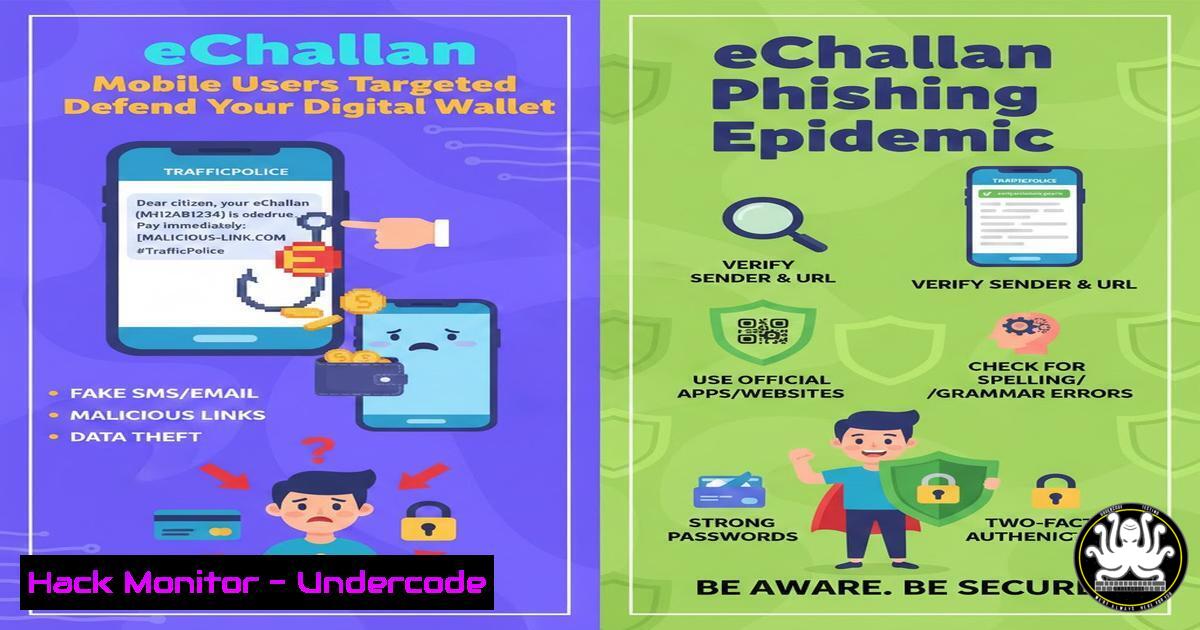
A sophisticated phishing campaign is exploiting public trust in government services by impersonating India’s official eChallan portal. Cybercriminals are deploying SMS messages that falsely allege traffic violations, directing mobile users to fraudulent websites designed to steal payment card information. This incident highlights the evolving tactics of threat actors who leverage urgency and official impersonation to bypass user skepticism, primarily targeting the increasingly mobile-first population.
Learning Objectives:
- Understand the technical anatomy of a government-impersonation phishing scam.
- Learn how to proactively identify and report malicious domains and infrastructure.
- Implement practical defenses for individuals and organizations against SMS-based phishing (smishing).
You Should Know:
- Anatomy of a Smishing Attack: From SMS to Stolen Data
This attack follows a classic yet effective kill chain. It begins with a bulk SMS blast (smishing) using a spoofed sender ID to appear legitimate. The message creates urgency by claiming a traffic e-challan. The embedded link uses a domain name designed to look official, often with typos or extra words (e.g., `echallan-gov.in` vs. the legitimateechallan.gov.in). The linked website is a cloned copy of the real payment portal, hosted on compromised infrastructure or a newly registered domain. Its sole purpose is to harvest credit card details, CVV codes, and sometimes OTPs, which are exfiltrated to an attacker-controlled server.
Step‑by‑step guide explaining what this does and how to use it.
Step 1: The Lure. The victim receives an SMS: “GOV INDIA: A traffic violation eChallan of INR 1500 is issued against your vehicle. Pay now to avoid penalty: hxxps://echallan-pay-gov[.]in/verify”
Step 2: The Deception. The victim clicks the link on their mobile device. The site loads a perfect replica of the official portal, complete with logos and formatting.
Step 3: The Harvest. Upon entering payment details, the data is sent via a POST request to a malicious endpoint (e.g., hxxps://malicious-server[.]com/capture.php).
Technical Check: You can safely analyze the structure of a suspected URL using command-line tools without visiting it.
Linux/macOS: Use `curl` to fetch just the HTTP headers: curl -I -L "http://suspected-url.com". Look for redirects or unusual server headers.
Windows (PowerShell): Use Invoke-WebRequest: Invoke-WebRequest -Uri "http://suspected-url.com" -Method Head | Select-Object StatusCode, Headers.
- Technical Takedown: The Role of Domain Registrars and Responsible Disclosure
As highlighted in the report, the researcher’s responsible disclosure to the domain registrar (GNAME) was key to the takedown. Registrars have Abuse Point of Contact addresses (abuse@) for reporting malicious activity. Upon receiving proof—such as screenshots of the phishing site, the spoofed SMS, and network logs—their trust and safety team can suspend the domain, effectively breaking the attack chain. This process is a critical component of active cyber defense.
Step‑by‑step guide explaining what this does and how to use it.
Step 1: Gather Evidence. Take screenshots of the SMS, the website, and the URL. Note the date and time.
Step 2: Identify Responsible Parties. Use WHOIS lookup tools to find the domain registrar and hosting provider.
Command: `whois suspicious-domain.com` (Linux/macOS) or use online services like whois.icann.org.
Analyze Output: Look for fields like “Registrar:” and “Name Server:” (which often points to the host).
Step 3: Craft and Send the Report. Email the abuse team. Include a clear subject line: “Phishing Report for Domain: [malicious domain]”. Attach evidence and a concise description. Follow up if necessary.
3. Proactive Defense: URL and Domain Analysis Techniques
Before clicking any link, especially from an SMS, basic analysis can reveal fraud. Check for subtle misspellings, hyphens, or extra words in the domain. Verify the site’s SSL certificate. Legitimate government sites will have certificates issued to their official domain name, not a generic or mismatched one.
Step‑by‑step guide explaining what this does and how to use it.
Step 1: Inspect the URL. Manually parse the URL. The domain is what lies between https://` and the next/. Inhxxps://pay-echallan.gov.in.securelogin[.]com, the real domain issecurelogin[.]com, notgov.in`.
Step 2: Check SSL/TLS Certificate Details.
Browser: Click the padlock icon next to the URL in your browser. Check if the certificate is issued to the exact, correct organization.
Command Line (OpenSSL): `openssl s_client -connect suspicious-domain.com:443 -servername suspicious-domain.com 2>/dev/null | openssl x509 -noout -subject -issuer -dates`
Step 3: Use Reputation Services. Tools like VirusTotal (virustotal.com) allow you to scan URLs and domains for known malicious associations.
4. Organizational Mitigation: Implementing Technical Controls Against Smishing
Enterprises can protect their employees by deploying technical controls. This includes DNS filtering solutions that block known phishing domains, Secure Web Gateways (SWG), and endpoint protection that analyzes web traffic. User awareness training focused on mobile threats is equally critical.
Step‑by‑step guide explaining what this does and how to use it.
Step 1: Configure DNS Security. Use DNS resolvers with threat intelligence, like Cisco Umbrella, Cloudflare Gateway (1.1.1.1 for Families), or Quad9 (9.9.9.9). These block resolution of malicious domains at the DNS level.
Step 2: Deploy Email & Web Gateways. Configure your security appliances to scan and filter SMS-to-email gateway messages (if used) and all web traffic for phishing indicators.
Step 3: Simulate Phishing. Conduct regular, safe smishing simulation campaigns to train employees and measure resilience. Tools like KnowBe4 or Cofense PhishMe can facilitate this.
- The Attacker’s Infrastructure: Tracing and Reporting Hosting Providers
Beyond the domain registrar, the server hosting the phishing page is another point of failure for attackers. Reporting to the hosting provider’s abuse department can lead to the removal of the malicious content or suspension of the hosting account.
Step‑by‑step guide explaining what this does and how to use it.
Step 1: Find the Hosting IP. Use `nslookup` or `dig` to find the IP address of the malicious domain: `dig +short suspicious-domain.com`
Step 2: Identify the Hosting Company. Perform a WHOIS lookup on the IP address: whois [IP Address]. The “netname” or “descr” fields often identify the Autonomous System (AS) and hosting provider.
Step 3: Report to Hosting Abuse. Locate the provider’s abuse contact (e.g., [email protected]) and submit a detailed report with the IP address, domain, and evidence.
What Undercode Say:
The Mobile Vector is Prime Territory. The specific targeting of mobile users is deliberate. Mobile screens make URL inspection harder, and users are often conditioned to act quickly on notifications, making them more susceptible.
Speed Kills (The Campaign). The researcher’s prompt action and the registrar’s swift takedown demonstrate that disrupting the attack lifecycle early—before mass financial theft occurs—is the most effective way to mitigate damage. The window between campaign launch and takedown is where victims are lost.
This incident is not an isolated smish but a template for modern financial fraud. It combines social engineering (fear of a government fine), technical deception (clone sites), and the perfect delivery channel (SMS). The takeaway is twofold: for users, perpetual skepticism is a necessary skill, and for the security community, robust reporting and vendor cooperation channels are a vital public service. The battle is less about perfect prevention and more about rapid disruption.
Prediction:
We will see a significant rise in AI-powered, hyper-personalized smishing campaigns. Future attacks may use AI to generate unique, convincing SMS content for each target, sourced from breached data, and host phishing pages on ephemeral infrastructure (like compromised cloud function services) that change every few hours, making takedowns more challenging. Defense will shift increasingly towards AI-driven anomaly detection on the network and endpoint level to identify fraudulent payment form behavior in real-time, even on previously unseen phishing sites.
▶️ Related Video (74% Match):
🎯Let’s Practice For Free:
IT/Security Reporter URL:
Reported By: Raajesh 258a93173 – Hackers Feeds
Extra Hub: Undercode MoN
Basic Verification: Pass ✅


