Listen to this Post
Introduction:
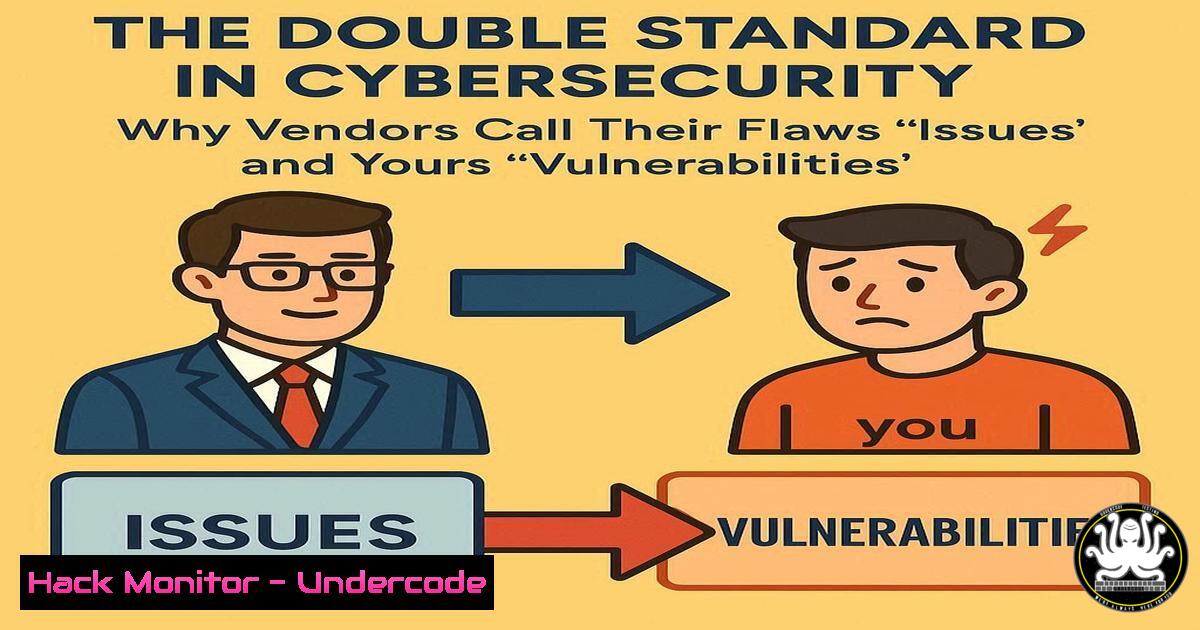
A recent social media post by cybersecurity expert Kevin Beaumont has ignited a critical industry conversation, calling out CrowdStrike for referring to a vulnerability in its Falcon sensor, which has been assigned a CVE, as an “issue.” This highlights a pervasive double standard where security vendors often use softened language for their own product flaws while categorizing similar findings in customer environments as critical vulnerabilities. This practice, often dismissed as mere marketing, has profound implications for risk perception, patching priorities, and overall security transparency.
Learning Objectives:
- Understand the technical details of the recent CrowdStrike Falcon sensor vulnerability and similar common exploit paths.
- Learn how to audit your own environment for misconfigurations and vulnerabilities, regardless of vendor terminology.
- Develop strategies to critically assess vendor security advisories and prioritize patches based on technical risk, not marketing language.
You Should Know:
1. Understanding TOCTOU and Symlink Attacks
The CrowdStrike CVE text mentions TOCTOU (Time-of-Check-Time-of-Use) and symlinks. This is a classic race condition vulnerability.
Verified Linux Command List:
 Create a symbolic link
ln -s /path/to/target_file /path/to/symlink

Check file type and inode details
ls -li /path/to/symlink
stat /path/to/symlink

Find all symlinks in a directory
find /path/to/dir -type l

Example of a vulnerable sequence in a script (conceptual)
 Time-of-Check: stat /tmp/userfile
 ...(attacker quickly replaces /tmp/userfile with a symlink to /etc/passwd)...
 Time-of-Use: cat /tmp/userfile  This now reads /etc/passwd
Step-by-step guide:
A TOCTOU vulnerability occurs when a program checks the state of a resource (like a file’s properties) and then later uses it, but the state can change between the check and the use. An attacker can exploit this by swapping a legitimate file with a symbolic link pointing to a critical system file after the “check” but before the “use.” The Falcon vulnerability potentially involved the sensor performing a detection on a file, and during the remediation process (between detection and deletion/quarantine), an attacker could replace the file with a symlink, causing the sensor to act on a file it never intended to.
- Auditing Windows for Suspicious Activity and File Manipulation
Windows environments are primary targets for such exploits.
Verified Windows Command List:
 List all symbolic links and junctions in a directory
dir /AL /S C:\
fsutil reparsepoint query C:\YourPath

Monitor file system activity in real-time using PowerShell
Get-WmiObject -Query "SELECT  FROM __InstanceCreationEvent WITHIN 2 WHERE TargetInstance ISA 'CIM_DataFile'" | %{ $_.TargetInstance.Name }

Use Sysinternals Process Monitor to trace file, registry, and process activity.
Procmon.exe
Step-by-step guide:
To detect potential exploitation attempts, system administrators should actively monitor for rapid file creation and deletion, which is characteristic of TOCTOU attacks. Using built-in command-line tools like `fsutil` helps audit for existing symlinks. For real-time detection, PowerShell scripts can watch the WMI event log for file creation. The most powerful tool is Sysinternals Process Monitor (Procmon), which can be configured with filters to capture the precise sequence of file operations, showing a file being checked, then quickly replaced by a symlink, and then acted upon by a privileged process.
3. Interpreting CVEs and Vendor Advisories Critically
Vendor communications often downplay severity. You must read between the lines.
Verified Commands & Resources:
 Query the NVD API for CVE details using curl
curl -s "https://services.nvd.nist.gov/rest/json/cves/2.0?cveId=CVE-2024-XXXX" | jq .

Search for CPE (Common Platform Enumeration) to identify affected products
grep -r "CrowdStrike" /usr/share/nvd/json/cve-1.1.json  Example local search if DB is downloaded
Step-by-step guide:
When a vendor like CrowdStrike releases an advisory, the first step is to find the associated CVE ID. Use this ID to pull the official record from the National Vulnerability Database (NVD) using its REST API. Compare the vendor’s description with the NVD’s. Pay close attention to the CVSS score, the attack vector (e.g., Local, Network), and the required privileges (e.g., Low, None). The technical description in the CVE, often mentioning concepts like “TOCTOU” or “symlink,” provides the real clues about the exploit’s nature and potential impact, which may be glossed over in the vendor’s “issue” description.
4. Hardening Linux Against Local Privilege Escalation
Many endpoint security vulnerabilities are exploited for local privilege escalation (LPE).
Verified Linux Command List:
 Check for world-writable files, a common LPE vector
find / -xdev -type f -perm -0002 2>/dev/null

Audit sudo rules for excessive privileges
sudo -l
cat /etc/sudoers

Harden symlink and directory permissions (example via sysctl)
sysctl -w fs.protected_symlinks=1
sysctl -w fs.protected_hardlinks=1

Set restrictive umask for daemons and user sessions
umask 0027
Step-by-step guide:
Preventing LPE reduces the impact of many vulnerabilities. Start by identifying misconfigurations like world-writable files, which could be replaced by an attacker. Review sudo rules to ensure users and services only have the minimum necessary privileges. Enabling kernel protections like `fs.protected_symlinks` prevents users from following symlinks in sticky world-writable directories (like /tmp) that they don’t own. Implementing a restrictive umask (e.g., 0027) ensures new files and directories are created with minimal permissions by default.
5. Implementing Application Control and Execution Lockdown
If a security tool can be tricked into deleting the wrong file, limiting what can execute is key.
Verified Windows/PowerShell Commands:
 Check status of Windows Defender Application Control (WDAC)
Get-CimInstance -Namespace root/Microsoft/Windows/CI -ClassName MSFT_HVCISettings

Deploy a Code Integrity policy (Example: Allow Microsoft signed only)
New-CIPolicy -FilePath C:\Policy.xml -Level FilePublisher -Fallback Hash -UserPEs

Convert to binary format and deploy
ConvertFrom-CIPolicy -XmlFilePath C:\Policy.xml -BinaryFilePath C:\Policy.bin
Step-by-step guide:
Application control solutions like WDAC can prevent unauthorized code from running in the first place, mitigating the risk posed by a vulnerable security agent. The process involves creating a policy that defines which executables, scripts, and drivers are allowed to run. Starting with an audit-mode policy is best practice to discover what applications are in use before enforcing a blocking policy. This ensures that even if an attacker attempts to drop and execute malware that triggers a TOCTOU flaw in the sensor, the malware itself may be blocked from executing by the underlying application control policy.
6. Cloud Instance Metadata Service Exploitation
Similar principles of trust apply to cloud environments where agents run.
Verified Cloud Security Commands (AWS CLI example):
 Attempt to query the Instance Metadata Service from a shell (DANGER: Shows if vulnerable)
curl http://169.254.169.254/latest/meta-data/
curl http://169.254.169.254/latest/meta-data/iam/security-credentials/

Harden the instance by blocking access to IMDS from processes
 Use iptables to block access to 169.254.169.254
iptables -A OUTPUT -d 169.254.169.254 -j DROP

Or, configure the IMDSv2 which requires a token and has hop-count limit
aws ec2 modify-instance-metadata-options --instance-id i-1234567890abcdef0 --http-tokens required --http-put-response-hop-limit 2
Step-by-step guide:
The Instance Metadata Service (IMDS) is a common attack vector. If a vulnerability in a cloud security agent allows arbitrary file read or command execution, the next step for an attacker is often to query the IMDS to steal cloud credentials. You must harden access to this service. The most straightforward method is to use a host-based firewall to block outbound traffic to the IMDS IP (169.254.169.254) from all processes except those that absolutely require it. Alternatively, enforce the use of IMDSv2, which is more secure than v1, as it requires a session token and allows you to limit the number of network hops.
7. Proactive Threat Hunting with EDR Query Languages
Don’t wait for your vendor to alert you; hunt for the behaviors yourself.
Verified EDR Query (Microsoft Defender for Endpoint Advanced Hunting):
// Hunt for rapid sequence of file creation and deletion, potential TOCTOU indicator
DeviceFileEvents
| where ActionType == "FileCreated" or ActionType == "FileDeleted"
| where Timestamp > ago(1h)
| summarize FileCount = count(), ActionSequence = make_set(ActionType) by DeviceId, FolderPath, FileName
| where FileCount > 2 and ActionSequence has "FileCreated" and ActionSequence has "FileDeleted"
| project DeviceId, FolderPath, FileName, FileCount, ActionSequence
Step-by-step guide:
Modern EDR platforms like Microsoft Defender for Endpoint, CrowdStrike Falcon, and others have powerful query languages. You can use these to proactively search for indicators of compromise or exploitation attempts. The above KQL (Kusto Query Language) query looks for a specific file being created and deleted multiple times within a short window on the same device, which could indicate an attacker repeatedly attempting to win a TOCTOU race condition. By crafting and running such queries regularly, you move from a reactive to a proactive security posture, independent of any single vendor’s alerting fidelity.
What Undercode Say:
- Transparency is a Feature, Not a Bug: Vendors that obscure technical reality with marketing language erode the trust required for effective cybersecurity partnerships. A vulnerability called an “issue” is still a vulnerability, and the community’s technical experts will see through the facade.
- Your Risk Model is Your Responsibility: While vendors may manage public perception, security teams must base their actions on technical analysis from CVEs, independent research, and their own environment’s context. Patches for “issues” should be treated with the same urgency as those for “critical vulnerabilities.”
The analysis here is clear: the semantic debate is a distraction from the core problem. The security industry’s reliance on a few dominant vendors creates a power imbalance where vendors can control the narrative around their own flaws. This incident with CrowdStrike is not an isolated case but a symptom of a broader issue. The professional response is not just to call out the double standard on social media, but to build defensive strategies that are resilient to it. This means deploying layered security controls, maintaining robust audit and logging capabilities, and developing in-house expertise to validate vendor claims. The goal is to ensure that your organization’s security does not hinge on the marketing department of your security vendors.
Prediction:
This public shaming event will intensify scrutiny on all major cybersecurity vendors’ communication practices. In the short term, we may see a wave of more candid disclosures as vendors seek to avoid similar criticism. However, the long-term impact will be a growing “trust deficit,” accelerating the adoption of open-source security tools and third-party validation platforms. Organizations will increasingly rely on multi-vendor strategies and standardized, objective scoring systems like CVSS to cut through the marketing spin, forcing a slow but inevitable shift towards greater transparency across the entire cybersecurity product landscape.
🎯Let’s Practice For Free:
IT/Security Reporter URL:
Reported By: Kevin Beaumont – Hackers Feeds
Extra Hub: Undercode MoN
Basic Verification: Pass ✅


