Listen to this Post
Introduction:
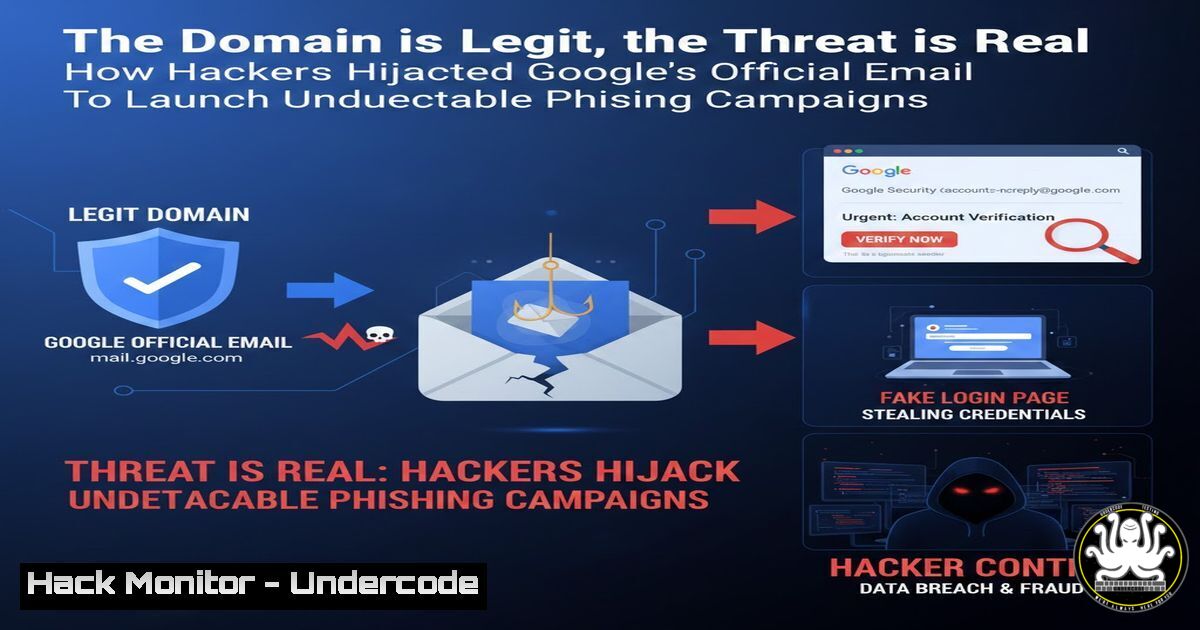
A sophisticated phishing campaign is exploiting a legitimate Google Cloud automation tool, allowing threat actors to send malicious emails directly from the official `@google.com` domain. This attack shatters fundamental email security assumptions, proving that even verified sender domains and infrastructure can be weaponized. Organizations worldwide are targeted by these highly convincing emails, which mimic routine enterprise notifications like voicemail alerts or access requests.
Learning Objectives:
- Understand the technical mechanism allowing abuse of Google’s `[email protected]` address.
- Learn how to analyze email headers to identify signs of automated mailer abuse versus legitimate communication.
- Implement technical and behavioral controls to mitigate the risk of domain-impersonation phishing attacks.
You Should Know:
- Deconstructing the Attack Vector: Google Cloud Automation as a Trojan Horse
This campaign doesn’t rely on domain spoofing. Instead, attackers abuse a specific Google Cloud service designed for legitimate application integration and automated notifications. By compromising user credentials or exploiting misconfigured OAuth permissions for third-party apps integrated with Google Workspace, attackers gain the ability to send emails via Google’s own secure infrastructure. The sending address,[email protected], is a legitimate, non-spoofable Google-controlled domain.
Step-by-Step Guide:
- Initial Access: Attackers obtain credentials via traditional phishing, info-stealer malware, or exploit vulnerable third-party apps with excessive Google API permissions.
- Abuse of Integration: They leverage the Google Workspace API or a compromised integrated application. This service is designed for apps to send automated notifications to users (e.g., “A document has been shared with you”).
- Legitimate Dispatch: The malicious phishing email is dispatched directly by Google’s SMTP servers, passing all SPF, DKIM, and DMARC checks flawlessly because it is, from a technical standpoint, a legitimate Google email.
- The Payload: The email body contains a phishing link, often leading to a counterfeit login page that steals credentials or delivers malware.
2. Forensic Email Header Analysis: Spotting the Anomalies
While the domain is authentic, forensic analysis of email headers can reveal inconsistencies typical of automated mailers versus human-sent mail.
Step-by-Step Guide:
Retrieve the full email headers (steps vary by client). Look for these key fields:
– `X-Google-App-ID` or X-Google-Sender-Auth: These headers indicate the email was sent via an API/application. Their presence alone isn’t malicious but provides context.
– `From:` vs. Reply-To:: Check for discrepancies. The `From:` will be the official Google domain, but the `Reply-To:` header may point to a completely unrelated, attacker-controlled address.
– Message-ID Pattern: Automated system Message-IDs often follow specific patterns (e.g., containing long strings or app identifiers). Compare with a known legitimate automated email from Google.
– `X-Mailer` Header: May indicate a specific application or script name that seems out of place.
- Mitigation Strategy 1: Hardening Google Workspace & Cloud Configurations
Proactive security hardening can limit the attack surface for such abuses.
Step-by-Step Guide:
- Audit Third-Party App Permissions: Regularly review and remove unnecessary OAuth apps.
– Navigate to Google Admin Console > Security > Access and data control > API controls > Manage Third-Party App Access.
– Set policies to restrict which apps users can install.
2. Enforce Strong Authentication: Mandate 2-Step Verification and consider deploying Phishing-resistant security keys (like FIDO2) for high-risk accounts.
3. Configure Alerting: Set up alerts in the Admin Console for suspicious login attempts or third-party app installs.
- Mitigation Strategy 2: Implementing Advanced Email Security Controls
Traditional secure email gateways (SEGs) may fail here. Layer in these controls:
– URL Rewriting & Time-of-Click Protection: Use solutions that scan and rewrite all URLs in emails. When a user clicks, the link is checked in real-time against threat intelligence before redirecting to the destination, neutralizing newly created phishing links.
– AI-Powered Anomaly Detection: Deploy email security tools that use machine learning to detect subtle anomalies in language, tone, and request patterns, even from trusted domains.
– DMARC Policy Enforcement: While the attacker passes DMARC, having a strict `p=reject` policy for your own domain prevents others from spoofing you, creating a more secure ecosystem overall.
- Updated Security Awareness Training: Beyond the “Check the Sender” Mentality
As noted by Michael Tchuindjang, training must evolve. Move beyond verifying the sender address.
Step-by-Step Guide for Training Content:
- Teach Context & Urgency Awareness: Train users to be skeptical of any email that creates a sense of urgency, requests credentials, or asks to review a document—regardless of source.
- The Hover Test & Alternate Verification: Emphasize hovering over links to preview the actual destination URL (though some attacks use link-hiding). Instruct users to verify requests through a separate, trusted channel (e.g., a direct phone call).
- Report, Don’t Just Delete: Foster a “see something, say something” culture. Make the “Report Phishing” button in email clients a central part of training and praise users for reporting, even if it’s a false positive.
6. Incident Response Playbook: Suspected Legitimate-Domain Phishing
Have a specific playbook ready for this scenario.
Step-by-Step Guide:
- Containment: Immediately block the phishing URL at the network (firewall/proxy) and endpoint (DNS filtering) level.
- Identification: Search mail server logs for emails from `[email protected]` with the specific subject line or sent within the attack timeframe. Use PowerShell (Exchange Online) or `grep` on mail logs:
Example Linux log search
grep -r "[email protected]" /var/log/mail/
- Eradication: Force password resets for any users who entered credentials. Revoke active sessions for those accounts. Audit Google OAuth tokens for compromised accounts (`https://myaccount.google.com/permissions`).
- Communication: Inform users of the specific threat, detailing the convincing nature of the attack to reinforce training without blaming victims.
7. Proactive Threat Hunting with API Logs
Leverage Google Workspace and Cloud Platform logs to hunt for precursor activity.
Step-by-Step Guide:
- Access Google Workspace Admin Logs: Go to Admin Console > Reporting > Audit > Admin log events.
- Query for Risky Events: Filter for events like
OAUTH2_TOKEN_ISSUED,APP_UPDATED, or `USER_GRANTED_ACCESS_TO_APPLICATION` in the time window before the phishing campaign. - Correlate with Login Logs: Cross-reference with failed or unusual login attempts from unfamiliar locations, which may indicate the initial credential theft that enabled the abuse.
What Undercode Say:
- The Trust Anchor Has Shifted. Email security can no longer rely on SPF/DKIM/DMARC pass results as a primary trust signal. The new model must be “zero-trust for email,” where content and context are continuously analyzed, even from “verified” senders.
- Supply Chain Attacks Extend to Identity. This is a form of identity infrastructure supply chain attack. By compromising an entity that is part of a trusted communication protocol (Google’s domain), attackers gain immense leverage. Defenders must now scrutinize the security posture of their core service providers and the integration pathways they enable.
Prediction:
This attack heralds a new wave of “infrastructure-as-a-phish” campaigns. We will see copycat abuse of automated mailing services from other major providers like Microsoft (using `@microsoft.com` domains), Amazon SES, and Twilio SendGrid. This will force a fundamental re-architecture of email trust models, accelerating the adoption of BIMI (Brand Indicators for Message Identification) paired with strong vendor assurance programs, and pushing the industry towards cryptographic solutions where the sender’s identity is bound to the message content in a verifiable signature, moving beyond just authenticating the sending domain. The arms race is moving from the perimeter of the network to the heart of the identity providers themselves.
▶️ Related Video (70% Match):
🎯Let’s Practice For Free:
IT/Security Reporter URL:
Reported By: Michael Tchuindjang – Hackers Feeds
Extra Hub: Undercode MoN
Basic Verification: Pass ✅


