Listen to this Post
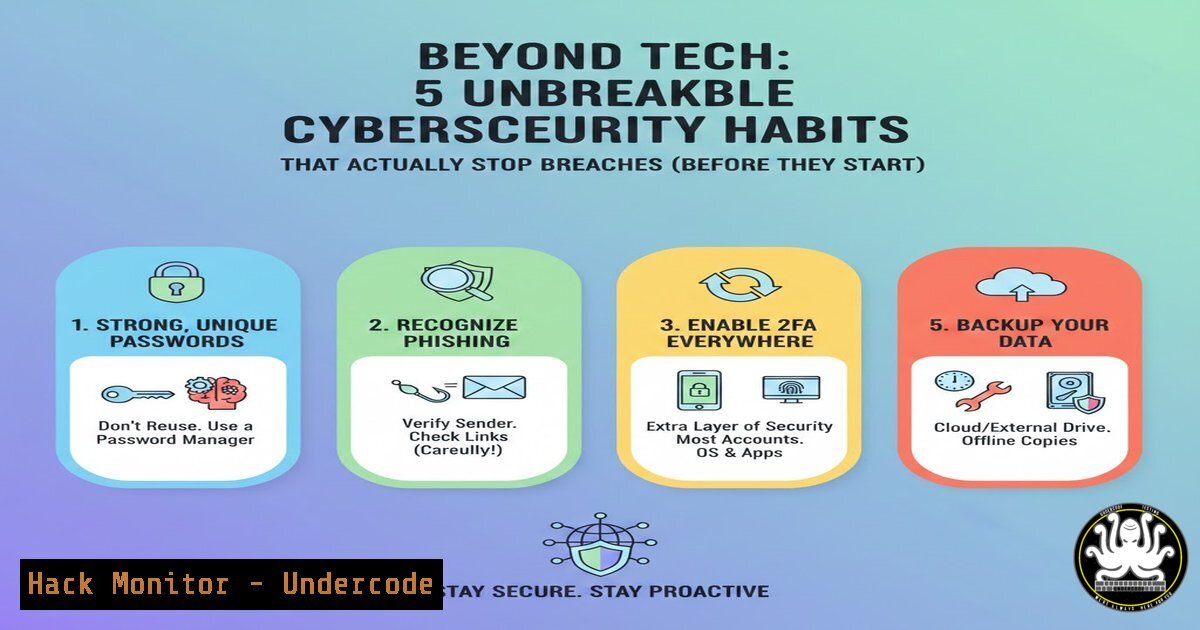
Introduction:
In an era dominated by advanced persistent threats and AI-powered attacks, true cybersecurity resilience is built not on the latest silver-bullet software, but on foundational operational discipline. This article deconstructs a seasoned professional’s blueprint for building a defensible organization, translating high-level “big thoughts” into actionable technical controls, commands, and processes that form an unassailable security posture.
Learning Objectives:
- Implement verifiable cyber hygiene practices across Windows and Linux environments.
- Develop a technical risk assessment and business continuity workflow.
- Architect and enforce access control and monitoring systems to secure data and qualify for cybersecurity insurance.
You Should Know:
1. Operational Cyber Hygiene: The Command-Line Foundation
True hygiene starts with visibility and control. For IT administrators, this means moving beyond GUI and establishing scriptable, auditable baselines.
Step-by-Step Guide:
Asset Discovery & Inventory: You cannot secure what you do not know. Use command-line tools to build a live asset inventory.
Linux: Use `nmcli` or `ip addr show` for network interfaces, `lshw -short` for hardware, and `dpkg -l` or `rpm -qa` for installed software. Automate with a script: `!/bin/bash; lshw -short > /var/log/system_inventory_$(date +%Y%m%d).log`
Windows (PowerShell): Use Get-NetAdapter, Get-WmiObject Win32_ComputerSystem, and Get-WmiObject Win32_Product. Automate with: `Get-NetAdapter | Export-Csv -Path “C:\inventory\network_adapters.csv” -NoTypeInformation`
Patch Management: Unpatched systems are the primary attack vector. Automate verification.
Linux (Debian/Ubuntu): `sudo apt update && sudo apt list –upgradable` lists available updates. Use `uname -r` to confirm kernel version.
Windows: `Get-HotFix | Sort-Object InstalledOn -Descending | Select-Object -First 10` shows the latest patches.
2. Technical Risk Assessment & Impact Analysis
Risk is not abstract; it’s a measurable metric of system failure. The goal is to quantify “What takes you offline?”
Step-by-Step Guide:
- Map Critical Services: Identify services that cause >1 hour of downtime. Use `systemctl list-units –type=service –state=running` (Linux) or `Get-Service | Where-Object {$_.Status -eq ‘Running’}` (Windows PS).
- Conduct a Dependency Audit: For each critical service (e.g., database, auth server), trace dependencies. If your web app needs PostgreSQL, the risk includes the DB server, its storage, and network path.
- Simulate Failure: In a test environment, safely stop the service (
sudo systemctl stop postgresql) or block its port (sudo iptables -A INPUT -p tcp --dport 5432 -j DROP). Document the cascade effect. This creates your Impact Scenario Document.
3. Building & Documenting Workaround Procedures
Documentation is a security control. Workarounds must be executable during a crisis.
Step-by-Step Guide for a Web Server Failure:
- Failover Scripting: Have scripts ready to bring up a standby server. This could be a cloud image pre-configured. Use `scp` or `rsync` to move critical data: `rsync -avz /var/www/html/ backup-user@standby-server:/var/www/html/`
2. DNS Failover Procedure: Document the exact steps to update DNS A records from your primary (e.g., 192.0.2.10) to your standby IP (e.g., 192.0.2.20) in your provider’s console. Time this process. - Store Documentation Accessibly: Keep these procedures in a password-manager secure note, a printed copy, and outside the system they’re meant to recover.
4. The Technical Path to Cybersecurity Insurance
Insurers demand evidence, not promises. They verify specific controls.
Step-by-Step Guide:
Enforce Multifactor Authentication (MFA) Everywhere:
For Cloud SSH (Linux): Enforce SSH keys and a time-based one-time password (TOTP). Configure /etc/ssh/sshd_config: `PasswordAuthentication no` and AuthenticationMethods publickey,keyboard-interactive:pam.
For Windows / Azure AD: Use Conditional Access policies to require MFA from all non-trusted locations.
Implement Centralized Logging & Monitoring: Insurers require logs. Ship them to a SIEM.
Linux (via rsyslog): Configure `/etc/rsyslog.conf` to forward: `. @
Windows: Use `Get-WinEvent` PowerShell cmdlets to query or forward events via the Windows Event Collector.
Device Management (Know Your Devices): Use `arp -a` (Linux/Windows) to see LAN devices. For formal inventory, deploy an agent like Wazuh or Osquery (SELECT FROM system_info;).
5. Data Governance: Mapping Data Flow and Access
“Know where your data lives and who can touch it” is a call for data lineage and access reviews.
Step-by-Step Guide:
- Discover Sensitive Data: Use tools like `grep -r “SSN\|CreditCard” /data/` (simplistic) or open-source tools like `truffleHog` to find secrets in code repos.
- Audit File Access Permissions: `ls -la /data/financial/` shows ownership and permissions. Correct excessively permissive settings: `chmod 750 /data/financial/` (owner: rwx, group: rx, others: none).
- Review Active Access: On Linux, use
getfacl /data/financial/. On Windows AD, use `Get-Acl` or review Active Directory security groups. Principle of Least Privilege is key. -
Budgeting for Security: The “Tech Tax” Line Items
Translate “tightening operations” into a justified budget.
Line Item 1: Vulnerability Management Tool (e.g., OpenVAS, Nessus).
Line Item 2: Backup & Disaster Recovery Solution (e.g., Veeam, `borg` backups with off-site sync).
Line Item 3: Security Awareness Training Platform (e.g., simulated phishing campaigns).
Line Item 4: MFA Tokens/Licenses (e.g., Yubikeys, Duo licenses).
What Undercode Say:
Security is a Process, Not a Product: The most sophisticated firewall is useless without basic hygiene, documented procedures, and an understanding of risk. The post correctly frames 90% of the work as non-technical discipline.
Insurance is a Compliance-Driven Audit: Qualifying for cybersecurity insurance provides a powerful, external framework for prioritizing security controls. It forces organizations to implement MFA, logging, and asset management, creating a measurable baseline of security.
The analysis underscores a critical shift: cybersecurity is evolving from an IT cost center to a core business operation, akin to accounting or legal. The “big thoughts” emphasize strategic resilience over tactical tooling. The mention of upcoming 2026 webinars indicates a growing recognition that this foundational knowledge must be democratized, especially for SMBs. The future of defense lies in these operational habits, creating organizations that are inherently harder to disrupt, making attackers seek easier targets elsewhere.
Prediction:
Within the next 3-5 years, cybersecurity insurance requirements will become the de facto minimum security standard for all businesses seeking loans, partnerships, or major contracts, effectively regulating the industry more than government mandates. Simultaneously, the integration of AI will first emerge not in flashy attack tools, but in automating the very disciplines outlined here: continuous risk assessment, log analysis for deviation detection, and dynamic access control review. Organizations that have built their processes on these documented, human-centric foundations will be uniquely positioned to integrate and trust such AI co-pilots, pulling further ahead in the security maturity curve.
▶️ Related Video (80% Match):
🎯Let’s Practice For Free:
IT/Security Reporter URL:
Reported By: Heathernoggle 5 – Hackers Feeds
Extra Hub: Undercode MoN
Basic Verification: Pass ✅


