Listen to this Post
Introduction:
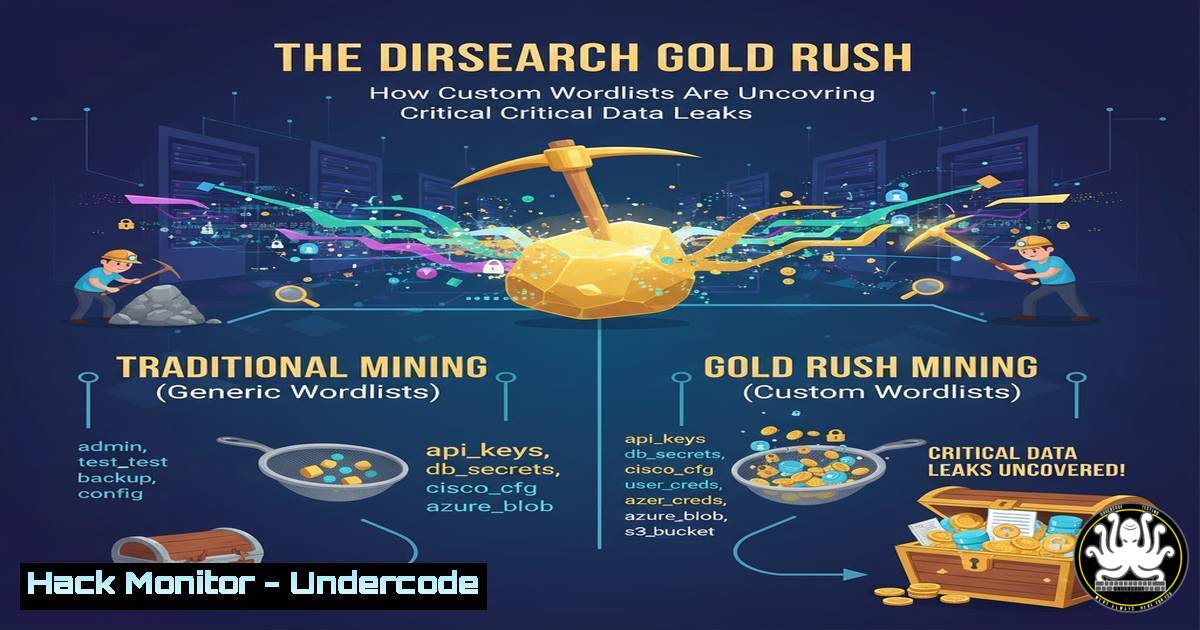
In the relentless pursuit of web vulnerabilities, exposed directories remain a low-hanging fruit with potentially catastrophic consequences. A recent case study from a cybersecurity professional highlights the critical advantage of moving beyond default tools, demonstrating how custom wordlists in dirsearch can systematically uncover hidden attack surfaces and sensitive data leaks that automated scanners consistently miss.
Learning Objectives:
- Understand the methodology for discovering and exploiting exposed directories.
- Learn to build, customize, and effectively deploy advanced wordlists for dirsearch.
- Master the process of confirming impact and responsibly disclosing information disclosure vulnerabilities.
You Should Know:
1. Dirsearch Fundamentals and Installation
`git clone https://github.com/maurosoria/dirsearch.git`
`cd dirsearch</h2>
<h2 style="color: yellow;">pip3 install -r requirements.txt`
<h2 style="color: yellow;">
Dirsearch is a mature web path scanner written in Python. The above commands clone the latest version from its official GitHub repository and install the necessary Python dependencies. This ensures you have all the latest features and wordlists. Running it from its own directory is crucial for maintaining its library paths and internal wordlist structure.
2. Basic Dirsearch Execution and Syntax
`python3 dirsearch.py -u https://target.com -e php,html,js,txt,bak -t 50`
This is the foundational command for a basic scan. The `-u` flag specifies the target URL. The `-e` flag defines the extensions to check for, crucial for discovering backup files (bak), source code (php, js), and text logs (txt). The `-t` flag sets the number of concurrent threads; increasing this number speeds up the scan but may trigger rate-limiting or WAFs. Always start with a lower thread count on sensitive targets.
3. Leveraging Multiple and Custom Wordlists
`python3 dirsearch.py -u https://target.com -w /usr/share/wordlists/dirb/common.txt -w /usr/share/wordlists/seclists/Discovery/Web-Content/raft-large-directories.txt –recursive`
The `-w` flag allows you to specify a wordlist. Using multiple `-w` flags combines the lists. The `–recursive` option tells dirsearch to recursively scan any discovered directories, dramatically expanding coverage. The key to “rotating wordlists” as mentioned in the post is to not rely on a single source. Combining general lists like `common.txt` with extensive lists like those from the `SecLists` project is a standard professional practice.
- Building a Targeted Custom Wordlist from Tech Stacks
`grep -r “config\|admin\|api\|test” source_code_directory/ > custom_words.txt`
`cat custom_words.txt | sort | uniq > target_specific_wordlist.txt`
This is a proactive technique for building a high-value custom wordlist. The first command uses `grep` to recursively search a target’s publicly available source code (e.g., from GitHub or JS files) for keywords related to administration panels, API endpoints, and configuration files. The results are piped to a file. The second command sorts this file and removes duplicates, creating a clean, targeted wordlist. Using a list with terms specific to the application’s lexicon dramatically increases the chance of finding hidden paths.
5. Filtering and Managing Scan Output
`python3 dirsearch.py -u https://target.com -w large_wordlist.txt –exclude-text “Not Found” –format json -o scan_results.json`
Managing false positives is essential. The `–exclude-text` flag allows you to filter out responses containing specific text, like a default “Not Found” message. The `–format json` and `-o` flags output the results to a JSON file, which is easily parsable by other tools for reporting or further analysis. This enables efficient triage of the results.
- Exploitation and Impact Confirmation of a Found Directory
`curl -s https://target.com/.git/ | head -n 20`
`wget –recursive –no-parent https://target.com/backup/`
Once an exposed directory is found, you must confirm its impact. The first `curl` command checks if a `.git` directory is exposed and accessible, which could lead to full source code reconstruction. The second `wget` command recursively downloads an entire `backup/` directory to your local machine for offline examination, demonstrating the ability for an attacker to exfiltrate all its contents. This step is critical for proving the severity of the finding.
7. Automating with Batch Scanning and Proxies
`python3 dirsearch.py -L target_list.txt -e php,html,js -t 30 –proxy http://127.0.0.1:8080`
For bug bounty hunters scanning multiple targets, the `-L` flag allows you to provide a list of URLs from a file. The `–proxy` flag routes all traffic through a local proxy like Burp Suite. This allows you to manually inspect interesting requests and responses in real-time, potentially uncovering complex vulnerabilities that are not just based on HTTP status codes.
What Undercode Say:
- The shift from default to custom wordlists represents the dividing line between automated and human-driven security testing.
- Information disclosure remains one of the most common and severe vulnerability classes, often serving as the initial entry point for a major breach.
The success demonstrated in this case study underscores a critical evolution in offensive security. Relying on default tool configurations is no longer sufficient. The real value is injected by the operator’s ability to think like the target—understanding its technology stack, business logic, and development practices to create a tailored assault. This human-centric approach, using automation as a force multiplier, systematically uncovers flaws that are invisible to broad-spectrum scanners. The lesson is clear: depth of coverage, achieved through intelligent wordlist curation, will consistently outperform breadth alone.
Prediction:
The automation of custom wordlist generation using AI is imminent. We will see tools that automatically analyze a target’s digital footprint—public code, job postings, framework signatures—to dynamically generate and prioritize context-aware wordlists. This will lower the barrier to advanced reconnaissance, forcing developers to adopt stricter “deny-by-default” access controls and implement more sophisticated directory obscurity techniques beyond simple `robots.txt` obfuscation. The cat-and-mouse game of finding hidden endpoints will escalate from a manual craft to an AI-powered arms race.
🎯Let’s Practice For Free:
IT/Security Reporter URL:
Reported By: Activity 7387199891598409728 – Hackers Feeds
Extra Hub: Undercode MoN
Basic Verification: Pass ✅


