Listen to this Post
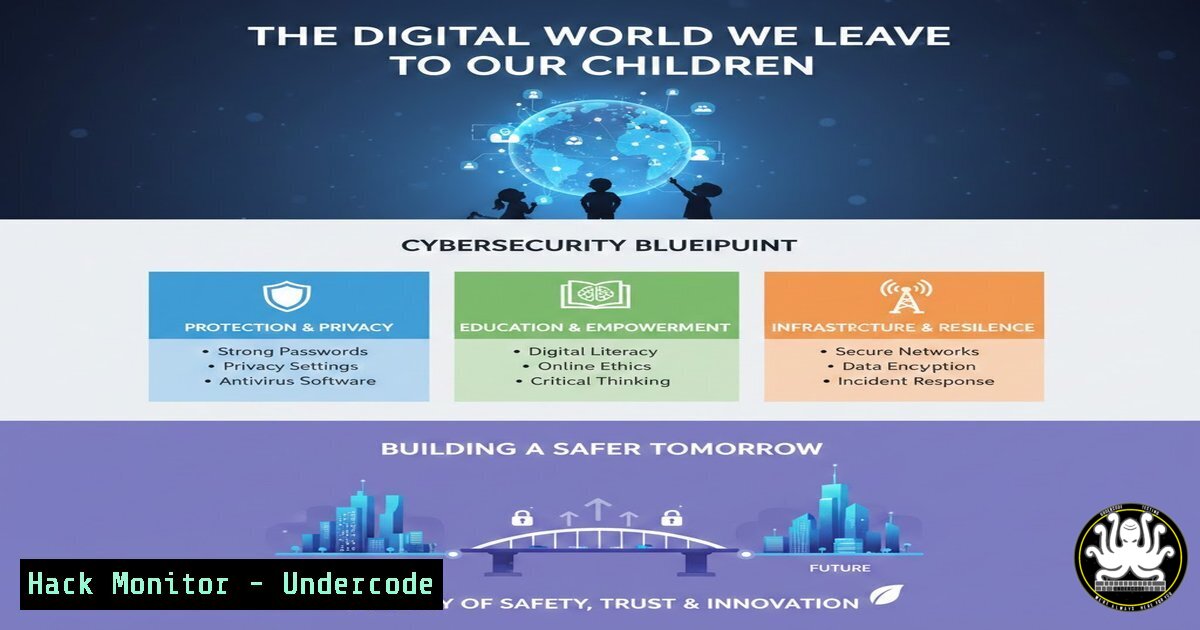
Introduction:
In a world where digital conflicts escalate and cyber threats become as commonplace as the air we breathe, the question posed by Chafik Mohamed—”quel monde numérique voulons-nous leur transmettre?” (what digital world do we want to pass on to them?)—is the most critical cybersecurity challenge of our generation. This article moves beyond philosophical debate to provide a technical blueprint for parents, educators, and IT professionals. We will dissect the landscape of modern cyber threats targeting the younger generation and outline concrete, actionable steps to build a resilient, ethical, and secure digital environment for our children.
Learning Objectives:
- Objective 1: Understand the core technical threats facing children and families online, from data exploitation to infrastructure attacks.
- Objective 2: Learn to implement practical security controls and monitoring techniques on home networks and personal devices.
- Objective 3: Acquire the skills to educate and simulate real-world cyber scenarios for the next generation, transforming them from passive users into active defenders.
You Should Know:
- Mapping the Battlefield: OSINT on Your Own Digital Footprint
Before we can protect our children, we must understand what information about them is already public. Open Source Intelligence (OSINT) techniques are not just for hackers; they are essential for parents to audit their family’s digital exposure.
Step‑by‑step guide: Parental OSINT Audit
This process helps you see your child’s digital footprint as a malicious actor would.
- Search Engine Digging: Use advanced Google operators to find specific information.
– `”Child’s Full Name”` – Enclose the name in quotes for an exact match.
– `”Child’s Full Name” site:instagram.com` – To find specific social media profiles.
– `”Mother’s Maiden Name” AND “City”` – To find data leaks containing personal info. -
Username Enumeration: If your child has a known username, check if it’s been used on other platforms.
– Command (Linux/macOS): Use a tool like `whatsmyname` or simply `curl` to check profile existence.
 Example using curl to check a GitHub username
curl -I https://github.com/username 2>/dev/null | head -n 1
 A "200 OK" response means the user exists.
- Checking for Data Breaches: Determine if a family email address has been compromised.
– Tool: Visit `haveibeenpwned.com` and enter the email address. This will list all known breaches where that email and associated passwords were leaked.
- Fortifying the Home Front: Network Segmentation and Access Control
The “law of the strongest” applies to Wi-Fi networks. A flat network where a vulnerable IoT toy sits next to a work laptop is a disaster waiting to happen. We must build walls within our digital homes.
Step‑by‑step guide: Creating a Guest/IoT Network on a Standard Router
Most modern routers support this. It isolates less secure devices from your main data.
- Access Router Admin Panel: Open a browser and enter your gateway IP (often `192.168.0.1` or
192.168.1.1). Log in with admin credentials. - Locate Guest Network Settings: Look for sections named “Guest Network,” “IoT Network,” or “Multi-SSID.”
3. Configure the Network:
- Enable SSID: Create a new network name (e.g., “HOME-IoT”).
- Set Security: Use WPA2-PSK
 or WPA3 if available. Never use an open network.</li>
<li>Enable "AP Isolation": This is the most critical step. It prevents devices on this network from talking to each other, stopping a compromised camera from attacking your smart TV.</li>
<li>Disable "Allow access to Local Network": Ensure this box is unchecked. This stops IoT devices from reaching your primary computers, phones, and NAS drives.</li>
</ul>

<h2 style="color: yellow;">3. Deconstructing the Threat: A Malicious Link Analysis</h2>

"Manipulation des opinions" and "désinformation" often start with a single malicious link. Teaching children (and ourselves) to dissect a URL before clicking is a fundamental cyber hygiene skill.

<h2 style="color: yellow;">Step‑by‑step guide: Manual URL Analysis Using Linux Commands</h2>

Instead of clicking a suspicious short link, use these commands to inspect it from a safe distance.

<h2 style="color: yellow;">1. Expand Shortened URLs:</h2>

<ul>
<li>Use `curl` with options to see the final destination of a bit.ly or tinyurl link.
[bash]
curl -I https://bit.ly/suspicious-link 2>/dev/null | grep -i location
The output will show the real, full URL the link redirects to.
2. Check Domain Reputation with `whois`:
- Find out who registered the domain and when. A domain registered yesterday for a “breaking news” site is a major red flag.
whois suspicious-domain.xyz | grep -E "Creation Date|Registrant|Organization"
3. Passive DNS Lookup with `dig` or `nslookup`:
- See where the domain resolves. If it points to a known malicious IP range, you’ll know to stay away.
Linux/macOS
dig suspicious-domain.xyz +short

Windows
nslookup suspicious-domain.xyz
4. Simulating Social Engineering: The Password Reset Attack
One of the most effective ways to compromise an account is through password reset functions that rely on easily guessable security questions. This exercise demonstrates why “What is your mother’s maiden name?” is a terrible question.
Step‑by‑step guide: Demonstrating Security Question Vulnerability
- Scenario: An attacker knows the target’s mother’s maiden name from a public Facebook post (e.g., “Happy Birthday Mom, love you, Jane Smith!”).
- The Attack Vector: The attacker goes to a service’s login page, clicks “Forgot Password,” and is prompted with the security question.
3. Mitigation Demonstration:
- Step 1: Show how to use a Password Manager (e.g., Bitwarden, KeePass).
- Step 2: In the “Notes” or custom fields section of the password manager entry, generate and store random answers to security questions. For example, for “Mother’s Maiden Name,” store “PurpleTaco42!”.
- Step 3: Explain that this renders the public information useless, as the attacker would need to guess a high-entropy string, not a family name.
- Securing the Cloud: Parental Controls and Activity Logging
As services become vital, ensuring they are hardened against unauthorized access is key. For a family using Google Workspace or Microsoft 365, this means leveraging their enterprise-grade security features.
Step‑by‑step guide: Enabling Family Safety Features in Microsoft 365
- Navigate to Family Safety: Go to `account.microsoft.com/family` and sign in with the parent Microsoft account.
- Add Family Members: Invite children via their email addresses. They must accept the invitation.
3. Configure Activity Reporting:
- Turn on “Activity reporting” . This sends a weekly email to the parent summarizing the child’s device and web activity.
4. Set Web and Search Filters:
- Under “Content filters” , set “Web and search” to “Allow list only” or choose an appropriate age limit. This enforces Microsoft Defender SmartScreen to block malicious and adult sites.
5. Screen Time Limits:
- Under “Screen time” , set schedules for both device usage and specific apps/games. This enforces a hard limit, teaching digital discipline.
- Ethical Hacking for Teens: An Introduction to Simple Scripting
To build a more human and ethical digital space, we must demystify the tools of the trade. Introducing older children to basic scripting can shift their perspective from passive consumption to active creation and defense.
Step‑by‑step guide: Writing a Simple Port Scanner in Python (for Education Only)
Disclaimer: This should only be used on networks and devices you own or have explicit permission to test.
This script teaches the concept of open ports, which are like open doors to a computer.
1. The Script: Create a file named `scanner.py`.
import socket
import sys

if len(sys.argv) != 2:
print("Usage: python3 scanner.py <IP address>")
sys.exit(1)

target = sys.argv[bash]
print(f"Scanning target: {target}")

try:
for port in range(1, 1025):  Scan common ports 1-1024
sock = socket.socket(socket.AF_INET, socket.SOCK_STREAM)
socket.setdefaulttimeout(0.5)  Wait 0.5 seconds for a response
result = sock.connect_ex((target, port))
if result == 0:
print(f"Port {port}: Open")
sock.close()
except KeyboardInterrupt:
print("\nScan cancelled.")
sys.exit(0)
except socket.error:
print("Could not connect to host.")
sys.exit(1)

print("Scan complete.")
2. Execution and Explanation:
- Run the script against a safe target like `scanme.nmap.org` (a service specifically for testing).
python3 scanner.py scanme.nmap.org
- Explain: An open port (like port 22 for SSH or 80 for HTTP) is a potential entry point. Just as you lock your doors at home, you must configure firewalls to close unnecessary ports. This is the foundation of network defense.
7. API Security: The Invisible Data Leak
Modern apps, especially games on tablets, are powered by APIs (Application Programming Interfaces). Often, these APIs leak data. Understanding how to spot this is an advanced skill for responsible digital citizenship.
Step‑by‑step guide: Intercepting App Traffic with a Proxy (Advanced)
Requires setting up a proxy like Burp Suite or OWASP ZAP on a computer and routing the child’s device traffic through it.
1. Setup: Install OWASP ZAP. On the child’s device (phone/tablet), set the Wi-Fi proxy to the IP address of the computer running ZAP (port 8080).
2. Install CA Certificate: To inspect HTTPS traffic, you must install ZAP’s Certificate Authority certificate on the device. This teaches the concept of a “Man-in-the-Middle” attack.
3. Analysis: Launch a child’s game and observe the HTTP requests in ZAP.
– Look for requests containing the device ID, location, or other personal data being sent to analytics endpoints.
– Question to ask: “Is this game sending information about where we live just to let us jump over a turtle? Or is it selling our data?” This turns a technical exercise into a lesson on digital ethics and privacy.
What Undercode Say:
- Key Takeaway 1: Build Walls, Not Prisons. The goal of cybersecurity for the next generation is not to surveil their every move, but to build resilient infrastructure—segmented networks, patched devices, and strong authentication—that protects them by default, allowing them to explore freely within safe boundaries.
- Key Takeaway 2: Education is the Ultimate Patch. No firewall can stop a child from giving away a password to a convincing phishing scam. The most effective security control is a well-educated mind. By teaching OSINT, scripting, and proxy analysis, we transform our children from the weakest link into the first line of defense.
The world we are leaving our children is a complex fusion of physical and digital realms. The conflicts, misinformation, and attacks are not just lines of code; they have real-world consequences. By implementing the technical controls and educational strategies outlined here, we move beyond fear and towards action. We build a legacy not of a world broken by the “law of the strongest,” but of a digital space fortified by knowledge, ethics, and resilience—a world truly fit for our kids.
Prediction:
Within the next five years, we will see the emergence of “Digital Parenting” as a formal discipline within cybersecurity, leading to a new wave of consumer-grade security products focused on ethical education and infrastructure resilience rather than just content blocking. Furthermore, ethical hacking and OSINT skills will become standard modules in secondary school computer science curricula, as society recognizes that digital self-defense is as fundamental as literacy.
▶️ Related Video (76% Match):
🎯Let’s Practice For Free:
IT/Security Reporter URL:
Reported By: Chaf007 Humanisme – Hackers Feeds
Extra Hub: Undercode MoN
Basic Verification: Pass ✅


