Listen to this Post
Introduction:
The recent controversy surrounding the Aerius stikstof (nitrogen) calculation tool in the Netherlands exposes a critical vulnerability at the intersection of technology, policy, and security. A model deemed “unscientific, defective, and indefensible” by experts remains in use for critical permitting, creating a fragile digital ecosystem. This scenario is a stark reminder for cybersecurity and IT professionals of the systemic risks posed by relying on unvalidated or flawed software systems, where a single point of failure can have cascading legal, financial, and operational consequences.
Learning Objectives:
- Understand the security risks inherent in relying on scientifically contested software for critical infrastructure and policy.
- Learn hardening techniques for data processing pipelines and analytical models to ensure integrity and reliability.
- Develop skills to audit and validate third-party tools and APIs integrated into your operational workflow.
You Should Know:
1. System Integrity Verification with `sha256sum`
Verified Command:
echo "a1b2c3d4e5f6... aerius-calculator.tar.gz" | sha256sum -c
Step-by-step guide:
This command verifies the integrity of a downloaded software package, like a theoretical Aerius calculator, by checking its cryptographic hash. Tampering with the package, whether by a malicious actor or due to a corrupted download, will change its hash. To use it, first obtain the official, trusted SHA256 checksum from the software vendor’s secure website. After downloading the package, run the command above. If the checksums match, the output will show “OK,” confirming the file is intact and unaltered. This is a fundamental first step in ensuring you are working with a genuine, untampered binary.
2. Containerizing Unreliable Applications with Docker
Verified Code Snippet (Dockerfile):
FROM ubuntu:22.04
RUN apt-get update && apt-get install -y \
python3 \
python3-pip \
&& rm -rf /var/lib/apt/lists/
COPY aerius-calculator /opt/aerius/
WORKDIR /opt/aerius
CMD ["python3", "calculator.py"]
Step-by-step guide:
When you must use a potentially unreliable or legacy application, containerization limits its “blast radius.” This Dockerfile creates an isolated environment for the application. It starts from a clean Ubuntu base image, installs only the necessary dependencies, and copies the application code into the container. By running the application inside this container, you isolate it from your host system. This mitigates risks such as library conflicts, unexpected file system changes, or even malicious code within the application from affecting your core operating system.
3. Monitoring for Data Anomalies with Python
Verified Code Snippet (Python):
import pandas as pd
from scipy import stats
import numpy as np

Load model output data
data = pd.read_csv('aerius_output.csv')
z_scores = np.abs(stats.zscore(data['nitrogen_deposition']))
 Identify anomalies beyond 3 standard deviations
anomalies = data[z_scores > 3]
print(f"Potential calculation anomalies detected: {len(anomalies)}")
if not anomalies.empty:
print(anomalies)
Step-by-step guide:
This script provides a basic method for detecting statistical anomalies in the output of a calculation tool. It loads the data into a Pandas DataFrame and calculates the Z-score for the key output column (e.g., nitrogen deposition). The Z-score measures how many standard deviations a data point is from the mean. Any value with a Z-score greater than 3 is flagged as a potential anomaly, which could indicate a bug, corrupted input, or a flaw in the underlying model. Regularly running such checks on critical data outputs can serve as an early warning system.
4. API Input Sanitization and Rate Limiting
Verified Code Snippet (Node.js with Express):
const rateLimit = require("express-rate-limit");
const { body, validationResult } = require('express-validator');

// Input validation rules
const validateInput = [
body('latitude').isFloat({ min: -90, max: 90 }),
body('longitude').isFloat({ min: -180, max: 180 }),
body('animalCount').isInt({ min: 0, max: 10000 })
];

// Rate limiting
const apiLimiter = rateLimit({
windowMs: 15  60  1000, // 15 minutes
max: 100 // limit each IP to 100 requests per windowMs
});

app.post('/calculate', apiLimiter, validateInput, (req, res) => {
const errors = validationResult(req);
if (!errors.isEmpty()) {
return res.status(400).json({ errors: errors.array() });
}
// Proceed with calculation logic
});
Step-by-step guide:
If the Aerius tool were a web service, securing its API would be paramount. This code demonstrates two key security practices. First, it uses the `express-validator` middleware to rigorously sanitize and validate all incoming request parameters, ensuring they are within expected ranges and types. Second, it implements rate limiting via `express-rate-limit` to prevent abuse, Denial-of-Service (DoS) attacks, or accidental overload from a single client. This protects the backend calculation engine from being overwhelmed by invalid or malicious traffic.
5. Network Segmentation for Critical Analysis Servers
Verified Windows Command:
netsh advfirewall firewall add rule name="Isolate Calc Server" dir=in action=allow remoteip=192.168.1.0/24 localport=443 protocol=TCP
Step-by-step guide:
A server running a critical, yet potentially flawed, calculation model should be isolated from unnecessary network traffic. This Windows `netsh` command creates a Windows Firewall rule that only allows inbound HTTPS (port 443) connections from a specific, trusted subnet (192.168.1.0/24). All other connection attempts from outside this subnet will be blocked. This network segmentation minimizes the attack surface, protecting the server from external exploits and containing any potential compromise that might originate from the server itself if its software is vulnerable.
6. Automated Model Output Auditing with Linux Cron
Verified Linux Command & Script:
!/bin/bash
 audit_model.sh
LOG_FILE="/var/log/aerius_audit.log"
OUTPUT_FILE="/opt/aerius/latest_calc.json"
TIMESTAMP=$(date -Is)

Check if output file was modified in the last hour
if find "$OUTPUT_FILE" -mmin -60 | grep -q .; then
echo "$TIMESTAMP: OUTPUT MODIFIED - Running integrity check..." >> $LOG_FILE
python3 /opt/scripts/validate_output.py >> $LOG_FILE 2>&1
else
echo "$TIMESTAMP: No recent activity." >> $LOG_FILE
fi
Cron Job:
0 /opt/scripts/audit_model.sh
Step-by-step guide:
This setup automates the monitoring of a critical application. The bash script `audit_model.sh` checks every hour (via the cron job) if the model’s output file has been modified in the last 60 minutes. If it has, it triggers a more detailed Python validation script (validate_output.py), logging all activity. This creates an audit trail and ensures that any change or potential malfunction of the calculation tool is detected and investigated promptly, moving from a passive to an active monitoring posture.
7. Immutable Infrastructure for Reproducible Analysis
Verified Code Snippet (Terraform):
resource "aws_instance" "aerius_analysis_worker" {
ami = "ami-0c02fb55956c7d316"  Specific, approved AMI
instance_type = "t3.medium"
user_data = filebase64("${path.module}/bootstrap.sh")

lifecycle {
ignore_changes = [bash]
create_before_destroy = true
}
}
Step-by-step guide:
To combat “configuration drift” and ensure that analyses are perfectly reproducible, use immutable infrastructure. This Terraform configuration defines a cloud instance (e.g., on AWS) that is built from a known, pre-hardened Amazon Machine Image (AMI). The `lifecycle` block ensures that once the instance is created, its core configuration cannot be changed. If an update is needed, a new instance is created from an updated AMI, and the old one is destroyed. This guarantees that every calculation runs in an identical, version-controlled environment, eliminating variances caused by manual system changes.
What Undercode Say:
- The core vulnerability is not just in the software’s code, but in the process that elevates an unvalidated tool to a single source of truth for high-stakes decisions.
- Technical teams must implement a “Trust but Verify” architecture, where all critical systems, especially third-party models, are continuously monitored, contained, and audited.
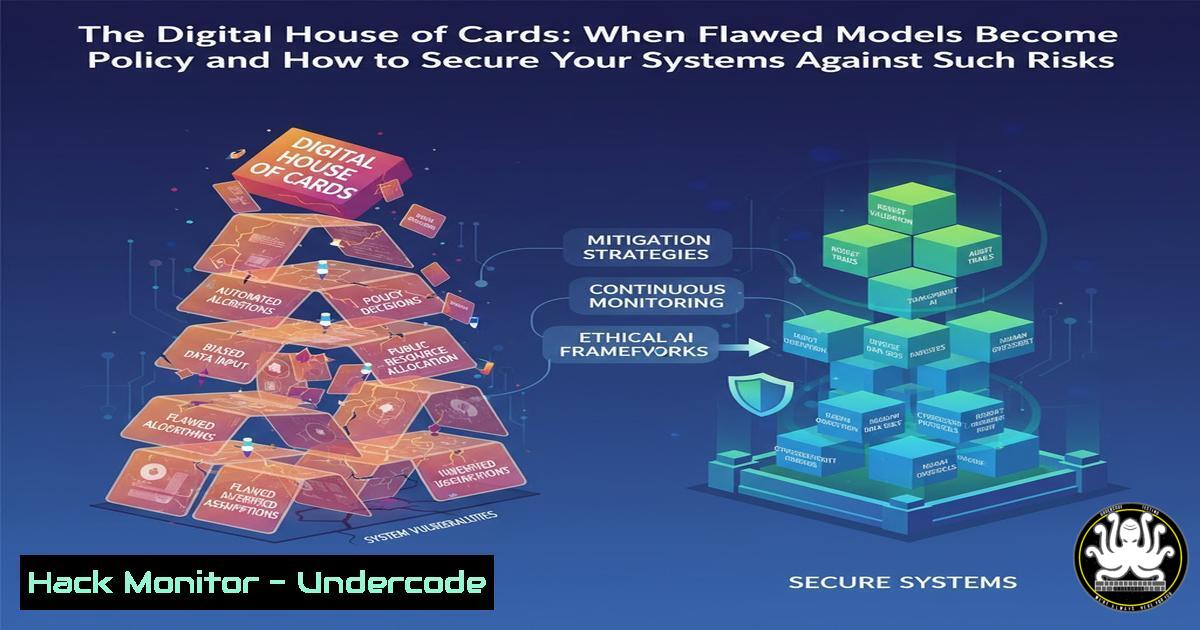
The Aerius case is a paradigm of a systemic tech governance failure. From a security perspective, it represents a massive single point of failure where the integrity of an entire regulatory process hinges on a component with known, unpatched “vulnerabilities”—in this case, scientific flaws rather than classic security bugs. The mitigation strategy mirrors standard cybersecurity practice: isolate the untrusted component, validate all inputs and outputs, maintain rigorous audit logs, and have a plan to quickly replace it when a better alternative is found. The failure to do so creates a digital house of cards, vulnerable to collapse not from a malicious hack, but from its own inherent instability.
Prediction:
The reliance on complex, opaque digital models for public policy and corporate governance will intensify, making “Model Risk Management” a critical sub-discipline of cybersecurity. We will see the rise of specialized security tools designed to “fuzz” policy models, detect algorithmic bias, and provide cryptographic proof of data provenance for automated decision-making. Just as financial systems are audited, algorithmic systems used for environmental impact, loan applications, and resource allocation will be legally required to undergo independent security and validity audits. Failure to adapt will result in regulatory fines, loss of public trust, and systemic shocks when these foundational digital models are inevitably challenged or fail.
🎯Let’s Practice For Free:
IT/Security Reporter URL:
Reported By: Henk Groenewoud – Hackers Feeds
Extra Hub: Undercode MoN
Basic Verification: Pass ✅


