
Listen to this Post
Introduction:
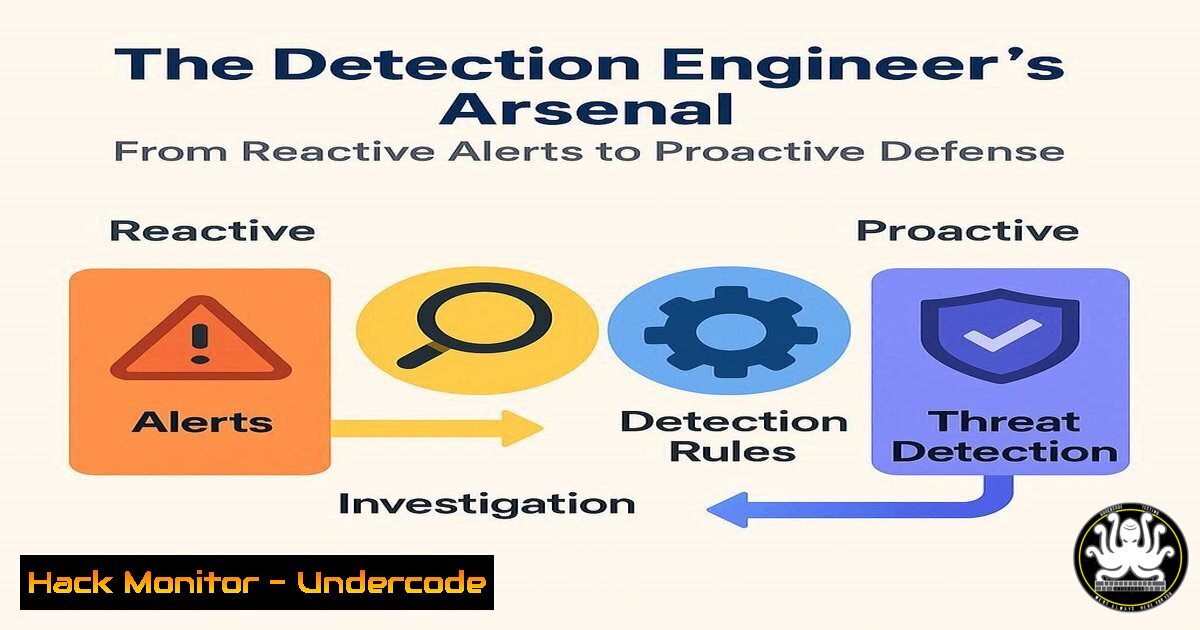
Detection engineering represents the critical evolution of cybersecurity from a reactive posture to a proactive, intelligence-driven function. By systematically developing and refining detection logic, organizations can identify threats earlier in the attack lifecycle, significantly reducing potential impact. This discipline spans endpoint, cloud, network, and identity security, requiring a specialized toolkit and methodology to be effective.
Learning Objectives:
- Understand the core tools and methodologies used in modern detection engineering.
- Develop practical skills for writing, testing, and converting detection rules.
- Implement proactive detection strategies across cloud and identity environments.
You Should Know:
1. Sigma Rule Fundamentals for Endpoint Detection
Sigma is a generic and open signature format for describing log events in a vendor-agnostic way, allowing detection engineers to write once and deploy across multiple SIEM platforms.
title: Suspicious Process Termination for Defense Evasion
id: 0c656c26-0c57-4c7a-af25-7a8e0e7d10d1
status: experimental
description: Detects the termination of security-related processes often stopped by attackers to evade detection.
author: Unknown
date: 2023/10/26
tags:
- attack.defense_evasion
- attack.t1489
logsource:
category: process_creation
product: windows
detection:
selection:
CommandLine|endswith:
- '/k taskkill /im MsMpEng.exe /f'
- '/k taskkill /im sense.exe /f'
condition: selection
falsepositives:
- Unknown
level: high
Step-by-step guide:
This Sigma rule detects attempts to terminate critical security processes like Windows Defender (MsMpEng.exe) or Windows Defender Advanced Threat Protection (sense.exe). The rule monitors process creation events specifically for taskkill commands targeting these processes. To use it, convert this YAML rule to your target SIEM’s native query language using tools like Sigma Converter, then deploy the resulting query to your detection platform.
2. YARA for Malware Identification
YARA is a pattern-matching tool used to identify and classify malware samples based on textual or binary patterns.
rule APT29_CozyBear_Backdoor {
meta:
author = "Detection Engineer"
date = "2024-01-15"
description = "Detects APT29 related backdoor activity"
threat_level = 8

strings:
$a = "CozyBear" nocase
$b = { 48 8B 05 ?? ?? ?? ?? 48 85 C0 74 0F }
$c = "/api/v1/token" wide
$d = "rundll32.exe" wide

condition:
(filesize < 500KB and 2 of them) or all of them
}
Step-by-step guide:
This YARA rule identifies malware associated with APT29 by looking for specific strings, hex patterns, and behavioral indicators. The `meta` section provides contextual information, while the `strings` section defines detection patterns. The condition specifies that either 2 of the patterns must match in files under 500KB, or all patterns must match regardless of size. Compile this rule using YARA and run it against suspicious files or memory dumps.
3. KQL Hunting Query for Azure AD Attacks
Kusto Query Language (KQL) is essential for hunting and detection in Microsoft security products like Microsoft Sentinel.
SigninLogs
| where TimeGenerated >= ago(7d)
| where ResultType == "0"
| where AppDisplayName has_any ("Exchange", "Azure Portal", "Microsoft Graph")
| where Identity contains "@"
| extend UserName = tostring(split(Identity, "@")[bash])
| where UserName contains "admin" or UserName contains "test" or UserName contains "service"
| summarize
FirstSeen = min(TimeGenerated),
LastSeen = max(TimeGenerated),
AttemptCount = count(),
IPAddresses = makeset(IPAddress),
UserAgents = makeset(UserAgentString)
by Identity, AppDisplayName, UserName
| where AttemptCount > 10
| sort by AttemptCount desc
Step-by-step guide:
This KQL query hunts for suspicious authentication patterns in Azure AD sign-in logs. It focuses on successful logins (ResultType “0”) to high-value applications like Exchange, Azure Portal, and Microsoft Graph. The query identifies accounts with “admin”, “test”, or “service” in the username that have authenticated more than 10 times in 7 days from multiple IP addresses. Run this in Microsoft Sentinel’s logs interface to identify potential credential stuffing or account takeover attempts.
4. Splunk SPL for Persistence Detection
Splunk Processing Language (SPL) is powerful for creating detections across diverse log sources.
index=windows EventCode=4688
| search
(NewProcessName="schtasks" CommandLine="/create")
OR (NewProcessName="wmic" CommandLine="process call create")
OR (NewProcessName="sc" CommandLine="create")
| stats
count by host, User, NewProcessName, CommandLine, _time
| eval persistence_technique=case(
match(CommandLine, "(?i)schtasks.create"), "Scheduled Task",
match(CommandLine, "(?i)wmic.process.call.create"), "WMI Event",
match(CommandLine, "(?i)sc.create"), "Service Creation"
)
| table _time, host, User, NewProcessName, CommandLine, persistence_technique
Step-by-step guide:
This SPL query detects common persistence mechanisms in Windows environments by monitoring process creation events (EventCode 4688). It searches for scheduled task creation, WMI event subscription, and service creation—common techniques attackers use to maintain access. The query categorizes detected techniques and presents them in a readable table format. Deploy this as a scheduled search in Splunk with appropriate alert actions.
5. ELK Stack Detection Rule for CloudTrail Tampering
Elasticsearch detection rules help identify malicious activity in AWS CloudTrail logs.
{
"rule_id": "aws_cloudtrail_tampering",
"risk_score": 85,
"severity": "high",
"description": "Detection of CloudTrail logging disruption",
"type": "query",
"query": "event.action:(\"StopLogging\" OR \"DeleteTrail\" OR \"UpdateTrail\") AND event.provider:cloudtrail.amazonaws.com",
"filters": [
{
"exists": {
"field": "source.ip"
}
},
{
"range": {
"@timestamp": {
"gte": "now-2h"
}
}
}
],
"actions": [
{
"group": "default",
"id": "{{context.rule.rule_id}}",
"params": {
"message": "CloudTrail logging was modified or disabled from IP {{source.ip}}"
}
}
]
}
Step-by-step guide:
This Elasticsearch detection rule identifies attempts to disrupt CloudTrail logging in AWS environments. It monitors for critical CloudTrail API calls like StopLogging, DeleteTrail, and UpdateTrail that could indicate an attacker trying to disable audit trails. The rule triggers when these actions are detected within a 2-hour window and can be configured to send alerts via various channels. Implement this in Elastic Security or Kibana’s detection engine.
6. Python Script for Detection-as-Code Pipeline
Detection-as-code enables version control, testing, and automated deployment of detection rules.
!/usr/bin/env python3

import yaml
import json
import requests
from sigma.collection import SigmaCollection
from sigma.backends.splunk import SplunkBackend

def convert_sigma_to_splunk(sigma_rule_path):
"""Convert Sigma rule to Splunk SPL"""
with open(sigma_rule_path, 'r') as file:
sigma_rule = SigmaCollection.from_yaml(file.read())

backend = SplunkBackend()
splunk_query = backend.convert(sigma_rule)

return splunk_query[bash] if splunk_query else None

def deploy_to_splunk(query, rule_name, splunk_config):
"""Deploy converted query to Splunk"""
headers = {
'Authorization': f'Bearer {splunk_config["token"]}',
'Content-Type': 'application/json'
}

saved_search_payload = {
'name': rule_name,
'search': query,
'cron_schedule': '/5    ',  Run every 5 minutes
'disabled': False,
'actions': 'email',
'action.email.to': '[email protected]'
}

response = requests.post(
f"{splunk_config['url']}/services/saved/searches",
headers=headers,
data=json.dumps(saved_search_payload),
verify=True
)

return response.status_code == 201

Example usage
if <strong>name</strong> == "<strong>main</strong>":
sigma_rule_path = "rules/suspicious_process_termination.yml"
splunk_config = {
"url": "https://splunk.company.com:8089",
"token": "your_splunk_token"
}

splunk_query = convert_sigma_to_splunk(sigma_rule_path)
if splunk_query:
success = deploy_to_splunk(
splunk_query,
"Suspicious Process Termination",
splunk_config
)
print(f"Deployment successful: {success}")
Step-by-step guide:
This Python script demonstrates a basic detection-as-code pipeline that converts Sigma rules to Splunk queries and deploys them automatically. The `convert_sigma_to_splunk` function uses the Sigma library to transform vendor-agnostic Sigma rules into Splunk-specific queries. The `deploy_to_splunk` function then creates a saved search in Splunk with the converted query. This approach enables version control, testing, and automated deployment of detection content.
7. MITRE ATT&CK Mapping for Detection Coverage
Mapping detections to the MITRE ATT&CK framework ensures comprehensive coverage and identifies gaps.
detection_coverage:
enterprise_attack:
techniques:
- technique_id: "T1059"
technique_name: "Command and Scripting Interpreter"
detection_count: 15
coverage_status: "excellent"
rules:
- "Powershell Suspicious Command Line"
- "Windows Script Host Execution"
- "Suspicious CMD Parameters"

<ul>
<li>technique_id: "T1078"
technique_name: "Valid Accounts"
detection_count: 8
coverage_status: "good"
rules:</li>
<li>"After Hours Authentication"</li>
<li>"Impossible Traveler"</li>
<li>"Multiple Failed Logons Followed by Success"</p></li>
<li><p>technique_id: "T1562"
technique_name: "Impair Defenses"
detection_count: 3
coverage_status: "partial"
rules:</p></li>
<li>"Security Process Termination"
gaps:</li>
<li>"Windows Firewall Rule Modification"</li>
<li><p>"AMSI Bypass Detection"</p></li>
<li><p>technique_id: "T1530"
technique_name: "Data from Cloud Storage"
detection_count: 0
coverage_status: "none"
gaps:</p></li>
<li>"Mass S3 Bucket Download"</li>
<li>"Unusual Cloud Storage Access Patterns"
Step-by-step guide:
This YAML structure provides a framework for mapping detection rules to MITRE ATT&CK techniques. For each technique, document the existing detection rules, count of detections, coverage status, and identify any gaps. This approach helps detection engineers prioritize rule development based on attack prevalence and current coverage gaps. Regularly update this mapping as new rules are developed and new techniques emerge in the ATT&CK framework.
What Undercode Say:
- The shift to detection engineering represents cybersecurity’s maturation from alert management to threat anticipation
- Effective detection requires both technical depth in specific platforms and breadth across the entire attack surface
Detection engineering is no longer a niche specialty but a core cybersecurity competency that separates mature security programs from reactive ones. The most successful detection engineers combine deep technical knowledge of specific platforms with a broad understanding of attacker tradecraft across the entire kill chain. As organizations continue their cloud migrations and digital transformations, the attack surface expands exponentially, making systematic detection engineering not just valuable but essential for survival. The tools and methodologies highlighted—from Sigma and YARA to detection-as-code pipelines—provide the foundation for building sustainable, scalable detection capabilities that can evolve with both the threat landscape and business requirements.
Prediction:
Within three years, AI-assisted detection engineering will become standard, with machine learning algorithms automatically generating high-fidelity detection rules from threat intelligence and automating false positive reduction. However, this automation will also empower attackers to develop more sophisticated evasion techniques, creating an AI arms race in cybersecurity detection and response. Organizations that fail to invest in detection engineering capabilities will face significantly higher breach costs and longer dwell times as attacks become increasingly automated and targeted.
🎯Let’s Practice For Free:
IT/Security Reporter URL:
Reported By: Patrick Bareiss – Hackers Feeds
Extra Hub: Undercode MoN
Basic Verification: Pass ✅


