Listen to this Post
Introduction:
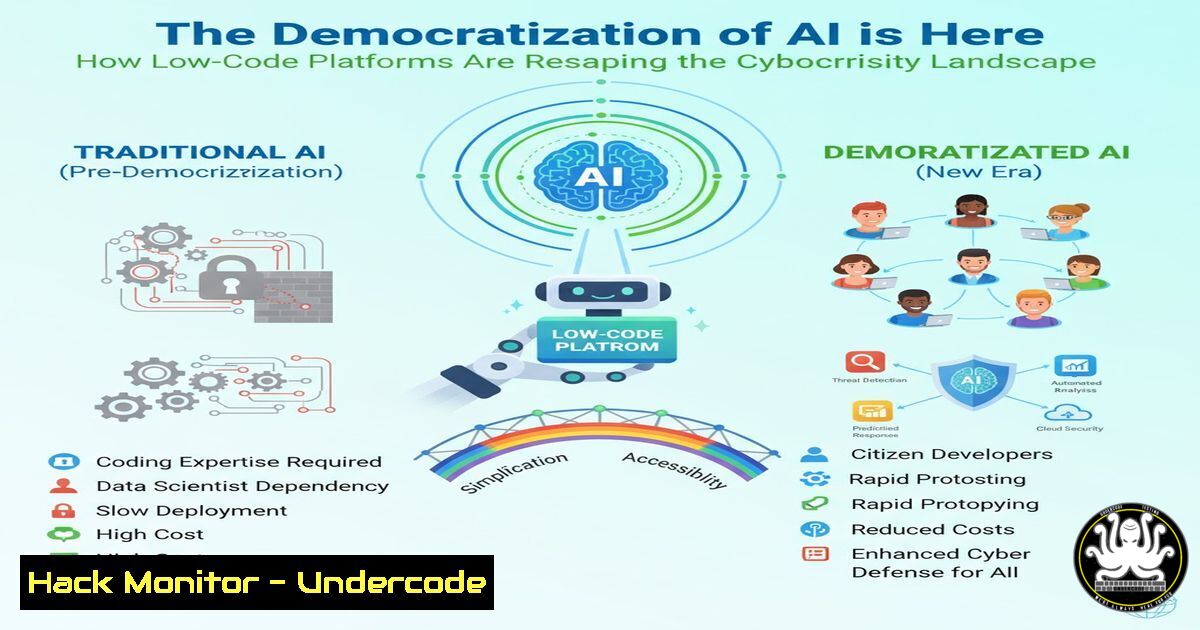
The declaration that “low code is dead” at the Power Platform Community Conference signals a seismic shift towards an AI-native, agent-powered development paradigm. This movement to democratize AI development empowers a new wave of “makers,” but it also dramatically expands the attack surface, introducing novel security challenges that organizations must immediately address. The barrier to creating powerful, automated workflows is vanishing, making security awareness and hardened practices more critical than ever.
Learning Objectives:
- Understand the new security risks introduced by AI-powered low-code platforms and intelligent agents.
- Learn critical hardening techniques for cloud-native, low-code environments like Microsoft Power Platform.
- Develop a security-first mindset for building and deploying automated workflows and AI agents.
You Should Know:
- Securing Power Platform Data Loss Prevention (DLP) Policies
A misconfigured DLP policy is one of the greatest risks in a low-code environment, allowing data to flow freely between secured and unsecured services.
 PowerShell to audit all Tenant-level DLP Policies
Connect-PowerPlatformAdminCenter -TenantId "your-tenant-id"
Get-DlpPolicy | Format-Table PolicyName, State, EnvironmentCount

Check policy details for a specific environment
Get-DlpPolicy -EnvironmentName "your-env-id" | Select-Object -ExpandProperty BusinessDataGroups
Step-by-step guide:
This PowerShell script connects to the Power Platform Admin Center and retrieves all Data Loss Prevention (DLP) policies across your tenant. The first command lists all policies and their states, allowing you to identify which are enabled. The second command drills into a specific environment to show which data groups (e.g., Business, Non-Business, Blocked) are assigned to which connectors. You must ensure that sensitive data connectors like SQL Server, SharePoint, and Dynamics 365 are in the “Business” group and cannot share data with “Non-Business” connectors like personal Twitter or Gmail accounts. Regular auditing is essential as new connectors are added.
2. Hardening the Power Platform Service Principal
The underlying service principal for Power Platform must be secured to prevent tenant-wide compromise.
 Check service principal permissions using Microsoft Graph
GET https://graph.microsoft.com/v1.0/servicePrincipals?$filter=displayName eq 'Power Platform Service Principal'&$select=id,displayName,appId

List delegated and application permissions granted
GET https://graph.microsoft.com/v1.0/servicePrincipals/{id}/oauth2PermissionGrants
GET https://graph.microsoft.com/v1.0/servicePrincipals/{id}/appRoleAssignments
Step-by-step guide:
This uses Microsoft Graph API to investigate the Power Platform service principal’s permissions. The first query finds the principal’s object ID. The subsequent queries list the OAuth2 delegated permissions (what it can do on behalf of a user) and application permissions (what it can do on its own). You must apply the principle of least privilege, ensuring it only has the permissions absolutely necessary. Look for excessive permissions like `Directory.ReadWrite.All` or `Mail.Send` that could be exploited if the service principal is compromised.
- Auditing Copilot Studio Agent Activity and Prompt Injections
AI agents built in Copilot Studio are vulnerable to prompt injection, a new class of attack that can subvert their intended function.
 KQL Query for Azure Monitor / Log Analytics to detect potential prompt injection
AIPlatformRequests
| where TimeGenerated >= ago(24h)
| where ServiceName =~ "Copilot Studio"
| where ResponseCode == 200
| extend InputTokens = toint(Properties.InputTokenCount)
| extend OutputTokens = toint(Properties.OutputTokenCount)
| where InputTokens > 1000 or OutputTokens > 4000 // Anomalously long inputs/outputs can indicate injection
| project TimeGenerated, SessionId, UserId, InputTokens, OutputTokens, Properties.InputText, Properties.OutputText
Step-by-step guide:
This Kusto Query Language (KQL) query helps detect anomalous activity in Copilot Studio that may indicate a successful prompt injection attack. Attackers can use overly long or specially crafted inputs to manipulate the AI agent into ignoring its system instructions. The query filters for sessions with unusually high token counts in either the input or output, which is a key indicator of such an attack. You should integrate this query into a scheduled Azure Monitor alert to proactively detect compromise attempts.
4. Implementing Least Privilege for Power Automate Flows
A Power Automate flow running with excessive permissions can be a significant security risk if its logic is manipulated.
 PowerShell to set a Flow to use a specific service account and check its permissions
Set-PowerAutomateFlowOwner -FlowName "High-Privilege-Flow" -EnvironmentName "Prod-Env" -NewOwner "[email protected]"

Check what permissions this service account has in SharePoint (if the flow uses SPO)
Connect-SPOService -Url https://company-admin.sharepoint.com
Get-SPOUser -Site https://company.sharepoint.com/sites/target-site | Where-Object {$_.LoginName -eq "[email protected]"}
Step-by-step guide:
This script ensures a high-privilege flow runs under a dedicated service account instead of a user’s context. The first command changes the flow’s owner. The second command, using the SharePoint Online PowerShell module, checks the precise permissions that service account has on a specific SharePoint site. The goal is to confirm that the account has only the permissions the flow requires—no more, no less. For example, a flow that only reads from a list does not need `FullControl` or `Write` permissions.
- Scanning for Exposed Power Apps and Embedded Credentials
Publicly accessible Power Apps can inadvertently expose sensitive data and logic if not properly secured.
 Use the Power Apps REST API to check an app's sharing status
GET https://api.powerapps.com/providers/Microsoft.PowerApps/apps/{appId}?api-version=2023-06-01
Authorization: Bearer {access-token}

Check the response for "properties.sharedGroups" and "properties.sharedUsers" arrays. If they contain "Tenant" or "Everyone", the app is widely shared.
Step-by-step guide:
This API call retrieves the details of a specific Power App, including its sharing configuration. After authenticating and calling the endpoint, inspect the JSON response. If the `sharedGroups` array contains a principal named “Tenant” or the `sharedUsers` array is very large, the app may be over-shared. An app shared with the entire tenant is a significant data exfiltration risk. Furthermore, use the app’s “Monitor” tool to check for connections that might use embedded plaintext credentials, which should be migrated to Azure Key Vault.
6. Network Security for Power Platform Data Gateways
The on-premises data gateway acts as a bridge between Power Platform and your internal network, making it a high-value target.
 Check gateway status and installed version via PowerShell (on the gateway machine)
Get-OnPremisesDataGateway | Format-List Name, Status, Version

Use NetStat to verify the gateway only has necessary ports open
netstat -an | findstr "8050 8051 443"

Expected: Port 8050 (TLS) for service communication should be open. Port 8051 (admin) should only be bound to localhost (127.0.0.1).
Step-by-step guide:
These commands are run directly on the server hosting the on-premises data gateway. The first command confirms the gateway service is running and reports its version, which must be kept updated. The `netstat` command verifies the network ports. You should see port 8050 listening on all interfaces (0.0.0.0) for secure communication with the cloud service. Crucially, port 8051 (the administration port) should only be listening on 127.0.0.1, meaning it cannot be administered from over the network, preventing remote takeover.
7. Monitoring for Anomalous Power Platform Activity
Continuous monitoring is key to detecting a breach in its early stages.
 Sentinel KQL Query to detect bulk export actions from a Power App
PowerPlatformActivityLogs
| where TimeGenerated >= ago(1h)
| where OperationName =~ "Export" and ResultType =~ "Success"
| summarize ExportCount = count() by UserId, UserAgent, bin(TimeGenerated, 5m)
| where ExportCount > 10 // Threshold for "bulk" activity
| project TimeGenerated, UserId, UserAgent, ExportCount
Step-by-step guide:
This KQL query for Microsoft Sentinel hunts for bulk export operations from Power Platform, which could indicate an insider threat or an attacker exfiltrating data. It counts successful “Export” operations by user within a 5-minute window. If the count exceeds a threshold you define (e.g., 10 in this example), it triggers an alert. You should tune the threshold based on normal user behavior. Correlate this with other signals, like logins from unfamiliar locations, to build a high-fidelity security alert.
What Undercode Say:
- The Attack Surface is Multiplying: The empowerment of “makers” is a double-edged sword. Every new Copilot Studio agent, Power Automate flow, and custom connector is a potential entry point. Traditional security tools are blind to the business logic and data flows within these platforms.
- The Perimeter is Now Identity: With low-code/AI platforms inherently cloud-based, the security perimeter has completely collapsed into the identity layer. The primary attack vector will shift from exploiting network vulnerabilities to compromising user and service principal identities to gain authorized access to these powerful automation tools.
The central analysis is that the “democratization of AI” is not just a productivity trend; it is the next frontier for cyber conflict. Security teams can no longer afford to treat low-code/no-code platforms as a fringe “shadow IT” issue. They must be brought into the core of security governance frameworks. The speed of development will outpace the ability of central IT to review every application, necessitating a new model of automated guardrails, embedded security training for “makers,” and continuous monitoring specifically designed for these dynamic, API-driven environments. The organizations that succeed will be those that integrate security directly into the maker workflow, not as a gate, but as an enabling feature.
Prediction:
Within the next 18-24 months, we will witness the first major enterprise breach originating from a compromised AI agent or a maliciously manipulated low-code workflow. The attack will not rely on a traditional software exploit but will instead use social engineering or prompt injection to manipulate the AI’s logic, leading to mass data exfiltration or financial fraud. This event will serve as a catalyst, forcing a massive industry-wide investment in “AI Security” postures, the creation of new security roles focused on low-code governance, and regulatory scrutiny over how these citizen-developed solutions handle sensitive data.
🎯Let’s Practice For Free:
IT/Security Reporter URL:
Reported By: Charleslamanna Thank – Hackers Feeds
Extra Hub: Undercode MoN
Basic Verification: Pass ✅


