Listen to this Post
Introduction:
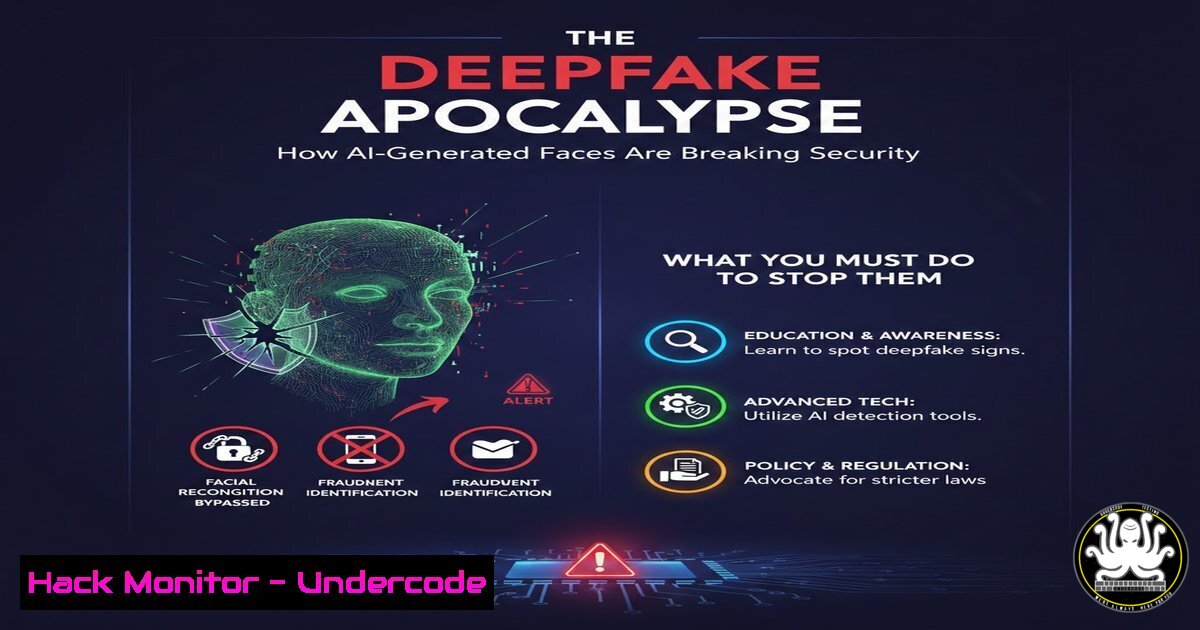
The era of “seeing is believing” is over. Sophisticated AI tools now generate hyper-realistic images and videos, creating unprecedented threats to cybersecurity and personal privacy. These deepfakes are specifically engineered to bypass biometric security systems, making facial recognition—a cornerstone of modern digital verification—profoundly vulnerable. This article dissects the technical threat and outlines a multi-layered defense strategy essential for any organization.
Learning Objectives:
- Understand the technical mechanisms that make AI-generated media a critical security threat.
- Learn to implement layered verification checkpoints that go beyond simple facial recognition.
- Acquire practical skills for initial deepfake detection and system hardening.
You Should Know:
- The Technical Breakdown: How Deepfakes Fool Biometric Systems
Deepfakes exploit the fundamental working principle of facial recognition: mapping facial geometries. Generative Adversarial Networks (GANs) and diffusion models are trained on vast datasets of real images to create synthetic faces that match the statistical patterns of human features. These models can generate novel faces or swap faces in existing videos with high fidelity, producing artifacts often indistinguishable to the human eye and, alarmingly, to many AI verification systems that rely on static image analysis.
Step‑by‑step guide explaining what this does and how to use it:
1. Acquisition: Attackers gather target images from social media or data breaches.
2. Model Training: Using tools like DeepFaceLab or StyleGAN, they train a model on the target’s facial features.
3. Synthesis: The model generates a new image or video frame with the target’s face placed in a chosen context.
4. Bypass Attempt: This synthetic media is presented to a login portal, video verification interview, or identity document check.
2. Layer 1: Authenticity Analysis & Metadata Forensics
Before any biometric matching occurs, analyze the file’s digital provenance. AI-generated images often lack the intricate metadata and compression artifacts of photos from physical cameras.
Step‑by‑step guide:
- Use ExifTool: Extract metadata. Genuine camera photos contain detailed EXIF data (make, model, GPS). AI images often have blank or software-generated tags.
Linux/macOS Command
exiftool suspicious_image.jpg
Look for fields like 'Software', 'Creator', or anomalies in 'DateTimeOriginal'
- Error Level Analysis (ELA): Use tools like `FotoForensics` online or the `image` library in Python to perform ELA, which highlights areas of uniform compression typical in AI-generated content.
Python snippet using PIL for basic discrepancy check
from PIL import Image, ImageChops, ImageEnhance
import requests
from io import BytesIO

Fetch image
response = requests.get(image_url)
img = Image.open(BytesIO(response.content)).convert('RGB')
Save at different quality and compare
img.save('temp_resaved.jpg', 'JPEG', quality=90)
resaved = Image.open('temp_resaved.jpg')
Difference highlighting
diff = ImageChops.difference(img, resaved)
diff = ImageEnhance.Brightness(diff).enhance(10.0)
diff.show()  Uniform regions may indicate AI generation
- Layer 2: AI-Powered Deepfake Detection & Liveness Checks
Implement specialized detection AI as a checkpoint. These models are trained to spot subtle artifacts in synthetic media, such as unnatural blinking patterns, inconsistent lighting physics, or textures in hair and skin.
Step‑by‑step guide:
- Integrate Detection APIs: Use services like Microsoft Azure Video Indexer’s deepfake detection or open-source models like
DeepFace‘s detection function.Example using DeepFace for analysis (can include deepfake detection backends) from deepface import DeepFace analysis = DeepFace.analyze(img_path="frame.jpg", actions=['emotion', 'race'], detector_backend='opencv') Note: Always verify the latest detection models are in use.
- Enforce Liveness Detection: Require video verification with motion prompts. Command: “Blink twice, turn head left.” This counters static image spoofing. Tools like AWS Face Liveness or open-source solutions use 3D depth sensing and texture analysis to confirm a live person.
4. Layer 3: Risk Assessment & Behavioral/Contextual Validation
Cross-reference the presented identity with other data points. This is the “public database check” mentioned in the source post. Anomalies in context are a major red flag.
Step‑by‑step guide:
- Check Threat Feeds: Correlate the login attempt (IP, location, device fingerprint) with known threat intelligence feeds (AlienVault OTX, AbuseIPDB).
- Implement Behavioral Biometrics: Analyze micro-behaviors like typing rhythm, mouse movements, or gait (from video) during the verification process. A perfect face paired with non-human or anomalous behavioral patterns fails this checkpoint.
- Layer 4: System Hardening for Facial Recognition APIs
If you use facial recognition (e.g., Azure Face API, AWS Rekognition), harden its configuration.
Step‑by‑step guide:
- Enable Fraud Detection: Always turn on the “liveness detection” or “anti-spoofing” flags in your cloud service.
Example AWS CLI command to create a collection with heightened vigilance
aws rekognition create-collection --collection-id "secure-access-collection" --region us-east-1
Use Face Liveness sessions for critical verifications.
- Set Strict Confidence Thresholds: Do not accept low confidence matches. Increase the threshold (e.g., to 99%) for high-value access.
- Log and Audit All Attempts: Every verification attempt—pass or fail—must be logged with all associated metadata for forensic analysis.
6. Employee Training: The Human Firewall
Employees are the first and last line of defense. Train them to be skeptics.
Step‑by‑step guide:
- Conduct Phishing Drills: Include deepfake audio/video in simulated phishing attacks.
- Teach Visual Red Flags: Unnatural skin textures, glitches around jewelry/glasses, inconsistent audio sync, and unnatural lighting.
- Establish Verification Protocols: Mandate a secondary, out-of-band verification (e.g., a known-code phone call) for any unusual request, especially involving financial transactions or data access.
What Undercode Say:
- The Perimeter is Gone: The threat is no longer just at the network edge; it’s at the identity verification layer. A single biometric checkpoint is now a single point of failure.
- Defense in Depth is Non-Negotiable: As the source post advocates, only a “multi-stacking” of independent security checkpoints—file analysis, AI detection, liveness proofs, and contextual validation—can create a robust defense. No single tool is sufficient.
Prediction:
We are entering a continuous AI arms race. As detection models improve, so will generation models. The future of identity verification will shift towards continuous and passive authentication, combining immutable hardware identifiers (like TPM chips), behavioral biometrics, and blockchain-verifiable credentials. Regulations mandating deepfake watermarks or detection capabilities in generative AI tools will emerge, but their enforcement will lag. Organizations that treat deepfake threats as a purely “IT” problem will face devastating social engineering, fraud, and data breaches, while those adopting a holistic, layered approach will build significant trust and security resilience.
🎯Let’s Practice For Free:
IT/Security Reporter URL:
Reported By: Rohan Wickremesinghe – Hackers Feeds
Extra Hub: Undercode MoN
Basic Verification: Pass ✅


