Listen to this Post
Introduction:
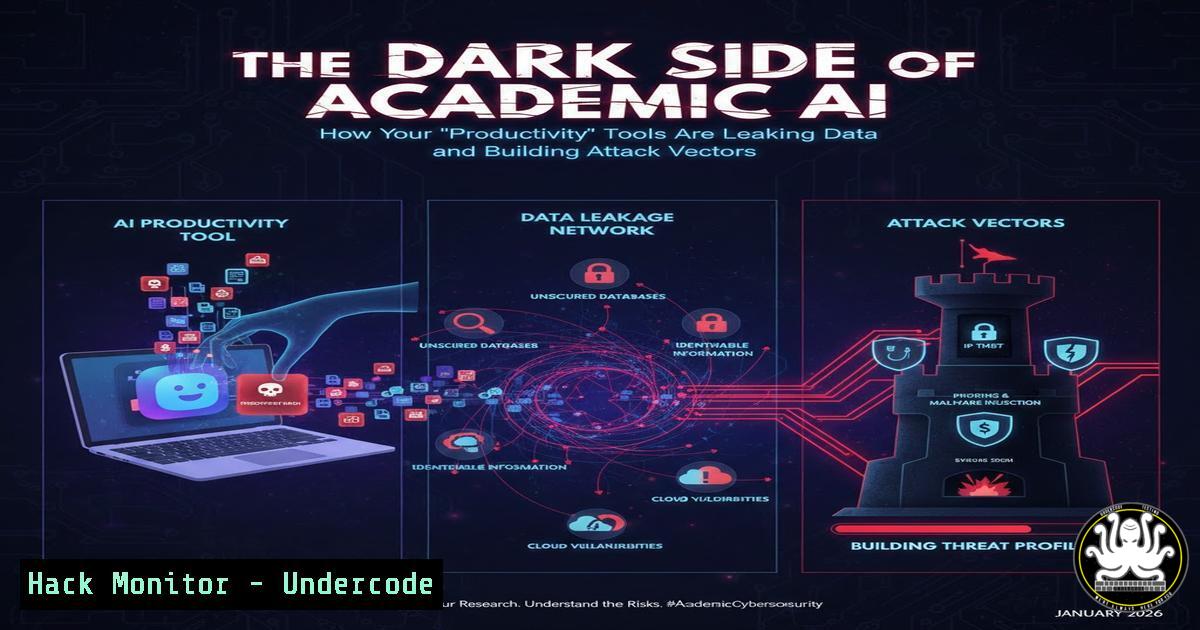
The rapid adoption of AI-powered tools by students represents a seismic shift in education, but it also introduces a complex web of cybersecurity and IT governance challenges. While these platforms promise efficiency in research, writing, and content creation, they often function as unvetted third-party services that ingest massive amounts of sensitive intellectual property and personal data. This article examines the critical intersection of academic AI tool usage, data security, and responsible IT practices that every student and administrator must now confront.
Learning Objectives:
- Understand the primary data privacy and API security risks inherent in using third-party AI tools for academic work.
- Learn to implement basic technical safeguards to protect sensitive academic data when utilizing these platforms.
- Recognize the long-term IT governance and threat landscape implications of embedding generative AI into the educational workflow.
You Should Know:
- The Invisible Data Pipeline: What Happens When You Upload Your Thesis to an AI
Every interaction with an AI tool, from pasting an essay into ChatGPT to uploading a research PDF to ChatPDF or Elicit, creates a data transaction. The security of that data depends on the vendor’s policies, the encryption in transit and at rest, and how the data is used for model training. You are potentially exposing unreleased research, proprietary formulas, or personally identifiable information (PII).
Step-by-step guide:
Audit Your Tool Stack: List every AI tool you use and review their privacy policy, specifically focusing on “data usage for training,” “data retention periods,” and “third-party data sharing.”
Implement Data Sanitization: Before uploading any document, use command-line tools to scrub metadata. For example, on Linux/Mac, use `exiftool` to remove metadata from a PDF: exiftool -all= document.pdf. On Windows, you can use PowerShell: Get-ChildItem -Path .\.pdf | ForEach-Object { & 'C:\Path\To\exiftool.exe' -all= $_ }.
Use Text Extraction: Instead of uploading the original PDF, extract the raw text and paste only the necessary excerpts. Use `pdftotext` (from poppler-utils): `pdftotext research_paper.pdf output.txt` and then manually curate the text for the AI prompt.
- API Keys: The Silent Credential Leak in Your AI-Powered Apps
Many advanced features in tools like Notion AI, Jasper, or custom integrations use API keys. Students developing projects that connect to OpenAI, Anthropic, or other services often hardcode these keys into their frontend code (e.g., JavaScript), which is a critical security flaw. Exposed API keys can lead to massive financial loss (you pay per token used) and compromise of the AI service account.
Step-by-step guide:
Never Hardcode Keys: Avoid `const apiKey = ‘sk-…’` in your frontend JavaScript. It is visible to anyone who views the page source.
Use Environment Variables: Store keys on the server side. In a Node.js backend, use the `dotenv` package. Create a `.env` file: OPENAI_API_KEY=your_key_here. In your code, reference it as process.env.OPENAI_API_KEY. Ensure `.env` is listed in your `.gitignore` file.
Implement a Simple Proxy Server: Create a minimal backend endpoint that forwards requests with the API key. Here’s a basic Node.js/Express example:
const express = require('express');
const axios = require('axios');
require('dotenv').config();
const app = express();
app.use(express.json());
app.post('/api/chat', async (req, res) => {
try {
const response = await axios.post('https://api.openai.com/v1/chat/completions', req.body, {
headers: {
'Authorization': <code>Bearer ${process.env.OPENAI_API_KEY}</code>,
'Content-Type': 'application/json'
}
});
res.json(response.data);
} catch (error) {
res.status(500).json({ error: error.message });
}
});
app.listen(3000, () => console.log('Proxy server running on port 3000'));
Your frontend then calls your proxy (`http://localhost:3000/api/chat`) instead of the OpenAI endpoint directly.
3. Cloud-Hosted AI Tools and Shared Resource Configurations
Tools like Canva AI, Tome AI, and Gamma.app store your presentations and designs in the cloud. Misconfigured sharing links can inadvertently make your work public. Furthermore, the use of single sign-on (SSO) or social logins (e.g., “Sign in with Google”) creates a dependency chain; a breach in one service can potentially cascade.
Step-by-step guide:
Harden Sharing Permissions: For every document or project, explicitly set sharing to “Specific people” or “Private.” Never use “Anyone with the link” unless absolutely necessary for a limited time.
Audit Connected Apps: Regularly review which third-party apps have access to your Google, Microsoft, or other central accounts. For Google, visit https://myaccount.google.com/permissions. Revoke access for unused or suspicious apps.
Enable Multi-Factor Authentication (MFA): This is non-negotiable. Enable MFA on your primary email and on any AI tool account that supports it. Use an authenticator app (like Authy or Google Authenticator) over SMS.
4. The Plagiarism and Integrity Blind Spot
While tools like QuillBot and Grammarly AI are marketed for “paraphrasing” and “improvement,” they can be used to obfuscate plagiarized content, creating an academic integrity crisis. From an IT perspective, this drives demand for AI-detection software, which itself is a new attack surface and raises privacy questions.
Step-by-step guide for educators/administrators:
Deploy Network-Level Monitoring: Use DNS filtering tools (like Pi-hole or enterprise solutions) to log or block access to known AI tool domains during exams or on secure lab machines. This requires adding domains like openai.com, quillbot.com, etc., to a blocklist.
Implement Assignment Design Mitigations: Shift assessments towards process-driven work, in-class discussions, and unique project-based learning that is harder to fully generate with AI.
Use Detection Tools Cautiously: If using AI detectors (like Turnitin’s new features), understand their false-positive rates. Do not rely on them as sole evidence. Treat their output as one data point in a broader integrity investigation.
5. AI-Generated Code and Script Security Risks
Students using ChatGPT, Replika, or similar tools to generate code for programming courses or personal projects may inadvertently introduce vulnerabilities. The AI is not security-auditing its own output and may suggest code with SQL injection flaws, hardcoded credentials, or insecure library versions.
Step-by-step guide:
Static Analysis is Mandatory: Always run AI-generated code through a linter and security scanner. For Python, use bandit: bandit -r ai_generated_script.py. For JavaScript/Node.js, use `npm audit` if it’s a Node project or `eslint` with security rules.
Sandbox Execution: Test AI-generated scripts, especially those that involve file system operations or network calls, in an isolated environment. Use a virtual machine, Docker container (docker run -it --rm python:3-slim python your_script.py), or a restricted user account.
Manual Review for Logic Bombs: Carefully review any code that handles authentication, data input, or system commands. Look for eval(), exec(), os.system, or direct string concatenation in database queries.
What Undercode Say:
- Key Takeaway 1: The convenience of academic AI tools is inversely proportional to the user’s awareness of their data security implications. Each tool is a potential data endpoint requiring its own risk assessment.
- Key Takeaway 2: The student and developer of today must cultivate a dual mindset: that of an empowered user and a junior security auditor. The skills to leverage these tools are now intertwined with the skills to securely implement and audit them.
The discourse around AI in education has been overwhelmingly focused on productivity and ethics, leaving a critical gap in practical cybersecurity hygiene. The comments on the original post celebrate the “superpower” but lack the caution that this power comes with significant operational risk. The ecosystem is building a generation of users who are conditioned to outsource thinking to opaque APIs, creating a fertile ground for social engineering (e.g., fake AI tool phishing) and large-scale data aggregation breaches. Institutional IT policies are lagging far behind this user-driven adoption, creating a wild west of shadow IT within academic networks.
Prediction:
Within the next 18-24 months, we will witness the first major academic data breach directly sourced from aggregated AI tool usage, potentially exposing millions of student papers, research datasets, and internal communications. This will trigger a regulatory clampdown similar to FERPA but tailored for the AI age, forcing educational software vendors to adopt stringent, verifiable data isolation practices. Concurrently, a lucrative black market for “undetectable” AI-paraphrasing services and compromised AI API keys will emerge, further blurring the lines between academic assistance and cybercrime. Educational institutions will be forced to invest heavily in secure, self-hosted AI sandboxes, making “AI security” a mandatory module in both computer science and general student orientation curricula.
▶️ Related Video (74% Match):
🎯Let’s Practice For Free:
IT/Security Reporter URL:
Reported By: Himanshu Choure – Hackers Feeds
Extra Hub: Undercode MoN
Basic Verification: Pass ✅


