Listen to this Post
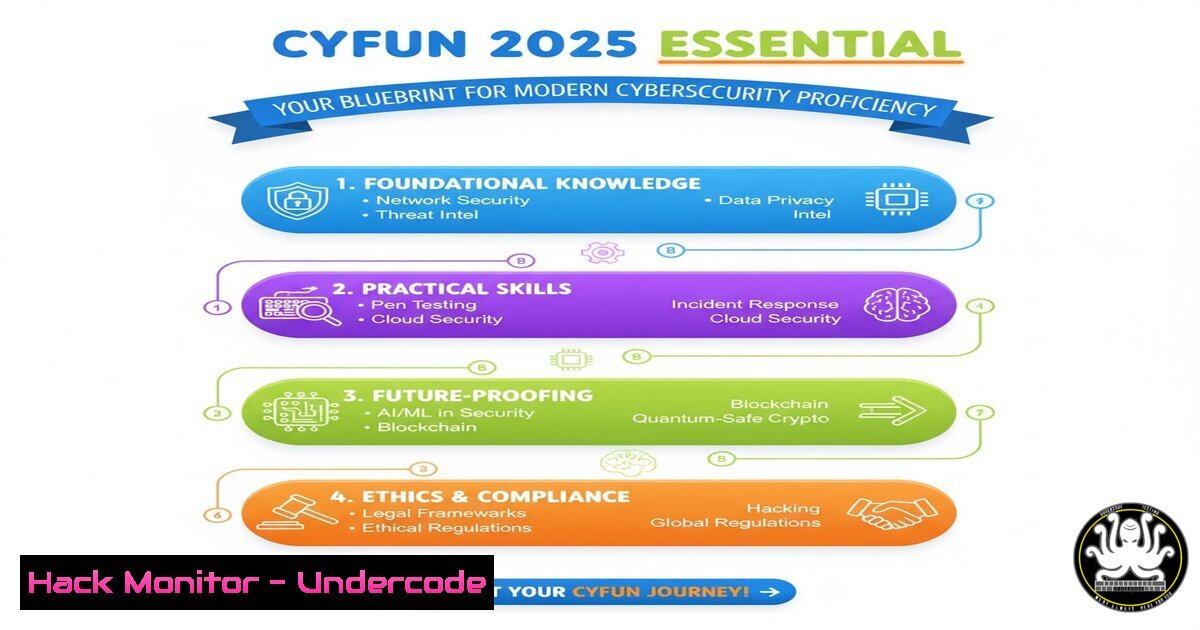
Introduction:
The cybersecurity landscape is in constant flux, demanding a structured and evolving approach to skill development. The newly released CyberFundamentals Framework 2025 (CyFun) provides a critical roadmap for professionals seeking to validate and enhance their core competencies. This article deconstructs the essential technical skills implied by such a framework, providing actionable commands and tutorials to master the fundamentals.
Learning Objectives:
- Master core command-line operations for system reconnaissance and hardening on both Linux and Windows platforms.
- Understand and apply basic network diagnostics and security monitoring techniques.
- Implement foundational security practices for scripting, access control, and vulnerability assessment.
You Should Know:
1. Linux System Reconnaissance and Integrity Checking
A security analyst’s first task is often to understand the system they are defending. These Linux commands provide a snapshot of system health and configuration.
`uname -a` – Displays all system information, including kernel version and hostname.
`cat /etc/os-release` – Shows the specific Linux distribution and version.
`ps aux` – Lists all running processes on the system.
`ss -tuln` – Displays all listening network sockets and the ports they are using.
`find / -perm -4000 2>/dev/null` – Locates all SUID files, which are potential privilege escalation vectors.
`rpm -Va` (Red Hat-based) or `dpkg –verify` (Debian-based) – Verifies the integrity of installed packages against the package manager’s database.
Step-by-step guide:
To perform a quick system audit, start by running `uname -a` and `cat /etc/os-release` to identify your environment. Follow this with `ss -tuln` to audit open ports and identify unauthorized services. For a deeper security check, execute the SUID find command to list all files with the SUID bit set, which should be reviewed for unusual or outdated binaries. Regularly running package verification commands can help detect unauthorized changes to installed software.
2. Windows Security and Process Analysis
Windows environments require their own set of tools for visibility and control. PowerShell is the indispensable tool for modern Windows security administration.
`Get-ComputerInfo` – Retrieves a comprehensive overview of the computer’s configuration.
`Get-NetTCPConnection | where State -eq Listen` – Lists all active listening TCP ports.
`Get-Process | Format-Table Name, Id, CPU` – Displays running processes with key details.
`Get-WinEvent -LogName Security -MaxEvents 10` – Retrieves the latest 10 events from the Security log.
`Get-LocalUser | Format-Table Name, Enabled, LastLogon` – Lists all local user accounts and their status.
`Get-MpComputerStatus` – Checks the status of Windows Defender antivirus.
Step-by-step guide:
Open PowerShell with administrative privileges. Run `Get-NetTCPConnection | where State -eq Listen` to mirror the Linux socket check and identify what services are exposed. Then, use `Get-LocalUser` to audit for inactive or unauthorized user accounts. For immediate threat hunting, `Get-Process` can help identify suspicious processes consuming high CPU, and `Get-WinEvent` allows you to pull specific security logs for analysis.
3. Essential Network Diagnostics for Security
Understanding network traffic and connectivity is fundamental to identifying breaches and misconfigurations.
`ping
`traceroute
`nmap -sV -O
`tcpdump -i any -w capture.pcap` – Captures raw network packets to a file for analysis.
`netstat -an | findstr LISTENING` (Windows) – The classic command to show listening ports.
`curl -I https://www.example.com` – Fetches the HTTP headers from a web server, useful for security analysis.
Step-by-step guide:
When a system is suspected of beaconing, start with `nmap -sV -O` on the local host IP to see what services are active. Use `tcpdump` to capture live traffic from the network interface, which can be analyzed later with tools like Wireshark. The `curl -I` command is perfect for quickly verifying web server headers, checking for security features like HSTS or revealing the server version.
4. File System Permissions and Access Control
Misconfigured permissions are a common attack vector. Properly managing access is a non-negotiable skill.
`chmod 600 filename` (Linux) – Sets a file to be readable and writable only by the owner.
`chown user:group filename` (Linux) – Changes the owner and group of a file or directory.
`icacls “C:\path\to\file” /grant:r username:(F)` (Windows) – Grants full control to a specific user.
`getfacl filename` (Linux) – Views the extended Access Control List for a file.
`setfacl -m u:username:rw filename` (Linux) – Modifies the ACL to grant a user read-write access.
`cacls “C:\path\to\folder” /T /E /G Users:R` (Windows legacy) – Edits the ACL to grant Users group read access.
Step-by-step guide:
On a Linux web server, you should ensure that sensitive configuration files are not world-readable. Use `chmod 600` on files like `/etc/passwd-` or application config files. To delegate access without making a user the owner, use `setfacl` to grant specific permissions. In Windows, use `icacls` from an administrative command prompt to recursively reset permissions on a data directory, ensuring only the required service accounts have access.
5. Scripting for Security Automation
Automating repetitive tasks is key to operational efficiency. Bash and PowerShell scripts can handle log analysis, backups, and monitoring.
`!/bin/bash` – The shebang line to start a Bash script.
`if [ $ -eq 0 ]; then echo “No args”; fi` – Basic conditional logic in Bash.
`for ip in $(cat targets.txt); do nmap -sS $ip; done` – Simple loop to scan multiple targets from a file.
`!/usr/bin/env pwsh` – Shebang for a PowerShell script.
`Get-Content .\logs.txt | Where-Object { $_ -like “FAILED” }` – PowerShell pipeline to filter log files.
`if (Test-Connection -TargetName $computer -Quiet -Count 1) {…}` – PowerShell to check if a host is alive.
Step-by-step guide:
To create a simple service monitor in Bash, write a script that uses `ps aux | grep -v grep | grep
6. Cloud Security Hardening Fundamentals
With the shift to cloud, understanding basic hardening for platforms like AWS is essential.
`aws iam get-account-authorization-details` – Retrieves IAM policies, roles, and users.
`aws ec2 describe-security-groups –group-ids
`aws s3api get-bucket-policy –bucket
`az account show` (Azure CLI) – Shows the current Azure subscription information.
`gcloud config list` (Google Cloud SDK) – Lists the current Google Cloud configuration.
Step-by-step guide:
A common misconfiguration is publicly accessible S3 buckets. Use the AWS CLI to list your buckets with aws s3 ls, then check each bucket’s policy with aws s3api get-bucket-policy. Look for principles like `””` which grant public access. For compute instances, regularly audit security groups with `aws ec2 describe-security-groups` to ensure they are not allowing inbound traffic from `0.0.0.0/0` to sensitive ports like SSH (22) or RDP (3389).
7. Vulnerability Scanning and Mitigation
Proactive identification of weaknesses is better than reactive firefighting. These commands help find and patch issues.
`nmap –script vuln
`nikto -h http://target.com` – A simple but effective web server vulnerability scanner.
`sudo apt update && sudo apt upgrade(Debian/Ubuntu) - Updates the package list and upgrades all packages.testssl.sh https://target.com` – Checks a service for SSL/TLS vulnerabilities.
`sudo yum update` (Red Hat/CentOS) - Updates packages on Red Hat-based systems.
`wpscan --url http://target-wpsite.com --enumerate p` - Scans a WordPress site for vulnerable plugins.
Step-by-step guide:
Before deploying a new web server, run an internal `nikto` scan against it to identify common misconfigurations like default files or outdated server versions. For system-level vulnerabilities, the most critical step is to establish a rigorous patch schedule, which is as simple as automating the `apt update && apt upgrade` or `yum update` commands. Use `nmap –script vuln` cautiously and only on your own systems to identify known software vulnerabilities that need patching.
What Undercode Say:
- The framework’s value is not in the document itself, but in the disciplined, hands-on application of the fundamentals it represents.
- True security maturity is measured by the automation of routine checks and the pervasive use of least-privilege principles, not by the number of tools deployed.
The release of CyFun 2025 underscores a critical, yet often overlooked, truth in cybersecurity: the “boring” basics are your most powerful defense. Advanced Persistent Threats (APTs) and sophisticated ransomware gangs don’t primarily exploit zero-days; they prey upon unpatched systems, weak credentials, and misconfigured services. A professional who has mastered the commands and concepts outlined above—from system auditing and network analysis to automated scripting and cloud hardening—possesses a defensive capability that is both resilient and adaptable. This foundational knowledge creates a security posture that is proactive and systematic, moving beyond checkbox compliance to genuine operational resilience. Investing time in these essentials provides a greater return on security than chasing the latest silver-bullet solution.
Prediction:
The formalization and continual updating of fundamental frameworks like CyFun will become the bedrock of cyber insurance policies and regulatory compliance. We will see a shift where demonstrable, auditable proficiency in these core skills, potentially validated through continuous, practical assessment, will be a prerequisite for organizations to obtain coverage or pass stringent audits. Failure to adhere to these evolving fundamentals will not just be seen as a technical failure, but as a direct liability, leading to higher insurance premiums and regulatory penalties. The organizations that systematically integrate these fundamentals into their daily operations will build a defensive moat that is far more effective against the evolving threat landscape than those reliant on reactive, tool-centric security models.
🎯Let’s Practice For Free:
IT/Security Reporter URL:
Reported By: Johnehlen Cyberfundamentals – Hackers Feeds
Extra Hub: Undercode MoN
Basic Verification: Pass ✅


