Listen to this Post
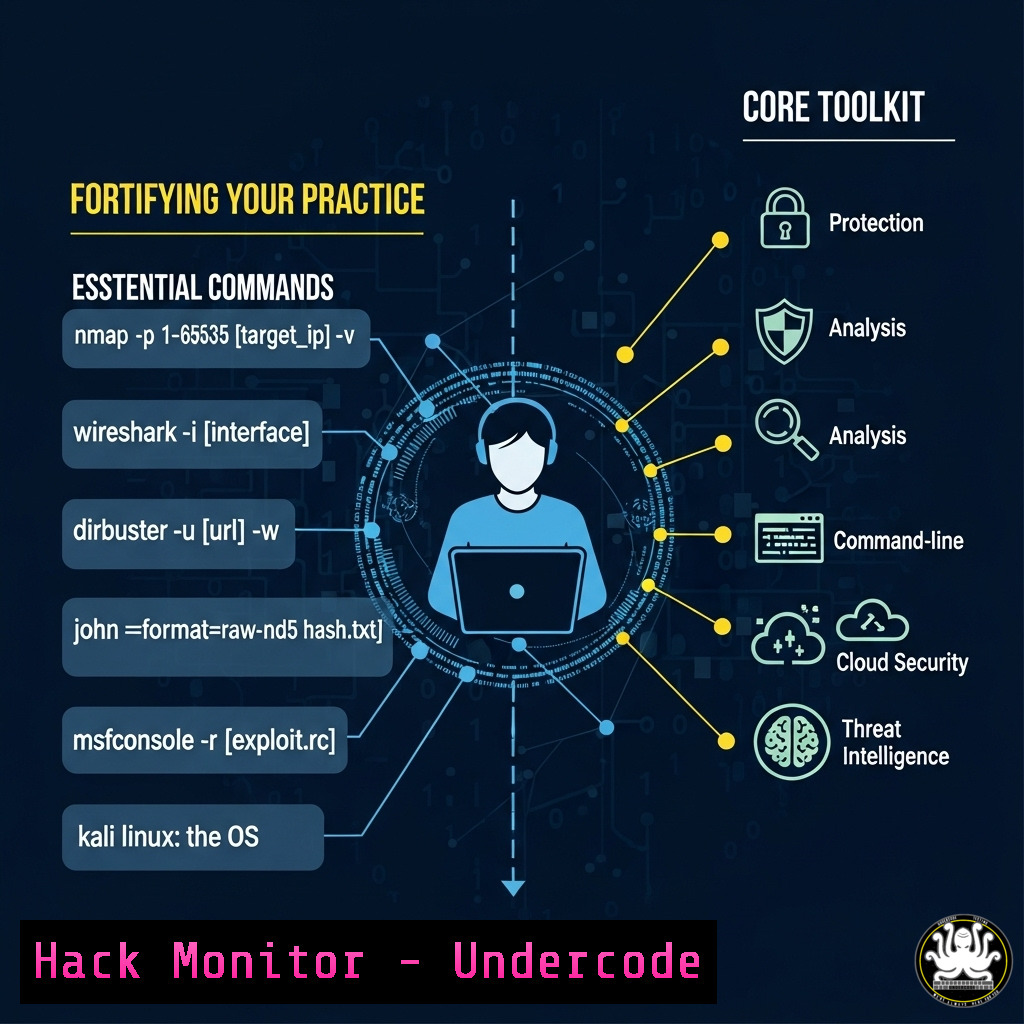
Introduction:
The shift to freelance and entrepreneurial roles in cybersecurity offers unparalleled freedom but also introduces unique technical challenges. Independent professionals must master a diverse toolkit to secure client environments, protect their own business operations, and demonstrate value through technical excellence. This comprehensive guide provides verified commands and techniques across multiple platforms to establish a robust security foundation for any independent cybersecurity practice.
Learning Objectives:
- Implement critical security controls across Linux, Windows, and cloud environments
- Develop secure remote access and client assessment capabilities
- Establish proper monitoring and incident response procedures for freelance operations
You Should Know:
1. Secure Remote Access Configuration
 SSH Hardening (Linux/macOS)
ssh-keygen -t ed25519 -C "[email protected]" -f ~/.ssh/client_project
echo "PermitRootLogin no" | sudo tee -a /etc/ssh/sshd_config
echo "PasswordAuthentication no" | sudo tee -a /etc/ssh/sshd_config
sudo systemctl restart sshd
Step-by-step guide: Generating secure SSH keys is fundamental for remote client work. The ed25519 algorithm provides stronger security than traditional RSA at equivalent key lengths. Disabling root login and password authentication prevents brute force attacks. Always use key-based authentication and consider implementing multi-factor authentication for critical systems.
2. Windows Environment Hardening
 PowerShell: Enable Windows Defender Advanced Protection
Set-MpPreference -EnableNetworkProtection Enabled
Set-MpPreference -ControlledFolderAccess Enabled
Set-MpPreference -AttackSurfaceReductionRules_Ids <rule_guids> -AttackSurfaceReductionRules_Actions Enabled

Group Policy equivalent via command line
secedit /export /cfg C:\temp\sec_policy.inf
 Edit the file to set appropriate security values
secedit /configure /db C:\Windows\security\local.sdb /cfg C:\temp\sec_policy.inf
Step-by-step guide: Windows environments require specific hardening measures. These PowerShell commands enable advanced Microsoft Defender protections including network protection and controlled folder access (ransomware protection). The Attack Surface Reduction rules target specific behaviors commonly exploited by malware. Always test these settings in a non-production environment first.
3. Network Security Assessment
 Nmap comprehensive scan with vulnerability scripting
nmap -sS -sV -sC -O --script vuln -T4 -p- -oA client_scan_target 192.168.1.0/24

Nikto web application scanning
nikto -h https://client-target.com -output /reports/client_nikto_scan.xml

Masscan for rapid internet-facing assessment
masscan -p1-65535 203.0.113.0/24 --rate=1000 -e eth0 -oX masscan_output.xml
Step-by-step guide: Network assessment is crucial for understanding client security postures. Nmap provides comprehensive host discovery and service enumeration while vulnerability scripts help identify known issues. Nikto specializes in web application security testing, and Masscan offers extremely rapid scanning for large networks. Always obtain written permission before scanning any network.
4. Cloud Security Fundamentals (AWS)
 AWS CLI: Security group hardening
aws ec2 authorize-security-group-ingress --group-id sg-903004f8 --protocol tcp --port 22 --cidr 203.0.113.0/24

Enable S3 bucket encryption
aws s3api put-bucket-encryption --bucket client-bucket --server-side-encryption-configuration '{
"Rules": [{"ApplyServerSideEncryptionByDefault": {"SSEAlgorithm": "AES256"}}]
}'

Check for public S3 buckets
aws s3api get-bucket-policy-status --bucket client-bucket --query PolicyStatus.IsPublic
Step-by-step guide: Cloud misconfigurations are among the most common security issues. These AWS CLI commands help secure security groups (firewalls), enable encryption on S3 buckets, and check for public accessibility. Independent consultants should master at least one cloud platform’s security tools to properly advise clients.
5. API Security Testing
 OWASP ZAP API scanning
docker run -t owasp/zap2docker-stable zap-api-scan.py -t https://api.client.com/openapi.json -f openapi

JWT token manipulation testing
python3 jwt_tool.py <JWT_TOKEN> -C -d wordlist.txt

Burp Suite command line (professional version)
java -jar -Xmx2g burpsuite_pro.jar --project-file=client_project.burp --config-file=scan_config.json
Step-by-step guide: API security is critical in modern applications. OWASP ZAP provides automated API testing against OpenAPI specifications. JWT tool helps test JSON Web Token implementations for common vulnerabilities. Burp Suite offers comprehensive web application testing capabilities. Always ensure testing activities are covered by appropriate engagement agreements.
6. Incident Response Fundamentals
 Linux memory acquisition
sudo dd if=/dev/mem of=/evidence/memory_dump.raw bs=1M count=2048

Windows artifact collection
PS C:> Get-WinEvent -FilterHashtable @{LogName='Security','System'; ID=4624,4625,4648} | Export-Csv login_events.csv

Network connection analysis
netstat -tulpn | grep LISTEN
ss -tulpn | awk '{print $5}' | cut -d: -f1 | sort | uniq -c | sort -n
Step-by-step guide: Incident response capabilities are essential for freelance cybersecurity professionals. These commands help acquire memory evidence, collect Windows authentication events, and analyze network connections for suspicious activity. Proper evidence handling procedures must be followed to maintain chain of custody.
7. Secure Configuration Management
 Ansible security playbook example
- name: Harden SSH configuration
lineinfile:
path: /etc/ssh/sshd_config
regexp: "{{ item.regex }}"
line: "{{ item.line }}"
with_items:
- { regex: '^?PermitRootLogin', line: 'PermitRootLogin no' }
- { regex: '^?PasswordAuthentication', line: 'PasswordAuthentication no' }
notify: restart ssh

Docker security scanning
docker scan client_application:latest --dependency-tree --file Dockerfile
Step-by-step guide: Automation is key for consistent security configurations. Ansible provides infrastructure-as-code capabilities for enforcing security settings across multiple systems. Docker scan helps identify vulnerabilities in container images before deployment. These tools help freelance professionals deliver consistent, repeatable security outcomes for clients.
What Undercode Say:
- The freelance cybersecurity model requires technical self-sufficiency across multiple domains and platforms
- Command-line proficiency remains the differentiator between adequate and exceptional security practitioners
- Independent professionals must maintain broader technical knowledge than specialized corporate roles
The transition to freelance cybersecurity work demands both technical depth and operational breadth. Unlike corporate roles with dedicated teams for each security domain, independents must personally address everything from network scanning to cloud configuration to incident response. This comprehensive command set represents the minimum viable toolkit for delivering professional-grade security services. The most successful freelance practitioners combine these technical capabilities with strong client communication skills, translating complex security concepts into actionable business recommendations. Those who master both the technical and consulting aspects can build practices that are not only financially rewarding but also provide genuine impact on client security postures.
Prediction:
The freelance cybersecurity market will continue expanding as organizations seek specialized expertise without long-term commitments. This trend will drive increased demand for professionals who can demonstrate both technical excellence and business acumen. Tools that enable remote security assessment and management will become increasingly sophisticated, allowing independents to deliver enterprise-grade services from anywhere. However, this accessibility may also lower barriers to entry, making professional certifications and verifiable expertise increasingly important differentiators. The most successful freelance practitioners will be those who continuously update their technical toolkit while developing strong personal brands and client relationships.
🎯Let’s Practice For Free:
IT/Security Reporter URL:
Reported By: Romain Perr1 – Hackers Feeds
Extra Hub: Undercode MoN
Basic Verification: Pass ✅


