Listen to this Post
Introduction:
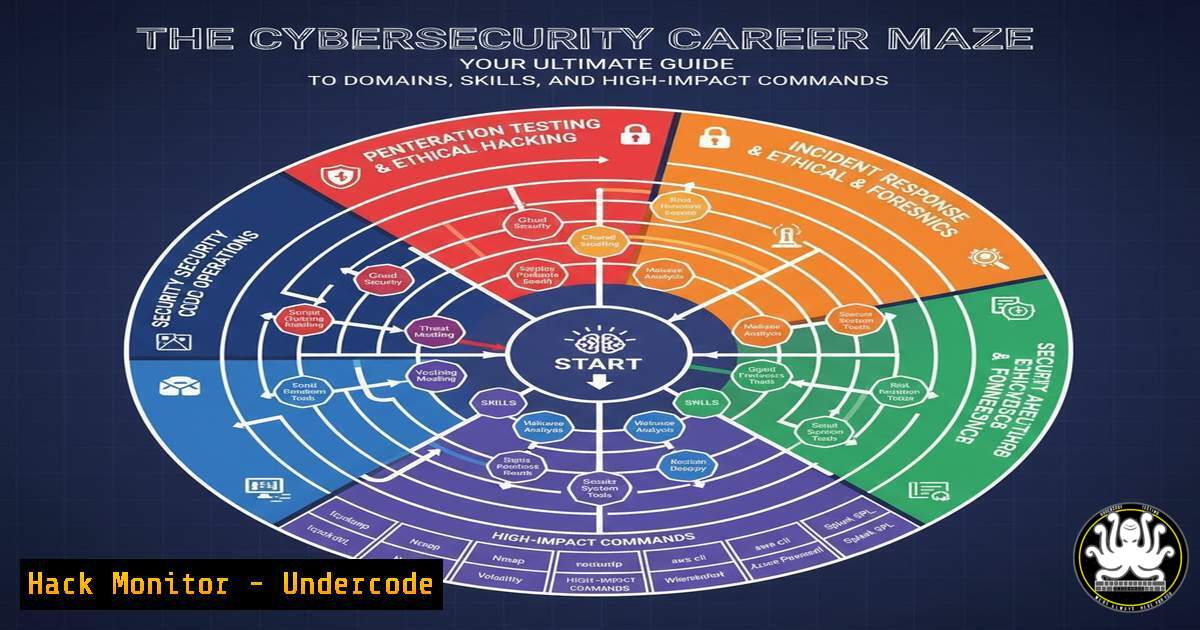
Navigating a career in cybersecurity requires more than just a passing interest; it demands a strategic understanding of distinct specializations, each with its own toolkit, certifications, and technical skill sets. From orchestrating network defenses to leading red team assaults, the field offers a path for every type of technical and strategic mind. This guide demystifies the primary cybersecurity domains, pairing them with the essential, verified commands and procedures you need to master for a successful career.
Learning Objectives:
- Identify the five core cybersecurity career paths and their associated roles, certifications, and required competencies.
- Execute over 25 fundamental commands across network security, penetration testing, and security auditing to build practical, hands-on experience.
- Develop a personalized learning roadmap by matching individual aptitudes to the technical and managerial demands of each specialization.
You Should Know:
1. Network Security Fundamentals
Network security forms the bedrock of any organization’s defense, focusing on controlling and monitoring traffic. Mastery of network protocols, firewall configurations, and intrusion detection is paramount.
`nmap -sS -sV -O 192.168.1.0/24`
This Nmap command performs a SYN stealth scan (-sS), probes open ports to determine service/version information (-sV), and attempts OS detection (-O) on the entire target subnet. It’s the go-to for network reconnaissance and inventory.
1. Install Nmap from the official website or your package manager (e.g., sudo apt-get install nmap).
2. Replace the IP range `192.168.1.0/24` with your target network.
3. Run the command from a terminal. Analyze the output to identify active hosts, open ports, and running services.
`iptables -A INPUT -p tcp –dport 22 -j DROP`
This Linux iptables command appends a rule to the INPUT chain to drop all TCP packets destined for port 22 (SSH). It’s a basic example of host-based firewall configuration for access control.
1. Access your Linux server’s terminal.
- Run the command with sudo privileges:
sudo iptables -A INPUT -p tcp --dport 22 -j DROP. - Immediately, SSH access to the machine will be blocked. (Use with caution and only on test systems).
`Get-NetFirewallRule -DisplayGroup “Remote Desktop” | Enable-NetFirewallRule`
This PowerShell command retrieves all firewall rules in the “Remote Desktop” group and enables them, a common task for securing or allowing remote administration on Windows.
1. Open Windows PowerShell as an Administrator.
- Execute the command. You may need to confirm the action.
- Verify the rules are enabled with
Get-NetFirewallRule -DisplayGroup "Remote Desktop" | Format-Table Name, Enabled.
2. Penetration Testing Offensive Toolkit
Penetration testers, or ethical hackers, use controlled attacks to identify vulnerabilities before malicious actors can exploit them. Proficiency with exploitation frameworks and vulnerability scanners is non-negotiable.
`msfconsole -q -x “use exploit/windows/smb/ms17_010_eternalblue; set RHOSTS 10.0.0.5; exploit”`
This command automates the launch of the Metasploit Framework against a target using the EternalBlue exploit, targeting an unpatched SMB service.
1. Start Metasploit on your Kali Linux or penetration testing machine.
2. The `-q` flag runs it quietly, and `-x` allows for a one-line command execution.
3. Critical: Only run this in a isolated lab environment against a dedicated target machine you own.
`sqlmap -u “http://testphp.vulnweb.com/artists.php?artist=1” –dbs`
SQLmap is an automated tool for detecting and exploiting SQL injection flaws. This command tests the URL parameter `artist` and attempts to enumerate the available databases.
1. Install SQLmap (`sudo apt-get install sqlmap`).
- Run the command against a deliberately vulnerable test site or your own lab application.
- Review the output to see if the tool can list the databases, confirming the SQLi vulnerability.
`burpsuite`
While not a single command, launching Burp Suite is the first step for web application testing. It acts as a proxy to intercept, analyze, and modify traffic between your browser and a web app.
1. Start Burp Suite from the command line or application menu.
2. Configure your web browser to use Burp’s proxy (usually 127.0.0.1:8080).
3. Intercept requests, scan for vulnerabilities, and manipulate parameters in real-time.
3. Security Auditing and Compliance Checks
Security auditors assess controls against established standards like ISO 27001 or CIS benchmarks. This involves systematic checks of configurations, user permissions, and system hardening.
`lynis audit system`
Lynis is a powerful, open-source security auditing tool for Unix-based systems. It performs a broad health check and provides hardening advice.
1. Install Lynis: `sudo apt-get install lynis`.
2. Execute `sudo lynis audit system`.
- Carefully review the report at the end of the scan, focusing on warnings and suggestions.
`Get-LocalUser | Format-Table Name, Enabled, LastLogon`
This PowerShell command lists all local users on a Windows system, their status, and last logon time, crucial for auditing account hygiene and identifying stale accounts.
1. Open PowerShell as Administrator.
2. Run the command.
- Use the output to identify and disable unused or unauthorized accounts.
`grep ‘Failed password’ /var/log/auth.log`
This Linux command searches the authentication log for all failed login attempts, a key indicator of brute-force attacks.
1. Access your Linux server’s terminal.
- Run the command. The path to the auth log may vary (
secureon RedHat-based systems). - Pipe the output to `wc -l` to count the number of failures:
grep 'Failed password' /var/log/auth.log | wc -l.
4. Incident Response & Digital Forensics
When a security breach occurs, responders must act swiftly to contain the threat and gather evidence. This requires knowledge of volatile data collection and system analysis.
`ps aux –sort=-%mem | head`
This Linux command displays running processes, sorted by memory usage (highest first), and shows only the top 10. It helps identify malicious or resource-hogging processes during an incident.
1. In a terminal, run ps aux --sort=-%mem | head.
2. Investigate any unfamiliar processes with high memory or CPU usage.
`Volatility -f memory.dump –profile=Win10x64_19041 pslist`
This command uses the Volatility Framework to list the processes from a captured memory image (memory.dump), a fundamental step in memory forensics.
1. Install Volatility 3.
- Acquire a memory dump from a suspect system using a tool like DumpIt or FTK Imager.
- Run the command, ensuring the `–profile` matches the OS of the dumped system.
`netstat -tulnpa`
This command displays all listening ports and associated programs on a Linux system, which is critical for identifying unauthorized backdoors or services.
1. Run `sudo netstat -tulnpa`.
- Check the “Local Address” and “PID/Program name” columns for anything suspicious or unexpected.
5. Cloud Security Hardening
As infrastructure moves to the cloud, securing configurations in environments like AWS is essential. Misconfigurations are a leading cause of cloud data breaches.
`aws iam generate-credential-report`
This AWS CLI command generates a detailed report on all IAM users and their credentials, including password and access key age, vital for compliance and security audits.
1. Configure the AWS CLI with your credentials (aws configure).
2. Run `aws iam generate-credential-report`.
- Retrieve the report with
aws iam get-credential-report --output text --query 'Content' | base64 -d > credential-report.csv.
`terraform plan -var-file=production.tfvars`
While not a security tool per se, Terraform’s “plan” phase allows you to review the infrastructure changes before applying them, catching potential security misconfigurations early in the DevOps cycle.
1. Navigate to your Terraform configuration directory.
2. Run `terraform plan -var-file=production.tfvars`.
- Scrutinize the output for any unintended public IP assignments, open security groups, or excessive IAM permissions.
`gcloud compute firewall-rules list –format=”table(name, sourceRanges, allowed[].map().firewall_rule().join(‘,’))”`
This gcloud command lists all Google Cloud Platform firewall rules in a formatted table, showing their names, source IP ranges, and allowed protocols/ports, helping to audit for overly permissive rules.
1. Install and authenticate the Google Cloud SDK.
2. Run the command.
- Look for rules with `sourceRanges: 0.0.0.0/0` (open to the world) and assess if they are necessary.
6. API Security Testing
Modern applications rely heavily on APIs, which have become a prime attack vector. Testing for broken object level authorization, injection, and misconfigured endpoints is critical.
`curl -H “Authorization: Bearer
This cURL command tests an API endpoint for Object Level Authorization by attempting to access a user resource with a specific ID. Changing `123` to `124` can test for Broken Object Level Authorization (BOLA) flaws.
1. Obtain a valid JWT token for an authenticated session.
2. Run the command to access your own data.
3. Change the user ID in the URL and re-run the command. If you can access another user’s data, a critical BOLA vulnerability exists.
`nmap -p 443 –script ssl-enum-ciphers api.example.com`
This Nmap script enumerates the SSL/TLS ciphers supported by an API endpoint, checking for weak or outdated cryptographic standards.
1. Ensure you have the Nmap scripting engine installed.
2. Run the command against your target API’s domain.
3. Review the output for any ciphers marked as `weak` or `D` (for deprecated).
What Undercode Say:
- The foundational knowledge from certifications like Security+ and ISO 27001 is irreplaceable, but true expertise is demonstrated through the mastery of the command line and practical tool usage.
- The line between offensive (pen-testing) and defensive (SOC, auditing) roles is blurring; professionals must be proficient in the tools and mindset of both to be effective.
The cybersecurity landscape is not just about knowing what a firewall is, but about knowing how to configure it, audit its rules, and potentially bypass it during an authorized test. The commands and procedures outlined here are the verbs of our industry—the actions that separate theorists from practitioners. While Bastien Biren’s career map provides an excellent strategic overview, this technical deep-dive equips you with the tactical “how-to.” Success will belong to those who can not only map the network but also secure it, test its defenses, and respond when those defenses are breached. Specialization is key, but a cross-functional understanding of commands across domains creates the most resilient and valuable security professionals.
Prediction:
The increasing complexity of hybrid cloud environments and the pervasive adoption of AI-driven development tools will lead to a new class of automated, scalable attacks. This will force a convergence of security roles, creating a high demand for “Security Engineers” who blend software development skills (DevSecOps) with deep offensive and defensive security knowledge. The ability to codify security controls and automate threat hunting, as demonstrated through the command-line proficiency shown in this article, will become the baseline expectation, not a specialty.
🎯Let’s Practice For Free:
IT/Security Reporter URL:
Reported By: Biren Bastien – Hackers Feeds
Extra Hub: Undercode MoN
Basic Verification: Pass ✅


