Listen to this Post
Introduction:
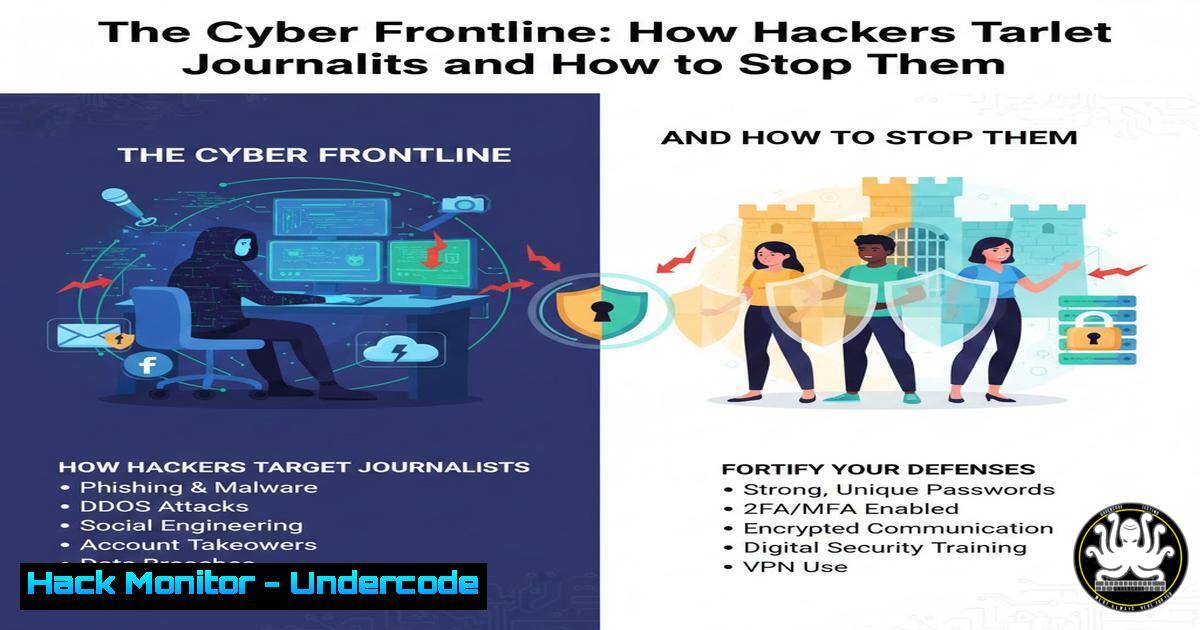
In an era where information is power, journalists have become prime targets for cyberattacks aimed at silencing investigations, stealing sources, and eroding public trust. The rally for media freedom in Vilnius underscores a physical threat, but the digital battlefield is where many confrontations now occur. This article delves into the technical cybersecurity landscape threatening a free press, providing actionable defense strategies for journalists, editors, and media organizations.
Learning Objectives:
- Understand the primary cyber threats facing journalists and media entities.
- Implement practical, step-by-step security hardening for communication and data storage.
- Learn to identify and mitigate sophisticated phishing and surveillance attempts.
You Should Know:
1. Securing Confidential Communications with End-to-End Encryption
The sanctity of journalist-source communication is paramount. Without encryption, messages, files, and calls can be intercepted by adversaries, including hostile corporations or state-sponsored actors.
Step-by-step guide:
Choose Tools: For messaging, use Signal or WhatsApp (with verification). For email, use ProtonMail or enable PGP/GPG.
Implement PGP for Email (Linux/macOS):
- Install GnuPG: `sudo apt-get install gnupg` (Debian/Ubuntu) or `brew install gnupg` (macOS).
- Generate a key pair:
gpg --full-generate-key. Choose RSA (3072 bits or 4096 bits). - Export your public key:
gpg --export --armor [email protected] > mypublickey.asc. Share this file with contacts. - Import a contact’s public key:
gpg --import contactkey.asc. - Encrypt a file for them:
gpg --encrypt --recipient [email protected] secret_document.pdf.
Verification: Always verify your contact’s “safety number” in Signal or PGP key fingerprint out-of-band (e.g., a quick voice call) to prevent man-in-the-middle attacks.
2. Hardening Your Workstation: From Basics to Advanced
A compromised computer means compromised data. Journalists often handle sensitive files that must be protected from malware and unauthorized access.
Step-by-step guide:
Full-Disk Encryption (FDE): Mandatory for all devices.
Windows: Enable BitLocker. Search “Manage BitLocker” in Start, turn on for your OS drive.
macOS: Enable FileVault in System Preferences > Security & Privacy.
Linux: Use LUKS during installation or configure with sudo cryptsetup luksFormat /dev/sdX.
Principle of Least Privilege: Do not use an administrator account for daily work.
Windows: Create a standard user account. Use `net user standarduser /add` in an Admin Command Prompt.
System Hardening: Disable unnecessary services. Use a script like Lynis (Linux/macOS) for auditing: sudo lynis audit system.
3. Defeating Phishing: The Primary Initial Access Vector
Sophisticated phishing (spear-phishing) is the most common way attackers steal credentials and install malware. Journalists are high-value targets for such tailored campaigns.
Step-by-step guide:
Email Header Analysis: Learn to inspect full email headers.
In Gmail: Open email > Click three dots > “Show original”. Check Received-SPF, DKIM, and `Return-Path` domains for mismatches with the displayed sender.
Link & Attachment Discipline:
Hover over links to preview the actual URL.
For attachments, use sandboxed environments. Upload suspicious PDFs/DOCs to tools like Any.Run or Hybrid Analysis before opening.
Use a Password Manager: Generate and store unique, complex passwords for every service. This prevents credential reuse from a breached site from compromising your email.
4. Secure Cloud Storage and Document Handling
Simply storing files in Google Drive or Dropbox is insufficient. Sensitive documents require an extra layer of security before uploading.
Step-by-step guide:
Encrypt-Before-Upload: Use Cryptomator or VeraCrypt to create an encrypted vault, then sync that vault to your cloud.
1. Download and install VeraCrypt.
- Create a new volume: Select “Create an encrypted file container”. Choose a strong password (20+ characters).
- Mount the volume and move your sensitive files into it. Dismount it. Now, the container file (e.g.,
Research.vc) can be safely stored in the cloud.
Metadata Scrubbing: Remove hidden metadata (EXIF data, author names) from documents and images before sharing.
For Images: Use `exiftool -all= image.jpg` on Linux/macOS.
For Docs: Use PDF sanitizers or print to PDF.
5. Operational Security (OpSec) and Digital Hygiene
OpSec is the practice of maintaining behaviors that prevent leakage of sensitive information about your activities and investigations.
Step-by-step guide:
Virtual Machines for Sensitive Research: Use a VM (VirtualBox, VMware) for investigating high-risk subjects. Isolate the VM from your host machine (no shared folders) and use a VPN within it. Snapshot and revert after sessions.
Burner Devices & Accounts: Consider using a separate, clean laptop and mobile phone for highly sensitive projects. Use prepaid SIMs and accounts created via a secure connection (e.g., public library Wi-Fi accessed anonymously).
Network Security: Always use a reputable VPN service when on untrusted networks. For maximum security, use the Tor Browser for accessing or publishing to sensitive websites.
What Undercode Say:
- Journalists Are High-Value APT Targets: Your work inherently puts you in the crosshairs of Advanced Persistent Threat (APT) groups. Your cybersecurity posture must be proactive, not reactive, assuming a baseline level of sophisticated threat activity.
- Security is a Process, Not a Product: No single tool guarantees safety. Security is a layered practice combining encrypted tools, vigilant behavior, and ongoing education. The rally in Vilnius is a physical manifestation of a fight that is persistently waged in the digital realm.
The intersection of press freedom and cybersecurity is undeniable. An attack on a journalist’s inbox or device is an attack on the very foundation of investigative reporting. While the principles of verification and editorial independence, as stated by Chief Editor Jurgita Lapienytė, guard against overt coercion, technical defenses guard against covert subversion. The mantra “free speech ≠ hate speech” must be complemented by “free press ≠ unprotected press.” Building technical resilience is not just an IT task; it is a modern journalistic imperative that directly upholds the integrity of the truth-seeking process.
Prediction:
The future threat landscape will see a convergence of cyber and psychological operations. Deepfake audio/video targeting journalists to create false statements, AI-generated smear campaigns from fabricated social media personas, and automated vulnerability scanning of media outlet infrastructures will become commonplace. Furthermore, ransomware attacks will increasingly target media houses not just for financial gain but to cripple publishing capabilities during critical news cycles. The defense will lie in adopting zero-trust architectures within newsrooms, mandatory digital verification training, and potentially blockchain-based systems for source authentication and document provenance. The crowd standing for media freedom must be mirrored by a crowd of cybersecurity professionals dedicated to building the digital barricades.
🎯Let’s Practice For Free:
IT/Security Reporter URL:
Reported By: Jurgita Lapienyt%C4%97 – Hackers Feeds
Extra Hub: Undercode MoN
Basic Verification: Pass ✅


