Listen to this Post
Introduction:
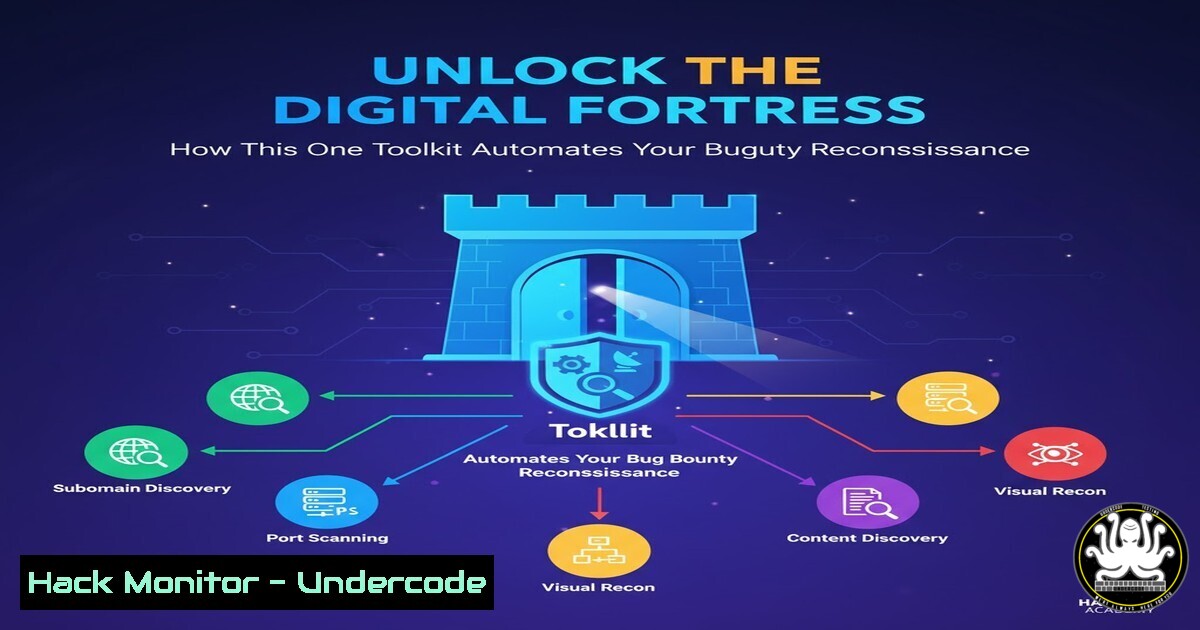
In the high-stakes world of cybersecurity, reconnaissance is the critical first step in uncovering hidden vulnerabilities before malicious actors can exploit them. The Bug Bounty Recon Toolkit represents a paradigm shift, automating the generation of targeted commands to streamline the initial phase of security assessments. This article deconstructs the recon process, providing the verified commands and methodologies that power modern bug bounty success.
Learning Objectives:
- Master the core Linux command-line utilities essential for effective reconnaissance.
- Automate subdomain discovery, live host verification, and service enumeration.
- Integrate multiple tools into a cohesive and repeatable reconnaissance workflow.
You Should Know:
1. Subdomain Enumeration: The Foundation of Recon
Subdomain enumeration is the process of discovering all subdomains associated with a target domain, dramatically expanding the attack surface. Tools like amass, subfinder, and `assetfinder` are industry standards for this task.
Verified Commands:
 Passive subdomain enumeration with Amass
amass enum -passive -d target.com -o amass_passive.txt

Active subdomain enumeration with Subfinder
subfinder -d target.com -o subfinder_results.txt

Using curl to find subdomains via SecurityTrails API (replace API_KEY)
curl "https://api.securitytrails.com/v1/domain/target.com/subdomains?children_only=true&include_inactive=true" -H 'APIKEY: YOUR_API_KEY' -o securitytrails.json
Step-by-step guide:
First, install the tools using `sudo apt install amass` or via Go (go install -v github.com/projectdiscovery/subfinder/v2/cmd/subfinder@latest). The `-passive` flag in Amass uses OSINT sources without directly querying the target. Subfinder performs a more active discovery. The `curl` command demonstrates API-based enumeration, requiring a valid API key from a data provider. Combine and sort the results: cat amass_passive.txt subfinder_results.txt | sort -u > all_subs.txt.
2. Probing for Live Hosts and HTTP Services
Not all discovered subdomains are active. Filtering for live hosts prevents wasted effort on defunct or parked domains. `httpx` and `httprobe` are excellent for this.
Verified Commands:
 Check for live HTTP/HTTPS services with httpx
cat all_subs.txt | httpx -silent -threads 100 -o live_subdomains.txt

Simple HTTP probing with httprobe
cat all_subs.txt | httprobe -c 50 -t 3000 | tee live_subdomains_2.txt

Using curl to verify a specific endpoint and follow redirects
curl -I -L -s -w "%{http_code}\n" -o /dev/null https://sub.target.com
Step-by-step guide:
After gathering subdomains, pipe the list into httpx. The `-silent` flag suppresses unnecessary output, `-threads` controls the concurrency for speed, and `-o` saves the results. `Httprobe` offers a similar function with `-c` for concurrency and `-t` for timeout milliseconds. The `curl` command is a manual check; `-I` fetches headers only, `-L` follows redirects, and `-w` outputs the HTTP status code.
3. Port Scanning and Service Discovery with Nmap
Identifying open ports and running services is crucial for understanding a target’s network exposure. Nmap is the undisputed champion for this phase.
Verified Commands:
 Aggressive scan for top 1000 ports with service version detection
nmap -A --top-ports 1000 -iL live_ips.txt -oN nmap_aggressive.txt

Quick SYN scan for the top 100 ports
nmap -sS -T4 --top-ports 100 target.com -oN nmap_quick.txt

UDP scan for critical services (DNS, SNMP)
nmap -sU -p 53,161,162 target.com -oN nmap_udp.txt
Step-by-step guide:
The `-A` flag enables OS detection, version detection, script scanning, and traceroute. `-iL` allows you to read a list of targets from a file. A SYN scan (-sS) is fast and relatively stealthy. UDP scanning (-sU) is much slower but essential for discovering services like DNS. Always ensure you have permission to scan the target.
4. Web Application Fingerprinting and Directory Bruteforcing
Understanding the tech stack and discovering hidden directories are key for web app testing. `whatweb` and `ffuf` are powerful tools for this.
Verified Commands:
 Fingerprinting web technologies with WhatWeb
whatweb -a 3 https://target.com --verbose

Directory and file bruteforcing with FFuf
ffuf -w /usr/share/wordlists/dirb/common.txt -u https://target.com/FUZZ -recursion -recursion-depth 2 -o ffuf_scan.html -of html

Checking for common files (backups, configs)
ffuf -w /usr/share/wordlists/SecLists/Discovery/Web-Content/common-files.txt -u https://target.com/FUZZ -e .bak,.txt,.sql,.old
Step-by-step guide:
`Whatweb` identifies technologies like CMS, JavaScript libraries, and server software. `FFuf` is a fast fuzzer; `-w` specifies the wordlist, `-u` the URL with `FUZZ` as the placeholder, and `-recursion` enables recursive scanning. The `-e` flag adds extensions to each fuzzing attempt. Using comprehensive wordlists from projects like `SecLists` is critical for success.
5. Automating the Workflow with a Bash Script
A true professional automates repetitive tasks. A simple bash script can chain these tools together, creating a powerful recon pipeline.
Verified Commands:
!/bin/bash
 recon_automator.sh
DOMAIN=$1
echo "[+] Starting reconnaissance for: $DOMAIN"

echo "[+] Enumerating subdomains..."
subfinder -d $DOMAIN -o subfinder_$DOMAIN.txt &
amass enum -passive -d $DOMAIN -o amass_$DOMAIN.txt &
wait
cat subfinder_$DOMAIN.txt amass_$DOMAIN.txt | sort -u > all_subs_$DOMAIN.txt

echo "[+] Probing for live hosts..."
cat all_subs_$DOMAIN.txt | httpx -silent -threads 50 > live_$DOMAIN.txt

echo "[+] Scanning for open ports..."
nmap -sS -T4 -iL live_$DOMAIN.txt -oN nmap_scan_$DOMAIN.txt

echo "[!] Reconnaissance complete. Results saved to files."
Step-by-step guide:
Save this code as recon_automator.sh. Make it executable with chmod +x recon_automator.sh. Run it by providing a domain: ./recon_automator.sh example.com. The script uses `&` and `wait` to run subdomain tools in parallel, then sequentially moves to probing and scanning. This is a basic framework that can be expanded with `ffuf` scanning, whatweb, and data parsing.
6. GitHub Reconnaissance for Exposed Secrets
Source code repositories often accidentally contain API keys, passwords, and other secrets. `git-hound` and `truffleHog` are designed to find them.
Verified Commands:
 Using GitHound with a GitHub token to search for secrets
echo "target.com" | git-hound --config-file config.yml --dig-files --dig-commits --many-results --results-only > githound_output.txt

Scanning a git repository's history with truffleHog
trufflehog git https://github.com/target/repo.git --json | jq .
Step-by-step guide:
`GitHound` requires a configuration file with a GitHub personal access token to avoid rate limits. It will search GitHub for code related to your target and sniff for high-entropy strings and regex patterns that match secrets. `TruffleHog` scans a single git repository’s entire commit history for the same. The `–json` flag outputs structured data, which can be piped to `jq` for easy parsing.
7. Visualizing the Attack Surface with Spidering
Understanding the full scope of a web application requires crawling it to map all endpoints. `gospider` and `katana` are modern crawlers that excel at this.
Verified Commands:
 Crawling a site with GoSpider
gospider -s https://target.com -d 2 -t 10 -c 5 -o gospider_output

Using Katana for fast and passive crawling
katana -u https://target.com -depth 2 -jc -aff -o katana_urls.txt
Step-by-step guide:
`GoSpider` is a versatile crawler; `-s` specifies the seed URL, `-d` the depth, `-t` the number of threads, and `-c` the concurrency. `Katana` is another powerful option; `-jc` extracts URLs from JavaScript files, and `-aff` enables form field fuzzing. The output from these tools provides a comprehensive list of endpoints for further manual testing with tools like Burp Suite.
What Undercode Say:
- Automation is Non-Negotiable: Manual reconnaissance is obsolete for serious bug bounty hunters. The ability to chain tools into a seamless, automated pipeline is what separates amateurs from professionals, allowing for consistent and comprehensive asset discovery.
- Methodology Over Tools: The specific tool is less important than the underlying methodology. Understanding why you are performing subdomain enumeration, port scanning, or directory bruteforcing allows you to adapt your approach to any target and integrate new tools as they emerge.
The true value of a “Bug Bounty Recon Toolkit” lies not in being a single magic tool, but in codifying a robust methodology. The commands and scripts detailed here represent the foundational layers of this methodology. While online tools offer a convenient entry point, the depth and flexibility required for high-value bug discovery come from mastering the command line, understanding the network and application concepts behind each command, and building a personalized, automated workflow. This approach transforms a scattered collection of tasks into a disciplined and repeatable process for uncovering critical security flaws.
Prediction:
The future of bug bounty reconnaissance will be dominated by intelligent automation and AI-driven asset discovery. We will see a move beyond simple scripting to platforms that continuously monitor for new subdomains, cloud assets, and code repositories, automatically triggering tailored assessment workflows. AI will correlate data from disparate sources to predict attack paths and prioritize targets, forcing defenders to adopt equally automated continuous security monitoring to keep pace with the evolving offensive landscape. The manual recon operative will be entirely supplanted by the security engineer who architects and maintains these intelligent discovery systems.
🎯Let’s Practice For Free:
IT/Security Reporter URL:
Reported By: Mohammad Sheikh – Hackers Feeds
Extra Hub: Undercode MoN
Basic Verification: Pass ✅


