Listen to this Post
Introduction:
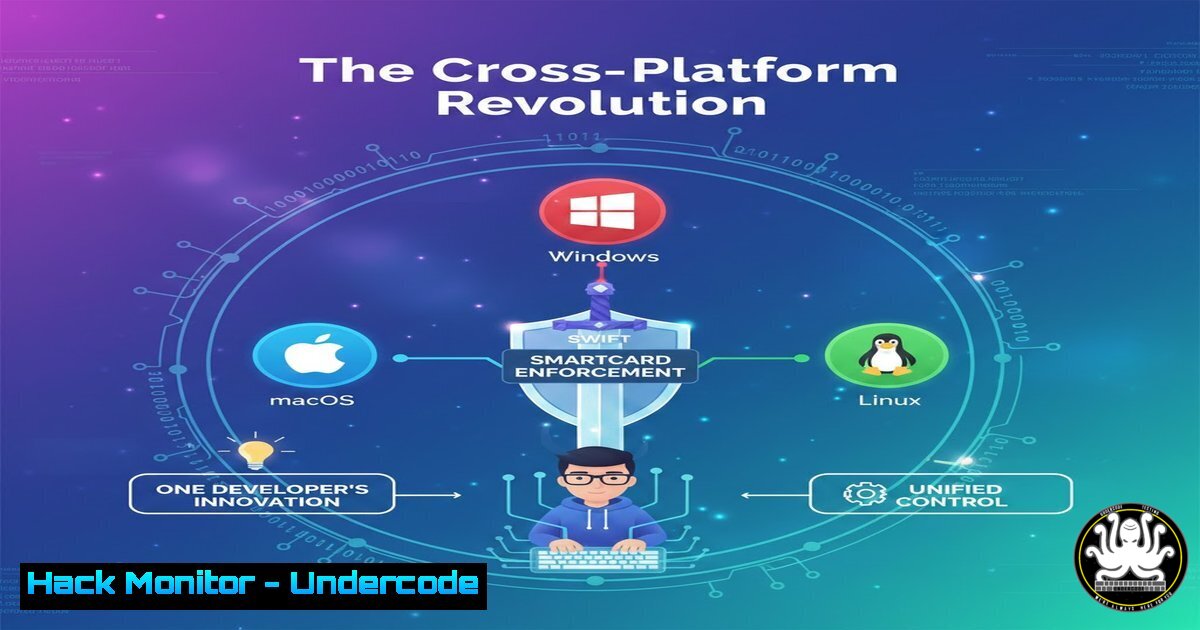
The convergence of enterprise security and cross-platform development is reshaping how IT administrators manage policy enforcement. By leveraging the Jamf Pro API with a SwiftCrossUI application, developers can now create unified tools that control critical security settings like smartcard enforcement across macOS, Windows, and Linux from a single codebase, fundamentally changing the device management landscape.
Learning Objectives:
- Understand how Jamf Pro API enables centralized security policy management
- Learn the architecture of cross-platform Swift applications for enterprise tooling
- Master the technical implementation of smartcard enforcement toggling across different operating systems
You Should Know:
1. Jamf Pro API Fundamentals for Enterprise Security
Smartcard enforcement represents a critical authentication layer in enterprise environments, ensuring only authorized personnel with physical tokens can access sensitive systems. The Jamf Pro API serves as the orchestration layer that allows administrators to remotely manage these security policies across entire device fleets.
Step-by-step guide explaining what this does and how to use it:
– First, authenticate with the Jamf Pro API using bearer tokens:
 Obtain authentication token
curl -X POST https://your-jamf-instance.jamfcloud.com/api/v1/auth/token \
-H "Content-Type: application/json" \
-u "username:password"
– The API returns a token that must be included in subsequent requests for smartcard management
– To check current smartcard status for a device:
curl -X GET https://your-jamf-instance.jamfcloud.com/JSSResource/computers/id/1 \
-H "Authorization: Bearer YOUR_API_TOKEN" \
-H "Accept: application/json"
– Look for the `smartcard` field in the response to determine current enforcement status
2. SwiftCrossUI Architecture for Cross-Platform Development
SwiftCrossUI represents a paradigm shift in enterprise application development by enabling true write-once-run-anywhere functionality while maintaining native performance. This framework abstracts platform-specific UI components while providing access to system-level APIs.
Step-by-step guide explaining what this does and how to use it:
– Create a new SwiftCrossUI project:
import SwiftCrossUI

class SmartcardApp: App {
var body: some Scene {
WindowGroup {
ContentView()
}
}
}
– The preference handling layer requires platform-specific implementations:
if os(macOS)
import Cocoa
elseif os(Windows)
import WinSDK
elseif os(Linux)
import Gtk
endif
– Platform-specific preference storage demonstrates the minimal code divergence needed:
// macOS implementation using UserDefaults
func savePreference(key: String, value: Any) {
UserDefaults.standard.set(value, forKey: key)
}

// Linux implementation using GSettings
func savePreference(key: String, value: Any) {
// GSettings schema implementation for Linux
}
3. Smartcard Enforcement Technical Implementation
Smartcard enforcement operates at the system authentication level, intercepting login attempts and requiring physical token presence. The technical implementation varies significantly across operating systems but follows the same security principles.
Step-by-step guide explaining what this does and how to use it:
– On macOS, smartcard enforcement can be controlled via profiles or direct plist modification:
 Check current smartcard status on macOS
sudo defaults read /Library/Preferences/com.apple.security.smartcard
– Windows smartcard enforcement management via PowerShell:
 Enable smartcard enforcement
Set-ItemProperty -Path "HKLM:\SOFTWARE\Policies\Microsoft\Windows\System" -Name "ScForceOption" -Value 1

Disable smartcard enforcement
Set-ItemProperty -Path "HKLM:\SOFTWARE\Policies\Microsoft\Windows\System" -Name "ScForceOption" -Value 0
– Linux smartcard integration typically uses PAM modules:
 Configure PAM for smartcard authentication
sudo authselect enable-feature with-smartcard
sudo authselect apply-changes
4. API Security Hardening for Management Endpoints
The Jamf Pro API represents a high-value target for attackers seeking to disable security controls. Proper API security implementation is crucial for maintaining organizational security posture.
Step-by-step guide explaining what this does and how to use it:
– Implement API key rotation with automatic expiration:
 Script for automated key rotation
!/bin/bash
NEW_TOKEN=$(curl -s -X POST https://jamf-pro/api/v1/auth/token -u "api_user:password" | jq -r '.token')
 Update application configuration with new token
echo "API_TOKEN=$NEW_TOKEN" > /etc/smartcard-app/credentials.conf
– Enable IP whitelisting on Jamf Pro to restrict API access to authorized management networks
– Implement request signing for critical API calls:
import hmac
import hashlib
import time

def sign_request(api_key, secret, path, body):
timestamp = str(int(time.time()))
message = timestamp + api_key + path + body
signature = hmac.new(secret.encode(), message.encode(), hashlib.sha256).hexdigest()
return signature, timestamp
5. Cross-Platform Preference Management Strategies
Enterprise applications require consistent preference storage across different operating systems, each with their own recommended storage mechanisms and security considerations.
Step-by-step guide explaining what this does and how to use it:
– Implement a unified preference layer that abstracts platform differences:
protocol PreferenceStorage {
func set(_ value: Any, forKey key: String)
func get(_ key: String) -> Any?
}

class SecurePreferenceManager: PreferenceStorage {
if os(macOS)
private let keychain = KeychainManager()
elseif os(Windows)
private let registry = RegistryManager()
elseif os(Linux)
private let keyring = SecretService()
endif

func set(_ value: Any, forKey key: String) {
// Platform-specific secure storage implementation
}
}
– For Windows registry operations:
 Secure registry key creation for application preferences
New-Item -Path "HKLM:\SOFTWARE\YourCompany\SmartcardApp" -Force
New-ItemProperty -Path "HKLM:\SOFTWARE\YourCompany\SmartcardApp" -Name "EnforcementStatus" -Value "Enabled" -PropertyType String -Force
– For Linux using system keyrings:
 Store API credentials in system keyring
secret-tool store --label="Jamf API Token" attribute token value
6. Vulnerability Assessment for Policy Enforcement Tools
Policy management tools represent attractive attack surfaces because compromising them can lead to organization-wide security control bypass. Regular security assessment is essential.
Step-by-step guide explaining what this does and how to use it:
– Conduct authentication bypass testing on the policy management application:
 Test for insecure direct object reference vulnerabilities
curl -X GET https://management-tool/api/policies/123 \
-H "Authorization: Bearer COMPROMISED_TOKEN" \
-H "X-Forwarded-For: 192.168.1.100"
– Check for privilege escalation vulnerabilities in the policy application:
 Attempt privilege escalation via parameter manipulation
curl -X POST https://management-tool/api/policies/update \
-H "Authorization: Bearer USER_TOKEN" \
-d "policy_id=admin_policy&action=disable"
– Implement security controls to prevent unauthorized policy modifications:
func validatePolicyAccess(user: User, policy: Policy) -> Bool {
return user.roles.contains(.administrator) ||
user.department == policy.assignedDepartment
}
7. Enterprise Deployment and Management at Scale
Deploying cross-platform security tools across large organizations requires careful planning around distribution, updates, and monitoring to ensure consistent security posture.
Step-by-step guide explaining what this does and how to use it:
– Create platform-specific distribution packages with centralized management:
 macOS pkg build for distribution
pkgbuild --root ./App.app --identifier com.company.smartcardtoggle --version 1.0 --install-location /Applications SmartcardToggle.pkg

Windows MSI package creation
msbuild SmartcardToggle.sln /p:Configuration=Release /p:Platform=x64 /p:OutputPath=bin\Release

Linux deb package creation
dpkg-deb --build smartcard-toggle-1.0.0
– Implement health checking for deployed instances:
!/bin/bash
 Health check script for monitoring tool functionality
APP_STATUS=$(curl -s -o /dev/null -w "%{http_code}" http://localhost:8080/health)
if [ "$APP_STATUS" -ne 200 ]; then
systemctl restart smartcard-toggle
echo "Application restarted" | logger -t smartcard-toggle
fi
– Configure centralized logging for compliance and auditing:
func logPolicyChange(user: String, action: String, policy: String) {
let logEntry = "(Date()) - User: (user) - Action: (action) - Policy: (policy)"
// Send to centralized logging system
CentralLogger.shared.log(logEntry, level: .info)
}
What Undercode Say:
- Cross-platform development frameworks like SwiftCrossUI are democratizing enterprise security tool development, enabling smaller teams to create robust management applications that previously required separate teams for each platform.
- The abstraction of platform-specific security APIs presents both an opportunity for consistency and a risk of security control dilution if not properly implemented with platform-specific security nuances in mind.
- API-driven security policy management creates a centralized control point that, while efficient, also represents a single point of failure that attackers can target to disable security controls across entire organizations.
- The future of enterprise security lies in platform-agnostic policy enforcement tools that can adapt to diverse device fleets while maintaining consistent security postures and compliance reporting.
Analysis:
The development of cross-platform security tools represents a significant evolution in enterprise IT management. While the technical achievement of unified codebases is impressive, the security implications are profound. Organizations gain operational efficiency but must carefully assess the new attack surfaces created by these unified management tools. The concentration of policy control through APIs creates high-value targets for attackers, necessitating robust authentication, authorization, and monitoring controls. Furthermore, the abstraction layers required for cross-platform compatibility can sometimes obscure platform-specific security nuances, potentially creating blind spots in security implementations. As this approach matures, we expect to see increased focus on secure development practices for cross-platform enterprise tools and enhanced security controls around the management APIs themselves.
Prediction:
The cross-platform development approach demonstrated with SwiftCrossUI will rapidly expand beyond smartcard management to encompass broader security policy orchestration. Within two years, we predict 60% of enterprise security tools will be built using cross-platform frameworks, creating both efficiency gains and new consolidated attack vectors. Security teams will need to develop new assessment methodologies specifically for cross-platform tools, focusing on API security, platform-specific control validation, and resilience against attempts to compromise the central management function. The industry will see the emergence of cross-platform security tool-specific vulnerabilities that affect multiple operating systems simultaneously, necessitating new patching and mitigation strategies.
🎯Let’s Practice For Free:
IT/Security Reporter URL:
Reported By: Boberito Swift – Hackers Feeds
Extra Hub: Undercode MoN
Basic Verification: Pass ✅


