
Listen to this Post
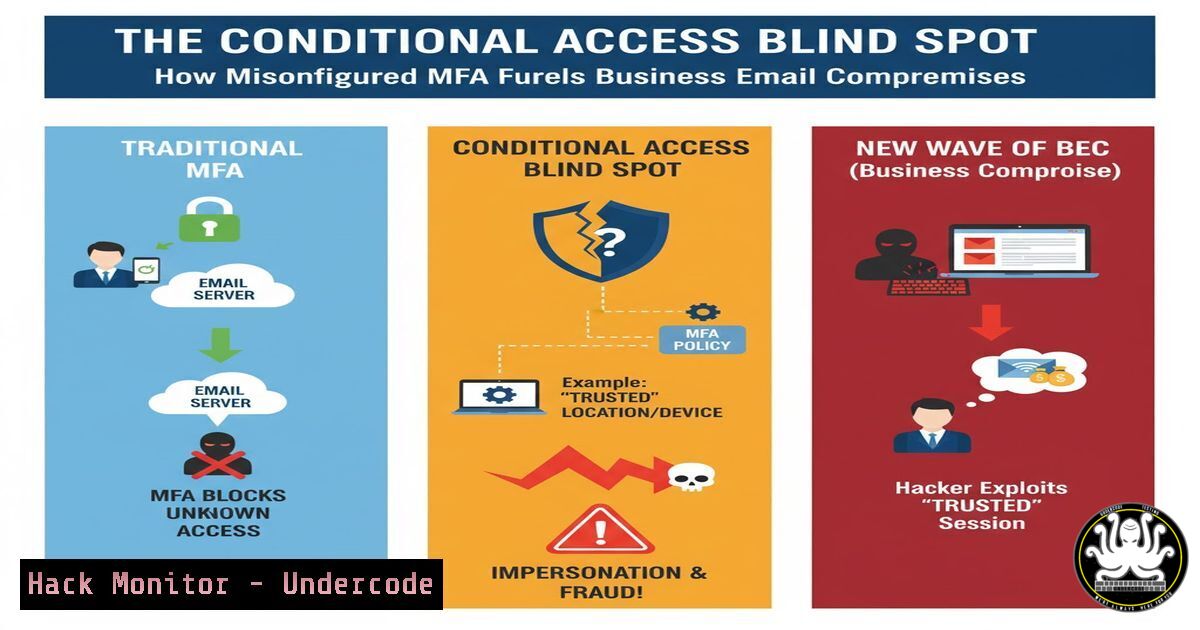
Introduction:
Multi-factor authentication (MFA) is a cornerstone of modern cybersecurity, but its effectiveness is entirely dependent on correct implementation. A critical vulnerability is emerging where misconfigured Conditional Access (CA) policies in enterprise environments create hidden backdoors for attackers. These configuration oversights, often involving broad exclusions for user agents or trusted resources, are systematically exploited in Business Email Compromise (BEC) attacks, lulling organizations into a false sense of security.
Learning Objectives:
- Understand the common pitfalls in Conditional Access policy configuration that negate MFA.
- Learn how to use automated testing tools like NoPrompt and MFASweep to identify policy weaknesses.
- Develop a hardening checklist for Azure AD Conditional Access to eliminate common misconfigurations.
You Should Know:
1. The Perils of User Agent Exclusions
A frequent, critical error is excluding specific user agents from MFA enforcement, often done to improve usability for legacy applications. Attackers can easily spoof these user agents to bypass security entirely.
Verified Commands & Tools:
Tool: NoPrompt – A tool designed to test Conditional Access policies by simulating logins from different clients and user agents.
Installation & Usage:
- Clone the repository: `git clone https://github.com/dotpyx/NoPrompt.git`
2. Navigate to the directory: `cd NoPrompt`
- Install required Python packages: `pip install -r requirements.txt`
4. Run the tool against your tenant (requires valid credentials for testing): `python noprompt.py -u [email protected] -p Password123 -t tenant_name`
What this does: NoPrompt automates the process of attempting authentication using various user agent strings and client identifiers (e.g.,Browser,MobileAppsAndDesktopClients,ExchangeActiveSync). It reports which scenarios are able to bypass MFA, directly identifying the exclusion loopholes an attacker would exploit.
2. Testing for MFA Bypasses with MFASweep
MFASweep is another powerful tool for testing the enforcement of MFA across various Microsoft services and protocols. It provides a broader scope of testing beyond just user agents.
Verified Commands & Tools:
Tool: MFASweep – A comprehensive MFA testing script for Microsoft environments.
Installation & Usage:
- Download the script: `Invoke-WebRequest -Uri “https://github.com/dafthack/MFASweep/raw/master/MFASweep.ps1” -OutFile MFASweep.ps1`
2. Import into a PowerShell session: `. .\MFASweep.ps1`
- Run a comprehensive test: `Invoke-MFASweep -Username [email protected] -Password Password123 -Recon`
4. For a specific test (e.g., against Exchange Online): `Invoke-MFASweep -Username [email protected] -Password Password123 -ExchangeOnline`
What this does: MFASweep checks multiple endpoints including Azure AD, Microsoft Graph, Exchange Online, and Skype for Business. The `-Recon` flag attempts to discover which MFA methods are registered to the user and then tests each service to see if the primary credential alone is sufficient for access, highlighting gaps in policy enforcement.
3. Auditing Conditional Access Policies with Microsoft Graph
Proactive auditing of your CA policies is essential. Using the Microsoft Graph API, you can programmatically review all policies and their conditions.
Verified Commands & Code Snippet:
Tool: Microsoft Graph PowerShell SDK
Installation & Authentication:
1. Install the module: `Install-Module Microsoft.Graph -Scope CurrentUser`
- Connect with necessary scopes: `Connect-MgGraph -Scopes “Policy.Read.All”, “Policy.Read.ConditionalAccess”`
Audit Script:
 Retrieve all Conditional Access policies
$policies = Get-MgIdentityConditionalAccessPolicy

foreach ($policy in $policies) {
Write-Host "Policy Name: $($policy.DisplayName)" -ForegroundColor Green
Write-Host "State: $($policy.State)"
Write-Host "Conditions:"
Write-Host " - Client Apps: $($policy.Conditions.ClientAppTypes)"
if ($policy.Conditions.Applications.ExcludeApplications) {
Write-Host " - Excluded Apps: $($policy.Conditions.Applications.ExcludeApplications)" -ForegroundColor Red
}
if ($policy.Conditions.Users.ExcludeUsers) {
Write-Host " - Excluded Users: $($policy.Conditions.Users.ExcludeUsers)" -ForegroundColor Red
}
Write-Host "`n"
}
What this does: This script enumerates all CA policies, highlighting their current state and, most critically, any excluded applications or users. These exclusions are a primary source of misconfiguration and must be meticulously reviewed.
4. Hardening Policies: The “Zero-Trust” Rule Set
Building a foundational, secure-by-default policy is key. This baseline policy should enforce MFA for all users, on all cloud apps, from all locations.
Verified Policy Configuration (Azure AD Portal):
- Name: `
 MFA Baseline - All Users All Apps`
2. Users and Groups: Assign to All Users. Carefully review any exclusions.</li>
<li>Cloud Apps or Actions: Select All cloud apps.</li>
</ol>

<h2 style="color: yellow;">4. Conditions:</h2>

Locations: Configure Any location. Do not implicitly trust "Trusted IPs".
 Client Apps: Select All to cover browsers, mobile apps, and legacy clients.
5. Grant: Select Grant access. Require Require multi-factor authentication. Set to Require all selected controls.
 What this does: This creates a blanket MFA rule. More specific policies can then be created to allow access under stricter, more secure conditions (e.g., from compliant devices), but this baseline ensures there is no security gap.

<h2 style="color: yellow;">5. Mitigating Legacy Authentication</h2>

Legacy authentication protocols (like POP3, IMAP, SMTP) do not support modern MFA prompts and are a massive security hole. They must be explicitly blocked.

<h2 style="color: yellow;">Verified Commands & Code Snippet:</h2>

Using Graph API to create a block policy:
[bash]
 This policy specifically blocks legacy authentication clients.
$params = @{
DisplayName = "[bash] Block Legacy Authentication"
State = "enabled"
Conditions = @{
ClientAppTypes = @( "exchangeActiveSync", "other" )
Applications = @{
IncludeApplications = @( "All" )
}
Users = @{
IncludeUsers = @( "All" )
}
}
GrantControls = @{
Operator = "OR"
BuiltInControls = @( "block" )
}
}
New-MgIdentityConditionalAccessPolicy -BodyParameter $params
What this does: This policy explicitly blocks access for client app types identified as “Exchange ActiveSync” and “Other” (which encompasses legacy protocols like POP, IMAP, SMTP). This is one of the most impactful policies for securing an identity perimeter.
6. Implementing Device Compliance as a Control
Moving beyond mere MFA, integrating device compliance ensures that access is only granted from managed, secure, and patched endpoints.
Verified Policy Configuration Concept:
- Create a new CA policy named
Require Compliant Device or MFA</code>.</li> <li>Assign to all users and all cloud apps.</li> <li>Under Grant controls, select Require one of the selected controls.</li> <li>Check both Require device to be marked as compliant and Require multi-factor authentication. What this does: This provides a powerful, layered control. A user can gain access either by using MFA from an unmanaged device, or by using a single-factor password from a company-owned, compliant device. This balances security and usability without creating hard blocks that disrupt business.</li> </ol> <h2 style="color: yellow;">7. Continuous Monitoring and Alerting</h2> Security is not a set-and-forget task. Implementing continuous monitoring for CA policy changes and authentication failures is critical. <h2 style="color: yellow;">Verified Azure KQL Query for Sentinel/Monitoring:</h2> <h2 style="color: yellow;"> Query: Monitor for Conditional Access policy failures:</h2> [bash] AuditLogs | where OperationName == "Sign-in activity" | where ResultType != "0" | where ResultDescription has "ConditionalAccess" | extend CA_Result = tostring(ResultDescription) | project TimeGenerated, UserId, AppDisplayName, IPAddress, DeviceDetail, CA_Result, Location | sort by TimeGenerated desc
What this does: This query in Azure Log Analytics surfaces all failed sign-in activities where the failure was related to a Conditional Access policy. Reviewing these logs helps identify attack attempts and potential misconfigurations in your policies that may be blocking legitimate users.
What Undercode Say:
- The Illusion of Security is More Dangerous Than No Security: A partially implemented MFA strategy creates a deceptive safety net that attackers are adept at circumnavigating. The "MFA Enabled" checkbox is the start, not the finish line.
- Automated Testing is Non-Negotiable: Manual review of complex policies is prone to error. Tools like NoPrompt and MFASweep must be integrated into the standard deployment and audit cycle for any identity-centric security program, transforming guesswork into verified data.
The analysis from the field is clear: the sophistication of BEC attacks has shifted from credential phishing to exploiting architectural weaknesses in identity and access management. Attackers are no longer just targeting users; they are targeting the configuration consoles of admins. The comment from an industry professional to "Never use User Agents for Conditional Access Policies" underscores a fundamental hardening principle—broad exclusions for usability create predictable and exploitable security flaws. The conversation highlights a critical maturity step: moving from simply having MFA to rigorously and continuously validating its enforcement across the entire attack surface.
Prediction:
The current wave of BEC attacks exploiting CA misconfigurations will rapidly evolve. We predict the emergence of fully automated "CA Policy Sniffing" kits, integrated into commodity malware, that will perform initial reconnaissance on a compromised tenant to map all MFA bypass opportunities before launching a targeted attack. Furthermore, as AI integrates into security policy management, we will see AI-driven "red teaming" of CA policies becoming a standard feature, proactively identifying logical conflicts and exclusion loopholes that human auditors miss. The future battleground for identity security will be fought not at the password prompt, but in the policy engine itself.
🎯Let’s Practice For Free:
IT/Security Reporter URL:
Reported By: Stephan Berger - Hackers Feeds
Extra Hub: Undercode MoN
Basic Verification: Pass ✅🔐JOIN OUR CYBER WORLD [ CVE News • HackMonitor • UndercodeNews ]
📢 Follow UndercodeTesting & Stay Tuned:
- Create a new CA policy named


