Listen to this Post
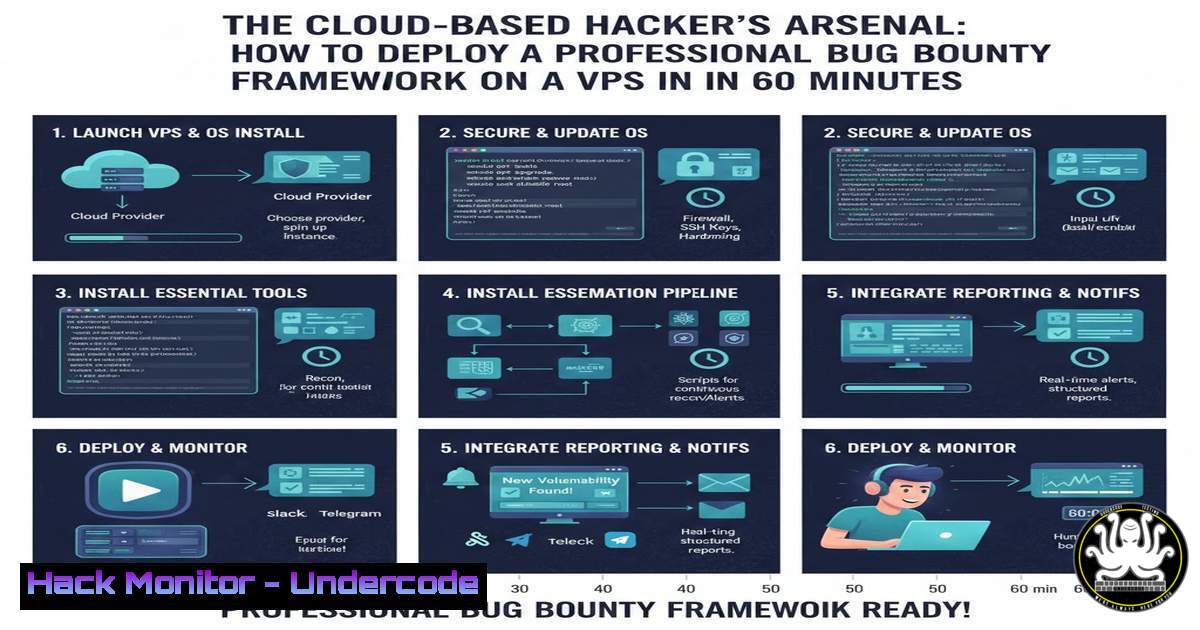
Introduction:
The landscape of bug bounty hunting is shifting from localized tools to cloud-based, collaborative platforms. The release of the ars0n-framework-v2 beta-0.0.3 marks this evolution, transforming a powerful suite of reconnaissance and vulnerability scanning tools into a remotely accessible, persistent operation center. This update, headlined by a new Docker container with an Nginx reverse proxy, allows security researchers to deploy their hunting infrastructure on a Virtual Private Server (VPS), enabling scanning continuity, team access, and resource management from any device.
Learning Objectives:
- Understand the architecture and security benefits of deploying an offensive security framework on a VPS using Docker.
- Learn to configure the ars0n framework’s key modules—Nuclei, HTTPx, and metadata gathering—for efficient, targeted reconnaissance.
- Master the step-by-step process to install, secure, and remotely access the framework, turning a cloud server into a private bug-hunting hub.
You Should Know:
- Architecting Your Remote Bug Bounty Base: VPS Selection and Hardening
The foundation of a remote setup is a secure and capable VPS. This step-by-step guide explains how to choose and harden a Linux server, creating a secure base for your framework.
Step‑by‑step guide:
VPS Provisioning: Select a VPS provider (e.g., DigitalOcean, Linode, AWS EC2) and deploy a Ubuntu 22.04 LTS server. A minimum of 2 vCPUs, 4GB RAM, and 50GB storage is recommended for smooth operation. Upon creation, note the server’s public IP address.
Secure Initial Access: Immediately disable password-based SSH authentication. Generate an SSH key pair on your local machine and copy the public key to your server.
 On your local machine, generate a key pair if you don't have one
 ssh-keygen -t ed25519 -C "[email protected]"

Copy the public key to your VPS (replace IP)
ssh-copy-id root@your_vps_ip_address
Basic Server Hardening: Connect to your VPS via SSH and execute initial hardening commands.
ssh root@your_vps_ip_address
 Update all packages
apt update && apt upgrade -y
 Configure the Uncomplicated Firewall (UFW)
ufw allow OpenSSH
ufw enable
 Change the default SSH port (optional but recommended)
sed -i 's/Port 22/Port 2222/' /etc/ssh/sshd_config
systemctl restart sshd
 Remember to allow the new port in UFW before disconnecting!
ufw allow 2222/tcp
- Containerizing the Toolkit: Docker Installation and Framework Deployment
Docker ensures the framework and its dependencies run in an isolated, consistent environment. This guide walks through installing Docker and launching the ars0n framework container.
Step‑by‑step guide:
Install Docker Engine: On your hardened VPS, install the Docker community edition.
 Add Docker's official GPG key and repository
apt install -y ca-certificates curl
install -m 0755 -d /etc/apt/keyrings
curl -fsSL https://download.docker.com/linux/ubuntu/gpg -o /etc/apt/keyrings/docker.asc
echo "deb [arch=$(dpkg --print-architecture) signedby=/etc/apt/keyrings/docker.asc] https://download.docker.com/linux/ubuntu $(. /etc/os-release && echo "$VERSION_CODENAME") stable" | tee /etc/apt/sources.list.d/docker.list > /dev/null
apt update && apt install -y docker-ce docker-ce-cli containerd.io
Deploy the Framework: The ars0n framework release provides a `docker-compose.yml` file. Clone the repository and start the container.
 Clone the specific release tag
git clone --branch beta-0.0.3 https://github.com/R-s0n/ars0n-framework-v2.git
cd ars0n-framework-v2
 Launch the container in detached mode
docker-compose up -d
 Verify the container is running
docker ps
- Gateway to Your Tools: Configuring the Nginx Reverse Proxy for Secure Remote Access
The Nginx reverse proxy acts as a secure gateway, routing external web requests to the framework’s internal web interface. This allows you to access the UI via a domain or IP without exposing multiple internal ports.
Step‑by‑step guide:
Understand the Configuration: The provided Docker setup includes an Nginx container. Its configuration file (nginx.conf) typically defines a server block listening on port 80/443 and proxying requests to the framework’s application container (e.g., app:8080).
Configure Access: You will access the framework via your VPS’s public IP or a domain name pointing to it. The critical step is securing this connection.
Enable HTTPS (Critical): Never access the framework over plain HTTP. Use Let’s Encrypt to obtain a free SSL/TLS certificate.
 Install Certbot within the Nginx container or on the host
docker exec -it nginx_container_name /bin/bash
 If using certbot on the host and the nginx docker container:
apt install -y certbot python3-certbot-nginx
 Stop the nginx container temporarily to allow certbot to use port 80
docker-compose stop nginx
 Obtain and install the certificate (replace with your domain or use --nginx and --domain flags appropriately)
certbot certonly --standalone -d yourdomain.com -d www.yourdomain.com
 Restart the nginx container
docker-compose start nginx
Configure Nginx to use the obtained `fullchain.pem` and `privkey.pem` certificates, forcing all HTTP traffic to HTTPS.
- Optimizing the Reconnaissance Engine: Configuring Nuclei and HTTPx Scans
The framework integrates tools like Nuclei (vulnerability scanning) and HTTPx (service probing). The beta-0.0.3 update brings stability and configuration improvements to these modules.
Step‑by‑step guide:
Configure Nuclei Templates: Nuclei’s power lies in its community-driven templates. Update them regularly from within the framework’s UI or via a scheduled container cron job.
 Example: Updating templates inside the application container
docker exec -it arson_framework_app_container nuclei -update-templates
Tailor HTTPx Scanning: The update expanded HTTPx to scan “a wide range of uncommon ports.” Configure target lists and port ranges in the framework’s settings UI. For a focused scan, define a custom port list based on your target’s profile (e.g., 8080,8443,3000,9000).
Run a Targeted Scan: Use the UI to create a new project. Input a single target URL or a list. Leverage the improved “Gather Metadata” scan (which now combines screenshotting) for initial reconnaissance, then launch tailored Nuclei scans with specific template tags (e.g., -t exposures,tokens) to reduce noise and increase speed.
- Operational Security and Maintenance: Firewalls, Updates, and Backups
Running a public-facing security tool demands rigorous OpSec. This guide covers essential maintenance to keep your server and data secure.
Step‑by‑step guide:
Implement Network Controls: Beyond UFW, configure Nginx to allow access only from your trusted IP addresses.
 Inside your nginx.conf server block
location / {
allow 192.168.1.100;  Your static IP
allow 203.0.113.50;  Another trusted IP
deny all;
proxy_pass http://app:8080;
}
Automate Updates and Backups: Create a cron job to update tools, the OS, and Docker images weekly. Crucially, back up your scan results and configuration files.
 Example crontab entry for root
0 3   0 apt update && apt upgrade -y && docker-compose pull && docker-compose up -d >> /var/log/auto_update.log
0 4   0 tar -czf /backup/arson_backup_$(date +\%Y\%m\%d).tar.gz /path/to/arson_framework_v2/data/
Monitor Logs: Regularly check Docker and Nginx logs for unauthorized access attempts or errors.
docker-compose logs --tail=50 nginx
docker-compose logs --tail=50 app
What Undercode Say:
- The Paradigm is Shifting to Remote Ops: This framework update validates a growing trend: serious bug bounty hunting and reconnaissance are becoming cloud-native activities. The ability to maintain a persistent, scalable, and collaborative scanning environment separates hobbyists from professional researchers.
- Security of the Tool Itself is Paramount: By containerizing the framework and fronting it with a hardened Nginx reverse proxy, the developer addresses the critical attack surface that a publicly accessible hacking tool presents. Proper configuration—especially enforcing HTTPS and IP whitelisting—is not optional; it is the most important step in the deployment process.
Prediction:
The release of ars0n-framework-v2 beta-0.0.3 is a precursor to the industrialization of bug bounty hunting. We predict that within two years, AI-driven triage and attack path simulation will be integrated directly into such open-source frameworks, moving beyond simple vulnerability identification to proposing exploit chains. Furthermore, expect these platforms to evolve into shared, decentralized “scanning networks,” where hunters can contribute resources and safely share target-specific configs, drastically increasing collective efficiency and forcing a corresponding evolution in defensive cybersecurity posture.
▶️ Related Video (72% Match):
🎯Let’s Practice For Free:
IT/Security Reporter URL:
Reported By: Harrison Richardson – Hackers Feeds
Extra Hub: Undercode MoN
Basic Verification: Pass ✅


