Listen to this Post
Introduction:
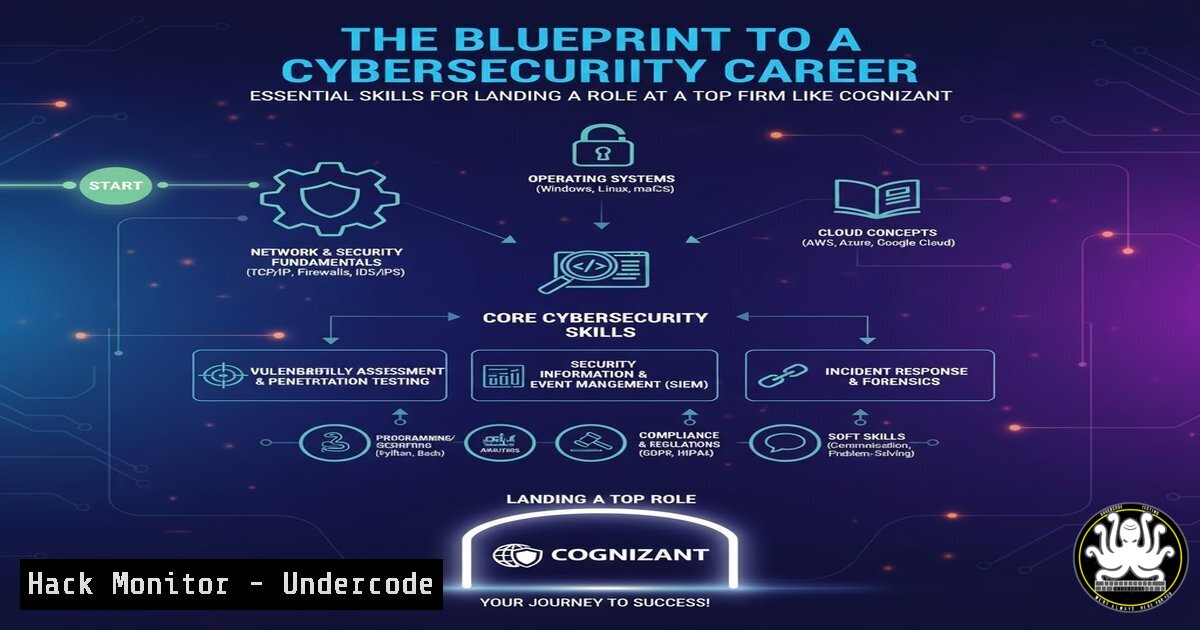
The announcement of student placements at global IT giants like Cognizant highlights the booming demand for tech talent. For aspiring professionals, securing such a role requires a demonstrable, hands-on mastery of core cybersecurity and IT operations principles that form the backbone of modern enterprise infrastructure.
Learning Objectives:
- Master fundamental command-line operations for both Linux and Windows environments.
- Understand key network reconnaissance and vulnerability assessment techniques.
- Learn essential commands for system hardening, log analysis, and API security.
You Should Know:
1. Mastering the Linux Environment
A significant portion of enterprise infrastructure, including web servers and cloud backends, runs on Linux. Proficiency here is non-negotiable.
`ls -la`
This command lists all files and directories in a detailed, long format, showing permissions, ownership, size, and modification date. The `-a` flag includes hidden files. Understanding file permissions (e.g., -rw-r--r--) is critical for identifying misconfigurations.
`ps aux | grep `
This pipeline lists all running processes (ps aux) and then filters the output to show only lines containing a specific process name (grep <process_name>). It’s indispensable for monitoring system activity and identifying suspicious processes.
`chmod 600 private_key.pem`
This changes the file permissions of `private_key.pem` to read and write for the owner only, and no permissions for the group or others. This is a fundamental security practice for protecting sensitive files like SSH private keys.
2. Windows System Administration Fundamentals
Windows dominates the corporate desktop and server landscape, making PowerShell and Command Prompt skills essential.
`Get-Process | Where-Object {$_.CPU -gt 50}`
This PowerShell command retrieves all processes and filters them to show only those using more than 50% of the CPU. It’s a quick way to identify resource-hungry or potentially malicious applications.
`netstat -ano | findstr :443`
This command displays all active network connections and listening ports, and pipes the output to find any lines containing port 443 (HTTPS). The `-a` shows all, `-n` displays addresses in numbers, and `-o` shows the owning Process ID (PID). This is crucial for identifying unexpected network listeners.
`systeminfo | findstr /B /C:”OS Name” /C:”OS Version”`
This command retrieves detailed system information and filters it to show only the OS Name and OS Version lines. The `/B` matches if the line begins with the string, and `/C:` uses the exact string. This is the first step in any Windows vulnerability assessment.
3. Network Reconnaissance and Discovery
Before an attacker can exploit a system, they must discover it. Defenders use the same tools to understand their own attack surface.
`nmap -sV -O 192.168.1.0/24`
This Nmap command performs a service version detection scan (-sV) and attempts OS fingerprinting (-O) on the entire 192.168.1.0/24 subnet. It helps in building a complete inventory of network assets and their potential vulnerabilities.
`ping -c 4 example.com`
The basic connectivity test. This command sends four Internet Control Message Protocol (ICMP) echo request packets to example.com. A successful reply confirms network reachability, while failure can indicate a firewall block or host down status.
`dig A example.com +short`
This command uses the Domain Information Groper (dig) tool to perform a DNS lookup for the A record of example.com, returning only the IP address (+short). It’s a fundamental tool for troubleshooting DNS and understanding domain resolution.
4. Vulnerability Assessment with Nmap Scripting Engine
Going beyond simple port scanning, the Nmap Scripting Engine (NSE) can automate a wide range of security checks.
`nmap –script vuln 192.168.1.105`
This command runs all NSE scripts categorized as “vuln” against the target host 192.168.1.105. These scripts check for known vulnerabilities in services, making it a powerful, free tool for initial vulnerability assessment.
`nmap –script http-enum 192.168.1.105`
This script enumerates common web application directories (e.g., /admin, /backup) on a target web server. Discovering hidden directories is a common step in web application penetration testing.
`nmap -p 443 –script ssl-cert 192.168.1.105`
This command scans port 443 and runs a script to retrieve the SSL certificate details. It helps in validating certificate validity, issuer, and cryptographic strength.
5. System Hardening and Access Control
Securing a system involves configuring it to reduce its attack surface. This includes managing users, permissions, and firewall rules.
`sudo ufw enable`
This command enables the Uncomplicated Firewall (UFW) on a Linux system. UFW provides a user-friendly interface for managing iptables, which is the standard firewall for Linux. A enabled firewall is the first line of defense.
`Get-NetFirewallRule -Enabled True | Format-Table Name, Profile, Direction, Action`
This PowerShell command lists all currently enabled Windows Firewall rules, displaying their name, the profile they belong to (Domain, Private, Public), their direction (Inbound/Outbound), and action (Allow/Block). Auditing firewall rules is essential.
`useradd -m -s /bin/bash newuser`
This command creates a new user account named “newuser”. The `-m` flag creates the user’s home directory, and `-s` specifies their login shell. Proper user account management is a cornerstone of system security.
6. Log Analysis for Incident Response
Logs are the digital forensics trail. Knowing how to parse them is critical for detecting and investigating security incidents.
`sudo tail -f /var/log/auth.log`
This command displays the last 10 lines of the Linux authentication log and follows it, outputting new lines as they are written. This is the primary tool for real-time monitoring of SSH logins, sudo attempts, and other authentication events.
`Get-WinEvent -LogName Security -MaxEvents 10 | Format-Table TimeCreated, Id, LevelDisplayName, Message`
This PowerShell command retrieves the 10 most recent events from the Windows Security log. The Security log contains crucial events for incident response, such as logon/logoff events (4624, 4634) and account management activities.
`grep “Failed password” /var/log/auth.log`
This command searches the authentication log for all lines containing the string “Failed password”, which is a primary indicator of a brute-force attack on SSH or other services.
7. API Security Testing with cURL
APIs power modern applications, and testing their security is a key skill. cURL is a ubiquitous command-line tool for transferring data with URLs.
`curl -X GET https://api.example.com/v1/users -H “Authorization: Bearer
This command sends a GET request to an API endpoint, including an Authorization header with a Bearer token. It’s the basic structure for interacting with a secured API.
`curl -X POST https://api.example.com/v1/users -H “Content-Type: application/json” -d ‘{“username”:”test”,”password”:”pass”}’`
This sends a POST request with a JSON payload in the body (-d). Testing for injection flaws and authentication bypasses often starts with manipulating these POST requests.
curl -I https://example.com`-I`) to the server, which returns only the HTTP headers. Analyzing headers can reveal information about the server software, framework, and security configurations (like HSTS).
This sends a HEAD request (
What Undercode Say:
- A theoretical degree is no longer sufficient; demonstrable, practical command-line proficiency is the baseline for technical IT and security roles.
- The tools of the trade are universally available and often open-source; the differentiator is the skill and ingenuity to wield them effectively.
The placement of students at a firm like Cognizant signals a curriculum that is aligning with industry demands. However, the real-world threat landscape moves faster than any syllabus. The commands and techniques outlined here represent the foundational, daily-use toolkit for security analysts, cloud engineers, and system administrators globally. Success hinges not on memorizing these commands, but on developing the analytical mindset to know which tool to apply to a given problem, how to interpret its output, and how to act on that intelligence. This hands-on, lab-driven experience is what truly separates a candidate who is “certified” from one who is “capable.”
Prediction:
The convergence of AI-driven development and an increasingly complex cloud-native stack will make foundational IT and security skills even more critical. As automation handles routine tasks, the value of human professionals will shift towards strategic oversight, complex problem-solving, and the ethical application of offensive and defensive security principles. The ability to quickly adapt and apply core technical knowledge to new platforms and programming paradigms will be the single biggest predictor of career longevity and success in the tech sector.
🎯Let’s Practice For Free:
IT/Security Reporter URL:
Reported By: Thakur Ramnarayan – Hackers Feeds
Extra Hub: Undercode MoN
Basic Verification: Pass ✅


