Listen to this Post
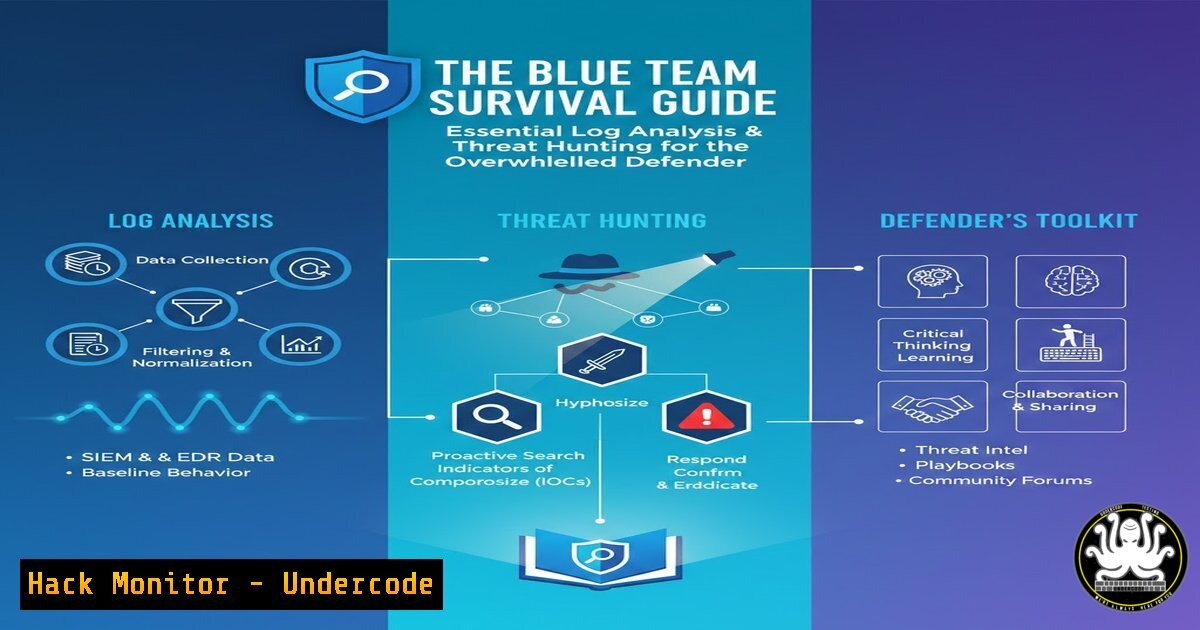
Introduction:
In today’s high-volume threat landscape, Security Operations Center (SOC) analysts and IT professionals are inundated with alerts, making manual log analysis an impossible task. Effective cybersecurity is no longer about simply collecting logs; it’s about strategically parsing, correlating, and hunting within that data to separate the critical signals from the noise. This guide provides a foundational, actionable methodology for transforming raw log data into actionable intelligence, moving from a reactive to a proactive security posture.
Learning Objectives:
- Master the fundamentals of constructing targeted log queries for Linux (journalctl) and Windows (PowerShell) systems.
- Implement a structured, tiered approach to triage and analyze common yet critical security events.
- Build and utilize a basic but effective threat-hunting hypothesis to uncover stealthy adversary activity.
You Should Know:
- Strategic Log Collection & Parsing: The First Line of Defense
Before analysis can begin, you must ensure you’re collecting the right data and can access it efficiently. Centralized logging via a SIEM (Security Information and Event Management) is ideal, but even standalone system queries are powerful.
Step‑by‑step guide:
Linux (Systemd-based Systems): The `journalctl` command is your primary tool. Move beyond `journalctl -f` (follow) for basic monitoring.
Filter by Priority: `journalctl -p err..alert` shows entries from error level to alert level, filtering out low-priority info logs.
Time-Based Analysis: `journalctl –since “2024-01-15 09:00:00” –until “2024-01-15 17:00:00″` isolates activity to a specific incident window.
Service-Specific Logs: `journalctl -u ssh.service` focuses solely on SSH authentication logs, crucial for spotting brute-force attacks.
Windows (PowerShell): The `Get-WinEvent` cmdlet provides deep access to the Windows Event Log.
Target the Security Log: `Get-WinEvent -LogName Security` is the starting point for audit and authentication events.
Filter with XML Queries: For precision, use filtered hash tables or XML filters. A basic example to find failed logins (Event ID 4625): Get-WinEvent -FilterHashtable @{LogName='Security'; ID=4625}.
Export for Analysis: Pipe output to `Export-CSV` for further analysis: Get-WinEvent -FilterHashtable @{LogName='Security'; ID=4625; StartTime=(Get-Date).AddHours(-24)} | Export-CSV FailedLogins.csv -NoTypeInformation.
- Triage Methodology: Identifying the “Crown Jewels” in the Log Stream
Not all events are created equal. A tiered triage system prevents alert fatigue. Focus on high-fidelity indicators first.
Step‑by‑step guide:
- Priority 1 – Execution & Persistence: Immediately investigate logs related to new process creation from unusual parents, scheduled task creation, or service installation. In Windows, look for Event ID 4688 (new process) with suspicious parent processes. In Linux, audit `journalctl` for `systemctl` commands creating new services or cron job modifications.
- Priority 2 – Lateral Movement & Privilege Escalation: Search for network logons (Windows EID 4624, Logon Type 3) from unexpected source IPs, especially outside business hours. On Linux, analyze `sudo` logs (
journalctlentries for `sudo` command) for failed escalation attempts or successful `sudo` by non-admin users. - Priority 3 – Exfiltration & Command & Control (C2): This is often noisier. Correlate internal hosts making high-volume DNS queries to newly registered or known-bad domains (log from DNS servers) with outbound firewall connection logs showing large data transfers.
3. Building a Threat Hunting Hypothesis: Proactive Detection
Threat hunting starts with a question, not an alert. Assume a breach and search for evidence.
Step‑by‑step guide:
Hypothesis: “An adversary may be using living-off-the-land binaries (LOLBins) like `powershell.exe` or `bitsadmin.exe` to download payloads without triggering antivirus.”
Hunt Query (Windows): Combine process creation logs with network connections.
 This is a conceptual example; actual implementation depends on your logging scope (e.g., Sysmon).
 Look for processes spawning netsh, bitsadmin, or certutil followed by outbound web requests.
Get-WinEvent -LogName "Microsoft-Windows-Sysmon/Operational" | Where-Object {($<em>.ID -eq 1) -and ($</em>.ProcessName -match "bitsadmin|certutil|netsh")} | Select-Object TimeCreated, ProcessName, CommandLine
Action: Script this query to run daily across your endpoint data. Review any matches for anomalies in command-line arguments, such as `certutil` being used with `-urlcache` or `-f` (fetch) flags to download files.
4. Analyzing Web Server Logs for Attack Patterns
Web servers (Apache, Nginx, IIS) are prime targets. Their logs are a goldmine for spotting exploitation attempts.
Step‑by‑step guide:
- Locate the Logs: Typically
/var/log/apache2/access.log,/var/log/nginx/access.log, orC:\inetpub\logs\LogFiles.
2. Scan for Common Attacks:
SQL Injection: `grep -i “union.select\|select.from\|’ OR ‘1’=’1” /var/log/apache2/access.log`
Local File Inclusion (LFI): `grep -E “(\.\./|\.\.\\|etc/passwd|win.ini)” /var/log/apache2/access.log`
Scanner Fingerprints: `grep -i “nikto\|sqlmap\|nessus” /var/log/apache2/access.log`
- Identify Burst Attacks: Use command-line tools to find source IPs making excessive requests in a short time, indicative of brute-forcing or DDoS: `awk ‘{print $1}’ /var/log/nginx/access.log | sort | uniq -c | sort -nr | head -20`
5. Leveraging Command-Line Forensics for Incident Response
When an alert triggers, immediate endpoint interrogation is key. These commands provide a rapid snapshot.
Step‑by‑step guide:
Linux Live Response:
`netstat -tunap` | List all network connections and the processes that own them. Look for unknown processes on listening ports.
`ps aux –sort=-%cpu` | List processes sorted by CPU usage to identify resource hijacking.
`ls -la /etc/cron. /etc/crontab /var/spool/cron/` | Check for unauthorized cron jobs for persistence.
Windows Live Response (PowerShell):
`Get-NetTCPConnection | Where-Object State -EQ Listen` | Get listening ports.
`Get-Process | Sort-Object CPU -Descending | Select-Object -First 10` | Top CPU processes.
`Get-ScheduledTask | Where-Object State -EQ Ready` | Review all scheduled tasks.
6. The Critical Role of API Security Logging
Modern attacks target APIs. Ensure your API gateways and applications log key details.
Step‑by‑step guide:
- Mandatory Log Fields: Configure logging to capture: Timestamp, Source IP, User Agent, HTTP Method, Full Request Path/Endpoint (including query parameters), HTTP Status Code, Response Size, and a unique Request ID for tracing.
2. Alert on Anomalies: Script alerts for:
Excessive 4xx Errors (Client Errors): Could indicate scanning or forced browsing. `grep ” 404 ” api_access.log | awk ‘{print $1}’ | sort | uniq -c | sort -nr`
Business Logic Abuse: High-frequency calls to a specific endpoint (e.g., /api/v1/password/reset) from a single token or IP, indicating automated abuse.
Unexpected Data Volumes: Massive `POST` request sizes or response payloads from a `GET` request, suggesting data exfiltration.
What Undercode Say:
- Automation is Non-Negotiable: Manual log review is a legacy practice. The core skill of a modern defender is scripting the repetitive queries outlined above—using PowerShell, Python, or SIEM query languages—to automatically surface anomalies for human review.
- Context is King: An isolated failed login is noise; ten failed logins from a geo-location disparate from the user’s profile, followed by a success, is a critical signal. Correlating data across logs (auth, network, endpoint) is what creates actionable intelligence.
Analysis: The overwhelming volume of telemetry data is the primary weapon of the attacker, designed to create fatigue and cause defenders to miss critical events. The solution is not necessarily more tools, but a deeper, more methodical command of the data your existing systems already produce. By adopting a structured, query-driven approach grounded in attacker tactics, defenders can shift from being passive alert consumers to active hunters controlling their own visibility. The commands and methodologies here are foundational; mastery of them turns an overwhelmed operator into a resilient analyst.
Prediction:
The future of defensive log analysis lies in the seamless integration of structured human-driven hunting (as described) with AI-driven anomaly detection. Machine learning models will increasingly handle the baseline “noise” reduction and surface high-probability, complex attack chains that evade signature-based detection. However, the adversary will simultaneously employ AI to generate more sophisticated, low-and-slow attack patterns and deceptive log entries. This will elevate, not eliminate, the need for human analysts who understand the underlying systems, commands, and attack fundamentals to validate AI findings, investigate subtle outliers, and ultimately make the critical decisions during an incident. The role will evolve from log reader to AI-hunter hybrid and forensic investigator.
▶️ Related Video (78% Match):
🎯Let’s Practice For Free:
IT/Security Reporter URL:
Reported By: UgcPost 7410579642518151168 – Hackers Feeds
Extra Hub: Undercode MoN
Basic Verification: Pass ✅


