Listen to this Post
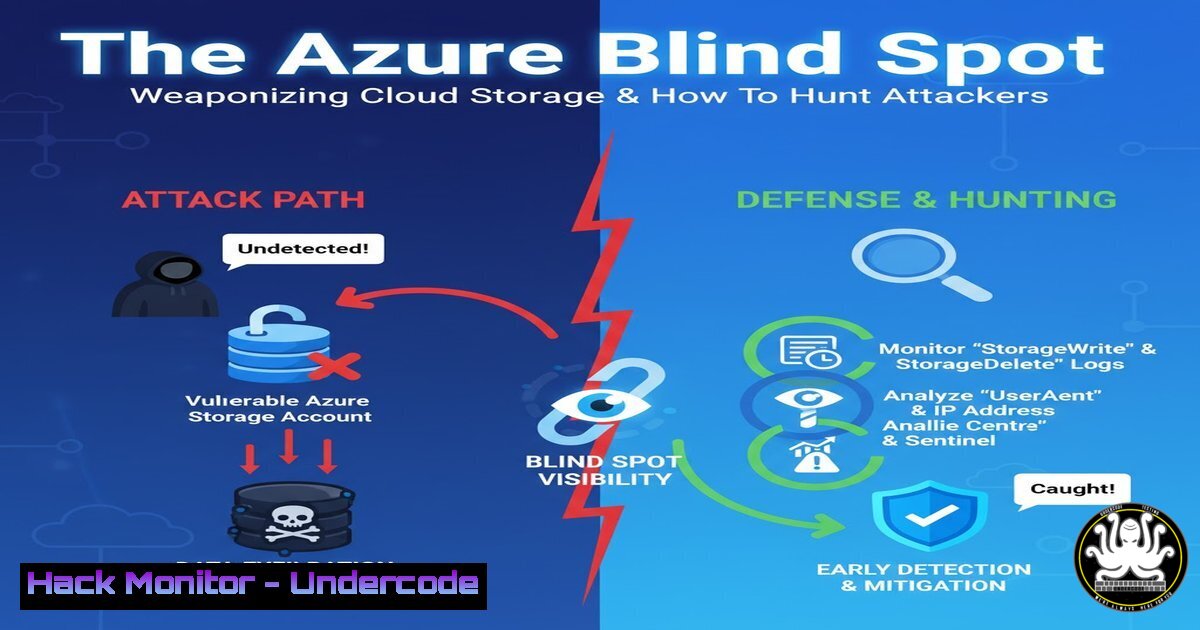
Introduction:
Threat actors from eCrime groups to sophisticated APTs are increasingly exploiting a trusted component of the Microsoft Azure ecosystem: Azure Storage. By abusing the legitimate `.web.core.windows.net` domain, they can host malicious payloads and phishing pages with a veneer of legitimacy, often bypassing traditional security controls. This article provides a comprehensive guide to understanding this threat and equips you with the commands and techniques necessary to hunt for and mitigate this abuse within your own environment.
Learning Objectives:
- Understand the mechanics of how Azure Storage URLs are weaponized for malware delivery and phishing.
- Develop the ability to construct and execute hunts for suspicious activity related to `web.core.windows.net` and other Azure Storage domains.
- Implement proactive blocking and alerting strategies to prevent successful attacks.
You Should Know:
- Understanding the Attack Vector: Azure Static Website Hosting
Azure Static Website Hosting is a legitimate service that provides a convenient way to host static content. When enabled, a storage account is assigned a public endpoint following the pattern `https://[account-name].web.core.windows.net`. Attackers create these accounts to host malware binaries, phishing kits, and C2 (Command and Control) payloads, leveraging Microsoft’s domain reputation to avoid detection.
To check if a specific URL is an Azure Storage Static Website, you can use `curl` to inspect the headers.
Verified Command:
curl -I -s https://suspicious-account.web.core.windows.net/malware.exe | grep "x-ms-request-id"
Step-by-step guide:
This command sends a HEAD request (-I) to the suspicious URL and silences the progress meter (-s). It then filters the output for the `x-ms-request-id` header. The presence of this header is a strong indicator that the resource is hosted on Azure Storage. While not malicious by itself, its presence on a domain not owned by your organization in a security alert is a high-fidelity signal for investigation.
2. Hunting with PowerShell: Extracting Azure Network Logs
Your firewall or proxy logs are the primary source for this hunt. You can use PowerShell to parse these logs, which are often in CSV or JSON format, to find connections to Azure Storage domains that are not part of your approved list.
Verified Command:
Import-Csv -Path "C:\Logs\proxy.log" | Where-Object { $<em>.Host -match "web.core.windows.net" -and $</em>.'Destination IP' -notin @('10.0.0.5', '192.168.1.100') } | Select-Object Timestamp, SourceIP, Host, URL
Step-by-step guide:
This script imports a CSV log file and pipes it to Where-Object. The filter looks for any log entry where the `Host` field contains the string `web.core.windows.net` and the `Destination IP` is not in a predefined list of your organization’s known, approved Azure IPs (replace the example IPs with your own). The results, showing the timestamp, source IP, host, and full URL, are then displayed for analysis.
3. Leveraging Sigma for SOC Alerting
Sigma is a generic signature language for SIEM systems. Creating a Sigma rule allows you to detect this activity across your entire enterprise log set.
Verified Sigma Rule (YAML):
title: Suspicious Azure Static Web Address Usage
id: a69b16a2-7b3f-4c87-ae70-5c89a89a1234
status: experimental
description: Detects HTTP requests to potential malicious Azure Static Web Addresses not tied to the organization.
author: Your Name
logsource:
category: proxy
detection:
selection:
c-uri|contains: '.web.core.windows.net'
filter:
cs-host|endswith:
- '.yourcompany.com'
- '.yourapp.com'
condition: selection and not filter
falsepositives:
- Legitimate use of Azure Static Websites by third-party services used by the organization.
level: medium
Step-by-step guide:
This Sigma rule triggers an alert when any request is made to a URL containing .web.core.windows.net. The `filter` section is critical; it excludes traffic destined for your own known and approved Azure endpoints (e.g., `yourapp.yourcompany.com` which might CNAME to an Azure URL). After creating this rule, use a tool like `sigmac` to compile it into a query native to your SIEM (e.g., Splunk, Elasticsearch, Azure Sentinel).
4. Windows Defender Firewall Block Rule
A proactive defense is to block outbound traffic to this domain at the network level for endpoints that have no business need to access arbitrary Azure Storage accounts.
Verified Command (Windows Command Prompt as Administrator):
netsh advfirewall firewall add rule name="Block Azure Static Web Wildcard" dir=out action=block remoteport=80,443 protocol=TCP profile=any enable=yes remoteip=157.55.0.0/16,52.239.0.0/16,52.245.0.0/16 service=any description="Block potential malicious Azure Storage accounts"
Step-by-step guide:
This command uses `netsh` to create a new outbound firewall rule. It blocks TCP traffic on ports 80 and 443 to a range of Microsoft Azure IP address blocks. Important Note: This is a very broad brush and can break legitimate applications that rely on Azure services not on your allow list. It should be deployed cautiously, preferably in a high-security environment or as a temporary containment measure during an active incident.
5. KQL Hunting in Microsoft Sentinel
If you are using Microsoft Sentinel, you can hunt for this activity directly in the log analytics workspace using a Kusto Query Language (KQL) query.
Verified KQL Query:
let ApprovedDomains = dynamic(['yourapp.web.core.windows.net', 'companyassets.web.core.windows.net']);
AzureActivity
| where OperationNameValue == "MICROSOFT.STORAGE/STORAGEACCOUNTS/LISTKEYS/ACTION"
| project TimeGenerated, CallerIpAddress, AccountName = tostring(parse_json(tostring(parse_json(Properties).requestbody)).accountName)
| where AccountName !in (ApprovedDomains)
Step-by-step guide:
This query hunts for a different angle: who is listing the keys for storage accounts? The `AzureActivity` table is queried for the `ListKeys` operation, which is a high-privilege action. The query extracts the account name from the request body and then filters out any accounts that are in your pre-defined `ApprovedDomains` list. Finding a `ListKeys` operation on an unknown storage account is a critical finding.
6. Domain Fronting Detection with Dig
Attackers may use “domain fronting” techniques with Azure CDN. You can check for this by comparing the IP address of a domain to known Azure front-door IPs.
Verified Command:
dig +short suspicious-domain.azureedge.net
Step-by-step guide:
Run this `dig` command against a suspicious domain. Take the resulting IP address and perform a reverse DNS lookup (dig +short -x <IP>). Also, check the IP against known Microsoft ASN (Autonomous System Number) ranges. If the domain resolves to a Microsoft IP but the reverse lookup doesn’t seem to align with the forward domain, it could be an indicator of domain fronting or other CDN abuse.
7. Python Script for Bulk URL Validation
For threat intelligence purposes, you may have a list of suspected URLs. A simple Python script can help you validate them at scale.
Verified Code Snippet:
import requests

suspicious_urls = [
"http://malware1.web.core.windows.net/payload.exe",
"https://phish2.web.core.windows.net/login.html"
]

for url in suspicious_urls:
try:
response = requests.head(url, timeout=5, allow_redirects=True)
if 'x-ms-request-id' in response.headers:
print(f"[AZURE HOSTED] {url} - Status: {response.status_code}")
else:
print(f"[NOT AZURE] {url}")
except requests.exceptions.RequestException as e:
print(f"[bash] {url} - {e}")
Step-by-step guide:
This script takes a list of `suspicious_urls` and makes a HEAD request to each. It checks for the presence of the Azure-specific `x-ms-request-id` header in the response to confirm hosting on Azure Storage. It prints the status of each URL, helping you quickly triage a list of indicators. Always exercise caution and run such scripts in an isolated analysis environment.
What Undercode Say:
- The Illusion of Trust. The most potent weapon in this attack is the inherent trust placed on a `microsoft.com` domain. Security tools and human analysts are conditioned to treat traffic to major cloud providers as benign, creating a perfect blind spot.
- Persistence is Cheap and Easy. Unlike traditional phishing infrastructure that requires domain registration and can be quickly taken down, an Azure storage account is inexpensive, highly resilient, and can be spun up in minutes, making it an attractive option for persistent adversary campaigns.
The abuse of Azure Storage represents a fundamental shift in the attacker’s playbook, moving from compromised infrastructure to abused legitimate services. This tactic significantly raises the cost of detection for defenders, as blocking the entire `web.core.windows.net` domain is not feasible for most organizations. The focus must shift from blacklisting known-bad domains to behavioral analysis and strict allow-listing. Hunting for `ListKeys` operations, as shown in the KQL query, is often more valuable than looking at network flow data alone, as it targets the attacker’s setup phase rather than the payload delivery. This trend will only accelerate, pushing defenders to adopt a zero-trust stance even towards traffic destined for their own primary cloud providers.
Prediction:
The abuse of trusted SaaS and PaaS domains will become the primary method for malware staging and phishing within the next 18-24 months. As defenders adapt to Azure Storage abuse, threat actors will pivot to similar services in AWS (e.g., s3.amazonaws.com, cloudfront.net) and Google Cloud (storage.googleapis.com). We will see a rise in automated toolkits that allow low-skill actors to deploy and rotate these malicious endpoints effortlessly. The future battleground will be at the API and management plane level, where anomalous resource creation—like a storage account being created in a tenant that never uses Azure Storage—will be the key detection point, forcing a deeper integration between cloud security posture management (CSPM) and traditional network defense.
🎯Let’s Practice For Free:
IT/Security Reporter URL:
Reported By: UgcPost 7387065158210097152 – Hackers Feeds
Extra Hub: Undercode MoN
Basic Verification: Pass ✅


