Listen to this Post
Introduction:
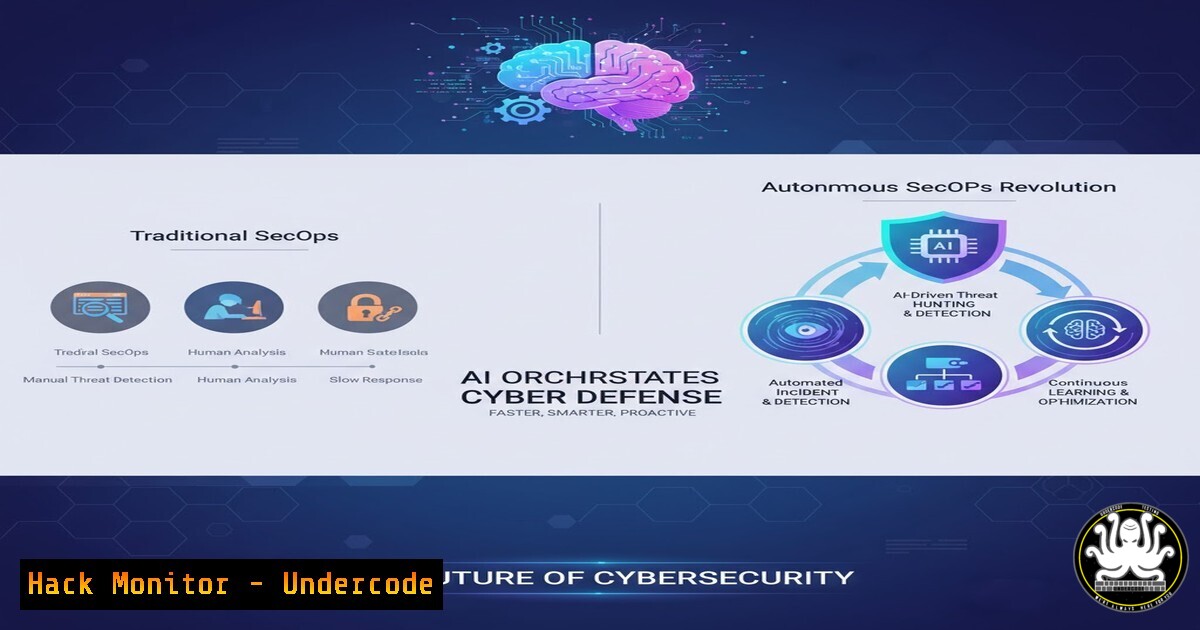
The cybersecurity landscape is shifting from manual, reactive defense to intelligent, autonomous operations. Autonomous Security Operations (SecOps) represents the pinnacle of this evolution, leveraging AI and hyper-automation to orchestrate complex security workflows without human intervention. This paradigm is moving security teams from being frontline fighters to strategic overseers of a self-healing digital fortress.
Learning Objectives:
- Understand the core pillars and enabling technologies of an Autonomous SecOps framework.
- Learn practical commands and configurations to implement automation in your own environment.
- Develop a strategic roadmap for integrating AI-driven security orchestration into existing SOC workflows.
You Should Know:
- The Foundation: Security Orchestration, Automation, and Response (SOAR)
At the heart of Autonomous SecOps is SOAR. Platforms like Torq, Splunk Phantom, and Cortex XSOAR act as the central nervous system, ingesting alerts and automatically executing playbooks.
 Example Torq workflow trigger (YAML-based DSL)
trigger:
- type: alert
provider: sentinel-one
filters:
- field: threat_level
operator: equals
value: malicious
actions:
- type: quarantine
provider: crowdstrike
target: ${{ trigger.device_id }}
- type: create_ticket
provider: servicenow
fields:
title: "Autonomous Quarantine: ${{ trigger.threat_name }}"
description: "Device ${{ trigger.device_id }} was autonomously quarantined."
Step-by-step guide:
This YAML snippet defines an automated playbook. When Sentinel One generates a “malicious” level alert, the workflow automatically triggers. First, it executes a quarantine command in CrowdStrike against the infected device ID. Subsequently, it creates a ServiceNow ticket for audit purposes, populating the title and description with dynamic variables from the trigger event. To use this, you would define similar triggers in your SOAR platform for high-fidelity alerts.
2. AI-Powered Threat Intelligence Correlation
Autonomous systems don’t just act; they learn and correlate. They use AI to analyze global threat feeds, internal telemetry, and attacker TTPs (Tactics, Techniques, and Procedures) to predict and prevent attacks.
 Using Python with OTX (AlienVault Open Threat Intelligence) API to auto-download malicious IPs
import requests

OTX_API_KEY = "your_api_key_here"
headers = {'X-OTX-API-KEY': OTX_API_KEY}
pulse_id = "12345abcde"  ID for a relevant threat actor pulse

response = requests.get(f'https://otx.alienvault.com/api/v1/pulses/{pulse_id}/indicators', headers=headers)
indicators = response.json()

Extract IPs and add to firewall blocklist
malicious_ips = [indicator['indicator'] for indicator in indicators['results'] if indicator['type'] == 'IPv4']
with open('/etc/iptables/blocklist.conf', 'a') as f:
for ip in malicious_ips:
f.write(f"iptables -A INPUT -s {ip} -j DROP\n")
Step-by-step guide:
This Python script demonstrates how to automate threat intelligence gathering. It queries the AlienVault OTX API for a specific “pulse” (a collection of IOCs related to a campaign). It parses the JSON response to extract all IPv4 indicators. Finally, it appends `iptables` commands to a configuration file, effectively automating the process of updating your local firewall blocklist with the latest known malicious IPs. Run this script on a cron job for continuous updates.
3. Autonomous Endpoint Detection and Response (EDR) Hardening
EDR platforms are the eyes and hands of Autonomous SecOps. Configuring them for autonomous action is critical.
Windows (Microsoft Defender for Endpoint – via PowerShell):
 Set Defender AV to high sensitivity and enable automated remediation
Set-MpPreference -HighThreatDefaultAction Quarantine -MediumThreatDefaultAction Quarantine -LowThreatDefaultAction Quarantine -SubmitSamplesConsent SendAllSamples -DisableBehaviorMonitoring $false -DisableIOAVProtection $false

Configure ASR (Attack Surface Reduction) rules to block common attack vectors
Add-MpPreference -AttackSurfaceReductionRules_Ids 75668C1F-73B5-4CF0-BB93-3ECF5CB7CC84 -AttackSurfaceReductionRules_Actions Enabled
 This rule blocks executable content from email client and webmail.
Step-by-step guide:
These PowerShell commands configure Microsoft Defender for autonomous operation. The first command sets the default action for all threat levels to “Quarantine,” ensuring malicious files are contained without user interaction. It also ensures all suspicious samples are sent to Microsoft for analysis. The second command enables a specific Attack Surface Reduction rule that prevents attackers from executing malicious payloads delivered via email. Deploy these commands via Group Policy for enterprise-wide hardening.
4. Cloud Security Posture Automation (CSPM)
Continuous, autonomous compliance monitoring and remediation in the cloud is a cornerstone of modern SecOps.
 AWS CLI command to automatically detect and remove public S3 buckets
!/bin/bash

Find all public S3 buckets
PUBLIC_BUCKETS=$(aws s3api list-buckets --query "Buckets[?contains(Name, 'myapp')].Name" --output text)

for BUCKET in $PUBLIC_BUCKETS; do
 Check if bucket has public ACL
ACL=$(aws s3api get-bucket-acl --bucket $BUCKET --query "Grants[?Grantee.URI=='http://acs.amazonaws.com/groups/global/AllUsers']" --output text)
if [ ! -z "$ACL" ]; then
echo "Bucket $BUCKET is public. Removing public access."
aws s3api put-public-access-block --bucket $BUCKET --public-access-block-configuration BlockPublicAcls=true,IgnorePublicAcls=true,BlockPublicPolicy=true,RestrictPublicBuckets=true
fi
done
Step-by-step guide:
This Bash script uses the AWS CLI to autonomously harden S3 bucket security. It first lists all buckets, then iterates through each one. For every bucket, it checks if there is a grant for “AllUsers” (meaning it’s public). If a public ACL is found, it automatically applies a public access block configuration that overrides and blocks all public access. This script can be run as a Lambda function on a schedule for continuous compliance.
5. Identity and Access Management (IAM) Guardrails
Autonomous SecOps must include monitoring for identity-based attacks, such as privilege escalation and anomalous logins.
 Azure CLI command to list and disable dormant user accounts (30+ days inactive)
az ad user list --query "[?accountEnabled].{displayName:displayName, lastSignIn:signInActivity.lastSignInDateTime}" --output table | while read line; do
USER=$(echo $line | awk '{print $1}')
DATE=$(echo $line | awk '{print $3}')
if [ "$DATE" != "None" ]; then
DAYS_DIFF=$(( ( $(date -u +%s) - $(date -u -d "$DATE" +%s) ) / 86400 ))
if [ $DAYS_DIFF -gt 30 ]; then
echo "Disabling dormant account: $USER"
az ad user update --id $USER --account-enabled false
fi
fi
done
Step-by-step guide:
This script uses the Azure CLI to enhance identity security. It lists all enabled users and their last sign-in date. It then calculates the number of days since the last login. For any user who hasn’t logged in for over 30 days, it automatically disables the account, reducing the attack surface by eliminating dormant accounts that could be compromised. Integrate this into a logic app for automated monthly execution.
6. Infrastructure as Code (IaC) Security Scanning
Shifting security left means autonomously scanning code before it deploys vulnerable infrastructure.
 Using Checkov to scan Terraform code for security misconfigurations in a CI/CD pipeline
 .github/workflows/security-scan.yml
name: "Terraform Security Scan"
on: [push, pull_request]
jobs:
checkov-scan:
runs-on: ubuntu-latest
steps:
- uses: actions/checkout@v3
- name: "Run Checkov"
uses: bridgecrewio/checkov-action@v12
with:
directory: terraform/
framework: terraform
soft_fail: false  Fail the build if high-severity issues are found
Step-by-step guide:
This GitHub Actions workflow automates security scanning. On every push or pull request to the repository, it checks out the code and runs Checkov, a static analysis tool for IaC. It scans the `terraform/` directory specifically for misconfigurations (e.g., open security groups, unencrypted S3 buckets). If Checkov finds high-severity issues, the `soft_fail: false` setting causes the build to fail, preventing vulnerable code from being merged. This enforces security policy autonomously at the code level.
7. Autonomous Log Analysis and Anomaly Detection
Machine learning models can autonomously sift through terabytes of logs to find subtle attack patterns invisible to the human eye.
 Example pseudo-code for detecting anomalous SSH login attempts using Python Pandas
import pandas as pd
from sklearn.ensemble import IsolationForest

Load SSH auth logs into a DataFrame
df = pd.read_csv('ssh_logs.csv')

Feature engineering: count logins per hour, failed attempts, unique source IPs
features = df.groupby('user').agg({'timestamp': 'count', 'source_ip': 'nunique'}).rename(columns={'timestamp': 'login_count', 'source_ip': 'unique_ips'})

Train an Isolation Forest model for anomaly detection
model = IsolationForest(contamination=0.01)
features['anomaly_score'] = model.fit_predict(features[['login_count', 'unique_ips']])

Flag anomalous users (potential account takeover)
anomalous_users = features[features['anomaly_score'] == -1]
print(anomalous_users)
Step-by-step guide:
This Python code showcases the logic behind autonomous anomaly detection. It aggregates SSH log data to create features like “login count per user” and “number of unique source IPs.” It then uses an Isolation Forest algorithm, which is excellent for unsupervised anomaly detection, to identify users with unusual login patterns. An output of `-1` flags an anomaly. In a live system, this output could trigger an automated investigation workflow in your SOAR platform.
What Undercode Say:
- The Human Element Shifts, It Doesn’t Disappear. The rise of Autonomous SecOps does not eliminate the need for security analysts. Instead, it elevates their role from alert triage to strategic threat hunting, playbook engineering, and managing the AI systems themselves. The most significant skills gap will be in professionals who understand both security and automation.
- The Attacker’s Counter-Play is AI. Defensive AI will inevitably lead to offensive AI. We predict a near-future arms race where attackers use AI to generate polymorphic code, automate vulnerability discovery, and craft hyper-personalized phishing campaigns at scale, designed specifically to evade AI-driven detection systems.
The transition to Autonomous SecOps is not a matter of if, but when. Organizations that delay adoption will find themselves outpaced by threats, burdened by alert fatigue, and operating at a severe tactical disadvantage. The fusion of SOAR, AI, and cloud-native automation creates a defensive ecosystem that is not only faster but also more intelligent and adaptive than any human-led team could be. The future of security is self-healing, and the time to build that foundation is now.
Prediction:
The widespread adoption of Autonomous SecOps will create a bifurcated security landscape within the next 3-5 years. Organizations that successfully implement it will experience a dramatic reduction in mean time to detect (MTTD) and mean time to respond (MTTR), potentially down to seconds for common attack vectors. This will force a fundamental change in attacker behavior, shifting their focus to softer targets and more sophisticated, low-and-slow attacks designed to bypass AI logic. The cybersecurity industry will see a surge in M&A activity as legacy vendors scramble to acquire AI and automation startups, and a new certification category focused on “AI Security Orchestration” will emerge.
🎯Let’s Practice For Free:
IT/Security Reporter URL:
Reported By: Amitkarp This – Hackers Feeds
Extra Hub: Undercode MoN
Basic Verification: Pass ✅


