Listen to this Post
Introduction:
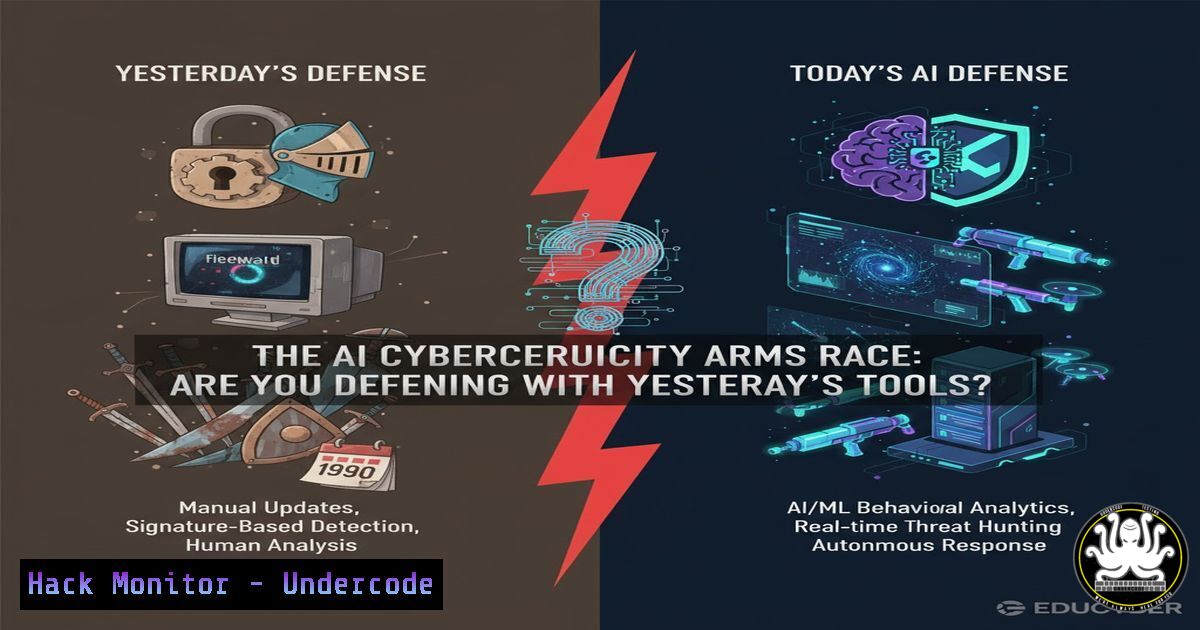
The integration of Artificial Intelligence is fundamentally reshaping the cybersecurity landscape, creating a new era of automated threats and intelligent defenses. Organizations are now locked in an arms race where legacy security tools are rapidly becoming obsolete against AI-powered attacks. Understanding and implementing AI-augmented security protocols is no longer a forward-looking strategy but a critical necessity for modern IT infrastructure resilience.
Learning Objectives:
- Understand the core AI tools and techniques used for both offensive and defensive cybersecurity operations.
- Implement practical, AI-enhanced command-line security configurations for Linux and Windows environments.
- Develop a proactive strategy for integrating AI into vulnerability management, cloud security, and threat hunting workflows.
You Should Know:
1. AI-Powered Network Reconnaissance & Hardening
AI can automate the discovery of network vulnerabilities at an unprecedented scale. Defenders must use similar tools to find and patch weaknesses first.
 Using Nmap with NSE scripts for AI-style target analysis
nmap -sV --script vuln,exploit,malware -oA ai_scan_target 192.168.1.0/24

Masscan for high-speed internet-wide scanning (typical AI botnet behavior)
masscan -p0-65535 --rate 100000 10.0.0.0/8
Step-by-step guide:
- The `nmap` command performs a service version detection scan (
-sV) and runs a suite of vulnerability, exploit, and malware scripts against the target subnet. - The `-oA` flag outputs results in all major formats for later analysis by AI tools.
3. `Masscan` simulates an attacker’s AI-driven reconnaissance by scanning all ports at an extremely high rate across a large network range. Defenders use this to understand their attack surface. - To defend, use these scans proactively on your own network, then implement firewall rules (
iptables -A INPUT -s 192.168.1.100 -j DROP) to block unnecessary exposure. -
Windows Command Line Auditing with AI Log Analysis
AI excels at parsing massive log files to detect anomalies. Generating structured, auditable logs is the first critical step.
 PowerShell command to enable detailed process auditing and export for AI analysis
Get-WinEvent -LogName "Security" -FilterXPath "[System[EventID=4688]]" | Export-CSV -Path "C:\Audit\ProcessLogs.csv"

Real-time monitoring of new service installations (common ransomware behavior)
Get-WinEvent -LogName "System" -FilterXPath "[System[Provider[@Name='Service Control Manager']]]" -MaxEvents 10
Step-by-step guide:
- The first `Get-WinEvent` command extracts all process creation events (Event ID 4688) from the Security log and exports them to a CSV file.
- This CSV can be fed into an AI model for baseline behavior analysis and anomaly detection.
- The second command monitors the most recent service installation events, a key indicator of compromise.
- Automate this with a scheduled task that runs `Export-CSV` daily, building a dataset for machine learning-based threat detection.
3. Cloud Security Hardening with Infrastructure as Code
AI systems automatically probe for misconfigured cloud resources. Use CLI tools to enforce hardened configurations.
 AWS CLI command to check for S3 buckets with public read access
aws s3api list-buckets --query "Buckets[].Name" | jq -r '.[]' | while read bucket; do
if aws s3api get-bucket-acl --bucket "$bucket" | grep -q "AllUsers"; then
echo "VULNERABLE: $bucket is publicly readable";
fi
done

Azure CLI to enable JIT VM access, reducing attack surface
az security jit-policy init --location "EastUS" --resource-group "MyRG" --name "MyVM" --ports "22" --source-address-prefixes "203.0.113.1"
Step-by-step guide:
- The AWS script loops through all S3 buckets, checking their ACLs for ‘AllUsers’ grant, indicating public access.
2. `jq` is used to parse JSON output efficiently. Public buckets should be logged and restricted immediately. - The Azure command configures Just-In-Time (JIT) VM access, a critical AI-driven control that closes management ports until explicitly requested.
- Integrate these checks into CI/CD pipelines using `aws s3api put-bucket-acl –bucket $bucket –acl private` to auto-remediate.
4. Vulnerability Exploitation & Mitigation with Metasploit
Understanding AI-driven exploit frameworks is crucial for developing effective defenses.
 Starting the Metasploit console and searching for recent vulnerabilities
msfconsole
msf6 > search type:exploit name:2023

Using an auxiliary module to scan for EternalBlue vulnerability
msf6 > use auxiliary/scanner/smb/smb_ms17_010
msf6 > set RHOSTS 192.168.1.0/24
msf6 > run
Step-by-step guide:
1. Launch the Metasploit framework with `msfconsole`.
- Use the `search` command to find recent exploits; filtering by year helps identify modern threats.
- The SMB MS17-010 (EternalBlue) scanner checks an entire subnet for this critical vulnerability.
- To mitigate, ensure Windows systems have the appropriate patch (MS17-010) and have SMBv1 disabled via `Disable-WindowsOptionalFeature -Online -FeatureName SMB1Protocol` in PowerShell.
5. Linux System Hardening & Integrity Monitoring
AI-powered attacks often rely on persistent footholds. These commands help detect and prevent them.
 Check for rootkits and unauthorized SUID binaries
rkhunter --check
find / -perm -4000 -type f 2>/dev/null | xargs ls -la

Configure and initialize AIDE (Advanced Intrusion Detection Environment) for file integrity monitoring
aide --init
mv /var/lib/aide/aide.db.new.gz /var/lib/aide/aide.db.gz
aide --check
Step-by-step guide:
1. `rkhunter` performs various checks on the local system for signs of rootkits. Run regularly via cron.
2. The `find` command locates all SUID binaries which could be exploited for privilege escalation. Investigate any unknown results.
3. `AIDE` creates a database of file checksums. After initialization (--init), move the new database to the active one.
4. Subsequent `–check` runs will report any file modifications, a key capability for detecting AI-driven, low-and-slow attacks.
6. API Security Testing with OWASP ZAP
APIs are a primary target for automated AI attacks. Continuous security testing is essential.
 Launching OWASP ZAP in daemon mode and running a quick scan
zap.sh -daemon -port 8080 -host 127.0.0.1 &
curl "http://127.0.0.1:8080/JSON/ascan/action/scan/?url=https://api.myapp.com/v1&recurse=true&inScopeOnly=true"

Using ZAP's passive scanner via API
curl "http://127.0.0.1:8080/JSON/pscan/action/scan/?url=https://api.myapp.com/v1"
Step-by-step guide:
- Start the ZAP daemon in the background on port 8080.
- Use `curl` to trigger an active scan against your target API endpoint. The `recurse` and `inScopeOnly` flags focus the scan.
- The second `curl` command initiates a passive scan, which monitors traffic for vulnerabilities without active probing.
- Automate this process in your build pipeline. Any high-severity findings should fail the build, enforcing DevSecOps.
7. Container Security Scanning with Trivy
In modern, AI-driven DevOps environments, container images are a critical attack vector.
 Scanning a local Docker image for vulnerabilities
trivy image my-app:latest

Scanning a Kubernetes cluster for misconfigurations
trivy k8s --report summary cluster
Step-by-step guide:
- The `trivy image` command comprehensively scans a local Docker image for OS packages and language-specific vulnerabilities.
- Review the output, prioritizing critical (CRIT) and high (HIGH) severity CVEs. Integrate this into your container build process.
3. `trivy k8s` scans an entire running Kubernetes cluster, identifying risky configurations like secrets in environment variables or overly permissive roles. - Remediate findings by updating base images, removing unnecessary packages, and applying the principle of least privilege in Kubernetes RBAC.
What Undercode Say:
- The defensive advantage will belong to those who operationalize AI security tools at the command line, making intelligent automation a core part of their security posture.
- Relying solely on GUI-based security solutions creates a critical time-to-detection gap that AI-powered attackers will ruthlessly exploit.
The paradigm has shifted. The LinkedIn post about “Voices That Inspire” underscores a critical, non-technical vulnerability: the human knowledge gap. While inspirational talks occur, adversaries are actively automating their tradecraft. The commands and techniques detailed here represent the new baseline for operational security. Defenders must move beyond manual, reactive processes and embrace the same scalable, automated, and data-driven approaches that attackers are already using. The integration of these command-line skills into daily operations is what separates resilient organizations from the next headline-making breach.
Prediction:
Within the next 18-24 months, we will witness the first fully autonomous AI-powered cyber weapon capable of performing complete attack lifecycles—from reconnaissance to exploitation and lateral movement—without human intervention. This will render traditional, signature-based defense systems almost entirely obsolete, forcing a industry-wide pivot to adaptive, self-learning defensive AI systems that can operate at machine speed. The cost of entry for sophisticated cyber attacks will plummet, making advanced capabilities accessible to a much broader range of threat actors.
🎯Let’s Practice For Free:
IT/Security Reporter URL:
Reported By: Mykrishnarajagopal What – Hackers Feeds
Extra Hub: Undercode MoN
Basic Verification: Pass ✅


