Listen to this Post
Introduction:
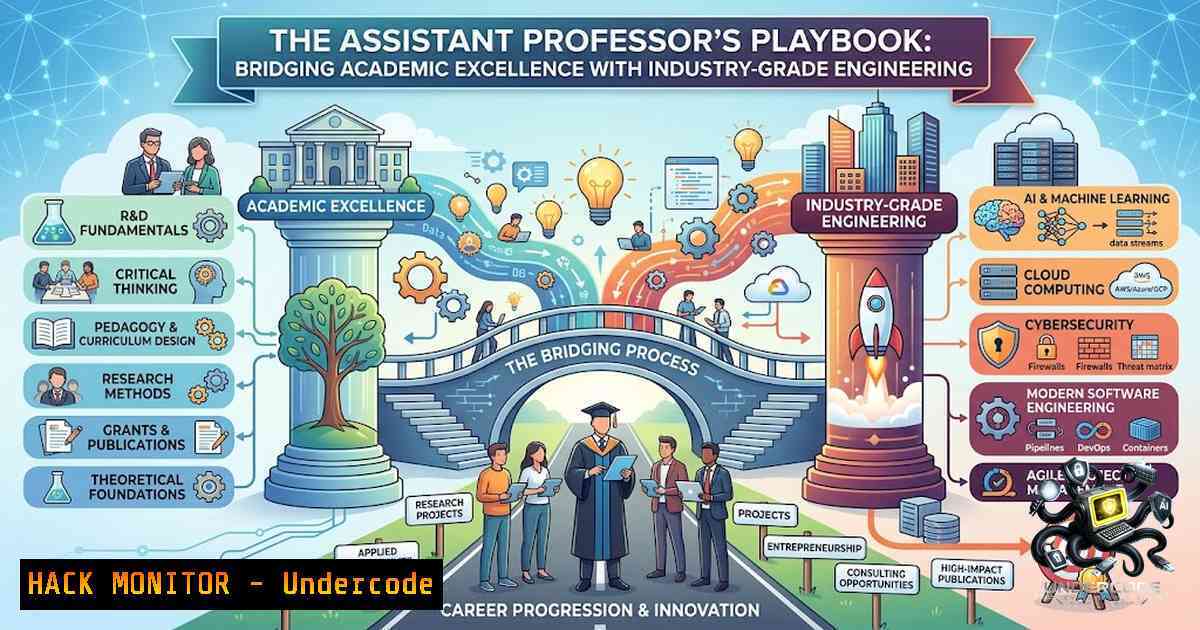
The modern Computer Science educator is no longer confined to theoretical blackboard lectures. As industries rapidly adopt AI-driven automation, multi-cloud architectures, and sophisticated cyber threat frameworks, the academic role has evolved into a bridge between foundational computer science principles and real-world, production-grade engineering. The recent faculty opening at SHRI RAMSWAROOP MEMORIAL COLLEGE OF ENGINEERING AND MANAGEMENT (SRMU) for an Assistant Professor in CSE highlights this paradigm shift, seeking professionals who can translate complex algorithms into student projects, hackathons, and research publications. This article serves as a technical syllabus for aspiring educators and engineers, dissecting the core competencies required—from AI/ML pipelines and cloud security hardening to full-stack development and offensive cybersecurity tactics.
Learning Objectives:
- Master the implementation of production-ready AI/ML pipelines using Python, Jupyter Notebooks, and cloud-based ML services like Azure Databricks.
- Execute cloud security hardening commands and Infrastructure-as-Code (IaC) deployments for AWS, Azure, and GCP to meet compliance standards.
- Utilize offensive and defensive cybersecurity toolkits (Kali Linux, CrackMapExec, Hydra) for network reconnaissance and vulnerability assessment.
- Scaffold and deploy full-stack applications using modern CLI tools and containerization (Docker).
- Building AI/ML Pipelines: From Jupyter Notebooks to Production
The demand for educators with a “strong grip on AI/ML” necessitates a hands-on approach to data science. In the academic setting, this involves moving beyond simple model training to understanding the entire MLOps lifecycle.
Step-by-step guide to setting up a Data Science environment:
– Environment Setup: Start by creating a virtual environment to manage dependencies. Use `python -m venv ai_env` and activate it via `source ai_env/bin/activate` (Linux/macOS) or `ai_env\Scripts\activate` (Windows).
– Core Libraries: Install the essential packages: pip install numpy pandas scikit-learn matplotlib jupyter. For deep learning, add `tensorflow` or pytorch.
– Data Processing: Utilize Pandas for data manipulation. A typical command to load and inspect data: import pandas as pd; df = pd.read_csv('dataset.csv'); print(df.head()).
– Model Training: Use Scikit-learn for classical ML. Example: from sklearn.ensemble import RandomForestClassifier; model = RandomForestClassifier(); model.fit(X_train, y_train).
– Scaling to the Cloud: For production-grade scenarios, leverage Azure Databricks to run distributed training jobs. The platform includes Scikit-learn in its runtime, allowing seamless scaling.
– Advanced Curriculum: For educators looking to teach cutting-edge topics, the “Zero to AI” open-source curriculum offers 950+ Jupyter notebooks covering LLMs, RAG, agents, and prompt engineering. Integrating these notebooks into coursework allows students to experiment with generative AI immediately.
2. Cloud Security Hardening: Implementing Defense-in-Depth
With cloud computing being a core pillar of modern CSE curricula, securing these environments is non-1egotiable. Educators must teach students how to harden cloud infrastructure against misconfigurations—the leading cause of data breaches.
Step-by-step guide for multi-cloud security hardening:
- AWS Hardening: Implement CIS AWS Foundations Benchmark. Use the AWS CLI to enforce security groups and enable CloudTrail. Command:
aws cloudtrail create-trail --1ame MyTrail --s3-bucket-1ame my-bucket --is-multi-region-trail. - Azure Security: Utilize the Az.Security module in PowerShell. To enforce adaptive network hardening rules on Network Security Groups (NSGs), use:
Add-AzSecurityAdaptiveNetworkHardening -ResourceGroupName "MyRG" -ResourceName "MyVM" -ResourceType "VirtualMachines" -AdaptiveNetworkHardeningEnforce. Also, enable Advanced Threat Protection for storage accounts:Update-AzStorageAccountAdvancedThreatProtectionSetting -AccountName "mystorageaccount" -ResourceGroupName "MyRG" -Enable true. - GCP and Infrastructure as Code: Use Terraform to deploy a Security Operations Center (SOC) lab. By running `make deploy target=azure` or
make deploy target=aws, students can provision entire security monitoring stacks, integrating detection engineering and DevSecOps practices. - Removing Unnecessary Services: To meet NIST SP 800-171 compliance, identify and disable unused services. On Linux: `systemctl list-unit-files –state=enabled` to see running services, then `systemctl stop [bash]` and
systemctl disable [bash].
- Offensive Security and Network Reconnaissance (The Red Team Mindset)
Understanding how attackers operate is crucial for building robust defenses. The Kali Linux distribution remains the gold standard for security education, and the 2026.2 release introduced nine new tools.
Step-by-step guide to using Kali Linux tools for penetration testing:
– External Asset Discovery: Use `amass` to map the attack surface. Install via sudo apt install amass. Run `amass enum -d example.com` to discover subdomains and external assets.
– Active Directory Penetration: `crackmapexec` is a “swiss army knife” for pentesting Windows/AD environments. To enumerate users and shares: crackmapexec smb 192.168.1.0/24 -u username -p password --shares.
– Password Attacks: Utilize `hydra` for brute-force attacks against various protocols. A typical SSH attack: hydra -l root -P /usr/share/wordlists/rockyou.txt ssh://192.168.1.10.
– Automated Reconnaissance: `autorecon` automates service enumeration. Run `autorecon 192.168.1.10` to perform multi-threaded port scanning and service detection.
– Scripted Security Suites: Tools like `Enigma` automate the setup of a complete pentesting environment via Docker containers, ensuring a reproducible lab for students.
4. Full-Stack Development: From Concept to Container
The ability to build complete applications is a fundamental skill for CSE graduates. Educators must guide students through the modern development workflow, utilizing CLI tools to accelerate scaffolding.
Step-by-step guide to scaffolding a full-stack application:
- Project Initialization: Use CLI tools like `create-fullstack-app` to generate a project structure. Run `npx create-fullstack-app` or install globally with
npm install -g create-fullstack-app. - Monorepo Setup: For complex projects, use `@abdul53245/create-dev-stack` to scaffold a monorepo containing frontend, backend, and database configurations. The CLI provides guided prompts for choosing frameworks (Next.js, React) and ORMs.
- Backend API: Start the backend server. Typically, this involves navigating to the backend directory and running `npm run dev` or
python app.py. - Containerization: Integrate Docker from the start. Use the generated `Dockerfile` to containerize the application: `docker build -t my-fullstack-app .` and
docker run -p 3000:3000 my-fullstack-app. - Deployment: Deploy to platforms like Railway.app or cloud providers. Ensure the database (e.g., PostgreSQL) is configured via environment variables.
5. System Hardening and Compliance (Linux & Windows)
Security is often neglected in the rush to develop features. Teaching system hardening ensures students understand the importance of securing the underlying OS.
Step-by-step guide for OS-level hardening:
- Linux Hardening:
- Permissions: Restrict file permissions. `chmod 600 /etc/shadow` and
chmod 644 /etc/passwd. - Firewall: Configure UFW.
ufw default deny incoming,ufw default allow outgoing,ufw allow ssh,ufw enable. - Services: Disable unnecessary services.
systemctl disable bluetooth.service. - Windows Hardening:
- NTFS Permissions: Right-click the shared folder → Properties → Security tab → Adjust permissions for NTFS ACLs to restrict write access.
- Debloating: Use scripts like `privacy.sexy` to remove bloatware and enforce privacy settings on Windows 10/11.
- Auditing: Enable advanced audit policies via Group Policy Management Console (gpmc.msc) to track login attempts and privilege use.
What Undercode Say:
- Key Takeaway 1: The convergence of AI, Cloud, and Security is no longer optional for academia. Institutions like SRMU are actively seeking educators who can demonstrate practical command-line proficiency and project-based learning, moving away from rote memorization to “industry-aligned” delivery.
- Key Takeaway 2: The modern engineering educator must act as a “DevSecOps Evangelist.” The ability to scaffold a full-stack app, harden it against misconfigurations using Azure/AWS CLI, and test it using Kali Linux tools represents the comprehensive skill set required to “build future tech leaders”.
Analysis: The job posting acts as a microcosm of the current IT industry’s demands. The requirement for “Hands-on with latest tech & tools” signifies that theoretical knowledge is insufficient. The integration of cloud and AI into the CSE curriculum reflects the global market trend where every application is now “AI-assisted” and “cloud-1ative.” Furthermore, the emphasis on a “Research mindset + publications” suggests that the institution values individuals who can contribute to the academic body of knowledge while simultaneously training the workforce. This dual focus—research and practical application—is the hallmark of a top-tier engineering college.
Prediction:
- -1: If academic institutions fail to integrate hands-on cybersecurity and cloud hardening labs into their curriculum, they risk producing graduates who are unprepared for the security challenges of the modern enterprise, widening the skills gap.
- +1: The push for educators with AI/ML and Full-Stack expertise will accelerate the development of “AI-1ative” educational tools. We will likely see a rise in AI-assisted teaching assistants and automated grading systems for coding assignments, allowing professors to focus on mentorship and complex problem-solving.
▶️ Related Video (80% Match):
🎯Let’s Practice For Free:
🎓 Live Courses & Certifications:
Join Undercode Academy for Verified Certifications
🚀 Request a Custom Project:
Secure, high-velocity infrastructure and disruptive technological engineering. Contact our engineering team for high-tier development and proprietary systems:
[email protected]
💎 Smart Architecture | 🛡️ Secure by Design | ⭐ Trusted by Thousands
IT/Security Reporter URL:
Reported By: Shubham Jaiswal – Hackers Feeds
Extra Hub: Undercode MoN
Basic Verification: Pass ✅


