Listen to this Post
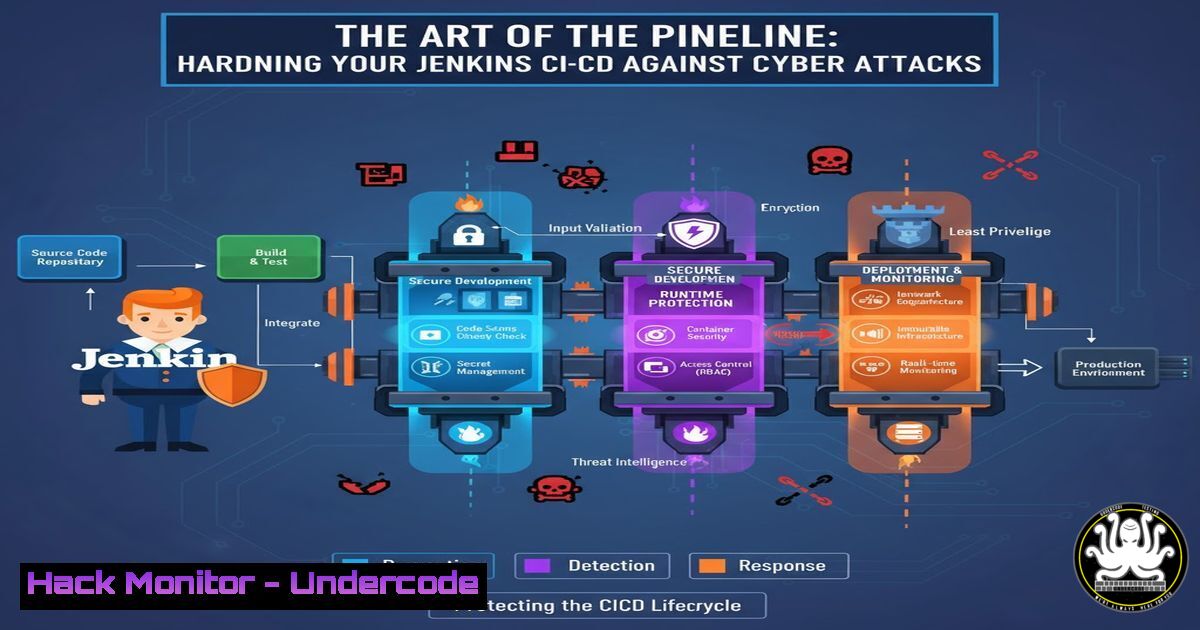
Introduction:
Continuous Integration and Continuous Deployment (CI/CD) pipelines, like those built with Jenkins, are the engines of modern software development. However, this automation and power make them a prime target for cybercriminals seeking to inject malicious code into software builds or exfiltrate sensitive credentials. Securing these pipelines is no longer optional; it’s a critical component of any DevSecOps strategy.
Learning Objectives:
- Understand the key security vulnerabilities inherent in a standard Jenkins pipeline.
- Learn to implement secure coding practices and configuration hardening for Jenkins.
- Master the commands and scripts to audit, secure, and monitor your CI/CD environment.
You Should Know:
1. Securing the Jenkins Controller Configuration
The Jenkins controller is the brain of your operation. A misconfiguration here can lead to a complete chain compromise.
 On the Jenkins controller, check the execution mode of agents.
 In the Jenkins script console (Manage Jenkins > Script Console), run:
Jenkins.instance.nodes.each { node ->
println "Node: ${node.name}"
println "Channel: ${node.channel}"
println "Root path: ${node.rootPath}"
println ""
}
 This helps identify how agents connect, which is crucial for access control.
Step-by-step guide: The Jenkins Script Console is a powerful feature that can execute arbitrary Groovy code. The command above lists all connected agent nodes and their connection channels. Security teams should use this to audit for unauthorized or misconfigured agents. Ensure that agents connect via secure channels (like SSH) and that their root paths are restricted to necessary directories only. Regularly review this list to detect any rogue nodes.
2. Implementing Credential Security and Secret Management
Hard-coded secrets in pipelines are a primary attack vector. Jenkins’ built-in credential store must be used correctly.
 Within a Jenkinsfile, never do this:
env.DB_PASSWORD = 'plaintext_password123'

Instead, use the withCredentials binding:
pipeline {
agent any
stages {
stage('Deploy') {
steps {
withCredentials([usernamePassword(credentialsId: 'db-creds', usernameVariable: 'DB_USER', passwordVariable: 'DB_PASS')]) {
sh 'docker login -u $DB_USER -p $DB_PASS myregistry.com'
}
}
}
}
}
Step-by-step guide: This Jenkinsfile snippet demonstrates the fundamental shift from insecure plaintext credentials to secure secret management. The `withCredentials` binding retrieves the ‘db-creds’ from Jenkins’ encrypted credential store and makes them temporarily available as environment variables for the duration of the build step. The actual password is never exposed in the logs or the pipeline code. Always create and manage these credentials within the “Manage Jenkins” > “Manage Credentials” section.
3. Auditing Jenkins User Permissions and Roles
Over-privileged users are a significant risk. Jenkins’ role-based strategy can be audited and enforced with scripts.
 Use the following Groovy script in the Script Console to audit user permissions:
import jenkins.model.Jenkins
def instance = Jenkins.instance
def strategy = instance.getAuthorizationStrategy()

if (strategy instanceof hudson.security.GlobalMatrixAuthorizationStrategy) {
println "Permissions Report:"
strategy.getGrantedPermissions().each { perm ->
println "Permission: ${perm}"
}
} else {
println "Authorization Strategy is not GlobalMatrix. Check Project-based matrix."
}
Step-by-step guide: This script checks the type of authorization strategy in use and prints out all globally granted permissions. Run this periodically to ensure the principle of least privilege is followed. Look for unnecessary permissions like “Overall/Administer” granted to non-administrative users or service accounts. This audit is the first step in tightening access control.
4. Hardening Jenkins Agents with Linux Security Commands
Agents execute your code; they must be locked down to prevent lateral movement.
 On your Jenkins agent's Linux server, run these commands to harden the environment:

<ol>
<li>Create a dedicated, non-root user for Jenkins agent processes.
sudo useradd -r -s /bin/false jenkins-agent</p></li>
<li><p>Harden the SSH daemon config if the agent connects via SSH.
sudo grep -E "^(PermitRootLogin|PasswordAuthentication|Protocol)" /etc/ssh/sshd_config
Ensure: PermitRootLogin no, PasswordAuthentication no, Protocol 2</p></li>
<li><p>Use filesystem permissions to restrict the agent's home directory.
sudo chown root:root /home/jenkins-agent
sudo chmod 755 /home/jenkins-agent
Step-by-step guide: These Linux commands create a foundation for a secure agent. First, a non-root user is created to minimize the impact of a compromise. Second, the SSH configuration is audited to disable root login and password-based authentication, forcing key-based logins. Finally, the agent’s home directory permissions are set to be owned by root, preventing the agent process from modifying its own binary or critical configuration files.
5. Scanning for Vulnerabilities in Pipeline Dependencies
Your pipeline itself uses tools (like Docker, Maven, npm) that can contain vulnerabilities.
 Integrate a security scan into your Jenkins pipeline using a tool like Trivy.
pipeline {
agent any
stages {
stage('Vulnerability Scan') {
steps {
sh '''docker run --rm -v /var/run/docker.sock:/var/run/docker.sock \
aquasec/trivy:latest image my-app-image:latest'''
}
}
}
post {
always {
// Archive the scan results
archiveArtifacts artifacts: 'trivy-report.html', allowEmptyArchive: true
}
failure {
// Fail the build if critical vulnerabilities are found
error "Critical vulnerabilities found! Build failed."
}
}
}
Step-by-step guide: This pipeline stage integrates the open-source tool Trivy to scan a Docker image for known vulnerabilities. The `sh` step runs Trivy inside a container, giving it access to the Docker daemon to scan the specified image. The `post` section ensures the scan report is saved and, critically, fails the build if vulnerabilities above a certain threshold are detected, enforcing security quality gates directly in the pipeline.
6. Mitigating Log Injection and Build Visibility
Build logs can contain sensitive information and are susceptible to injection attacks.
 In your Jenkinsfile, mask sensitive parameters and control console output.
pipeline {
agent any
parameters {
password(name: 'API_KEY', description: 'The secret API key')
}
options {
// This masks the value of the API_KEY parameter in the logs
buildDiscarder(logRotator(numToKeepStr: '10'))
timestamps()
}
stages {
stage('Build') {
steps {
// Bad: This would log the secret
// sh "echo ${params.API_KEY}"

// Good: Use a secret variable and avoid echoing it.
sh 'echo "API key is set"'
withCredentials([string(credentialsId: 'prod-api-key', variable: 'SECRET_KEY')]) {
sh 'curl -H "Authorization: Bearer $SECRET_KEY" https://api.service.com/data'
}
}
}
}
}
Step-by-step guide: This example highlights log security. First, it uses the `password` parameter type, which is automatically masked in the Jenkins UI. Second, it avoids common pitfalls like using `echo` to print a secret variable. Finally, it correctly uses `withCredentials` to handle the API key for the `curl` command. Always review your build logs after a run to confirm no secrets have been accidentally exposed.
What Undercode Say:
- A Jenkins pipeline is only as secure as its weakest credential. The shift from hard-coded secrets to a managed vault is the single most impactful change.
- Treat your pipeline code (Jenkinsfile) with the same security scrutiny as your application code. It is infrastructure-as-code and an executable threat vector.
The analysis from a security perspective is clear: Jenkins represents a massive attack surface that sits at the heart of the software supply chain. The automation that provides its value also automates the potential for catastrophe if a threat actor gains control. The focus must be on a “zero-trust” approach for the pipeline itself—verifying every step, minimizing permissions, and secreting every credential. The techniques outlined, from Groovy auditing scripts to integrated vulnerability scanning, are not advanced features but baseline requirements for any organization serious about shipping secure software.
Prediction:
The future of CI/CD security will see a move towards policy-as-code enforcement, where security rules are automatically applied and cannot be overridden by developers in the pipeline configuration. AI will be leveraged to analyze pipeline behavior in real-time, detecting anomalies that suggest a compromise, such as an agent suddenly attempting to access a secret it never needed before. Furthermore, software supply chain attacks will force the adoption of cryptographically signed pipelines and build artifacts, creating a verifiable chain of custody from code commit to production deployment.
🎯Let’s Practice For Free:
IT/Security Reporter URL:
Reported By: Boustta Elh – Hackers Feeds
Extra Hub: Undercode MoN
Basic Verification: Pass ✅


