Listen to this Post
Introduction:
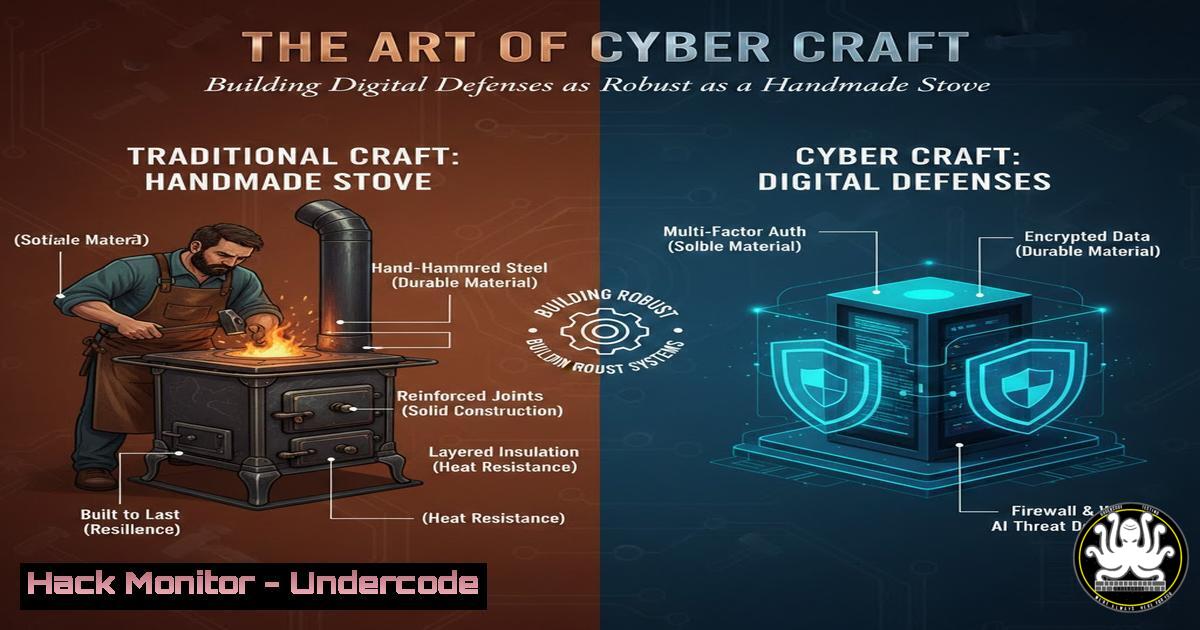
In an era of digital complexity, the principles of robust system design remain timeless. The meticulous craftsmanship demonstrated in building a physical wood-burning stove offers a powerful analogy for constructing secure, efficient IT infrastructures. This article explores how traditional engineering virtues—resourcefulness, attention to detail, and step-by-step methodology—directly translate to modern cybersecurity hardening, system administration, and sustainable technology practices.
Learning Objectives:
- Understand the core principles of system hardening for both Linux and Windows environments.
- Learn to implement resource monitoring and access control to optimize digital “fuel” consumption.
- Develop a methodology for building secure systems from the ground up using a structured, iterative process.
You Should Know:
- System Hardening: The Foundation of Your Digital Stove
Just as a stove requires a stable, non-flammable base, any digital system needs a hardened foundation. System hardening involves reducing the attack surface by eliminating unnecessary services, configuring secure settings, and applying principle of least privilege.
Step‑by‑step guide explaining what this does and how to use it.
For Linux Systems:
Audit Installed Packages: `dpkg –list` (Debian/Ubuntu) or `rpm -qa` (RHEL/CentOS) to identify and remove unnecessary software.
Disable Unused Services: `systemctl list-unit-files | grep enabled` to review, then `sudo systemctl disable
Configure Firewall (UFW): sudo ufw enable, sudo ufw default deny incoming, `sudo ufw allow ssh` to block all traffic by default and only allow essential connections.
For Windows Systems:
Run Security Configurations: Execute `secpol.msc` to access the Local Security Policy and enforce password policies, audit policies, and user rights assignments.
Disable Unnecessary Services: Open services.msc, set unused services (e.g., `Print Spooler` if no printer is needed) to “Disabled.”
Enable Windows Defender Firewall: Use PowerShell as Administrator: Set-NetFirewallProfile -Profile Domain,Public,Private -Enabled True.
- Resource Monitoring and Efficiency: Managing Your Digital Fuel
A well-built stove efficiently manages fuel and oxygen. Similarly, a secure system must efficiently manage computational resources (CPU, Memory, Disk I/O, Network) to prevent performance degradation and denial-of-service attacks, while detecting anomalies.
Step‑by‑step guide explaining what this does and how to use it.
Linux Monitoring Commands:
Real-time System Stats: Use `top` or the more advanced htop. Look for processes consuming high CPU (%) or Memory (RES).
Disk Usage: `df -h` shows disk space. `du -sh /path/to/directory` shows directory size.
Network Connections: `ss -tuln` lists all listening ports, helping identify unauthorized services.
Log Analysis: Use `journalctl -u
Windows Monitoring Commands:
Resource Monitor: Run `resmon.exe` for a graphical overview of resource usage.
Performance Monitor: Run `perfmon.exe` to create custom data collector sets for long-term tracking.
PowerShell for Processes: `Get-Process | Sort-Object CPU -Descending | Select-Object -First 5` lists the top 5 CPU-consuming processes.
- Access Control and Combustion Chamber Design: Containing the Fire
The combustion chamber of a stove contains and directs the fire. In cybersecurity, Access Control Lists (ACLs) and user permissions perform a similar function, containing user and system actions to prevent the “fire” of a breach from spreading.
Step‑by‑step guide explaining what this does and how to use it.
Linux File Permissions:
View Permissions: `ls -l /path/to/file` shows permissions for owner, group, and others.
Set Permissions: `chmod 750 /path/to/file` gives read/write/execute to owner, read/execute to group, and no access to others. For sensitive configs, `chmod 600` (owner-only read/write) is recommended.
Change Ownership: `chown user:group /path/to/file`.
Windows NTFS Permissions:
GUI Method: Right-click file/folder > Properties > Security > Advanced to fine-tune permissions.
Command Line (icacls): `icacls “C:\SecureData” /grant:r Administrator:(F) /inheritance:r` grants Full Control to Administrator and removes inheritance.
4. Network Segmentation: The Stovepipe and Damper
A stove uses a damper and stovepipe to control airflow and direct smoke. In network security, segmentation (using VLANs and firewalls) controls data flow, contains breaches, and directs traffic safely, preventing lateral movement by attackers.
Step‑by‑step guide explaining what this does and how to use it.
Using IPTables for Basic Segmentation (Linux):
Create a rule to allow only a specific subnet to access an SSH server: `sudo iptables -A INPUT -p tcp –dport 22 -s 192.168.1.0/24 -j ACCEPT`
Follow with a rule to drop all other SSH attempts: `sudo iptables -A INPUT -p tcp –dport 22 -j DROP`
Windows Firewall with Advanced Security:
Run `wf.msc`.
Create a new Inbound Rule. Select “Custom,” specify the program path, and in the “Scope” tab, define which remote IP addresses are allowed to connect.
5. Logging and Intrusion Detection: Watching the Flames
A builder watches the flame’s color and height to gauge efficiency. A system administrator uses centralized logging and Intrusion Detection Systems (IDS) to monitor for the “color and height” of network traffic and system logs, detecting anomalies indicative of an attack.
Step‑by‑step guide explaining what this does and how to use it.
Configuring Rsyslog for Centralized Logging (Linux):
On the client, edit /etc/rsyslog.conf: `. @
On the server, ensure `$ModLoad imtcp` and `$InputTCPServerRun 514` are uncommented.
Restart with `sudo systemctl restart rsyslog`.
Simple File Integrity Checking (A basic HIDS):
Generate baseline checksums: `sudo find /etc -type f -exec sha256sum {} \; > /root/etc_baseline.sha256`
For future checks, run: `sudo find /etc -type f -exec sha256sum {} \; | sudo sha256sum -c /root/etc_baseline.sha256 2>&1 | grep FAILED` to find altered files.
6. Automation for Consistency: The Jig and Template
A craftsman uses jigs to ensure every component is identical. In IT, automation scripts (Ansible, PowerShell, Bash) act as jigs, ensuring every system is configured identically and securely, eliminating human error.
Step‑by‑step guide explaining what this does and how to use it.
Ansible Playbook for Basic Hardening (Example snippet):
<ul>
<li>name: Harden Base OS
hosts: all
become: yes
tasks:</li>
<li>name: Ensure SSH is only allowed for specific group
lineinfile:
path: /etc/ssh/sshd_config
regexp: '^AllowGroups'
line: 'AllowGroups sudo'
notify: restart ssh
handlers:</li>
<li>name: restart ssh
service:
name: sshd
state: restarted
PowerShell Script to Disable SMBv1 (Windows):
 Check status
Get-WindowsOptionalFeature -Online -FeatureName SMB1Protocol
 Disable it
Disable-WindowsOptionalFeature -Online -FeatureName SMB1Protocol -Remove
- Sustainable Security: The Cycle of Review and Improvement
A stove requires regular cleaning and maintenance. A security posture is not a one-time build but a cycle of continuous monitoring, vulnerability assessment, patching, and policy review to adapt to new threats.
Step‑by‑step guide explaining what this does and how to use it.
Linux: Automate Security Updates.
On Debian/Ubuntu: sudo apt install unattended-upgrades, then configure /etc/apt/apt.conf.d/50unattended-upgrades.
On RHEL/CentOS: Use `sudo dnf install dnf-automatic` and enable the dnf-automatic.timer.
Conduct Regular Vulnerability Scans.
Use open-source tools like OpenVAS or dedicated cloud services to perform authenticated and unauthenticated scans against your systems on a quarterly, or ideally, monthly basis.
Integrate software composition analysis (SCA) tools like OWASP Dependency-Check into your CI/CD pipeline to find vulnerable libraries in your code.
What Undercode Say:
- Foundation is Everything: A secure system, like a sturdy stove, cannot be built on a weak foundation. Initial hardening is the most critical phase and prevents the majority of common attacks.
- Visibility Equals Control: You cannot secure or optimize what you cannot measure. Comprehensive logging and monitoring are not optional; they are the essential tools for maintaining operational and security integrity.
The craftsmanship of building a physical stove is a perfect metaphor for modern IT and cybersecurity. It demonstrates that quality outcomes are not the result of magic but of a disciplined, step-by-step process, meticulous attention to detail, and a deep understanding of the materials and principles at hand. In cybersecurity, the “materials” are our systems and code, and the “principles” are the protocols and configurations we implement. By adopting the mindset of a craftsman, we move beyond merely applying patches and instead build resilient, efficient, and sustainable systems designed to withstand the tests of time and threat actors.
Prediction:
The future of cybersecurity will increasingly mirror the principles of traditional engineering and sustainability. As attacks grow more sophisticated, the “build it fast and patch it later” model will become untenable. We will see a major industry shift towards “Secure by Design” and “Craftsmanship-based Development,” where systems are built from the ground up with security as a core, non-negotiable material, much like firebrick in a stove. This will be complemented by AI-driven operational monitoring that acts as a digital “thermostat,” automatically adjusting security controls and resource allocation to maintain an optimal, efficient, and secure state, creating truly self-healing and resilient infrastructures.
🎯Let’s Practice For Free:
IT/Security Reporter URL:
Reported By: Olawale Kolawole – Hackers Feeds
Extra Hub: Undercode MoN
Basic Verification: Pass ✅


