Listen to this Post
Introduction:
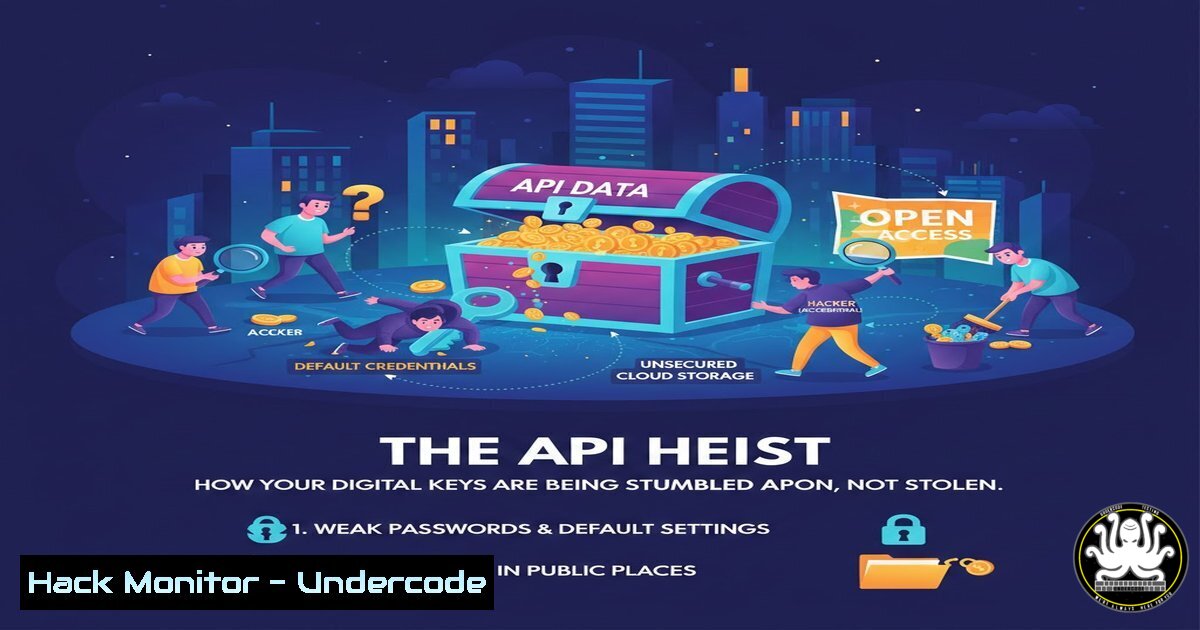
In a startling shift in cybersecurity threats, attackers are no longer solely focused on sophisticated code-breaking. Instead, they are finding immense success by simply stumbling upon exposed Application Programming Interface (API) keys, secrets, and credentials in public online repositories. This modern-day “heist” relies on human error and poor security hygiene, turning the internet into a treasure trove for malicious actors.
Learning Objectives:
- Understand how and why API keys and secrets are accidentally exposed online.
- Learn the techniques attackers use to automate the discovery of these credentials.
- Master the implementation of robust secrets management and detection practices to secure your organization.
You Should Know:
1. The Anatomy of an Accidental Exposure
The core of this issue lies in the inadvertent publication of sensitive information. Developers often embed API keys, database passwords, cloud service credentials, and cryptographic keys directly into their source code for convenience. When this code is then pushed to public repositories like GitHub, GitLab, or Bitbucket, these secrets become visible to anyone with an internet connection. Attackers are not cracking encryption; they are simply reading what is left in plain sight. Common exposures include:
– `AWS_ACCESS_KEY_ID` and `AWS_SECRET_ACCESS_KEY`
– Database connection strings (e.g., postgresql://user:pass@host:5432/db)
– API tokens for services like Slack, Twilio, or Stripe
– SSH private keys and OAuth client secrets.
2. The Attacker’s Playbook: Automated Secret Scanning
Malicious actors do not manually browse through millions of code files. They employ highly automated tools that continuously scan public repositories for patterns that resemble secrets and credentials.
Step‑by‑step guide explaining what this does and how to use it.
– Step 1: Target Identification. Attackers use tools like gitrob, truffleHog, or `gitleaks` to clone thousands of public repositories.
– Step 2: Pattern Matching. These tools scan the entire codebase, including its commit history, for strings that match specific regular expressions (Regex). For example, a pattern to find a generic API key might be [a-zA-Z0-9]{32}.
– Step 3: Validation. To avoid false positives, sophisticated scanners will make an automated, non-destructive call to the associated service API to validate if the found key is active.
– Step 4: Exploitation. Once validated, the credentials are harvested and used for data theft, resource hijacking (e.g., crypto-mining in your cloud account), or lateral movement.
Example of a simple local scan with `gitleaks` to find potential leaks in your own repo before pushing it publicly:
 Install gitleaks (example for macOS with brew)
brew install gitleaks

Run a scan in a local repository
cd /path/to/your/code
gitleaks detect --source . -v
3. Fortifying Your Defenses: Proactive Secret Detection
The first line of defense is preventing secrets from ever reaching a public repository. This can be achieved by implementing pre-commit hooks and integrating secret scanning directly into your CI/CD pipeline.
Step‑by‑step guide explaining what this does and how to use it.
– Step 1: Implement a Pre-commit Hook. Use a tool like `pre-commit` with a `detect-secrets` hook. This scans your code before a commit is even finalized.
1. Install the framework: `pip install pre-commit`
- Create a `.pre-commit-config.yaml` file in your repo root:
repos:</li>
</ol>

- repo: https://github.com/IBM/detect-secrets
rev: v1.4.0
hooks:
- id: detect-secrets
args: ['--baseline', '.secrets.baseline']
3. Install the hook: `pre-commit install`
- Step 2: Integrate into CI/CD. For a final check, run a scanner in your pipeline. A failed scan should fail the build. Example for a GitHub Actions workflow (
.github/workflows/secret-scan.yml):name: Secret Scan on: [push, pull_request] jobs: gitleaks: runs-on: ubuntu-latest steps:</li> <li>uses: actions/checkout@v3</li> <li>name: Run Gitleaks uses: zricethezav/gitleaks-action@v2
- The Principle of Least Privilege and Key Rotation
Even with the best prevention, you must assume a key could be compromised. Limiting the key’s power and lifespan minimizes the potential damage.
Step‑by‑step guide explaining what this does and how to use it.
– Step 1: Apply Least Privilege. When creating an API key or IAM role in your cloud platform (e.g., AWS, GCP, Azure), grant only the absolute minimum permissions required for the task. Do not use AdministratorAccess for a simple S3 upload function.
– Step 2: Enforce Mandatory Rotation. Establish a policy to regularly rotate all secrets. Automate this process where possible.
– Step 3: Immediate Revocation. Have a documented and tested incident response playbook for immediately revoking a key the moment it is suspected to be compromised.Example AWS CLI command to deactivate a specific access key:
aws iam update-access-key --access-key-id AKIAIOSFODNN7EXAMPLE --status Inactive --user-name MyUser
5. Moving Beyond Code: Secure Secrets Management
The most robust solution is to completely remove secrets from your application code. Instead, use a dedicated secrets management service.
Step‑by‑step guide explaining what this does and how to use it.
– Step 1: Choose a Secrets Manager. Options include AWS Secrets Manager, Azure Key Vault, HashiCorp Vault, or Google Secret Manager.
– Step 2: Store Your Secrets. Upload your database passwords, API keys, etc., to the vault. The service will handle encryption at rest and in transit.
– Step 3: Modify Your Application. Rewrite your application to retrieve secrets from the vault at runtime. For example, in a Python app using AWS Secrets Manager:import boto3 import json def get_secret(): session = boto3.session.Session() client = session.client(service_name='secretsmanager', region_name='us-east-1') secret_value = client.get_secret_value(SecretId='MyApp/Database/Creds') secret = json.loads(secret_value['SecretString']) db_password = secret['password'] Use the password to connect to your database
What Undercode Say:
- The attack vector has fundamentally shifted from technical exploitation to human error exploitation. The weakest link is no longer a zero-day vulnerability, but a simple copy-paste mistake.
- Proactive, automated detection integrated directly into the developer workflow is non-negotiable. Security must be a part of the development process (DevSecOps), not a gate at the end.
- The ultimate goal is “zero-standing-privilege,” where secrets are ephemeral and generated on-demand, eliminating the risk of long-lived, exposed keys.
The analysis reveals that this trend is a direct result of the rapid pace of agile development and the cultural separation between development and security teams. Developers, under pressure to deliver features, often prioritize convenience over security, leading to these critical oversights. Furthermore, the public nature of these exposures means that the compromise is not targeted; any attacker can find and exploit your resources, making your organization a victim of opportunity rather than a specific target. Addressing this requires a combination of cultural change, developer education, and the mandatory implementation of technical safeguards.
Prediction:
The future will see an escalation of this “low-tech” hacking method. As defenses improve, attackers will increasingly rely on AI-powered tools to sift through vast datasets—not just code repositories, but also public documents, logs, and even screenshot images—to find exposed credentials. We will also see a rise in “silent” attacks, where compromised cloud credentials are used not for immediate, obvious damage like ransomware, but for long-term espionage and data exfiltration, allowing attackers to remain undetected within a victim’s environment for months or years. The industry’s response will be a mass adoption of secrets-as-a-service and a move towards passwordless and certificate-based authentication models, rendering the traditional API key obsolete.
🎯Let’s Practice For Free:
IT/Security Reporter URL:
Reported By: Keith King – Hackers Feeds
Extra Hub: Undercode MoN
Basic Verification: Pass ✅🔐JOIN OUR CYBER WORLD [ CVE News • HackMonitor • UndercodeNews ]
📢 Follow UndercodeTesting & Stay Tuned:
- Step 2: Integrate into CI/CD. For a final check, run a scanner in your pipeline. A failed scan should fail the build. Example for a GitHub Actions workflow (


