Listen to this Post
Introduction:
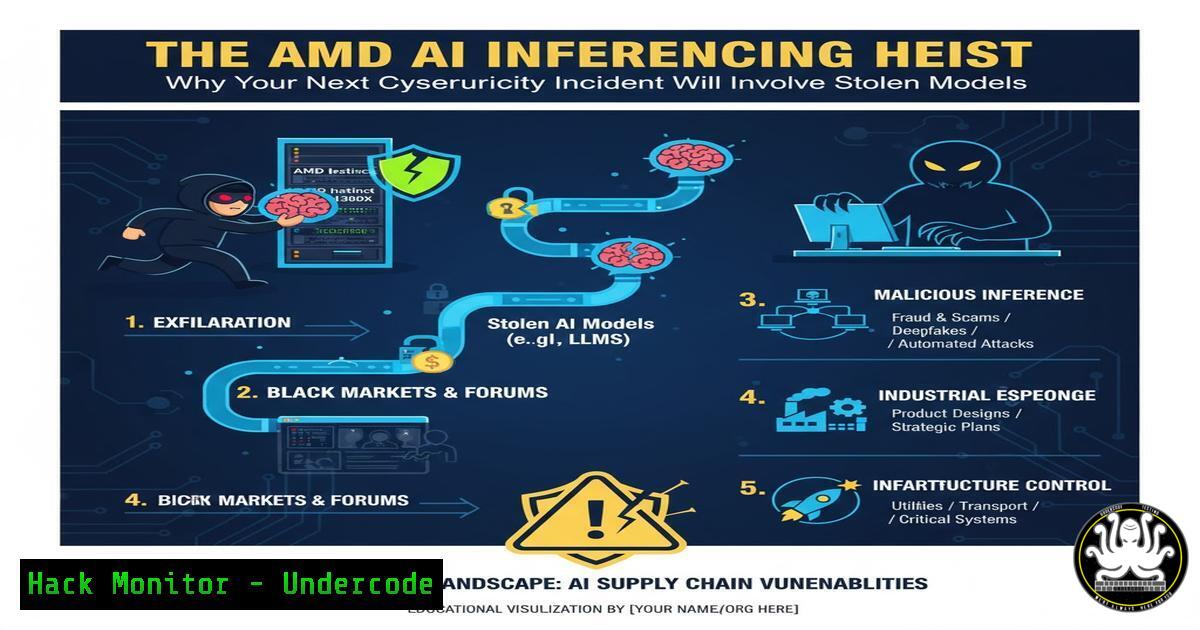
The race for AI supremacy has created a new, high-value target for cybercriminals: trained machine learning models. As companies like AMD push the boundaries of on-device AI inference, the very models that provide a competitive edge are becoming prime assets for theft and sabotage. This shift necessitates a fundamental change in cybersecurity strategy, moving beyond data protection to encompass the entire AI supply chain.
Learning Objectives:
- Understand the unique value proposition of AMD’s AI inference technology and why it makes models a lucrative target.
- Learn how to identify and mitigate attack vectors specific to AI model repositories and inference engines.
- Implement practical security hardening for AI development and deployment environments, including Linux-based systems.
You Should Know:
- The New Attack Surface: Model Theft and Poisoning
The core value of AI is no longer just in the algorithm but in the meticulously trained model, which can represent millions of dollars in data, compute, and research. AMD’s focus on efficient inference makes these models more portable and deployable, thereby increasing their attractiveness to thieves. An attacker can steal a proprietary model and deploy it elsewhere, negating a company’s R&D investment.
Step‑by‑step guide explaining what this does and how to use it.
The Threat: Direct theft of model files (e.g., .onnx, .pmml).
Mitigation Step 1: Implement Strict Access Controls. On your model repository server, use Linux ACLs to restrict access to authorized users and service accounts only.
 Find the model directory and set ownership to a dedicated user/group
sudo chown -R ai_models:ai_models /opt/ai_model_repo/

Remove all permissions for 'other'
sudo chmod -R o-rwx /opt/ai_model_repo/

Set read-execute for the group (if needed for deployment services)
sudo chmod -R g+rx /opt/ai_model_repo/
Mitigation Step 2: Encrypt Model Artifacts at Rest. Use tools like `gocryptfs` to create an encrypted overlay filesystem for your model storage.
 Install gocryptfs
sudo apt install gocryptfs

Create a ciphertext and plaintext directory
mkdir ~/model_vault ~/model_plain

Initialize and mount the encrypted filesystem
gocryptfs -init ~/model_vault
gocryptfs ~/model_vault ~/model_plain

Store your models in ~/model_plain; they are encrypted in ~/model_vault
- Securing the AI Pipeline: From Repository to AMD GPU
The pipeline that serves the model to the AMD inference engine (like ROCm) is a critical juncture. A compromised pipeline can lead to model substitution, where a malicious model is swapped in, or data poisoning, where the input data is altered to manipulate outcomes.
Step‑by‑step guide explaining what this does and how to use it.
The Threat: Man-in-the-middle attacks on the model loading process.
Mitigation Step 1: Enforce File Integrity Monitoring (FIM). Use tools like AIDE (Advanced Intrusion Detection Environment) to detect unauthorized changes to model files or critical libraries.
 Install AIDE
sudo apt install aide

Initialize the AIDE database (takes a snapshot of file states)
sudo aideinit

Copy the new database to the active location
sudo cp /var/lib/aide/aide.db.new /var/lib/aide/aide.db

Run a manual check (should be scheduled via cron)
sudo aide --check
Mitigation Step 2: Secure API Endpoints. If your inference is served via an API (e.g., using Flask or FastAPI), ensure it uses HTTPS and authentication.
from flask import Flask, request, jsonify
from functools import wraps
import hmac
import hashlib

app = Flask(<strong>name</strong>)
 In production, store this securely, not in code!
API_KEY = "your_secret_api_key_here"

def require_apikey(view_function):
@wraps(view_function)
def decorated_function(args, kwargs):
provided_key = request.headers.get('X-API-Key')
if not provided_key or not hmac.compare_digest(provided_key, API_KEY):
return jsonify({"error": "Unauthorized"}), 403
return view_function(args, kwargs)
return decorated_function

@app.route('/infer', methods=['POST'])
@require_apikey
def infer():
 Your inference logic here
data = request.get_json()
 ... process with AMD ROCm ...
return jsonify({"result": "success"})
3. Infrastructure Hardening for AI Workloads
The servers hosting AI development and inference are high-performance targets. Their powerful AMD GPUs and extensive memory make them attractive for cryptojacking or as launchpads for further attacks if not properly isolated.
Step‑by‑step guide explaining what this does and how to use it.
The Threat: Unauthorized access to the host system running AI workloads.
Mitigation Step 1: Harden the SSH Configuration. Prevent brute-force attacks by disabling password authentication and using key-based auth.
 Edit the SSH server configuration
sudo nano /etc/ssh/sshd_config

Set or verify the following lines:
PasswordAuthentication no
PermitRootLogin no
PubkeyAuthentication yes

Restart the SSH service
sudo systemctl restart sshd
Mitigation Step 2: Implement Mandatory Access Control with SELinux/AppArmor. Confine your AI application to its own security context, limiting the damage if compromised.
 Check SELinux status
sestatus

Create a custom SELinux policy for your AI service
 First, run the service in permissive mode to generate audit logs
sudo semanage permissive -a ai_service_t

Use audit2allow to generate a policy module from the logs
sudo grep ai_service /var/log/audit/audit.log | audit2allow -M my_ai_policy

Install the compiled policy
sudo semanage module -a my_ai_policy.pp

Set the policy to enforcing
sudo semanage permissive -d ai_service_t
4. Vulnerability Management in the AI Software Stack
The AI software stack, including frameworks like PyTorch, TensorFlow, and the ROCm platform, introduces its own set of dependencies and potential vulnerabilities. An unpatched vulnerability in a data preprocessing library can be as critical as one in the operating system.
Step‑by‑step guide explaining what this does and how to use it.
The Threat: Exploitation of known CVEs in AI/ML libraries or the underlying OS.
Mitigation Step 1: Automate Dependency Scanning. Integrate a tool like `safety` or `trivy` into your CI/CD pipeline to scan Python dependencies for known vulnerabilities.
 Install safety (requires a license for full DB, free tier available)
pip install safety

Scan your requirements.txt file
safety check -r requirements.txt

Sample output will list vulnerabilities and recommended fixes.
Mitigation Step 2: Proactive Patching with Ansible. Automate the patching of your AI inference servers using an Ansible playbook.
 playbook-patch.yml

<ul>
<li>name: Patch and reboot AI servers
hosts: ai_inference_servers
become: yes
tasks:</li>
<li>name: Update apt cache
apt:
update_cache: yes</p></li>
<li><p>name: Upgrade all packages
apt:
upgrade: 'yes'</p></li>
<li><p>name: Check if a reboot is required
stat:
path: /var/run/reboot-required
register: reboot_required</p></li>
<li><p>name: Reboot the server if needed
reboot:
msg: "Reboot initiated by Ansible for security patches"
connect_timeout: 5
reboot_timeout: 300
pre_reboot_delay: 0
post_reboot_delay: 30
when: reboot_required.stat.exists
Run with: `ansible-playbook -i inventory.ini playbook-patch.yml`
5. Auditing and Monitoring for Anomalous Inference Activity
Normal network traffic monitoring may not detect an attack on an AI system. An attacker performing model extraction might make a large number of low-and-slow inference requests. Monitoring the inference API for unusual patterns is crucial.
Step‑by‑step guide explaining what this does and how to use it.
The Threat: Model extraction via repeated, carefully crafted inference calls.
Mitigation Step 1: Implement Custom Logging for Inference Endpoints. Log key metrics like request size, client IP, and inference time.
 In your Flask app (from section 2)
import time
from flask import g

@app.before_request
def start_timer():
g.start = time.time()

@app.after_request
def log_request(response):
 Only log inference requests
if request.path == '/infer':
now = time.time()
duration = round(now - g.start, 3)
client_ip = request.headers.get('X-Forwarded-For', request.remote_addr)
app.logger.info(f'{client_ip} - "{request.method} {request.path}" - Model: {request.json.get("model_id")} - {response.status_code} - {duration}s')
return response
Mitigation Step 2: Set up Anomaly Detection Alerts. Use a log aggregator like the ELK Stack (Elasticsearch, Logstash, Kibana) or Splunk to create alerts for unusual activity, such as a spike in inference requests from a single IP address or an abnormal rate of requests per second.
What Undercode Say:
- The Model Is the New Crown Jewel. Cybersecurity programs must evolve to classify proprietary AI models as critical intellectual property, applying the same rigor of protection previously reserved for source code and customer databases.
- AI Creates a Parallel Attack Surface. Defending AI systems is not just an extension of AppSec or CloudSec; it requires a new, specialized discipline that understands the entire ML pipeline, from data ingestion to inference output.
The strategic importance of AI models necessitates a paradigm shift. Attackers are no longer just after data to sell; they are after the core intelligence that drives business automation and decision-making. The convergence of high-performance hardware from vendors like AMD and the proliferation of AI has created a perfect storm. The organizations that will survive the first wave of AI-targeted attacks are those that are proactively building “Model Security” into their DNA today, treating their model repositories with the same level of security as their most sensitive financial systems.
Prediction:
The next 18-24 months will see a significant rise in state-sponsored and cybercriminal campaigns specifically designed to exfiltrate and compromise proprietary AI models. This will not only lead to massive intellectual property theft but will also enable a new era of AI-powered disinformation and fraud, as stolen models are repurposed for malicious generation of deepfakes, phishing content, and automated social engineering at an unprecedented scale. The ability to secure the AI supply chain will become a key differentiator and a non-negotiable requirement for enterprises wishing to leverage AI safely.
🎯Let’s Practice For Free:
IT/Security Reporter URL:
Reported By: Alexey6 Amd – Hackers Feeds
Extra Hub: Undercode MoN
Basic Verification: Pass ✅


