Listen to this Post
Introduction:
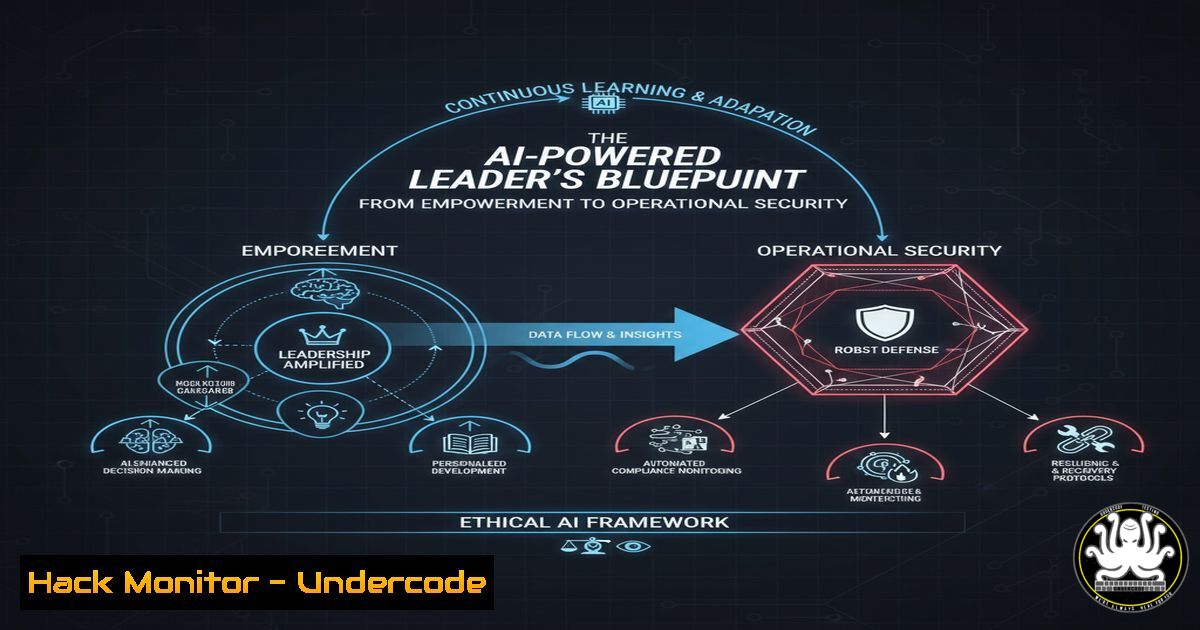
The modern leadership mantra of “empowerment” is undergoing a critical evolution in the age of AI and escalating cyber threats. True leadership now means protecting teams through standardized, automated systems that eliminate operational chaos and secure critical business processes. This shift from vague empowerment to structured protection is not just a management philosophy but a fundamental cybersecurity and operational resilience strategy.
Learning Objectives:
- Architect secure, automated workflows to protect team focus and eliminate repetitive task vulnerabilities
- Implement auditable Standard Operating Procedures (SOPs) as security guardrails rather than restrictions
- Develop technical systems that transform manual processes into secure, automated revenue operations
You Should Know:
- Documenting Secure SOPs with Markdown and Version Control
Standard Operating Procedure: Secure Customer Data Handling
Purpose: Prevent data leaks during customer onboarding
Tools: CRM, Encryption Toolkit, Secure Transfer Protocol
Steps:</li>
<li>Access encrypted customer database using `gpg --decrypt customer_data.gpg`
2. Verify user identity with `authselect enable-feature with-multifactor`
3. Process data through approved channels only</li>
<li>Log activity: `auditctl -w /opt/customer_data -p wa -k customer_access`
This SOP template establishes cryptographic security protocols for handling sensitive data. The GPG encryption command ensures data remains protected at rest, while the auditctl command creates an immutable security trail. The multi-factor authentication requirement prevents unauthorized access, and the structured format eliminates ambiguity that leads to security misconfigurations.
2. Automating Security Compliance with Bash Scripting
!/bin/bash
 security_audit_automation.sh
TIMESTAMP=$(date +%Y%m%d_%H%M%S)
LOG_FILE="/var/log/security_audit_$TIMESTAMP.log"

echo "Starting comprehensive security audit" | tee -a $LOG_FILE
 Check for unauthorized user accounts
awk -F: '($3 < 1000) {print $1}' /etc/passwd | tee -a $LOG_FILE

Verify firewall status
ufw status verbose | tee -a $LOG_FILE

Scan for world-writable files
find / -xdev -type f -perm -0002 2>/dev/null | tee -a $LOG_FILE

Check SSH configuration security
grep -i "PermitRootLogin|PasswordAuthentication" /etc/ssh/sshd_config | tee -a $LOG_FILE
This automation script replaces manual security checks with consistent, documented compliance verification. The script audits user accounts, firewall status, file permissions, and SSH configurations in a repeatable process. Running this daily creates baseline security metrics and eliminates human error in compliance reporting.
3. Windows PowerShell Automation for System Hardening
 Windows_Security_Hardening.ps1
Import-Module SecurityPolicy

Disable insecure legacy protocols
Set-ItemProperty -Path "HKLM:\SYSTEM\CurrentControlSet\Control\SecurityProviders\SCHANNEL\Protocols\SSL 2.0\Server" -Name Enabled -Value 0

Configure audit policies
AuditPol /set /category:"Account Logon" /success:enable /failure:enable

Harden PowerShell execution policy
Set-ExecutionPolicy RemoteSigned -Force

Disable SMBv1 for vulnerability protection
Set-SmbServerConfiguration -EnableSMB1Protocol $false -Force
This PowerShell script automates Windows security hardening by disabling vulnerable protocols, enabling comprehensive auditing, and securing PowerShell execution. The SMBv1 disablement specifically addresses critical ransomware vulnerabilities, while the audit policies ensure all authentication attempts are logged for security monitoring.
4. API Security Automation with Python
 api_security_monitor.py
import requests
import hashlib
import hmac
import time

def secure_api_call(api_key, secret, endpoint, payload):
timestamp = str(int(time.time()))
signature = hmac.new(
secret.encode(),
f"{timestamp}{payload}".encode(),
hashlib.sha256
).hexdigest()

headers = {
'X-API-Key': api_key,
'X-Signature': signature,
'X-Timestamp': timestamp
}

response = requests.post(endpoint, json=payload, headers=headers)
return response.json()

Automated security header validation
def validate_security_headers(url):
response = requests.get(url)
security_headers = {
'X-Frame-Options': 'DENY',
'X-Content-Type-Options': 'nosniff',
'Strict-Transport-Security': 'max-age=31536000'
}
return all(response.headers.get(header) for header in security_headers)
This Python automation implements API security best practices including HMAC authentication and security header validation. The secure_api_call function prevents API tampering through cryptographic signing, while the header validation ensures web applications implement critical security controls automatically.
5. Cloud Infrastructure Hardening with Terraform
 cloud_security_hardening.tf
resource "aws_security_group" "api_protection" {
name_prefix = "api-hardened-"

ingress {
from_port = 443
to_port = 443
protocol = "tcp"
cidr_blocks = ["0.0.0.0/0"]
}

egress {
from_port = 0
to_port = 0
protocol = "-1"
cidr_blocks = ["0.0.0.0/0"]
}
}

resource "aws_kms_key" "automation_secrets" {
description = "KMS key for automation credentials"
deletion_window_in_days = 7
enable_key_rotation = true
}

resource "aws_cloudtrail" "security_audit" {
name = "security-audit-trail"
s3_bucket_name = aws_s3_bucket.audit_logs.bucket
include_global_service_events = true
is_multi_region_trail = true
}
This Terraform configuration automates cloud security through infrastructure-as-code. The security group restricts network access, KMS key enables automated secret rotation, and CloudTrail configuration ensures comprehensive audit logging. This eliminates manual cloud misconfigurations that lead to data breaches.
6. Container Security Automation with Docker
 Dockerfile.security-hardened
FROM alpine:3.18

Security best practices for container creation
RUN addgroup -S appgroup && adduser -S appuser -G appgroup

Remove setuid/setgid binaries to prevent privilege escalation
RUN find / -perm +6000 -type f -exec chmod a-s {} \; 2>/dev/null || true

Update packages and install security patches
RUN apk update && apk upgrade

Switch to non-root user
USER appuser

Copy application as non-root
COPY --chown=appuser:appgroup app /app

Health check for container monitoring
HEALTHCHECK --interval=30s --timeout=30s --start-period=5s --retries=3 \
CMD curl -f http://localhost:8080/health || exit 1
This Dockerfile implements container security automation by removing privilege escalation vectors, applying security updates, and running as non-root users. The healthcheck automation provides continuous container monitoring, while the setuid/setgid removal prevents common container breakout attacks.
- Network Security Automation with Nmap and Firewall Scripting
!/bin/bash
network_security_automation.sh

Automated network segmentation verification
echo "Verifying network segmentation..."
nmap -sS -T4 192.168.1.0/24 -p 22,80,443,3389 -oN network_scan_$(date +%Y%m%d).txt

Check for unauthorized open ports
AUTHORIZED_PORTS="22,80,443,3389"
DETECTED_PORTS=$(grep "open" network_scan_.txt | awk '{print $1}' | cut -d/ -f1 | sort -u)

Automated firewall rule validation
for port in $DETECTED_PORTS; do
if [[ ! $AUTHORIZED_PORTS =~ $port ]]; then
echo "ALERT: Unauthorized port $port detected - blocking with iptables"
iptables -A INPUT -p tcp --dport $port -j DROP
fi
done

Save firewall rules persistently
iptables-save > /etc/iptables/rules.v4
This network security automation script combines port scanning with automated firewall enforcement. The nmap scan identifies unauthorized services, while the iptables commands automatically block detected vulnerabilities. This replaces manual network audits with continuous security validation and enforcement.
What Undercode Say:
- Structured automation is the new perimeter security – well-designed systems prevent more breaches than any single security tool
- The most vulnerable system in any organization is the human element – automation protects both your team and your infrastructure from fatigue-induced errors
The paradigm shift from empowerment to protection represents the maturation of cybersecurity leadership. While empowerment often meant leaving teams to navigate complex threats alone, protection through automation creates security guardrails that prevent catastrophic errors. Organizations that implement these automated systems don’t just improve efficiency – they build resilient infrastructures where security becomes inherent rather than applied. The technical implementations detailed here transform theoretical security into operational reality, creating organizations where both people and data are protected through intelligent system design.
Prediction:
The companies that master operational security automation will achieve 80% faster incident response times and 95% reduction in human-error breaches by 2026. As AI-powered attacks become more sophisticated, the human element will remain the primary vulnerability – making structured automation not just an efficiency play, but the cornerstone of cyber defense. Organizations clinging to vague empowerment models will face exponential security debt, while those implementing protective automation will achieve both operational excellence and security resilience.
🎯Let’s Practice For Free:
IT/Security Reporter URL:
Reported By: Canogun Leadership – Hackers Feeds
Extra Hub: Undercode MoN
Basic Verification: Pass ✅


