Listen to this Post
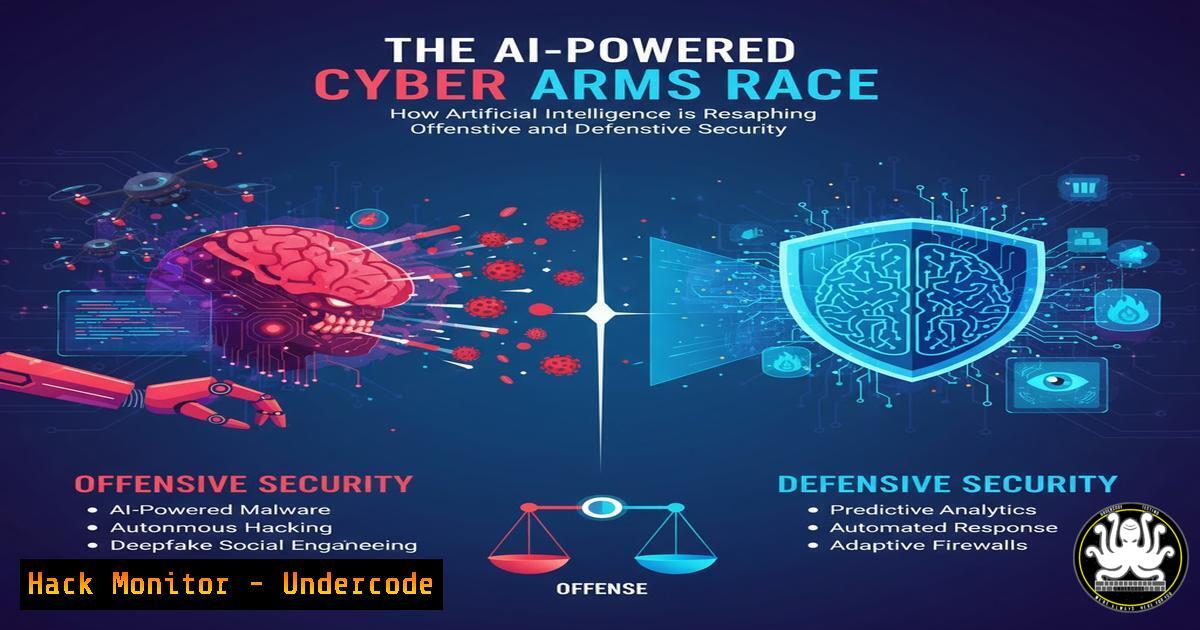
Introduction:
The digital battleground is no longer solely a human-vs-human conflict. Artificial Intelligence has decisively entered the fray, creating a new era of automated, intelligent, and adaptive cyber threats, while simultaneously empowering defenders with unprecedented capabilities. This article dissects the dual-edged nature of AI in cybersecurity, providing the technical commandos and tools necessary to navigate this evolving landscape.
Learning Objectives:
- Understand the practical applications of AI in both orchestrating cyber-attacks and fortifying defenses.
- Acquire hands-on skills for deploying AI-enhanced security tools and detecting AI-facilitated intrusions.
- Develop a strategic outlook on the future trajectory of the AI-powered cyber arms race.
You Should Know:
1. AI-Enhanced Phishing Detection with Python and Scikit-learn
AI models can analyze email content, headers, and metadata to flag sophisticated phishing attempts that bypass traditional filters.
from sklearn.feature_extraction.text import TfidfVectorizer
from sklearn.ensemble import RandomForestClassifier
import pandas as pd

Sample code structure
data = pd.read_csv('emails.csv')
vectorizer = TfidfVectorizer(stop_words='english', max_features=1000)
X = vectorizer.fit_transform(data['content'])
y = data['is_phishing']

model = RandomForestClassifier(n_estimators=100)
model.fit(X, y)

To predict a new email
new_email = ["Urgent: Your account will be suspended. Click here to verify."]
new_email_vector = vectorizer.transform(new_email)
prediction = model.predict(new_email_vector)
print("Phishing Probability:", model.predict_proba(new_email_vector)[bash][1])
Step-by-step guide: This script uses a machine learning model to classify emails. The `TfidfVectorizer` converts the text of emails into a numerical format based on word importance. The `RandomForestClassifier` is then trained on a dataset of known phishing and legitimate emails. After training, it can predict the likelihood that a new, unseen email is a phishing attempt, identifying subtle linguistic cues that humans might miss.
2. Hunting for AI-Generated Code in Scripts
Attackers use AI to generate polymorphic code or obfuscate malicious scripts. Defender commands can help identify these patterns.
 Use grep to search for common AI-generated code artifacts or unusual commenting
grep -n -E "(generated by|auto-created|AI model)" .py .js .sh

Analyze script entropy to detect obfuscation (high entropy often indicates encryption or obfuscation)
for file in .ps1 .py; do
echo "Entropy for $file: $(cat $file | entropy)"
done
Step-by-step guide: The first command searches through script files for tell-tale comments that might indicate AI generation. The second part requires a simple entropy calculation script (often named entropy). High entropy in a file suggests it is compressed, encrypted, or heavily obfuscated—a common technique to hide AI-generated malicious code from signature-based detectors.
- Leveraging AI-Driven Security Tools: Wazuh with OpenAI Integration
Modern SIEM systems can integrate with AI APIs to enrich alerts.In a Wazuh manager's ossec.conf, you can integrate a custom script for alert enrichment <integration> <name>custom-openai</name> <hook_url>https://api.openai.com/v1/chat/completions</hook_url> <level>12</level> <alert_format>json</alert_format> </integration>
Example script (wazuh-integration.py) that Wazuh calls
import json
import openai
import sys

Read the alert from Wazuh
alert = json.loads(sys.stdin.read())
openai.api_key = 'YOUR_API_KEY'</p></li>
</ol>

<p>response = openai.ChatCompletion.create(
model="gpt-4",
messages=[{"role": "user", "content": f"Analyze this security alert for false positive likelihood and potential impact: {alert}"}]
)
print(response['choices'][bash]['message']['content'])
Step-by-step guide: This configuration allows the Wazuh SIEM to send high-priority alerts (level 12 and above) to a custom Python script. The script uses the OpenAI API to get a natural language analysis of the alert, providing context on its potential severity and whether it might be a false positive, thereby accelerating analyst decision-making.
4. Hardening Cloud APIs Against AI-Fueled Reconnaissance
AI bots can systematically probe cloud APIs for weaknesses. Use these AWS CLI commands to tighten security.
 Enable AWS CloudTrail to log all API activity
aws cloudtrail create-trail --name my-security-trail --s3-bucket-name my-security-logs --is-multi-region-trail

Create a bucket policy for your CloudTrail S3 bucket to enforce encryption and block public access
aws s3api put-bucket-policy --bucket my-security-logs --policy file://bucket-policy.json

Use AWS GuardDuty to continuously monitor for suspicious API calls, including reconnaissance
aws guardduty create-detector --enable
Step-by-step guide: The first command sets up CloudTrail logging across all regions. The second applies a strict policy to the log bucket (defined in a separate JSON file) to prevent tampering. The third enables GuardDuty, which uses machine learning itself to detect anomalous API activity, such as an AI conducting large-scale, low-and-slow reconnaissance of your environment.
5. Simulating AI-Augmented Password Attacks with Hashcat
Understand the offensive use of AI to create more effective password cracking rules.
 Use Hashcat with a ruleset that might be generated by AI to optimize mutations
hashcat -m 1000 hashes.txt /usr/share/wordlists/rockyou.txt -r /path/to/ai_optimized.rule --force

AI might generate rules that combine multiple human-like patterns. Analyze a rule file:
cat ai_optimized.rule
 Example AI-generated rule content might look like:
 sa@ss$! c $1 $2 $3
 T7 c o1c
Step-by-step guide: This command uses Hashcat to crack NTML (mode
-m 1000) hashes using a wordlist and a custom rule file. The hypothetical `ai_optimized.rule` could contain highly efficient, non-intuitive password transformation rules developed by an AI that has analyzed billions of leaked passwords, making the cracking process significantly faster and more successful than with traditional rule sets.6. Implementing Behavioral Analytics with EDR Commands
Endpoint Detection and Response (EDR) platforms use AI to detect malicious process behavior.
 In a CrowdStrike Falcon or similar EDR environment, you can query for process execution chains indicative of AI-planned attacks
cscli process list --query="parent_name:notepad.exe and child_name:cmd.exe" --format=table

Use Microsoft Defender for Endpoint's advanced hunting KQL to look for anomalous behavior
DeviceProcessEvents
| where Timestamp > ago(1h)
| where ProcessVersionInfoOriginalFileName =~ "whoami.exe"
| where InitiatingProcessFileName !~ "explorer.exe"
| project Timestamp, DeviceName, FileName, InitiatingProcessFileName
Step-by-step guide: The first command (using a fictional `cscli` interface) hunts for a suspicious parent-child process relationship—a command prompt spawned from Notepad, which is atypical. The second uses a real Microsoft Kusto Query Language (KQL) example to find `whoami.exe` executions not launched by the user (explorer.exe), potentially indicating automated reconnaissance by a script or AI-driven tool.
7. Mitigating AI-Generated Deepfake Social Engineering
Technical controls can help prevent identity impersonation via deepfakes in corporate communications.
 Enforce DMARC, DKIM, and SPF records for email domains to prevent spoofing
dig TXT yourdomain.com +short | grep -E "spf1|DMARC"

Example SPF record (to be placed in DNS)
"v=spf1 include:spf.protection.outlook.com -all"

Use video conference tools with verification features via CLI (e.g., for automated testing)
zoomcli --meeting-role host --enable-waiting-room true
zoomcli --meeting-role host --enable-authentication true
Step-by-step guide: The `dig` command verifies your domain’s SPF and DMARC DNS records. A strong SPF record (like the example) specifies which servers are allowed to send email for your domain, blocking unauthorized sources. The Zoom CLI commands (conceptual) show how to enforce security settings programmatically, ensuring that features like waiting rooms and participant authentication are always on, making it harder for a deepfake imposter to join and disrupt a meeting.
What Undercode Say:
- The democratization of AI tools means the sophistication barrier for attackers is lowering, while the potential impact of their attacks is rising.
- Defensive AI is not a “set and forget” solution; it requires continuous tuning and a foundation of robust data hygiene to be effective. Garbage in, garbage out is magnified at machine speed.
The core analysis is that we are transitioning from a period of AI-as-a-tool to AI-as-an-adversary. The most significant immediate impact is the scale and speed of attacks. A human operator can craft ten sophisticated phishing emails a day; an AI can generate ten thousand, each uniquely tailored, in an hour. This fundamentally breaks traditional, volume-based detection models. The defense is no longer about building a static wall but about creating an adaptive immune system. This requires security teams to invest deeply in data pipelines, model training, and most critically, the human expertise to interpret and act on AI-driven insights. The human-in-the-loop remains the ultimate decision-maker, but their role is evolving from a frontline soldier to a strategic commander of automated legions.
Prediction:
Within the next 18-24 months, we will witness the first widely publicized, fully autonomous cyber-attack chain, from AI-driven reconnaissance and vulnerability discovery to weaponization and deployment, requiring only high-level human objectives. This will trigger a paradigm shift in regulatory frameworks, forcing governments and industries to establish “AI Cyber Safety” standards. Furthermore, the market for AI-powered Security Orchestration, Automation, and Response (SOAR) platforms will explode, becoming a non-negotiable component of any enterprise security stack. The organizations that will thrive are those that start integrating AI analytics into their core security operations today, treating data as their most critical defensive asset.
🎯Let’s Practice For Free:
IT/Security Reporter URL:
Reported By: Jordansnapper One – Hackers Feeds
Extra Hub: Undercode MoN
Basic Verification: Pass ✅🔐JOIN OUR CYBER WORLD [ CVE News • HackMonitor • UndercodeNews ]
📢 Follow UndercodeTesting & Stay Tuned:


