
Listen to this Post
Introduction:
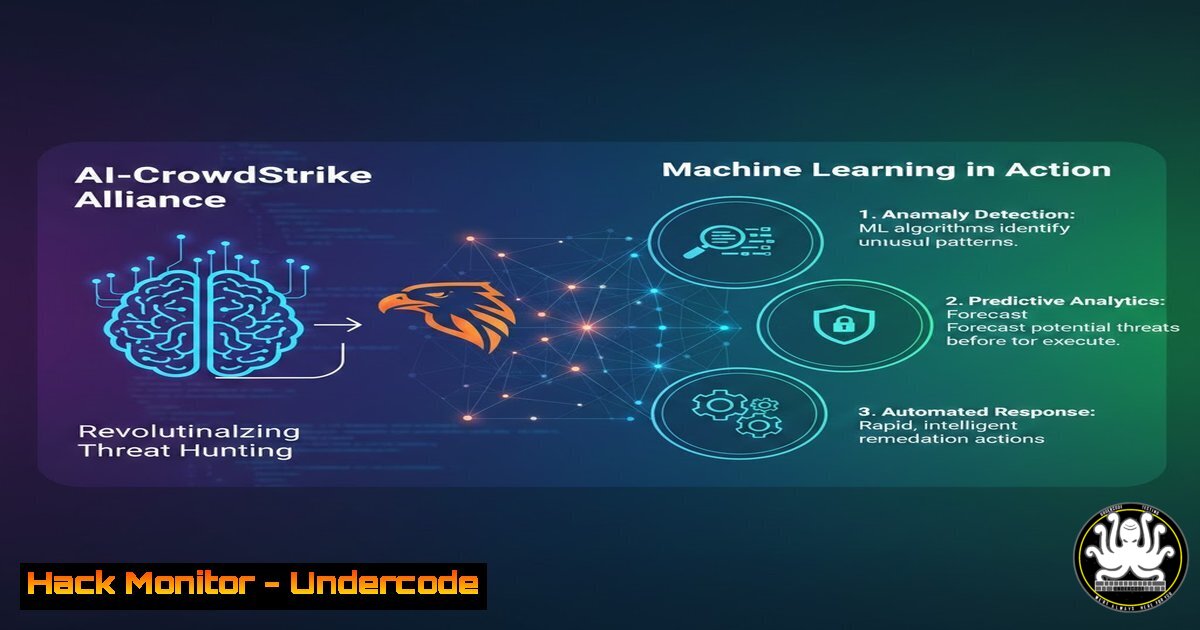
In a digital landscape where threat actors are increasingly leveraging artificial intelligence to automate attacks, the cybersecurity community is witnessing a paradigm shift. The hypothetical collaboration between AI research leader Anthropic and endpoint detection giant CrowdStrike represents a fusion of generative AI and behavioral analytics. This synergy aims to move beyond signature-based detection, utilizing large language models (LLMs) to interpret complex attack patterns and automate incident response at machine speed.
Learning Objectives:
- Understand how AI models like can augment SIEM (Security Information and Event Management) logic for anomaly detection.
- Learn to configure endpoint detection and response (EDR) tools to feed telemetry data into machine learning pipelines.
- Analyze command-line techniques for extracting forensic artifacts that AI models can correlate with threat intelligence.
You Should Know:
- Deploying a Simulated EDR Environment for AI Integration
To understand how AI enhances threat hunting, we must first simulate the data flow. In a production environment, tools like CrowdStrike Falcon ingest massive amounts of telemetry. For this lab, we will use a lightweight alternative (Wazuh) to generate logs that an AI could analyze.
Step‑by‑step guide (Linux – Ubuntu 22.04):
Install the Wazuh agent to collect system calls and authentication attempts.
curl -s https://packages.wazuh.com/key/GPG-KEY-WAZUH | sudo apt-key add -
echo "deb https://packages.wazuh.com/4.x/apt/ stable main" | sudo tee /etc/apt/sources.list.d/wazuh.list
sudo apt update
sudo apt install wazuh-agent
Configure the agent to monitor the `/var/log/auth.log` file for SSH failures.
sudo nano /var/ossec/etc/ossec.conf
 Add within the <syscheck> block:
<localfile>
<log_format>syslog</log_format>
<location>/var/log/auth.log</location>
</localfile>
Restart the service and simulate a brute-force attack to generate data.
sudo systemctl restart wazuh-agent
 Simulate failed logins (do not use on production systems)
for i in {1..20}; do ssh invaliduser@localhost; done
- Parsing Security Logs with Python for AI Consumption
Raw logs are noisy. Before feeding them into an AI model (like Anthropic’s ), we must structure the data into JSON format, enriching it with context.
Step‑by‑step guide (Linux/Windows – Python 3):
Create a script to parse the Wazuh logs and extract timestamps, source IPs, and failure reasons.
import json
import re

log_file = "/var/ossec/logs/alerts/alerts.json"
structured_alerts = []

with open(log_file, 'r') as f:
for line in f:
try:
alert = json.loads(line)
if 'sshd' in alert.get('full_log', ''):
entry = {
"timestamp": alert.get('timestamp'),
"agent": alert.get('agent', {}).get('name'),
"source_ip": re.search(r'(\d+.\d+.\d+.\d+)', alert.get('full_log', '')).group(0),
"rule_level": alert.get('rule', {}).get('level')
}
structured_alerts.append(entry)
except:
pass

Output for AI analysis
with open('ai_feed.json', 'w') as outfile:
json.dump(structured_alerts, outfile, indent=2)
print(f"Exported {len(structured_alerts)} events for AI correlation.")
This JSON feed allows an AI to identify patterns—such as a single IP attempting logins across multiple user accounts—that traditional threshold-based alerts might miss.
3. Implementing Behavioral Analysis via Windows Event Logs
On Windows, attackers often rely on living-off-the-land binaries (LOLBins) to avoid detection. AI models excel at identifying deviations in process trees.
Step‑by‑step guide (Windows PowerShell – Administrative Privileges):
Extract process creation events (Event ID 4688) and parent-child relationships.
 Query the last 1000 security events related to process creation
Get-WinEvent -FilterHashtable @{LogName='Security'; ID=4688} -MaxEvents 1000 | ForEach-Object {
$event = $_
$xml = [bash]$event.ToXml()
$properties = $xml.Event.EventData.Data
[bash]@{
TimeCreated = $event.TimeCreated
SubjectUser = ($properties | Where-Object {$<em>.Name -eq 'SubjectUserName'}).'text'
NewProcess = ($properties | Where-Object {$</em>.Name -eq 'NewProcessName'}).'text'
ParentProcess = ($properties | Where-Object {$<em>.Name -eq 'ProcessId'}).'text'
CommandLine = ($properties | Where-Object {$</em>.Name -eq 'CommandLine'}).'text'
}
} | Export-Csv -Path process_hunting.csv -NoTypeInformation
By feeding this CSV into an LLM, we can ask contextual questions: “Which processes were spawned by Microsoft Word that are not typical child processes?” This mimics the hypothetical AI-EDR integration, catching exploits like macro-enabled malware.
4. Configuring API Security with AI-Assisted Rate Limiting
APIs are the new frontier for data breaches. Combining AI with WAF (Web Application Firewall) rules allows for dynamic rate limiting based on user behavior rather than static thresholds.
Step‑by‑step guide (Nginx Configuration with Dynamic Blocking):
Edit the Nginx configuration to log detailed request data for AI analysis.
http {
log_format ai_log '$remote_addr - $remote_user [$time_local] '
'"$request" $status $body_bytes_sent '
'"$http_referer" "$http_user_agent"'
'$request_time';
access_log /var/log/nginx/ai_access.log ai_log;
}
Set up a fail2ban style mechanism, but triggered by an AI model flagging anomalous endpoints (e.g., excessive requests to `/graphql` from a single IP).
 Fail2ban configuration for API abuse
sudo nano /etc/fail2ban/jail.local
[api-abuse]
enabled = true
port = https
logpath = /var/log/nginx/ai_access.log
maxretry = 5
findtime = 60
bantime = 3600
The AI would adjust the `maxretry` and `findtime` dynamically based on global threat intelligence, hardening the API against credential stuffing attacks.
5. Cloud Hardening: AI-Driven IAM Policy Review
Misconfigured Identity and Access Management (IAM) roles are the root cause of most cloud data leaks. Using an LLM to review Infrastructure as Code (IaC) templates can prevent these issues.
Step‑by‑step guide (AWS CLI and Python):
Extract all IAM policies and check for wildcard permissions.
aws iam list-policies --scope Local --query 'Policies[].Arn' --output text | while read arn; do
aws iam get-policy-version --policy-arn $arn --version-id v1
done > iam_policies.json
Create a Python script to send specific policy blocks to an AI (like ) for review.
import json
with open('iam_policies.json', 'r') as f:
policies = json.load(f)

prompt = "Review the following IAM policy for overly permissive 'Effect:Allow' with 'Action:'. Provide a risk score and remediation:"
for statement in policies['PolicyVersion']['Document']['Statement']:
print(f"Input: {prompt}\nPolicy: {statement}")
 Here you would call the Anthropic API for analysis
This process automates the audit of cloud environments, ensuring least-privilege access—a key tenet of zero-trust architecture.
- Exploit Mitigation: Memory Analysis with Volatility and AI
When a zero-day exploit hits, memory forensics is crucial. AI can assist analysts by summarizing the behavior of malicious processes found in memory dumps.
Step‑by‑step guide (Linux – Volatility 3):
Acquire a memory image and use Volatility to list processes.
 Capture memory (using LiME)
sudo insmod lime.ko "path=/tmp/mem.lime format=lime"
 Analyze with Volatility 3
python3 vol.py -f /tmp/mem.lime windows.pslist.PsList
Export the process list to CSV and feed it to an AI for anomaly detection.
python3 vol.py -f /tmp/mem.lime windows.malfind.Malfind --dump > mal_results.txt
 Use a Python script to parse and prompt AI for suspicious memory regions
The AI could correlate the base addresses of loaded DLLs with known good offsets, flagging processes that have been hollowed out or injected with shellcode.
What Undercode Say:
- Key Takeaway 1: The convergence of AI and EDR shifts defense from reactive signature matching to proactive behavioral analysis. Security teams must upskill in prompt engineering to effectively query AI models about log data.
- Key Takeaway 2: Data standardization is critical. AI models require clean, structured input (JSON/CSV) to provide accurate threat intelligence. Investing in data pipeline hygiene is as important as the AI model itself.
Analysis: The potential partnership between Anthropic and CrowdStrike signals a move toward “Autonomous SOCs,” where AI triages alerts and initiates automated containment. However, this introduces risks of adversarial machine learning, where attackers poison the training data. The future of defense lies in hybrid systems where human intuition validates AI conclusions, ensuring that the speed of AI does not outpace the accuracy required for critical infrastructure protection.
Prediction:
Within the next 24 months, we will see the emergence of “LLM Firewalls” that sit between user input and backend systems, specifically designed to detect prompt injection attacks targeting AI-integrated security tools. As AI begins to write its own mitigation playbooks, the battleground will shift to protecting the model weights and training pipelines themselves.
▶️ Related Video (90% Match):
🎯Let’s Practice For Free:
IT/Security Reporter URL:
Reported By: Huzeyfe The – Hackers Feeds
Extra Hub: Undercode MoN
Basic Verification: Pass ✅


