Listen to this Post
Introduction:
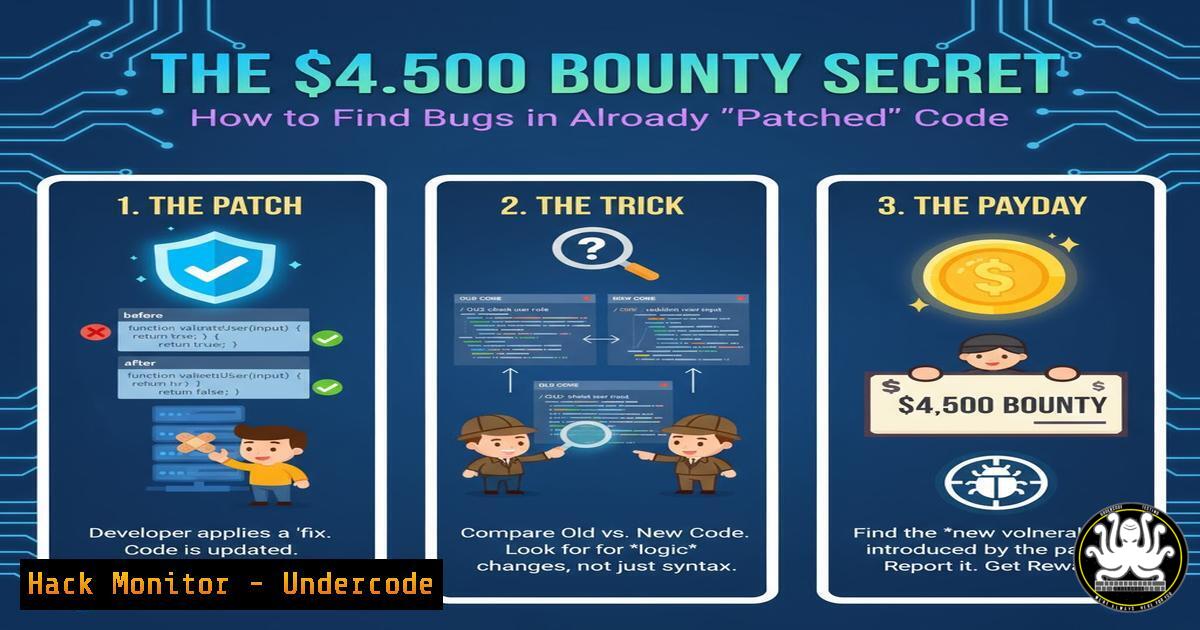
A security researcher recently earned a $4,500 bounty by discovering two vulnerabilities in Android drivers located near previously patched code. This incident highlights a critical and often overlooked attack surface: incomplete fixes and regression errors in software patches, which can be systematically hunted for significant bug bounty rewards.
Learning Objectives:
- Understand the methodology of hunting for vulnerabilities in previously patched code.
- Learn the technical commands and processes for code diffing and patch analysis.
- Develop skills to identify and exploit regression bugs and incomplete fixes.
You Should Know:
- The Art of Patch Diffing for Fun and Profit
Patch diffing is the foundational technique for this type of research. It involves comparing the source code before and after a patch has been applied to understand the exact changes made to fix a vulnerability. The flaw often lies not in the patch itself, but in the code surrounding it, which may have been inadequately modified or may contain a similar, unaddressed issue.
Verified Command: Using `git diff`
 To see the changes in a specific commit (the patch)
git show <commit-hash>

To compare two commits or tags
git diff <old-commit>..<new-commit> -- <specific_file>

Example: Analyzing an Android kernel patch
git diff v4.19.100..v4.19.101 -- drivers/usb/gadget/function.f_fs.c
Step-by-step guide:
- Clone the Target Repository: Start by cloning the source code of the software you’re targeting, such as the Android kernel: `git clone https://android.googlesource.com/kernel/common`.
2. Identify Relevant Patches: Use the project’s issue tracker, CVE lists, or git log messages to find commits that mention security fixes. For example, `git log –grep=”CVE-2023-” –oneline`. - Execute the Diff: Use `git show` or `git diff` to inspect the changes. The `–` option allows you to focus on a specific file, which is crucial in large codebases.
- Analyze the Changes: Scrutinize every line of code that was added, removed, or modified. Ask yourself: Does this fix completely address the problem? Are there similar code patterns nearby that were not patched? Is the input validation sufficient?
2. Identifying Incomplete Input Validation Patches
A common scenario is when a patch adds a length check for a buffer copy operation but fails to validate the content or other properties of the input. The original vulnerability might have been a buffer overflow, and the “fix” only checks the size, leaving the door open for integer overflows or type confusion attacks.
Verified Code Snippet: C Code Example
// VULNERABLE CODE (Before patch)
void copy_data(char user_input) {
char buffer[bash];
strcpy(buffer, user_input); // Classic buffer overflow
}

// INCOMPLETE PATCH (After patch)
void copy_data(char user_input, size_t len) {
char buffer[bash];
if(len < 256) { // Checks length, but what about negative numbers? What if `len` is zero?
memcpy(buffer, user_input, len); // Potential for other logic errors
}
}
Step-by-step guide:
- After running
git diff, locate the new validation checks. - Trace the data flow of the validated variable. Is it used in other operations later in the function?
- Look for other functions that use the same input data but may not have been updated with similar checks.
- Fuzz the patched function with edge-case values like
0,-1,SIZE_MAX, and extremely large values to test the boundaries of the new validation.
3. Leveraging Static Analysis Tools
Manual code review is powerful but can be augmented with static analysis tools to quickly scan large codebases for common bug patterns that might have been introduced or missed near a patch.
Verified Linux Command: Using `flawfinder`
 Install flawfinder
sudo apt-get install flawfinder

Run it on a specific file or directory, here targeting the patched driver directory
flawfinder -SQ drivers/gpu/drm/panel/

Using grep to search for dangerous function patterns
grep -n 'strcpy|sprintf|vsprintf' drivers/usb/gadget/.c
Step-by-step guide:
- Install a Tool: Choose a static analyzer like
flawfinder,cppcheck, or the built-in `smatch` for the Linux kernel. - Run a Targeted Scan: Focus the tool on the directory or file that was recently patched. This increases the signal-to-noise ratio.
- Correlate Results: Cross-reference the tool’s output with the code changes you observed in the
git diff. A high-severity warning in a function adjacent to the patch is a prime candidate for manual investigation.
4. Kernel Driver Fuzzing with Syzkaller
When you have a hypothesis about a potential flaw in a kernel driver, fuzzing is the most effective way to trigger a crash and confirm the vulnerability. Syzkaller is a state-of-the-art, unsupervised coverage-guided kernel fuzzer.
Verified Command: Syzkaller Configuration Snippet
// In your syzkaller config file (my.cfg)
{
"target": "linux/amd64",
"http": "127.0.0.1:56741",
"workdir": "/path/to/workdir",
"kernel_obj": "/path/to/kernel/build",
"image": "/path/to/filesystem/image",
"sshkey": "/path/to/ssh/key",
"syzkaller": "/path/to/syzkaller",
"procs": 8,
"type": "qemu",
"cover": true,
"enable_syscalls": [
"openat$usb",
"ioctl$usb",
"write$usb"
]
}
Step-by-step guide:
- Build the Kernel: Build a kernel with KASAN (Kernel Address Sanitizer) and debug symbols to get detailed crash reports.
- Setup Syzkaller: Configure Syzkaller by specifying the target kernel, filesystem, and, most importantly, the syscalls or device nodes you want to fuzz (e.g., those related to your target driver).
- Run and Monitor: Start the fuzzer and let it run. Syzkaller will generate thousands of test cases, and if it finds a crash, it will save the exact program that triggered it in the `workdir/crashes` directory.
- Triage Crashes: Analyze the crash report to determine if it’s a exploitable security vulnerability (e.g., a write-what-where condition) or a mere denial-of-service.
5. Crafting a Proof-of-Concept Exploit
Once a crash is confirmed, the next step is to write a reliable Proof-of-Concept (PoC) exploit. This is essential for a convincing bug bounty submission.
Verified Code Snippet: C PoC for a Kernel Use-After-Free
include <sys/types.h>
include <fcntl.h>
include <unistd.h>

int main() {
int fd1, fd2;

// Open the vulnerable driver twice
fd1 = open("/dev/vulnerable_device", O_RDWR);
fd2 = open("/dev/vulnerable_device", O_RDWR);

// Trigger a free of an internal object via fd1
ioctl(fd1, VULN_CMD_FREE, NULL);

// Close to force a real free (if needed)
close(fd1);

// Use the dangling pointer via fd2 to cause a crash
ioctl(fd2, VULN_CMD_USE, NULL);

close(fd2);
return 0;
}
Step-by-step guide:
- Reproduce the Crash: Your PoC should reliably reproduce the issue from the fuzzer’s output. Simplify the fuzzer’s program to its minimal form.
- Understand the Primitive: Determine what kernel memory corruption primitive you have achieved (e.g., use-after-free, double-free, stack overflow). Use `dmesg` output and KASAN reports to guide you.
- Code for Clarity: Write the PoC in C or another low-level language, using the system calls (
open,ioctl,write,read) that interact with the vulnerable driver. Comment each step to show the attacker’s control. - Test and Refine: Ensure the PoC works consistently on the target environment. This is the core artifact that proves the bug’s existence and impact.
What Undercode Say:
- Incomplete Fixes are a Goldmine: The most secure-looking code—recently patched—can be the most vulnerable. Attackers often move on after a patch is released, leaving a rich, untapped target for researchers who know where to look.
- Efficiency Over Brute Force: A targeted approach, focusing on the periphery of known vulnerabilities, yields a higher return on investment than blind fuzzing. As demonstrated, a single hour of focused analysis can uncover multiple high-value bugs.
This case study reveals a systemic weakness in the software development lifecycle. The pressure to rapidly deploy security patches often leads to narrow, context-blind fixes that fail to address the root cause or audit the surrounding code. This creates a predictable and recurring pattern of “patch-bypass” vulnerabilities. For bug bounty hunters, this is a sustainable strategy. For developers, it’s a call to implement more robust code review processes that include analyzing the context of a fix, not just the changed lines.
Prediction:
The practice of hunting for bugs in patched code will evolve from a niche skill to a mainstream methodology for both offensive security researchers and defensive code auditors. We will see the rise of automated tools specifically designed for “patch diffing at scale” and “regression fuzzing,” which will proactively test the completeness of security fixes across entire codebases. This will force software vendors to adopt more holistic patching strategies, shifting from reactive, one-line fixes to proactive, architectural security reviews whenever a vulnerability is discovered.
🎯Let’s Practice For Free:
IT/Security Reporter URL:
Reported By: Maher Azzouzi – Hackers Feeds
Extra Hub: Undercode MoN
Basic Verification: Pass ✅


