
Listen to this Post
Introduction:
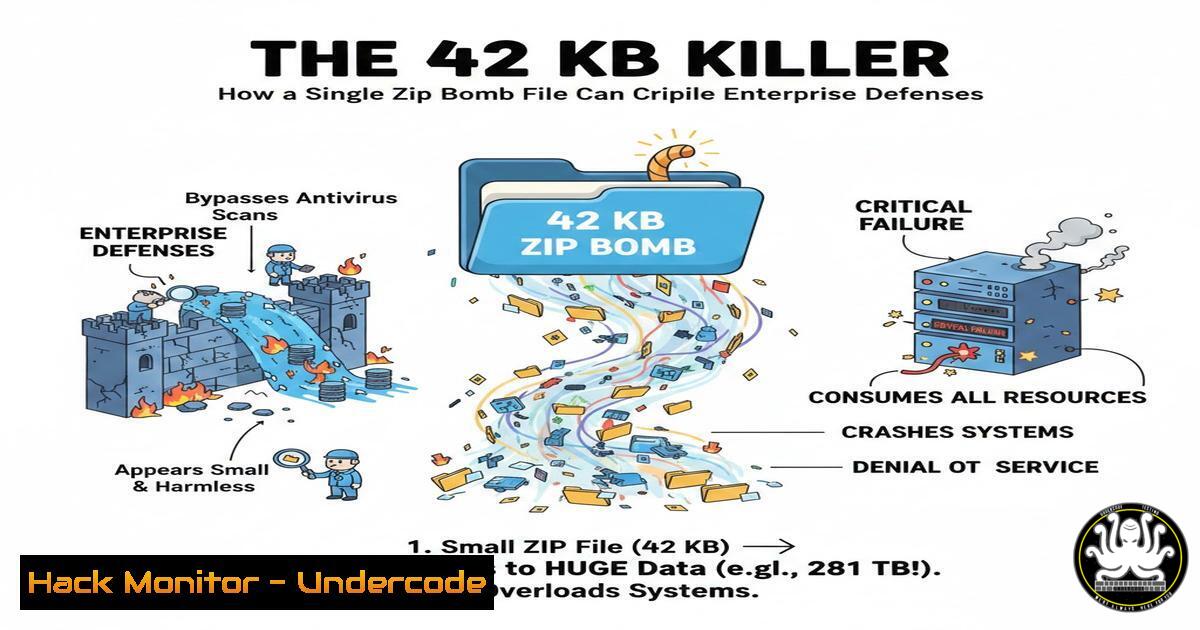
In the cybersecurity landscape, attackers continually innovate to exploit fundamental system processes. One of the most elegant and dangerous examples is the Zip Bomb—a seemingly innocuous compressed file engineered to trigger catastrophic resource exhaustion. The legendary 42.zip file, a mere 42 kilobytes, demonstrates how a weaponized archive can disable security tools and entire systems by leveraging recursive compression, turning a routine scan into a denial-of-service (DoS) event.
Learning Objectives:
- Understand the recursive architecture and destructive mechanics of a Zip Bomb.
- Learn to identify, safely handle, and mitigate Zip Bomb threats in security operations.
- Implement defensive configurations for antivirus, file upload services, and automated analysis systems.
You Should Know:
- The Anatomy of a Zip Bomb: Recursive Compression as a Weapon
A Zip Bomb is not malware in the traditional sense; it contains no executable code. Its power lies in its compression ratio. Tools like `zip` or `7z` can create deeply nested archives where each layer expands exponentially.
Step-by-Step Guide: Understanding the Structure
The classic 42.zip uses a quintenary (5-level) structure. Conceptually, each level contains 16 archives, each containing the next layer.
1. Surface File: `42.zip` (42 KB).
- Layer 1: Contains 16 ZIP files (e.g.,
0.zip,1.zip…f.zip). - Layer 2: Each of those contains 16 more ZIP files.
4. This repeats for 5 total layers.
- Final Layer: The innermost archives contain a single, massive file (often a repeating pattern like all zeros) compressed to its maximum.
To grasp the scale, a simple Python script can demonstrate recursive compression (FOR EDUCATIONAL PURPOSES ONLY):
import zipfile
import os

def create_nested_zip(depth, filename="bomb.zip"):
"""Creates a simple nested zip structure."""
current_file = filename
for i in range(depth):
with zipfile.ZipFile(current_file, 'w') as zf:
if i > 0:  Add the previous zip file into the new one
zf.write(f"layer_{i-1}.zip")
os.rename(current_file, f"layer_{i}.zip")
current_file = f"layer_{i+1}.zip"
print(f"Created {depth}-layer nested zip. INNERMOST file is 'layer_0.zip'")
 Warning: Do not decompress deeply nested archives on a production system.
The defense begins by understanding that security tools must inspect content without triggering full decompression.
- The Attack Vector: Resource Exhaustion and Security Bypass
The primary danger is not manual extraction by a user, but automated processing by systems.
Step-by-Step Guide: How the Attack Unfolds
- Delivery: The Zip Bomb is delivered via email attachment, malicious upload form, or downloaded from a compromised site.
- Automated Trigger: An antivirus (AV) engine, mail scanner, sandbox, or data loss prevention (DLP) tool automatically attempts to inspect the file’s contents.
- Decompression Trap: The scanner starts recursive decompression to scan inner files. The system allocates memory and CPU cycles for petabytes of data.
4. Consequences:
Denial of Service: The scanning process, or the entire host, hangs or crashes due to exhausted RAM, CPU, or disk I/O.
Defense Evasion: With the AV paralyzed, subsequent malicious payloads can be delivered without inspection. This is a classic “smokescreen” attack.
3. Safe Handling and Detection for Security Analysts
Never interact with a suspected Zip Bomb using standard desktop utilities.
Step-by-Step Guide: Safe Analysis Commands
Use command-line tools with safeguards to inspect metadata without full extraction.
Linux (Using `unzip`, `7z`, and `wc`):
 1. List contents without extracting (-l flag is CRITICAL)
unzip -l suspect.zip
 2. Check the compressed vs. uncompressed size ratio
7z l suspect.zip | grep -A5 "Archive"
 3. Use `zipslip` or `bomb` detection tools (if available)
 4. Isolate the file in a virtual machine with strict memory limits (e.g., 512 MB RAM) if analysis is mandatory.

A simple heuristic check for extreme compression ratios:
compressed_size=$(stat -c%s "suspect.zip")
 Use 7z to get uncompressed size (handles nested zips cautiously)
uncompressed_size=$(7z l suspect.zip 2>/dev/null | tail -1 | awk '{print $4}')
 Calculate ratio (be cautious of division by zero)
echo "Compression Ratio: ~$((uncompressed_size / compressed_size)):1"
Windows (Using PowerShell):
 Use .NET's System.IO.Compression.ZipArchive to read entries safely
$zipPath = "C:\suspect.zip"
[System.Reflection.Assembly]::LoadWithPartialName('System.IO.Compression.FileSystem') | Out-Null
$zip = [System.IO.Compression.ZipFile]::OpenRead($zipPath)
$totalEntries = 0
$zip.Entries | ForEach-Object { $totalEntries++; Write-Host $_.Name }
$zip.Dispose()
Write-Host "Total entries (top-level): $totalEntries"
 A very high entry count or deeply nested paths are indicators.
4. Hardening Defenses: Configuring Systems Against Zip Bombs
Modern security software employs mitigations, but they must be configured and supplemented.
Step-by-Step Guide: Implementing Protections
- Antivirus Configuration: Enable “Zip Bomb” detection heuristics (e.g., in Windows Defender: `ConfigureDefender` utility can check settings).
- Web Application Firewalls (WAF) & Upload Services: Implement file size and recursion limits.
Nginx Example: Limit client body size and timeouts.client_max_body_size 10m; client_body_timeout 10s;
Node.js (Express) with
multer: Use a streaming parser that rejects files with too many compressed entries. - Sandbox & EDR Limits: Configure automated analysis environments with strict memory, process, and file count quotas.
- File Type Restrictions: Block uncommon archive types (e.g.,
.tar.gz,.7z) in high-risk upload channels unless absolutely necessary. -
The Evolution: Beyond 42.zip to Advanced Polyglots and Logic Bombs
Attackers have evolved the concept. Modern variants may combine Zip Bombs with polyglot files (valid ZIP/PDF/JPG) or target specific cloud functions and serverless architectures with low memory limits.
Step-by-Step Guide: Testing Your Defenses
Create a safe test bomb using the `dd` and `zip` utilities to validate your controls.
 Create a 1GB file of zeros (harmless, but large)
dd if=/dev/zero of=dummy_file bs=1M count=1024
 Compress it recursively to show extreme ratio (gets tiny)
zip -9 layer1.zip dummy_file
 Repeat the process a few times to create nesting.
 Use this test file in a controlled staging environment to verify:
 1. Does your AV scan timeout or crash?
 2. Does your file upload service properly reject it?
 3. Do your logging systems alert on the event?
Regular penetration testing should include resource exhaustion attacks against file processing pipelines.
What Undercode Say:
- The Principle of Asymmetric Warfare: The Zip Bomb epitomizes asymmetric cyber warfare—minimal attacker effort (42 KB file) forces maximum defender resource consumption (petabytes of processing).
- Security is About Process, Not Just Tools: Reliance on automated scanning without configured safety limits creates a critical vulnerability. Defensive posture must assume that inputs are designed to break the parser.
The enduring relevance of the Zip Bomb teaches a fundamental lesson: trust must never be placed in a file’s superficial properties. In an era of automated DevOps pipelines and serverless functions, where resources are strictly metered, a resource exhaustion attack can be more effective than a complex exploit. Defenders must shift from purely signature-based detection to include algorithmic complexity analysis and robust process isolation for all auxiliary services handling untrusted data.
Prediction:
The core technique of resource exhaustion will migrate from on-premise systems to the cloud and edge computing environments. We will see a rise in “function bomb” attacks targeting AWS Lambda, Azure Functions, and GitHub Actions, where attackers exploit low memory/time limits to cause economic denial of sustainability (billing overload) and pipeline failure. Furthermore, AI-powered security scanners that automatically unpack and analyze files will become prime targets for next-generation bomb attacks designed to poison or collapse machine learning models through resource starvation during the analysis phase.
▶️ Related Video (72% Match):
🎯Let’s Practice For Free:
IT/Security Reporter URL:
Reported By: Muhammad Sulman – Hackers Feeds
Extra Hub: Undercode MoN
Basic Verification: Pass ✅


