Listen to this Post
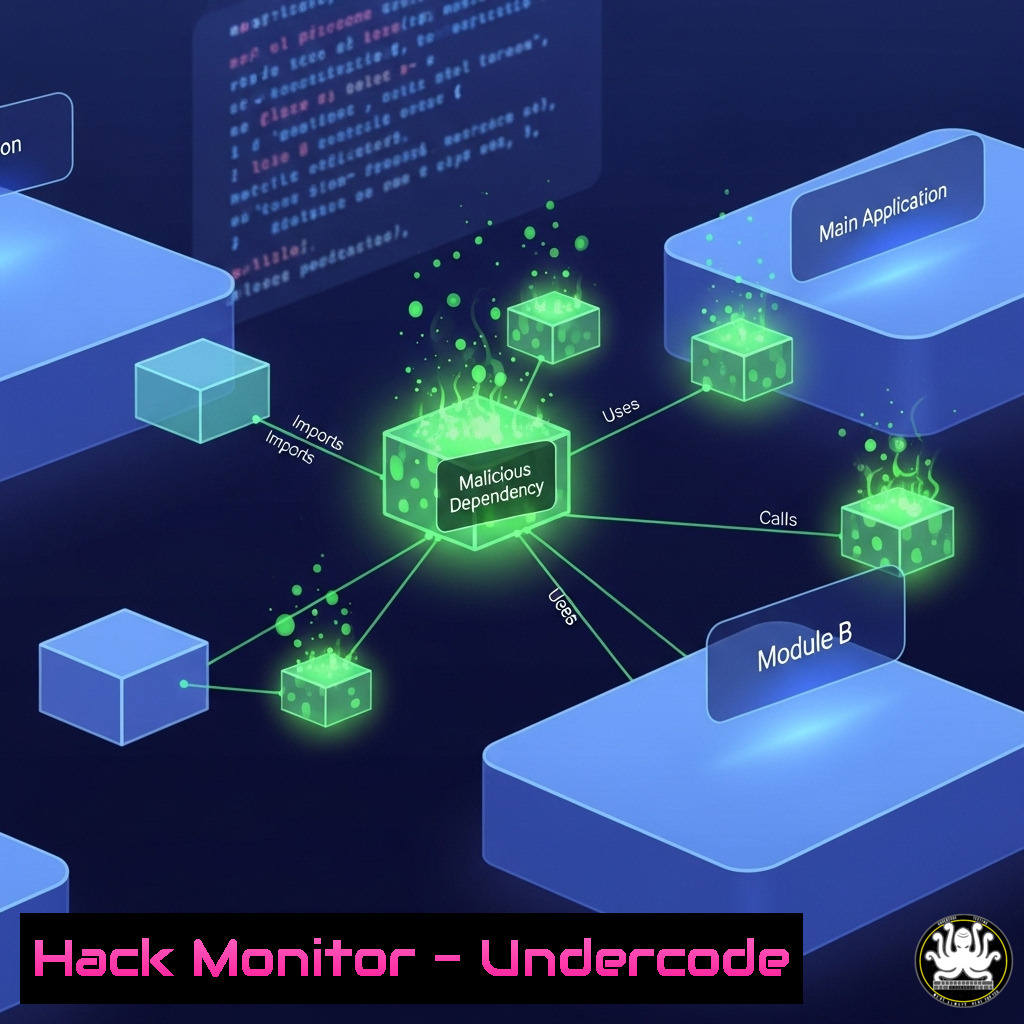
Introduction:
The software supply chain has become the primary attack vector for modern cybercriminals and state-sponsored actors. As illustrated in recent research previewed for DEFCON & Black Hat 2025, the complexity of open-source dependencies, CI/CD pipelines, and third-party integrations creates a vast and vulnerable attack surface. This article deconstructs the imminent threats and provides actionable, technical commands to harden your development ecosystem against catastrophic breaches.
Learning Objectives:
- Identify critical vulnerabilities within CI/CD pipelines and software dependencies.
- Implement advanced security controls to mitigate software supply chain attacks.
- Master forensic commands to detect evidence of compromise in your development environment.
You Should Know:
1. SCA Dependency Vulnerability Scanning
Modern applications leverage hundreds of open-source dependencies, each a potential entry point for malware. Software Composition Analysis (SCA) tools are essential for identifying known vulnerabilities (CVEs) within these libraries.
Verified Command/Code Snippet:
 Using OWASP Dependency-Check to generate a software bill of materials (SBOM) and vulnerability report
dependency-check.sh --project "MyApp" --scan ./path/to/src --out ./reports

Using Grype to scan a container image for vulnerabilities
grype ubuntu:latest -o table
Step-by-Step Guide:
The `dependency-check` command analyzes a project’s codebase, cross-referencing all found dependencies against the National Vulnerability Database (NVD). The `–out` flag specifies the directory for the detailed report, which includes CVE IDs, severity scores (CVSS), and affected dependencies. `Grype` performs a similar function directly on container images, crucial for DevOps and containerized environments. Regularly integrate these commands into your CI/CD pipeline to fail builds that introduce critical vulnerabilities.
2. SBOM Generation and Analysis
A Software Bill of Materials (SBOM) is a formal, machine-readable inventory of software components and dependencies, critical for transparency and rapid response to new vulnerabilities.
Verified Command/Code Snippet:
 Generate an SPDX-formatted SBOM using Syft
syft packages alpine:latest -o spdx > alpine-spdx.sbom

Generate a CycloneDX SBOM using a Node.js project's package-lock.json
cyclonedx-bundler -o ./sboms/sbom.cdx.json
Step-by-Step Guide:
Syft is a CLI tool that generates SBOMs from container images and filesystems. The command `syft packages alpine:latest -o spdx` inspects the Alpine Linux container image and outputs the component list in the SPDX format, which can be archived and used for audit purposes. The CycloneDX tool takes a `package-lock.json` file (or similar from other ecosystems) to produce a standardized BOM. These SBOMs must be generated at every release and stored securely to enable swift action when a new zero-day, like a Log4Shell variant, emerges.
3. CI/CD Pipeline Security Hardening
The automation servers orchestrating your builds (e.g., Jenkins, GitHub Actions, GitLab CI) are high-value targets. Securing them is non-negotiable.
Verified Command/Code Snippet:
 Jenkins Script Console Groovy script to audit user permissions
def jenkins = Jenkins.instance
jenkins.users.each { user ->
println "User: ${user.id}"
println "Permissions: ${jenkins.getAuthorizationStrategy().getPermissions(user)}"
}

GitHub Actions workflow to enforce branch protection and required status checks
name: Enforce PR Checks
on: [bash]
jobs:
check-protection:
runs-on: ubuntu-latest
steps:
- uses: actions/github-script@v6
with:
script: |
const { data: branch } = await github.rest.repos.getBranch({
owner: context.repo.owner,
repo: context.repo.repo,
branch: context.ref.replace('refs/heads/', '')
});
if (!branch.protected) {
core.setFailed('Branch is not protected. Requires status checks and review.');
}
Step-by-Step Guide:
The Jenkins Groovy script accesses the instance and iterates through all users, printing their IDs and associated permissions. This is crucial for auditing and identifying over-privileged service accounts. The GitHub Actions workflow is triggered on every pull request. It uses the GitHub API to check if the target branch has protection rules enabled, specifically requiring status checks to pass before a merge. This prevents code from being merged without successful security scans and tests.
4. Container Image Signing and Verification with Cosign
To prevent deploying tampered container images, cryptographic signing and verification must be standard practice.
Verified Command/Code Snippet:
 Sign a container image using Cosign
cosign sign --key cosign.key myregistry.io/myimage:latest

Verify a container image's signature before deployment
cosign verify --key cosign.pub myregistry.io/myimage:latest
Step-by-Step Guide:
After building an image and pushing it to a registry, use `cosign sign` to generate a cryptographic signature attached to the image. The `–key` flag specifies your private key file. During deployment (e.g., in a Kubernetes admission controller or CI pipeline), the `cosign verify` command uses the corresponding public key to confirm the image is exactly what was signed and has not been altered. This mitigates risks from compromised registries or man-in-the-middle attacks.
5. Detecting Malicious Commits and Git History Manipulation
Attackers may attempt to inject malicious code into a repository or alter git history to hide their activity.
Verified Command/Code Snippet:
 Audit git history for commits with suspiciously large files or extensions
git log --all --find-object=--size=1M  Find commits introducing files >1MB
git log --oneline --name-only --all | grep -E '.(exe|dll|js|vbs)$' | sort | uniq

Verify GPG signed commits to ensure author authenticity
git verify-commit $(git log --pretty=format:%H | head -1)
Step-by-Step Guide:
The first `git log` command searches the entire history (--all) for commits that introduced objects (files) larger than 1MB, a potential indicator of a bundled payload. The second command pipeline searches for commits that introduced common executable file types. The `git verify-commit` command checks the GPG signature of the most recent commit (using its hash). Enforcing signed commits is a critical policy for verifying contributor identity and preventing unauthorized code changes.
6. Static Application Security Testing (SAST) Integration
SAST tools analyze source code for security flaws before the code is compiled or deployed.
Verified Command/Code Snippet:
 Run Semgrep SAST with a specific security ruleset
semgrep --config=p/ci java/

Run Bandit to scan Python code for common vulnerabilities
bandit -r ./src -f json -o bandit_results.json
Step-by-Step Guide:
`Semgrep` is a fast, lightweight SAST tool. The command `semgrep –config=p/ci java/` uses the pre-defined “ci” ruleset (which contains security-focused rules) to scan all Java files in the specified directory. `Bandit` is designed for Python; the `-r` flag scans recursively, `-f json` formats the output for machine processing, and `-o` saves it to a file. These commands should be executed as part of the pre-commit hooks or the CI pipeline to provide immediate feedback to developers.
7. Cloud Supply Chain: Secure IaC Scanning
Infrastructure as Code (IaC) templates like Terraform and CloudFormation can misconfigure cloud environments at scale. Scanning them is essential.
Verified Command/Code Snippet:
 Scan Terraform plans for security misconfigurations using Checkov
checkov -d ./terraform_plan_dir --quiet

Use cfn-nag to scan CloudFormation templates for insecure patterns
cfn-nag scan --input-path ./cloudformation/template.yml
Step-by-Step Guide:
`Checkov` is a comprehensive IaC scanning tool. The `-d` flag specifies the directory containing Terraform files, and `–quiet` suppresses output other than failed checks. It will highlight issues like publicly open S3 buckets or insecure security group rules. `Cfn-nag` performs a similar function specifically for AWS CloudFormation templates. Integrating these scans into your CI/CD pipeline prevents insecure infrastructure from being provisioned automatically.
What Undercode Say:
- The software supply chain is not a secondary concern but the frontline of cyber defense. Organizations that fail to implement SBOMs, artifact signing, and hardened CI/CD pipelines are operating on borrowed time.
- Automation is paramount. Manual checks do not scale. Security must be embedded and automated into every stage of the development lifecycle, from commit to deployment.
The research slated for DEFCON 2025 underscores a critical evolution: attackers are no longer just exploiting vulnerabilities in code; they are actively poisoning the tools, repositories, and pipelines used to create that code. This shift from targeting the product to targeting the process demands a proportional shift in defense strategy. Relying solely on traditional endpoint and network security is akin to building a moat after the castle has already been infiltrated through a hidden tunnel. The future of security is developer-centric, automated, and deeply integrated into the DevOps workflow.
Prediction:
The 2025 threat landscape will be defined by hyper-automated attacks targeting the software supply chain. We predict a rise in “Poison-as-a-Service” platforms on the dark web, lowering the barrier to entry for launching sophisticated dependency confusion and CI/CD compromise campaigns. The discovery of a vulnerability on the scale of Log4Shell, but within a widely used CI/CD tool or a popular programming language’s package manager, is inevitable. This will trigger a industry-wide reckoning, forcing regulatory bodies to mandate stringent SBOM and secure software development practices, transforming cybersecurity from a IT function into a core responsibility of every software engineer.
🎯Let’s Practice For Free:
IT/Security Reporter URL:
Reported By: Mccartypaul Software – Hackers Feeds
Extra Hub: Undercode MoN
Basic Verification: Pass ✅


