Listen to this Post
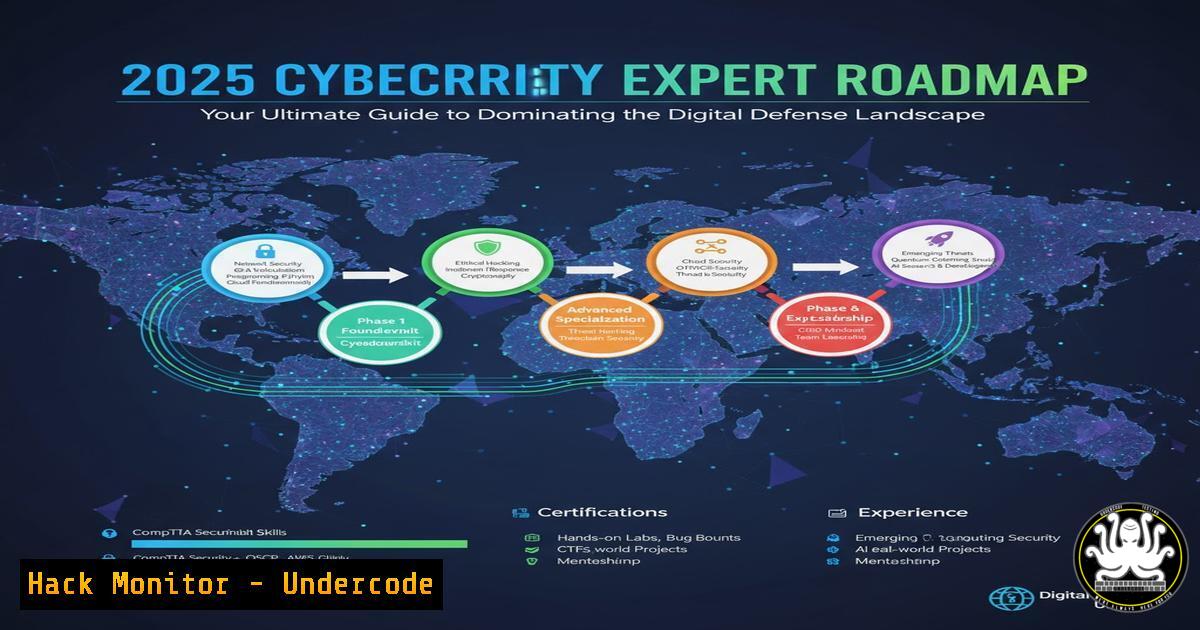
Introduction:
The cybersecurity landscape is evolving at a breakneck pace, demanding a structured and comprehensive approach to skill development. This expert roadmap for 2025 provides a clear, step-by-step path from foundational IT concepts to advanced security architecture, equipping aspiring professionals with the verified commands and practical knowledge required to excel.
Learning Objectives:
- Master the foundational commands and concepts across operating systems and networking.
- Develop practical skills in threat exploitation, network defense, and digital forensics.
- Build a portfolio of real-world techniques for securing systems and responding to incidents.
You Should Know:
1. Mastering Operating System Fundamentals
A security professional’s efficacy is rooted in their mastery of the underlying operating systems. Command-line proficiency is non-negotiable.
Verified Linux Command List:
`ls -la` – List all files, including hidden ones, with detailed permissions.
`find / -type f -perm /4000 2>/dev/null` – Find all SUID files, a common privilege escalation vector.
`ps aux –sort=-%mem | head` – Display running processes, sorted by memory usage.
`netstat -tuln` – List all listening ports and the associated services.
`chmod 600 private_key` – Modify file permissions to be read/write for owner only.
`grep -r “password” /var/www/ 2>/dev/null` – Recursively search for the string “password” in a web directory.
`journalctl -u ssh.service –since “1 hour ago”` – Review SSH service logs from the last hour.
Step-by-step guide:
To perform a basic system and security reconnaissance on a Linux host, follow these steps. First, establish what you’re working with by checking network services: run `netstat -tuln` to see all open listening ports. This reveals services like SSH (port 22) or web servers (port 80/443). Next, investigate running processes with `ps aux –sort=-%mem | head` to identify any resource-intensive or suspicious applications. Finally, conduct a targeted search for sensitive data; using `grep -r “password” /var/www/ 2>/dev/null` can uncover hardcoded credentials in web applications. This trio of commands provides a immediate snapshot of the system’s security posture.
2. Network Security and Traffic Analysis
Understanding and controlling network traffic is the cornerstone of defending a perimeter. This involves mapping networks and inspecting data in transit.
Verified Commands & Code Snippets:
`nmap -sV -sC -O 192.168.1.0/24` – Comprehensive Nmap scan for version, scripts, and OS detection.
`tcpdump -i eth0 -w capture.pcap host 10.0.0.5` – Capture all traffic to/from host 10.0.0.5 to a file.
`Wireshark Display Filter: `http.request.method == “POST”` – Filter to show only HTTP POST requests.
`iptables -A INPUT -p tcp –dport 22 -s 192.168.1.100 -j ACCEPT` – Allow SSH only from a specific IP.
`netsh advfirewall firewall add rule name=”Block Telnet” dir=in action=block protocol=TCP localport=23` – Windows command to block inbound Telnet.
Step-by-step guide:
To perform a basic network reconnaissance, start with Nmap. The command `nmap -sV -sC -O 192.168.1.0/24` does several things: `-sV` probes open ports to determine service/version info, `-sC` runs a suite of default NSE scripts to check for common vulnerabilities, and `-O` attempts to identify the remote operating system. After identifying a target, you can monitor its traffic. Using `tcpdump -i eth0 -w capture.pcap host 10.0.0.5` captures all packets to and from the target IP 10.0.0.5 on the `eth0` interface and writes them to capture.pcap. This file can then be opened in Wireshark and filtered with `http.request.method == “POST”` to isolate and inspect potentially sensitive form submissions.
3. Proactive Vulnerability Scanning and Exploitation
Identifying weaknesses before attackers do is critical. This involves using automated tools to scan for vulnerabilities and understanding how they can be exploited.
Verified Commands & Code Snippets:
`nmap –script vuln 10.0.0.1` – Run Nmap’s vulnerability scripts against a target.
`nessuscmd -q -x `
`msfconsole -x “use exploit/windows/smb/ms17_010_eternalblue; set RHOSTS 10.0.0.2; exploit”` – Metasploit one-liner for EternalBlue.
`searchsploit apache 2.4.49` – Search the Exploit-DB database for Apache 2.4.49 exploits.
`sqlmap -u “http://test.com/page.php?id=1” –dbs` – Enumerate databases on a potentially vulnerable website.
Step-by-step guide:
A common web application vulnerability is SQL Injection. To test for this automatically, use SQLMap. The command `sqlmap -u “http://test.com/page.php?id=1” –dbs` instructs the tool to target the given URL and test the `id` parameter. The `–dbs` flag tells SQLMap to attempt to enumerate the available databases if a vulnerability is found. This process automates the discovery of a critical flaw that could lead to full database compromise. Always ensure you have explicit permission before running such tools.
4. System Hardening and Access Control
Once a threat is understood, the priority is mitigation. Hardening systems involves tightening configurations and enforcing the principle of least privilege.
Verified Commands & Code Snippets:
`getfacl /etc/shadow` & `setfacl -m u:user:r– /etc/shadow` – View and set file access control lists.
`auditctl -w /etc/passwd -p wa -k passwd_change` – Audit rule to watch for writes/attributes changes to /etc/passwd.
`Windows GPO: Computer Configuration -> Policies -> Windows Settings -> Security Settings -> Account Policies -> Password Policy`
`ssh-copy-id -i ~/.ssh/id_rsa.pub user@remote_host` – Securely copy an SSH key for password-less, more secure login.
`sudo fail2ban-client status sshd` – Check the status of Fail2Ban for SSH brute-force protection.
Step-by-step guide:
To secure an SSH server against brute-force attacks, implement Fail2Ban. Fail2Ban scans log files for multiple failed login attempts and bans the offending IP address by updating firewall rules. After installation, you can check its status for the `sshd` jail with sudo fail2ban-client status sshd. This will show you how many IPs are currently banned and how many failed attempts have been detected. This is a crucial step in hardening any internet-facing service.
5. Digital Forensics and Incident Response (DFIR)
When a breach occurs, rapid and effective response is key. This involves memory analysis, disk forensics, and log auditing to determine the scope and impact.
Verified Commands & Code Snippets:
`volatility -f memory.dump imageinfo` – Identify the OS profile of a memory dump.
`volatility -f memory.dump –profile=Win7SP1x64 pslist` – List running processes from a Windows memory dump.
`autopsy` – Open-source digital forensics platform.
`strings malware.exe | grep -i “http\|https”` – Extract plaintext strings from a binary to find C2 servers.
`ls -latr /var/log/` – List log files by time, reversed, to see the most recent last.
Step-by-step guide:
In the event of a suspected malware infection, start by analyzing running processes. If you have a memory dump, use Volatility. The command `volatility -f memory.dump imageinfo` first identifies the correct profile. Then, using that profile (e.g., Win7SP1x64), run `volatility -f memory.dump –profile=Win7SP1x64 pslist` to get a list of all processes that were running at the time of the capture. Look for processes with suspicious names, unusual parent/child relationships, or that are masquerading as legitimate system processes. This is the first step in identifying the malicious artifact.
6. Cloud Security Hardening (AWS CLI Examples)
Modern infrastructure lives in the cloud, and its misconfiguration is a primary attack vector. Securing cloud environments is an essential skill.
Verified Commands & Code Snippets:
`aws iam get-account-authorization-details` – Retrieve IAM roles, policies, and users.
`aws s3api get-bucket-acl –bucket my-bucket` – Check the access control list for an S3 bucket.
`aws ec2 describe-security-groups –group-ids sg-xxxxxx` – Describe rules for a specific security group.
`Terraform: resource “aws_s3_bucket_public_access_block” “example” { … }` – Code to block public access to an S3 bucket.
`prowler aws -c check12` – Run Prowler, a security tool, to check for “Ensure no root account access key exists”.
Step-by-step guide:
A common cloud misconfiguration is publicly accessible S3 buckets. To check and remediate this using the AWS CLI, first audit the bucket’s ACL with aws s3api get-bucket-acl --bucket my-bucket. Look for grants to `http://acs.amazonaws.com/groups/global/AllUsers`. To fix this, you would use either the console or infrastructure-as-code like Terraform with the `aws_s3_bucket_public_access_block` resource to explicitly deny public access. Regularly running a tool like Prowler automates these checks across your entire cloud environment.
7. API Security Testing
APIs are the backbone of modern applications and a favorite target for attackers. Securing them requires specialized testing techniques.
Verified Commands & Code Snippets:
`kali> nikto -h https://api.target.com/v1/users` – Basic web API scanner.
`curl -H “Authorization: Bearer
`curl -X PUT https://api.com/user/5 -d ‘{“role”:”admin”}’` – Testing for Broken Function Level Control.
`owasp-zap -cmd -quickurl https://api.target.com -quickprogress` – Automated API scan with OWASP ZAP.
`jwt_tool
Step-by-step guide:
Testing for insecure direct object references (IDOR) in an API is a manual process. If an API endpoint is `GET /api/v1/users/123` and returns your data, a tester would change the ID to `124` (`curl -H “Authorization: Bearer
What Undercode Say:
- A Foundational-First Approach is Non-Negotiable: The roadmap correctly emphasizes core IT skills like networking and operating systems. Without this bedrock, security concepts remain abstract and ineffective.
- The Tool is a Means, Not the End: While tools like Nmap and Metasploit are highlighted, their true power is unlocked only when the professional understands the underlying protocols and vulnerabilities they interact with.
The provided roadmap is a robust template, but its effectiveness hinges on depth of understanding over checkbox completion. The shift towards cloud and API security is accurately reflected, but a critical, often omitted skill is automation via scripting (Python, Bash, PowerShell) to scale security efforts. The ultimate differentiator between a technician and an expert is the ability to not just execute commands, but to architect resilient systems based on the principles those commands reveal.
Prediction:
The convergence of AI-powered attack automation and an exponentially expanding cloud attack surface will render manual, reactive security practices obsolete by 2027. The cybersecurity professionals who will dominate the field will be those who have internalized this roadmap’s fundamentals and can leverage automation and AI themselves to design self-healing, defensible architectures, moving beyond mitigation to proactive resilience. The demand for professionals who can code security into infrastructure from the outset will outstrip all other specializations.
🎯Let’s Practice For Free:
IT/Security Reporter URL:
Reported By: Ouardi Mohamed – Hackers Feeds
Extra Hub: Undercode MoN
Basic Verification: Pass ✅


