Listen to this Post
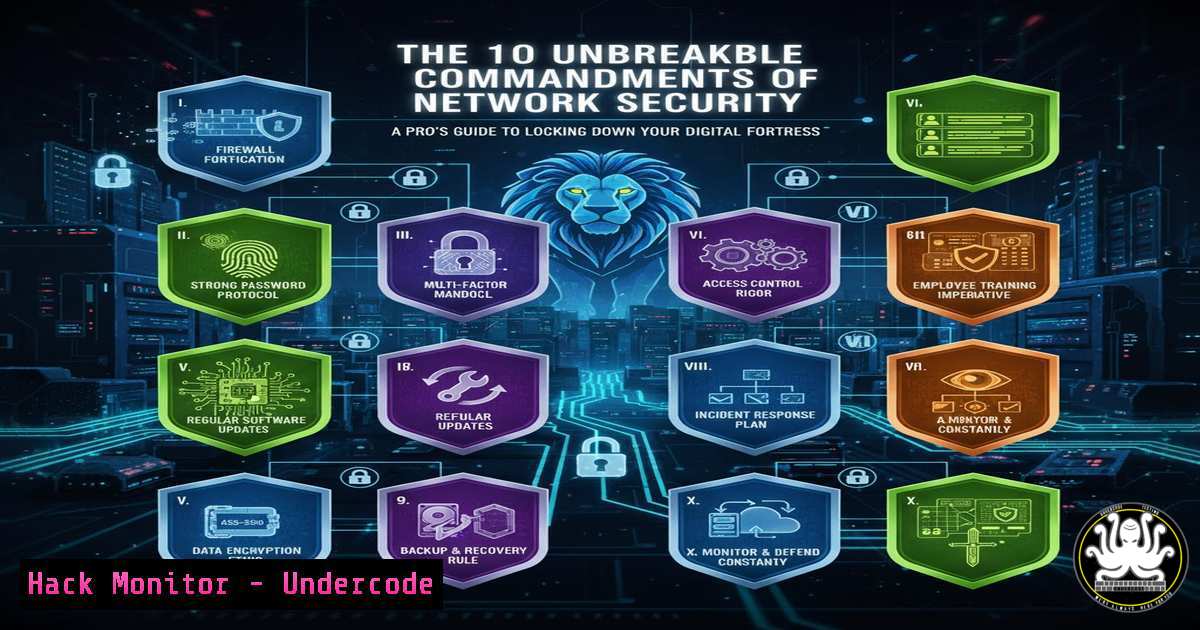
Introduction:
In an era of sophisticated cyber threats, a robust network security posture is no longer optional—it is the foundational bedrock of any resilient organization. This guide distills the top ten best practices into actionable technical strategies, moving beyond theory to provide the verified commands and configurations needed to implement a defense-in-depth architecture. By mastering segmentation, access control, and proactive monitoring, you can significantly reduce your attack surface and contain potential breaches.
Learning Objectives:
- Implement network segmentation and honeypots to control lateral movement and detect intrusions.
- Enforce the principle of least privilege and application whitelisting across Windows and Linux environments.
- Deploy and configure advanced threat detection and secure remote access via VPNs.
You Should Know:
1. Network Segmentation with VLANs and Firewalls
Segmentation is the cornerstone of modern network defense, preventing a breach in one zone from compromising the entire infrastructure.
switchport mode access, switchport access vlan 10, `firewall-cmd –permanent –zone=public –add-rich-rule=’rule family=ipv4 source address=192.168.1.0/24 service name=http reject’`
Step‑by‑step guide:
Isolate with VLANs: On a Cisco switch, create a dedicated VLAN for your guest Wi-Fi. Access the interface connected to the guest Access Point and configure it as an access port assigned to a specific VLAN (e.g., VLAN 10): interface gigabitethernet1/0/1, switchport mode access, switchport access vlan 10.
Enforce with Firewalls: On a Linux server running firewalld, you can create a rich rule to block traffic from an entire subnet. For instance, to prevent the guest network (192.168.1.0/24) from accessing internal web services, use: firewall-cmd --permanent --zone=public --add-rich-rule='rule family=ipv4 source address=192.168.1.0/24 service name=http reject'. Reload with firewall-cmd --reload.
2. Deploying a Honeypot with Canarytokens
Honeypots act as early-warning systems, deceiving attackers into revealing their presence and tactics.
`git clone https://github.com/thinkst/canarytokens-docker.git`, `docker build -t canarytoken ., `docker run -d -p 80:80 canarytoken`
<h2 style="color: yellow;">Step‑by‑step guide:</h2>
Acquire the Tool: Canarytokens are a simple, free way to create honeypots. Clone the repository: `git clone https://github.com/thinkst/canarytokens-docker.git`.
Build and Run: Navigate to the directory and build the Docker image: `docker build -t canarytoken .. Then, run the container, mapping a port: docker run -d -p 8080:80 canarytoken.
Generate Tokens: Visit the web interface at http://your-server:8080/` and create a "Web Bug" token. Place the generated URL in a sensitive-looking directory on your server (e.g.,/var/www/html/admin_backup.zip`). Any access to this URL will instantly trigger an alert.
3. Enforcing Least Privilege in Windows with PowerShell
The Principle of Least Privilege (PoLP) minimizes the damage from a compromised user account.
Get-LocalUser, New-LocalGroup -Name "SecureOperators", Add-LocalGroupMember -Group "SecureOperators" -Member "User1", `icacls “C:\SensitiveData” /deny “StandardUsers”:(R,W)`
Step‑by‑step guide:
Audit and Create Groups: Open PowerShell as Administrator. View current users with Get-LocalUser. Create a new, restricted group for users who need specific access: New-LocalGroup -Name "SecureOperators".
Assign Users: Add a user to this group: Add-LocalGroupMember -Group "SecureOperators" -Member "User1".
Apply File System Permissions: Use the `icacls` command to explicitly deny access to a directory for a broad group. For example, to deny Read and Write to the “StandardUsers” group: icacls "C:\SensitiveData" /deny "StandardUsers":(R,W).
4. Implementing Software Whitelisting via AppLocker
Whitelisting ensures only authorized, trusted applications can execute, blocking malware and unauthorized tools.
Get-AppLockerPolicy -Effective | Test-AppLockerPolicy -UserName "DOMAIN\User" -Path "C:\Tools\mimikatz.exe", `New-AppLockerPolicy -RuleType Publisher,Path -User Everyone -Xml | Set-AppLockerPolicy -Merge`
Step‑by‑step guide:
Test a Policy: Before deployment, test how a policy would affect a user and a specific executable. Use Get-AppLockerPolicy -Effective | Test-AppLockerPolicy -UserName "DOMAIN\User" -Path "C:\Tools\mimikatz.exe".
Create and Merge a Policy: Generate a new policy based on publisher and path rules for all users. The `-Xml` parameter outputs the policy, which is then piped to `Set-AppLockerPolicy` with the `-Merge` flag to apply it: New-AppLockerPolicy -RuleType Publisher,Path -User Everyone -Xml | Set-AppLockerPolicy -Merge. Always test in audit mode first.
5. Configuring a Site-to-Site IPsec VPN with StrongSwan
VPNs create encrypted tunnels for secure communication between networks, such as branch offices and the cloud.
sudo apt-get install strongswan, sudo nano /etc/ipsec.conf, sudo ipsec start, `sudo ipsec statusall`
Step‑by‑step guide:
Install StrongSwan: On your Ubuntu/Debian server, install the package: sudo apt-get install strongswan.
Configure Connection: Edit the IPsec configuration file: sudo nano /etc/ipsec.conf. Define a connection with robust encryption:
conn my-cloud-to-site
authby=secret
left=%defaultroute
leftid=@cloud-server
right=@on-prem-firewall
rightsubnet=10.1.0.0/16
ike=aes256-sha2_256-modp2048!
esp=aes256-sha2_256!
auto=start
Start and Verify: Start the service: sudo ipsec start. Check the status with `sudo ipsec statusall` to verify the tunnel is established.
- Real-Time Threat Hunting with Zeek (formerly Bro) IDS
An Intrusion Detection System (IDS) like Zeek provides deep visibility into network traffic, turning raw packets into actionable logs.
sudo apt-get install zeek, echo '192.168.1.0/24' >> /opt/zeek/etc/networks.cfg, zeekctl deploy, `tail -f /opt/zeek/logs/current/http.log`
Step‑by‑step guide:
Install Zeek: Install on a monitoring interface: sudo apt-get install zeek.
Define Local Networks: Edit the networks file to define which traffic Zeek should consider internal: echo '192.168.1.0/24' >> /opt/zeek/etc/networks.cfg.
Deploy and Monitor: Deploy the Zeek cluster: zeekctl deploy. In real-time, you can tail the HTTP log to see all web requests: tail -f /opt/zeek/logs/current/http.log, looking for suspicious user agents or domains.
- Hardening Cloud Storage (AWS S3) against Public Access
Misconfigured cloud storage is a leading cause of data breaches. Enforce strict bucket policies.
aws s3api put-bucket-acl --bucket my-secure-bucket --acl private, `aws s3api put-public-access-block –bucket my-secure-bucket –public-access-block-configuration BlockPublicAcls=true,IgnorePublicAcls=true,BlockPublicPolicy=true,RestrictPublicBuckets=true`
Step‑by‑step guide:
Set Bucket ACL to Private: Using the AWS CLI, ensure the bucket ACL is not public: aws s3api put-bucket-acl --bucket my-secure-bucket --acl private.
Block All Public Access: This is the critical command. It applies a blanket block on any form of public access to the bucket and its objects: aws s3api put-public-access-block --bucket my-secure-bucket --public-access-block-configuration BlockPublicAcls=true,IgnorePublicAcls=true,BlockPublicPolicy=true,RestrictPublicBuckets=true.
What Undercode Say:
- Defense is a layered architecture, not a single product. Segmentation, monitoring, and access control must work in concert.
- The human element remains critical; technical controls like whitelisting and least privilege are futile without proper user training and policy enforcement.
Analysis: The provided best practices form a coherent security framework, but their efficacy is entirely dependent on rigorous implementation. A misconfigured firewall rule can negate the benefits of segmentation. Overly permissive honeypots can become attack launchpads. The future of network security is automation and intelligence; static rule sets are losing the war against AI-driven attacks. The next evolution will see these practices governed by self-learning systems that dynamically adjust policies based on real-time threat intelligence, making networks inherently adaptive and resilient.
Prediction:
The convergence of AI-powered offensive tools with increasingly automated defense systems will lead to a new era of “autonomous security warfare.” We will see the first fully automated, AI-vs-AI cyber battles, where attacks are launched and mitigated at machine speeds far beyond human capability. This will force a fundamental shift from human-centric security operations to AI-augmented defense platforms, making mastery of these foundational practices the essential baseline upon which intelligent systems are built.
🎯Let’s Practice For Free:
IT/Security Reporter URL:
Reported By: Https: – Hackers Feeds
Extra Hub: Undercode MoN
Basic Verification: Pass ✅


